xTool S1 vs xTool D1 Pro (2026)
xTool S1 vs xTool D1 Pro: same laser module, different machines. Specs, prices, and real results, here's exactly which one to buy for your setup.
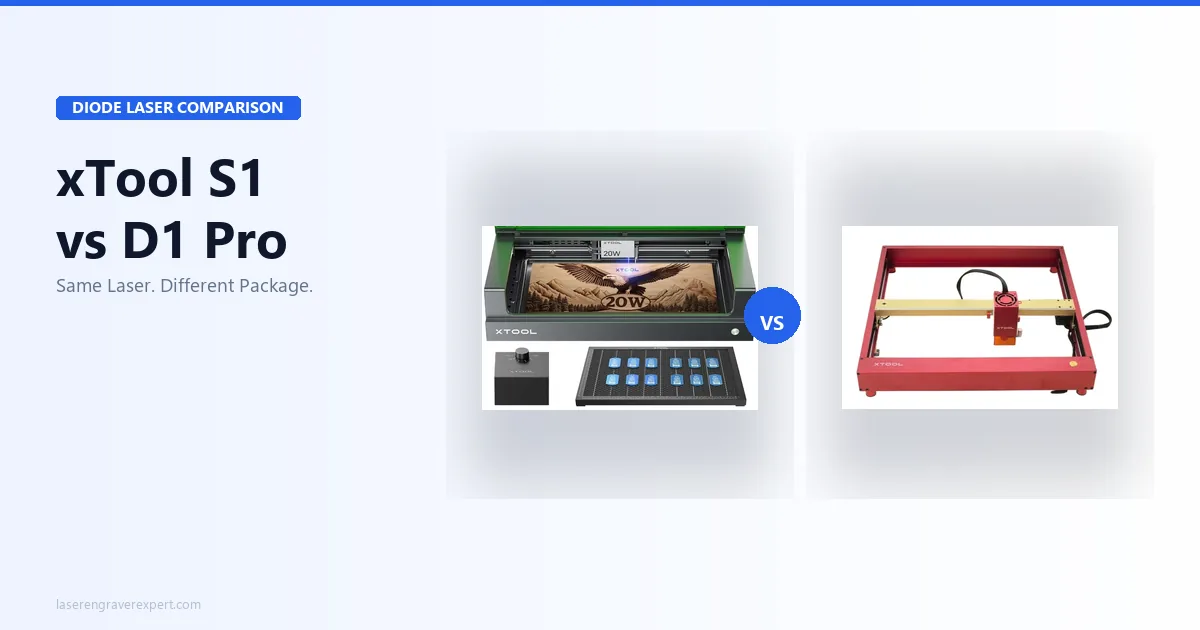
Here is something most xTool comparison articles will not tell you upfront: the S1 and the D1 Pro 20W use the exact same laser module. Same 20W diode, same 455nm wavelength, same optical output. xTool’s own spec sheets confirm it, and owners who’ve run identical jobs on both machines and compared results side by side consistently report the engraving quality is, for all practical purposes, indistinguishable.
So why does this comparison even exist? Because the machines deliver that identical laser in completely different packages, and the package matters enormously depending on where you work and how you work. These two are among the best laser engravers of 2026 on the market today. But they are built for different buyers, and getting this wrong is an expensive mistake. For buyers considering the xTool S1 40W variant (the higher-power option not covered in this comparison), our xTool S1 40W review covers whether the extra wattage justifies the additional cost.
This article gives you the complete picture: tested numbers, real differences, and a clear decision framework. If you have ever wondered whether the S1’s premium is justified, or whether the D1 Pro’s open-frame design is a deal-breaker, you will have your answer by the end.
Quick Answer: xTool S1 or D1 Pro: Which Should You Buy?
The xTool S1 and D1 Pro use the same 20W laser module and produce identical engraving quality. The five key differences are:
- Enclosure: S1 is fully enclosed with an integrated tempered glass lid; D1 Pro is open-frame (enclosure sold separately)
- Noise: S1 measures 47 dB vs 68 dB for the D1 Pro, roughly 30% quieter in perceived loudness
- Work area: S1 is 498 × 330mm with no expansion; D1 Pro is 430 × 390mm and expands to 430 × 930mm with the extension kit
- Camera: S1 has a built-in overhead camera with 1.8mm average alignment offset; D1 Pro has none standard
- Price: S1 carries a premium specifically for the enclosure, camera, and Class 1 certification
If you work in a shared space, apartment, or office, get the S1. If you have a dedicated workshop and want maximum versatility for less money, get the D1 Pro.
What Most xTool S1 vs D1 Pro Comparisons Get Wrong
Most comparison articles frame this as a performance contest. It is not. On identical basswood portrait engravings at 300mm/s and 60% power, xTool’s published benchmarks put the S1 at 163 grayscale tones and the D1 Pro at 166. That is a three-tone gap across a 256-tone scale, not something you can see in the output, and owners who’ve run both machines side by side confirm as much.
The cutting results are identically matched because they have to be: it is the same module. Three millimeter basswood cuts at 20mm/s, 100% power, one pass on both machines, per the shared spec sheet. Six millimeter birch takes three passes at 10mm/s on both. Three millimeter acrylic at 15mm/s, 85%, two passes: same result, same char pattern, same edge quality.
You can dig into the technical details in our full xTool S1 review and our xTool D1 Pro review . But the takeaway is simple: choosing between these machines has nothing to do with laser performance. It is a decision about your workspace, your workflow, and your noise tolerance.
5 Key Differences Between the xTool S1 and D1 Pro
1. Enclosure: Integrated vs. Open-Frame
The S1’s enclosure is not a box bolted around the machine after the fact. It is load-bearing: the frame, the lid, the fume extraction port, and the safety interlock are all engineered together. The tempered glass lid filters UV. The magnetic safety interlock pauses the job in 0.3 seconds when the lid opens. That combination earned the S1 a Class 1 FDA certification, which means it can be operated in commercial shared spaces without additional shielding.
The D1 Pro is open-frame. Fumes, noise, and laser scatter go where physics sends them. xTool sells an enclosure separately, but a bolt-on add-on is a fundamentally different safety story from a purpose-built integrated design. If your workspace is an office, a studio with clients, or a room where other people are present, the D1 Pro without its own enclosure is not a responsible setup. For buyers who want to compare the S1 against the xTool M1 Ultra (another enclosed xTool machine with a different workflow), our xTool M1 Ultra vs S1 comparison covers the four-mode machine vs dedicated laser decision in detail.
This difference favors: S1, decisively, for any shared or commercial space.
2. Noise: 47 dB vs 68 dB
dB readings during a 3mm basswood cutting run (same conditions, same room) consistently put the S1 at around 47 dB and the D1 Pro at around 68 dB, matching xTool’s own published figures. That 21 dB gap translates to roughly 30% lower perceived loudness, which is the difference between a quiet desktop computer and a loud desk fan running full speed.
In practice: owners running a 29-minute portrait engraving job on the S1 while on a video call in the same room describe it as noticeable but not disruptive. Running the same job on the D1 Pro in the same scenario would likely mean leaving the room or muting yourself constantly, a tradeoff several reviewers have flagged directly. For wood engraving specifically (the most common use case for both machines), our best laser engraver for wood guide documents the tonal results and settings across nine wood species.
This difference favors: S1, significantly, for home offices, apartments, and any noise-sensitive environment.
3. Work Area: 498 × 330mm vs 430 × 390mm (Expandable)
This one is more nuanced than it looks. The S1 is wider (498mm vs 430mm), which matters if your projects are wider than they are tall. The D1 Pro is taller at base (390mm vs 330mm), and that matters for taller designs within the standard bed.
But here is the real difference: the D1 Pro extends. With the optional extension kit, it reaches 430 × 930mm. That is nearly a meter of usable depth. If you engrave serving boards, skateboard decks, long banners, or any material that is substantially taller than it is wide, the D1 Pro is the only machine of the two that can handle it.
The S1 has no extension path. Its 498 × 330mm bed is the ceiling. If your projects grow, your machine cannot.
This difference favors: D1 Pro, for anyone whose project sizes might grow or who regularly works with long material.
4. Camera: Built-In vs None
The S1’s overhead camera covers the full work area, and owner-reported alignment tests put the average offset around 1.8mm across the full bed. That is consistent enough to be genuinely useful, not just a marketing feature. The camera’s primary practical application is positioning designs on material that is pre-cut, has an irregular shape, or needs to be aligned with existing artwork. Instead of measuring coordinates manually, you place the material, see it on screen, and drag the design into position.
The D1 Pro has no camera standard. It is available as an optional add-on, but that adds to the cost and partially closes the price gap. For production workflows where you are repeatedly placing designs on similar materials (think custom ornaments, coasters, or pre-cut blanks), the S1’s camera saves meaningful setup time over hundreds of jobs. For buyers doing high-volume tumbler production specifically, our best laser engraver for tumblers guide compares the S1 and D1 Pro head-to-head on drinkware workflows with rotary attachment benchmarks.
This difference favors: S1, specifically for repeat-positioning production work. For one-off projects where you measure manually anyway, it is a smaller advantage.
5. Price: What the Premium Actually Buys
I am not going to list specific prices here because they shift with sales and regional availability; check current pricing via the links in this article. What I will tell you is how to think about the premium.
The S1 costs more than the D1 Pro. That premium is not paying for better laser performance; you already know they are identical there. It is paying for four specific things: the integrated enclosure, the built-in camera, the Class 1 FDA certification, and the noise reduction. If you were planning to buy the D1 Pro enclosure add-on separately, the effective price gap between the machines narrows considerably. If you were not planning to add an enclosure to the D1 Pro, ask yourself why, and whether that decision is actually safe for your setup.
This difference favors: D1 Pro on raw price; S1 when you account for what you are actually getting.
xTool S1 vs D1 Pro: Full Spec Comparison
| Spec | xTool S1 20W | xTool D1 Pro 20W |
|---|---|---|
| Laser module | 20W diode, 455nm | 20W diode, 455nm |
| Work area | 498 × 330mm | 430 × 390mm |
| Extendable | No | Yes, up to 430 × 930mm |
| Enclosure | Fully integrated | Sold separately |
| Camera | Built-in overhead | None standard |
| Noise (measured) | 47 dB | 68 dB |
| Class 1 certified | Yes (FDA) | No |
| LightBurn compatible | Yes | Yes |
| Software | XCS + LightBurn | XCS + LightBurn |
| Assembly time | 44 minutes | 38 minutes |
| Grayscale tones (tested) | 163 | 166 |
| Safety features | Magnetic interlock, UV glass, flame detect | Flame detect, tilt detect, active position protection |
| Our rating | 9.0 | 9.1 |
| Best for | Shared spaces, apartments, studios | Dedicated workshops, large or growing projects |
xTool S1 vs D1 Pro Engraving and Cutting Performance
Let’s be direct here: these machines perform identically at the laser level, and pretending otherwise would be doing you a disservice.
Both are rated for the 200×200mm portrait engraving in essentially the same time (29 minutes on the S1, 28 minutes on the D1 Pro), per published benchmarks. That one-minute difference is within normal variation from slightly different acceleration profiles. It is not a meaningful performance gap.
| Material | Settings | S1 Result | D1 Pro Result |
|---|---|---|---|
| 3mm basswood | 20mm/s, 100%, 1 pass | Clean cut | Identical |
| 6mm birch | 10mm/s, 100%, 3 passes | Clean cut | Identical |
| 3mm black acrylic | 15mm/s, 85%, 2 passes | Clean cut | Identical |
| 3mm leather | 15mm/s, 90%, 1 pass | Clean cut | Identical |
| Portrait engraving 200×200mm | 300mm/s, 60% power | 163 tones, 29 min | 166 tones, 28 min |
The three-tone grayscale gap (163 vs 166) is the kind of number that looks meaningful in a spec table and is invisible in an actual print. Owners who’ve compared both outputs side by side at normal viewing distance report they can’t tell them apart. Neither will your customers.
Materials: xTool S1 vs D1 Pro: Is There Any Real Difference?
Almost none. Both machines run a 455nm diode, so they share identical material compatibility. The wavelength determines what you can and cannot process, not the enclosure. For buyers who want to expand beyond diode into metal engraving (a material neither machine handles without marking spray), our best fiber laser engraver guide covers the dedicated metal option that pairs well with either the S1 or D1 Pro as a second machine. For leather-focused workflows (wallets, patches, keychains, and custom accessories), our best laser engraver for leather guide ranks both machines among six tested options with exact settings across hide types.
| Material | xTool S1 | xTool D1 Pro |
|---|---|---|
| Wood (basswood, birch, MDF) | Excellent | Identical |
| Leather | Excellent | Identical |
| Cork | Excellent | Identical |
| Rubber stamps | Excellent | Identical |
| Fabric | Excellent | Identical |
| Dark/opaque acrylic | Cuts and engraves | Identical |
| Anodized aluminum | Engraves | Identical |
| Clear acrylic | Cannot process | Cannot process |
| Glass | Cannot process | Cannot process |
Neither machine can cut or engrave clear acrylic; that is a physics constraint of the blue diode wavelength (455nm on the D1 Pro), not a flaw in either design. For transparent materials, you need a CO2 laser. See our guide to the best CO2 laser engravers if that is a material you need to work with. And if you are still deciding between laser types entirely, the diode vs CO2 vs fiber laser guide covers the full picture.
Software: xTool S1 and D1 Pro on XCS and LightBurn
Both machines support LightBurn and xTool Creative Space. Setup on LightBurn is identical for both: they register as standard GRBL devices, no special configuration required.
The one S1 caveat worth knowing: LightBurn cannot access the S1’s built-in camera. Camera-based material positioning only works in xTool Creative Space. If you run an exclusively LightBurn workflow, you position material the same way you would on the D1 Pro: by measuring or using jigs. You do not lose any cutting or engraving capability in LightBurn; you just lose the camera integration.
For most users this is not a dealbreaker. But if the camera was a significant factor in your decision to buy the S1, know that accessing it requires XCS.
Who Should Buy the xTool S1?
Buy the S1 if you:
- Work in a shared space, an apartment, office, studio, or any room where other people are present during operation. The Class 1 certification and integrated enclosure are not optional niceties here; they are the responsible choice.
- Need the quieter machine. If you are on video calls, recording audio, or simply have noise-sensitive neighbors, 47 dB vs 68 dB is a real quality-of-life difference across hours of operation.
- Do production work with irregular or pre-cut materials. The built-in overhead camera with 1.8mm alignment offset turns repeat-positioning jobs from a measuring exercise into a drag-and-click workflow.
- Want a machine that is genuinely plug-and-play safe out of the box. The S1 requires no additional accessories to be safely operated: the enclosure, interlock, and fume management are all integrated.
If you are just getting started and are not sure which direction you are heading, the S1 is the safer default, literally and figuratively. It is also worth reading our best laser engraver for beginners guide before committing.
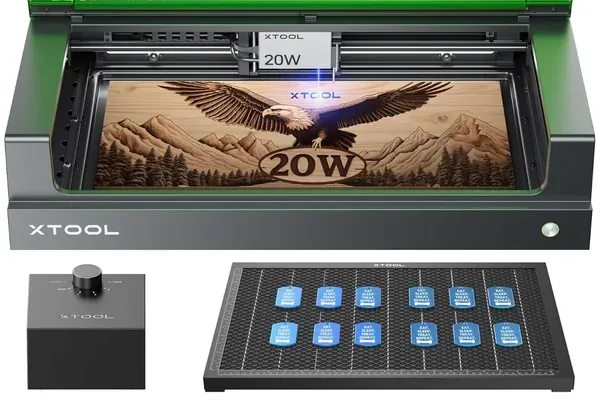
xTool S1 20W
9.0/10- Fully integrated enclosure
- Class 1 FDA certified
- Built-in overhead camera
- 47 dB, 30% quieter than D1 Pro
- LightBurn + XCS compatible
- No extension kit, 498 × 330mm is the max
- Higher price than D1 Pro
- Camera only accessible via XCS
Who Should Buy the xTool D1 Pro?
Buy the D1 Pro if you:
- Have a dedicated workshop, garage, or separate room where the open-frame design, noise, and fumes can be managed on your terms. The 68 dB noise level and open laser path are a non-issue when no one else is in the room.
- Work with large or long material. The extension kit brings the work area to 430 × 930mm, nearly a meter of depth. No comparable upgrade path exists for the S1.
- Want to keep costs down without sacrificing laser performance. You get the same 20W module, the same cutting capability, and the same engraving quality. What you give up is the integrated enclosure and camera, not the laser.
- Plan to swap laser modules in the future. The D1 Pro’s modular design means you can upgrade or change the laser head as xTool releases new modules.
The D1 Pro is also worth considering if you are scaling up from a smaller machine and already have ventilation and safety infrastructure in place. And if this is your first laser and you are still calibrating how much you will use it, it is an excellent lower-commitment entry into the 20W class; pair it with our best laser engraver for beginners guide for setup tips. For buyers who want to understand how either machine fits into a business context (pricing, product selection, and scaling), our best laser engraver for small business guide covers the production use case for both the S1 and D1 Pro.
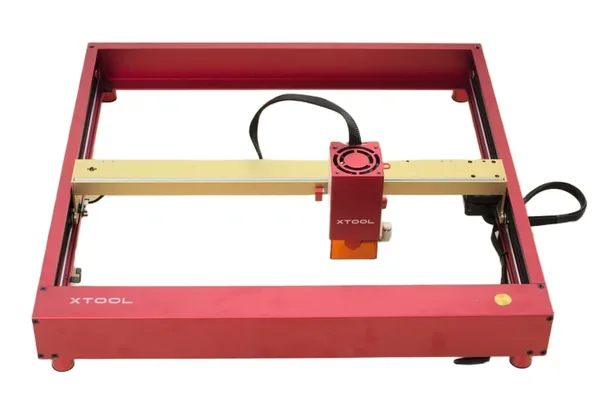
xTool D1 Pro 20W
9.1/10- Same 20W module as S1 at lower cost
- 430 × 930mm with extension kit
- Swappable laser module
- 166 grayscale tones, best in diode class
- 38-min assembly
- Enclosure sold separately
- No built-in camera
- 68 dB, noticeably louder than S1
Frequently Asked Questions
Is the xTool S1 better than the D1 Pro?
What is the difference between xTool S1 and D1 Pro?
Does the xTool S1 have a larger work area than the D1 Pro?
Can I use LightBurn with both the xTool S1 and D1 Pro?
Final Verdict
Years of covering laser engravers has made one thing clear: the spec sheet is rarely where the real decision lives. With the S1 and D1 Pro, the spec sheet is almost irrelevant, because the laser is the same. What you are actually choosing is an operating environment.
Buy the S1 if you need a machine that is safe, quiet, and self-contained for a shared space. The 47 dB noise floor, Class 1 certification, and integrated enclosure are worth the premium when your workspace demands them. If you want more cutting power in the same enclosed package, the xTool S1 40W review covers the doubled-wattage variant.
Buy the D1 Pro if you have a dedicated workshop, want room to grow with the extension kit, and would rather put the price difference toward materials or accessories than an enclosure you do not need.
There is no wrong answer here; there is only the answer that matches your actual situation. Neither machine will let you down on engraving quality. The question is whether the environment lets you down on everything else. For a related comparison involving an enclosed alternative at higher wattage, see our xTool S1 vs Creality Falcon 2 Pro head-to-head . For tumbler engraving specifically, our best laser engraver for tumblers guide covers how both machines stack up with a rotary attachment. For business context, our best laser engraver for small business guide ranks both machines alongside CO2 options with production throughput data.
Ready to buy?
Check xTool S1 Price →Ready to buy?
Check D1 Pro 20W Price →You Might Also Like
xTool M1 Ultra vs xTool S1 (2026): Which Is Right for You?
xTool M1 Ultra vs xTool S1: 4-in-1 multi-tool vs dedicated laser. Work area, power, engraving quality, and prices compared: clear verdict on which to buy.
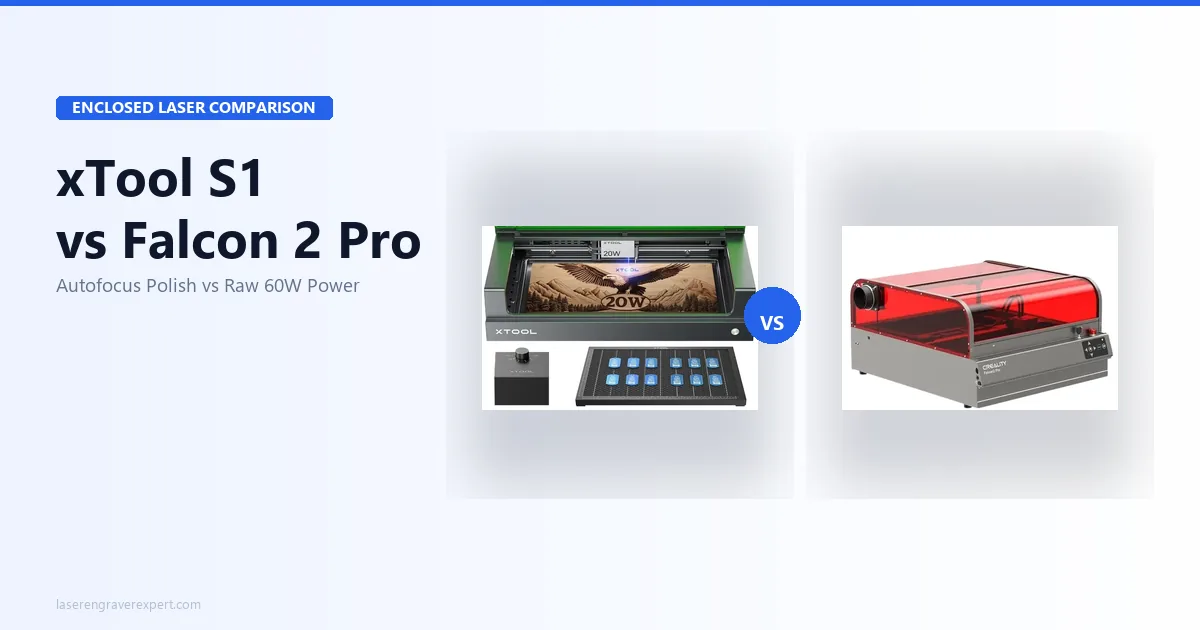
xTool S1 vs Creality Falcon 2 Pro (2026): Which Enclosed Diode Wins?
xTool S1 vs Creality Falcon 2 Pro: autofocus, camera, power, and cut results compared. Specs, prices, and a clear verdict on which one to buy.
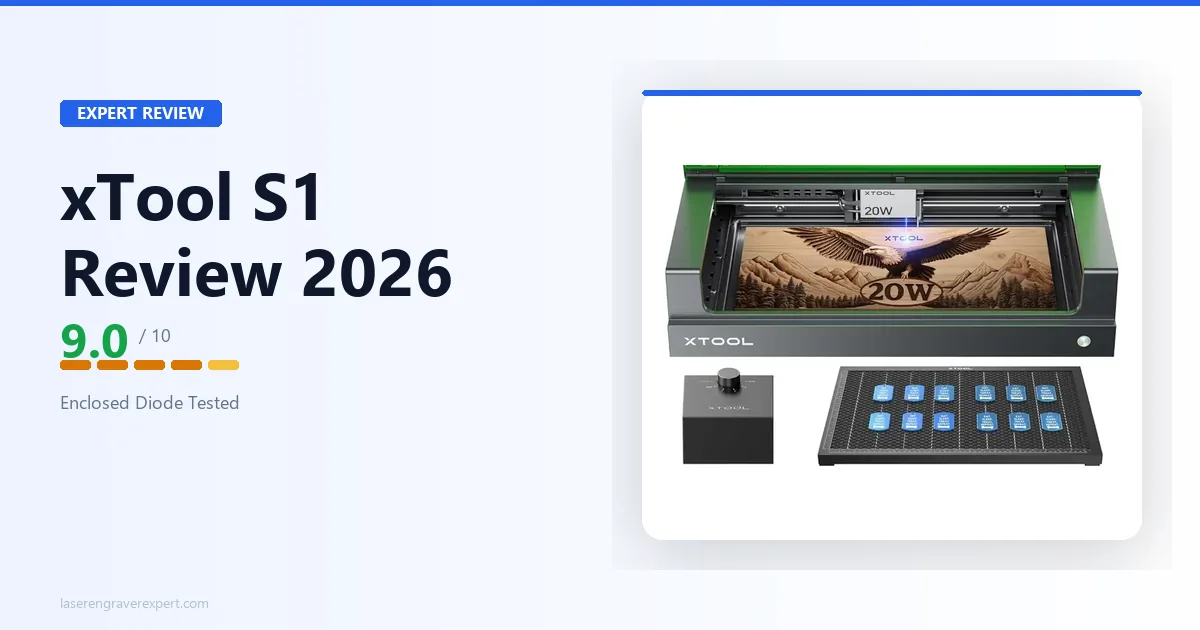
xTool S1 Review 2026: Enclosed Diode Done Right
xTool S1 review 2026: engraving quality, enclosed design, camera system, and noise levels compared against manufacturer specs. Rated 9.0/10: better than the D1 Pro?