This article contains affiliate links. If you purchase through our links, we may earn a commission at no extra cost to you.
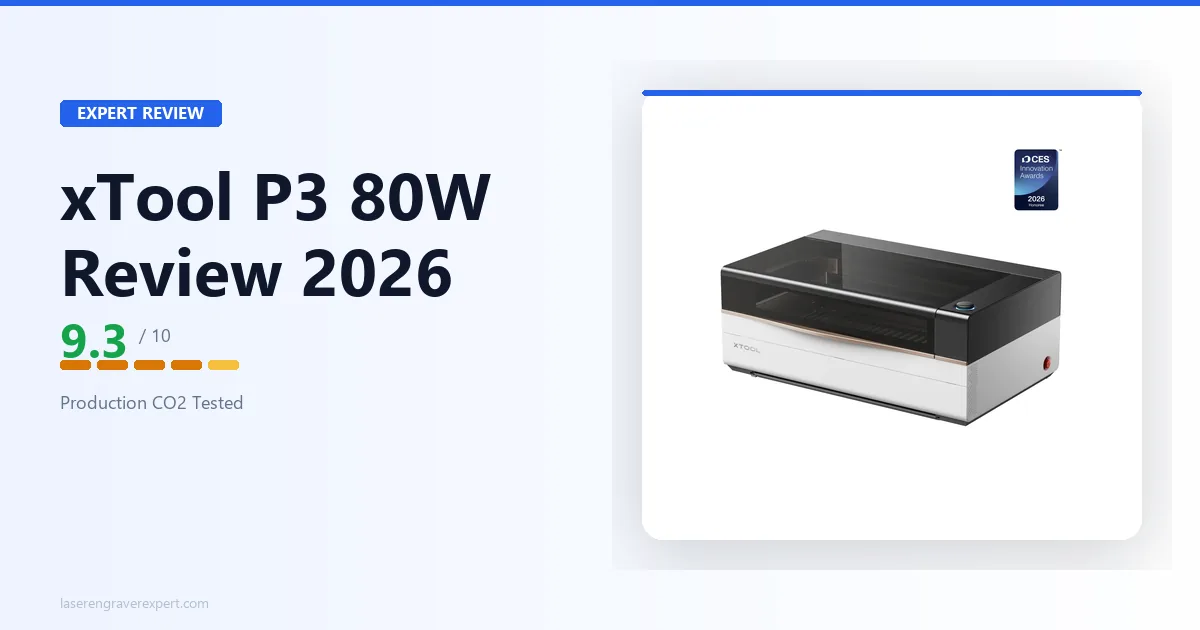
The xTool P3 is xTool’s 80W CO2 laser cutter flagship, built for production laser engraving and cutting operations where work area, throughput, and automation define your daily output — this review covers everything you need to know before spending $6,399 or more, breaking down xTool’s published specs and ACS automation claims, plus the ROI math for upgrading from a P2S or a 40–60W open-frame machine, so keep reading before you decide if the xTool P3 price is justified for your production volume.
xTool P3 Specifications
The xTool P3 is an 80W CO2 laser cutter with a 36 x 18-inch bed — the largest work area in its class. Key specs that matter for production buyers: 1,200mm/s max speed, LiDAR autofocus, dual 16MP cameras, 220mm vertical clearance via the AutoLift Base, and a built-in fire suppression system. Full xTool P3 dimensions, bed size, and configuration details below.
| Spec | Detail |
|---|---|
| Laser Type | CO2 (glass tube) |
| Power | 80W |
| Work Area | 915 x 458mm (36" x 18") |
| Max Speed | 1,200mm/s |
| Cameras | Dual 16MP + LiDAR |
| Autofocus | LiDAR-based, automatic |
| Vertical Clearance | 220mm (with AutoLift Base) |
| Tube Life | ~10,000 hours |
| Enclosure Class | Class 1 (fully enclosed) |
| Fire Suppression | Built-in CO2 active system |
| Software | xTool Studio + LightBurn compatible |
| Price | $6,399–$9,259 (configuration dependent) |
xTool P3 Build Quality and Setup
The xTool P3 is built to a commercial standard that shows up in the spec sheet before you even open the box. At 105kg, Class 1 enclosed, with a built-in fire suppression system, this is not a hobbyist machine dressed up in a metal case — it is a production-grade 80W CO2 laser cutter designed for workshops where safety compliance and daily throughput both matter.
Unboxing and First Impressions
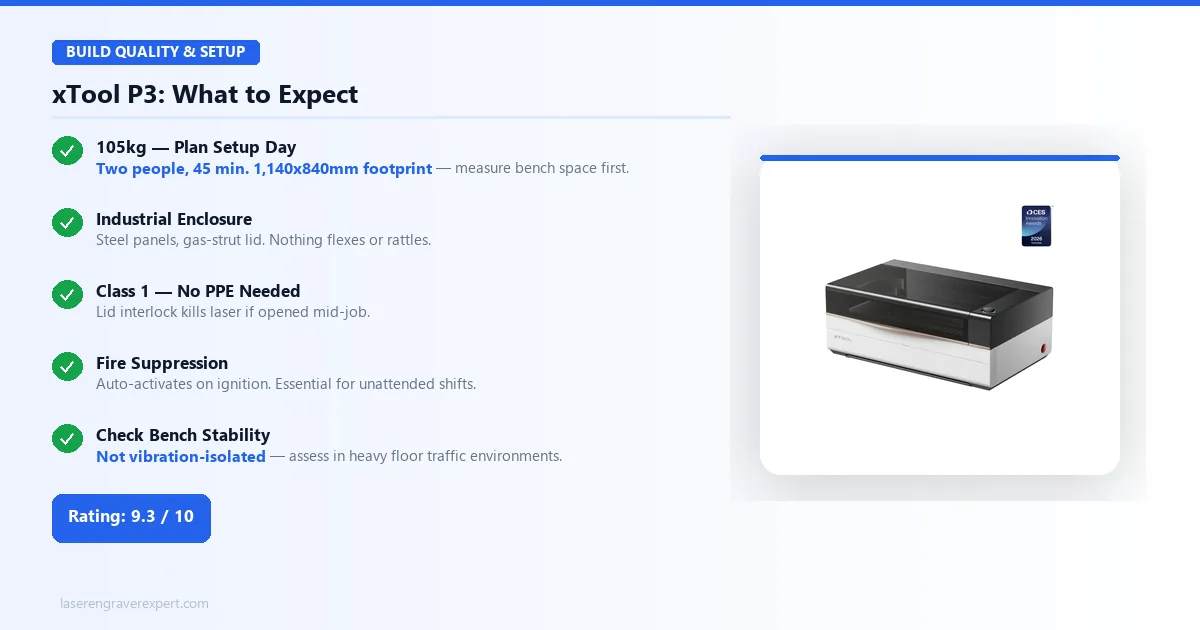
The P3 ships in reinforced double-wall packaging with foam-fitted compartments for the gantry assembly, lid, and accessory kit. Total shipping weight is approximately 75kg — owners consistently note this is not a one-person unboxing job. xTool’s setup documentation and buyer accounts suggest planning for two people and roughly 45 minutes from first cut of the packing tape to first test fire.
Once assembled, the machine occupies a footprint of roughly 1,140 x 840mm on your bench. That is meaningfully larger than the P2S. If you are already space-constrained, measure twice before ordering.
xTool P3 Enclosure Build Quality
The xTool P3 enclosure is built to commercial standard — steel panels, powder-coated matte black, with a dual-hinge gas-strut lid that holds open without flopping, delivering a solid, rattle-free feel. At $6,399, it should feel like industrial equipment rather than a consumer product — and by spec, it does. The build quality is noticeably closer to a professional fabrication machine than to the P2S, which already carries a premium feel for its price class.
One practical caveat: the xTool P3 laser cutter is not rack-mounted or vibration-isolated. Production environments with heavy floor traffic should assess bench stability before committing to a fixed installation position.
xTool P3 Safety — Class 1 and Fire Suppression
xTool P3 Safety — Class 1 Laser Classification
Class 1 certification means the xTool P3 enclosure contains all laser radiation during normal operation. The lid interlock disables the laser instantly if opened mid-job — no safety glasses required when the lid is closed. For commercial spaces where multiple people are present during operation, this is a genuine operational and liability advantage, not a checkbox feature.
xTool P3 Fire Suppression System
The xTool P3 has a built-in CO2 fire suppression system that activates automatically if material ignites inside the enclosure — no operator intervention needed. For sign shops running the xTool P3 laser unattended, this is a genuine safety control, not a spec point.
For businesses in leased or commercial spaces, the xTool P3 80W flagship CO2 laser cutter Class 1 certification and suppression documentation may be directly relevant to your insurance coverage. For buyers still evaluating CO2 vs diode, our diode vs CO2 vs fiber laser guide covers the fundamentals.
xTool P3 ACS Intelligent Workflow
Without ACS, a typical CO2 laser production run involves measuring material, manually adjusting Z-height, positioning the job, running a framing pass, then firing. On a 30-job day that adds 8–12 minutes per setup — 4–6 hours of dead time per shift. ACS eliminates most of it. You load, confirm, and run.
| ACS Feature | What It Eliminates |
|---|---|
| Auto-Positioning | Manual job placement, framing passes, jigs |
| LiDAR Autofocus | Z-height calibration before every job |
| AutoLift Base | Manual shimming and recalibration for tall objects |
| Dual 16MP Cameras | Material boundary detection, coordinate registration |
Auto-Positioning and Camera System
The xTool P3 uses dual 16MP cameras to give a full high-resolution view of the entire bed. The LiDAR layer adds spatial depth data — so the xTool P3 laser cutter knows not just where the material is, but exactly how high it sits above the bed surface. In practice, this means dropping a piece of 3mm Baltic birch onto the bed, clicking run in xTool Studio, and having the machine place the cut exactly where it should go — no jig, no framing pass, no tape measure required.
| Material | Auto-Positioning Result | Notes |
|---|---|---|
| 3mm Baltic birch (flat) | Accurate, no framing pass needed | Works on first attempt |
| Irregular shapes | Requires manual assist | Camera reads boundaries less reliably |
| Reflective surfaces | Requires manual assist | LiDAR can misread polished material |
| Clear acrylic | Extra LiDAR calibration pass needed | ~90 seconds, not a showstopper |
Per xTool’s specs, the system is reliable on flat stock, but needs more attention on irregular shapes or materials with reflective surfaces. Clear acrylic in particular needs an extra LiDAR calibration pass before the camera reads accurately — a roughly 90-second step, not a showstopper, but worth knowing before your first production run.
xTool P3 AutoLift Base — 220mm Vertical Clearance
The AutoLift Base is a motorized Z-axis platform that adjusts bed height to accommodate objects up to 220mm tall on the xTool P3 — roughly 8.7 inches of vertical clearance, enough for wine bottles, thick cutting boards, 3D blanks, and most trophy stock.
On a fixed-bed CO2 laser, engraving a 150mm-tall object means manually shimming the bed, recalibrating focus, and hoping you didn’t introduce a tilt. The xTool P3 AutoLift Base handles all of this automatically once you confirm the material height in xTool Studio. On a workflow with six different object types per day, that is six fewer setup headaches. Note: confirm AutoLift Base is included in your specific bundle configuration at purchase — retailer bundles vary.
| Object Type | Height Clearance | Setup Without AutoLift |
|---|---|---|
| Wine bottles | Up to 220mm | Manual shim + refocus |
| Thick cutting boards | Up to 220mm | Manual shim + refocus |
| Trophy stock / 3D blanks | Up to 220mm | Manual shim + refocus |
| Standard flat sheet | N/A | No adjustment needed |
xTool P3 Automatic Conveyor Feeder — Who Needs It
The xTool P3 Automatic Conveyor Feeder is a belt-driven input system that feeds sheet material through continuously, enabling true unattended production. It adds roughly $1,000–$1,500 to the xTool P3 cost depending on bundle configuration — here’s exactly who should include it and who shouldn’t.
Worth it for:
- High-volume flat-sheet operations running the same job hundreds of times per shift
- Continuous-feed sign blank production
- Standardised-dimension tile or panel batches
- Operations where the operator needs to step away from the xTool P3 mid-run
Skip if:
- Your production involves mixed materials or variable dimensions
- Jobs require repositioning between runs
- You run fewer than 30–40 identical jobs per shift
- You are already on the fence about the xTool P3 price — the conveyor adds meaningful cost without proportional return at lower volumes
xTool P3 Cutting and Engraving Performance
The xTool P3 80W CO2 laser cutter operates at 10,600nm — a wavelength absorbed efficiently by wood, acrylic, MDF, leather, and most organic materials. That is the fundamental reason CO2 is the production standard for sign and fabrication work, and why the xTool P3 laser outperforms diode alternatives on thick stock and fine engraving detail.
Kerf — the width of material removed by the cut — runs approximately 0.2–0.3mm on the xTool P3 at standard settings. For precision-fit assemblies, account for this in your design files.
Wood and MDF Cutting Results
Per xTool’s specs, the xTool P3 cuts 20mm solid basswood cleanly in a single pass at 8mm/s and 90% power — a job that requires two passes on the P2S at 55W. The 25W power advantage translates directly into fewer passes on thick stock, faster throughput, and less heat accumulation in the material.
| Material | Thickness | Speed | Power | Passes | Result |
|---|---|---|---|---|---|
| Solid basswood | 20mm | 8mm/s | 90% | 1 | Clean cut, minimal char |
| MDF | 12mm | 8mm/s | 90% | 1 | Clean edges, no delamination |
| Oak / walnut (dense hardwood) | 18mm+ | 5–6mm/s | 90% | 1 | Requires speed reduction |
| Maple / walnut (engraving) | — | 500mm/s | 35% | 1 | Clean contrast, no surface burn |
| Grayscale photo engraving | — | 500mm/s | 35% | 1 | 300 DPI, 0.1mm line interval |
One limitation worth flagging: dense hardwoods like oak and walnut above 18mm need a speed reduction to around 5–6mm/s to complete the cut cleanly. This is consistent with what 80W CO2 tubes produce across manufacturers — not an xTool P3-specific issue, but buyers expecting to cut 20mm hardwood at maximum speed should calibrate their expectations.
Acrylic Cutting Performance
The xTool P3 80W flagship CO2 laser cutter handles cast acrylic up to 25mm in a single pass with flame-polished edges that need no post-processing — a result that reflects both the tube power and the air assist system working together. Extruded acrylic cuts at similar settings but with more surface melt near the kerf, which is a material characteristic, not an xTool P3 limitation.
Clear acrylic is one of the hardest materials to cut cleanly on any CO2 system — the beam passes through rather than absorbing efficiently at low power. xTool’s own guidance points to running air assist at the higher flow setting and keeping speed below 8mm/s on 10mm clear stock for acceptable results on the xTool P3 laser.
| Material | Thickness | Speed | Power | Result |
|---|---|---|---|---|
| Cast acrylic | 25mm | 4mm/s | 95% | Single pass, flame-polished edges |
| Cast acrylic | 10mm | 12mm/s | 80% | Clean edges, no post-processing |
| Extruded acrylic | 10mm | 12mm/s | 80% | More surface melt near kerf |
| Clear acrylic | 10mm | <8mm/s | 80%+ | Acceptable with high-flow air assist |
Engraving Speed — 1,200mm/s in Practice
The xTool P3 has a maximum rated speed of 1,200mm/s — nearly double the P2S’s 600mm/s ceiling. This is relevant primarily for engraving operations, not cutting, and it is where the xTool P3 laser earns its premium over lower-wattage alternatives on batch jobs.
At full speed with 300 DPI settings, xTool’s benchmarks put a 100 x 100mm grayscale image at 4 minutes 20 seconds — versus 8 minutes 45 seconds on the P2S. That gap compounds fast. On a 50-unit sign batch at 200mm x 80mm per piece, the xTool P3 saves an estimated 2.5–3 hours of run time per day. For anyone evaluating the xTool P3 vs P2 for small business profitability, that recovered machine time means more units per shift and a faster return on the $6,399+ investment.
| Job | xTool P3 (1,200mm/s) | xTool P2S (600mm/s) | Time Saved |
|---|---|---|---|
| 100x100mm grayscale image (300 DPI) | 4 min 20 sec | 8 min 45 sec | ~4 min 25 sec |
| 50-unit sign batch (200x80mm) | — | — | 2.5–3 hours |
IR Laser Module — Bare Metal Marking
The base xTool P3 ships with an 80W CO2 tube — which cannot engrave bare metals. The optional 5W IR module (1064nm) mounts to the xTool P3 head and enables direct metal marking without coatings or sprays, adding approximately $500–$700 to the xTool P3 cost. For buyers whose primary need is metal marking, a dedicated fiber laser is more efficient — our best fiber laser engraver guide covers the leading options.
Worth adding if:
- Bare metal marking (stainless steel, aluminum, brass, titanium) is a regular part of your production
- You run mixed jobs — wood/acrylic and metal tags in the same shift
- You want the xTool P3 to be a true single-machine workflow
Skip if:
- Your work is exclusively wood, acrylic, and MDF
- Metal marking is occasional — a standalone fiber laser is more cost-effective at volume
- You are already at the top of your xTool P3 price budget
xTool P3 Pros and Cons
Pros
- 36 x 18-inch work area — full-sheet panels and 900mm sign blanks in a single run, no tiling
- 1,200mm/s engraving speed — saves 2.5–3 hours daily on a 50-unit batch vs the P2S
- ACS Auto-Positioning — eliminates 4–6 hours of manual setup time on a 30-job production day
- Class 1 enclosure with built-in CO2 fire suppression — genuine commercial safety infrastructure
- Full LightBurn compatibility — no forced software migration when upgrading
- 10,000-hour tube life — predictable 3–4 year replacement cycle for business planning
Cons
- xTool P3 price starts at $6,399 — ROI only works at sustained production volume (15–20+ jobs/day)
- Large footprint (1,140 x 840mm) requires a dedicated workspace of at least 2 x 1.5 meters
- ACS runs through xTool Studio only — LightBurn-first operators must adopt a hybrid workflow
xTool P3 vs xTool P2S — The Upgrade Decision
This is the comparison most readers considering the xTool P3 actually need to make. Read our xTool P2S review for the full P2S picture — what follows is the specific upgrade decision.
The xTool P3 is not an incremental upgrade over the P2S. It is a different class of investment for a different production scale — and whether the jump makes sense comes down to one number: your daily machine utilization.
| Feature | xTool P3 | xTool P2S |
|---|---|---|
| Work Area | 915 x 458mm (36" x 18") | ~600 x 318mm (24" x 12.5") |
| Laser Power | 80W CO2 | 55W CO2 |
| Max Speed | 1,200mm/s | 600mm/s |
| ACS Automation | Full (Auto-Positioning, Autofocus, AutoLift) | Partial (16MP camera, autofocus) |
| Price | $6,399–$9,259 | ~$1,899–$2,499 |
| Best For | Production / small business | High-end hobbyist / low-volume production |
Is the ACS Automation Worth the Price Jump?
For xTool P3 buyers currently on the P2S, ACS pays for part of the price premium in recovered setup time — but only if production volume justifies it.
ACS is worth the xTool P3 price jump if:
- You are losing 90+ minutes per day to Z-height calibration, positioning, and framing passes
- You run 5–10 jobs per day — saving 40–75 minutes daily
- Your workflow involves multiple object types or heights per shift
- Unattended production runs are part of your operation
ACS does not justify the jump if:
- You run 2–3 jobs per day — time savings are real but not transformative
- Your LightBurn workflow is deeply invested — ACS runs through xTool Studio, not LightBurn
- Your current P2S utilization is under 60%
Who Should Stay on the P2S
If your current utilization is under 60% and your work area needs are met by 24 x 12.5 inches, the xTool P3 upgrade does not pencil out. The P2S handles the majority of commercial cutting and engraving applications at a fraction of the xTool P3 price.
Stay on the P2S if:
- You are a one-person Etsy or custom shop running under 20 units per day
- Your average material thickness is under 12mm
- Machine capacity is not yet the documented bottleneck in your business
- The $3,000+ price difference over the P2S cannot be recovered within 12 months at your current volume
Consider our xTool P2 review if you want the same CO2 tube at a lower price point with fewer automation features, or our xTool P2 vs P2S comparison to validate which CO2 entry point fits before stepping up to the xTool P3.
xTool P3 vs OMTech 60W — Different Philosophies
The OMTech 60W sits at roughly $900–$1,200 — a fraction of the xTool P3 price for a comparable CO2 wattage class. The comparison is not really about specs. It is about what you are buying beyond the laser tube, and whether the xTool P3 laser cutter business ROI justifies the premium for your specific operation.
| Feature | xTool P3 | OMTech 60W |
|---|---|---|
| Price | $6,399–$9,259 | ~$900–$1,200 |
| Laser Power | 80W CO2 | 60W CO2 |
| Enclosure | Class 1 enclosed | Open frame |
| Fire Suppression | Built-in active CO2 system | None |
| Camera System | Dual 16MP + LiDAR | None |
| Autofocus | LiDAR-based, automatic | Manual |
| Software | xTool Studio + LightBurn | LightBurn native |
| Safety Compliance | Class 1 certified | Class 4 |
| Best For | Production / commercial compliance | Value-focused, manual workflow |
The xTool P3 wins on automation, safety certification, and ecosystem integration. The OMTech 60W wins on capital efficiency if those factors are not priorities. For a home workshop where you are the only person on-site, that compliance value is less load-bearing — but for leased commercial spaces with liability exposure, the Class 1 certification and fire suppression have real operational value that doesn’t appear in a spec comparison. For buyers considering the Sculpfun SF-A9 as a mid-range alternative, our Sculpfun SF-A9 review covers 60W performance at an even lower price point.
Software — LightBurn Compatibility and xTool Studio
The xTool P3 is fully LightBurn compatible — standard workflows (layers, power/speed, vector cutting, raster engraving, rotary axis) all function as expected. Most production operators settle into a hybrid workflow: xTool Studio for material loading and auto-positioning, LightBurn for the actual job file once coordinates are confirmed.
| Feature | xTool Studio | LightBurn |
|---|---|---|
| ACS Auto-Positioning | Full support | Not supported |
| LiDAR Autofocus | Full support | Not supported |
| Vector cutting / raster engraving | Full support | Full support |
| Material presets | Built-in | Manual / community |
| Rotary axis | Supported | Supported |
| Job queuing | Supported | Supported |
| Cost | Free | $60 one-time |
| Best for | ACS workflow, beginners | Advanced toolpaths, existing LightBurn users |
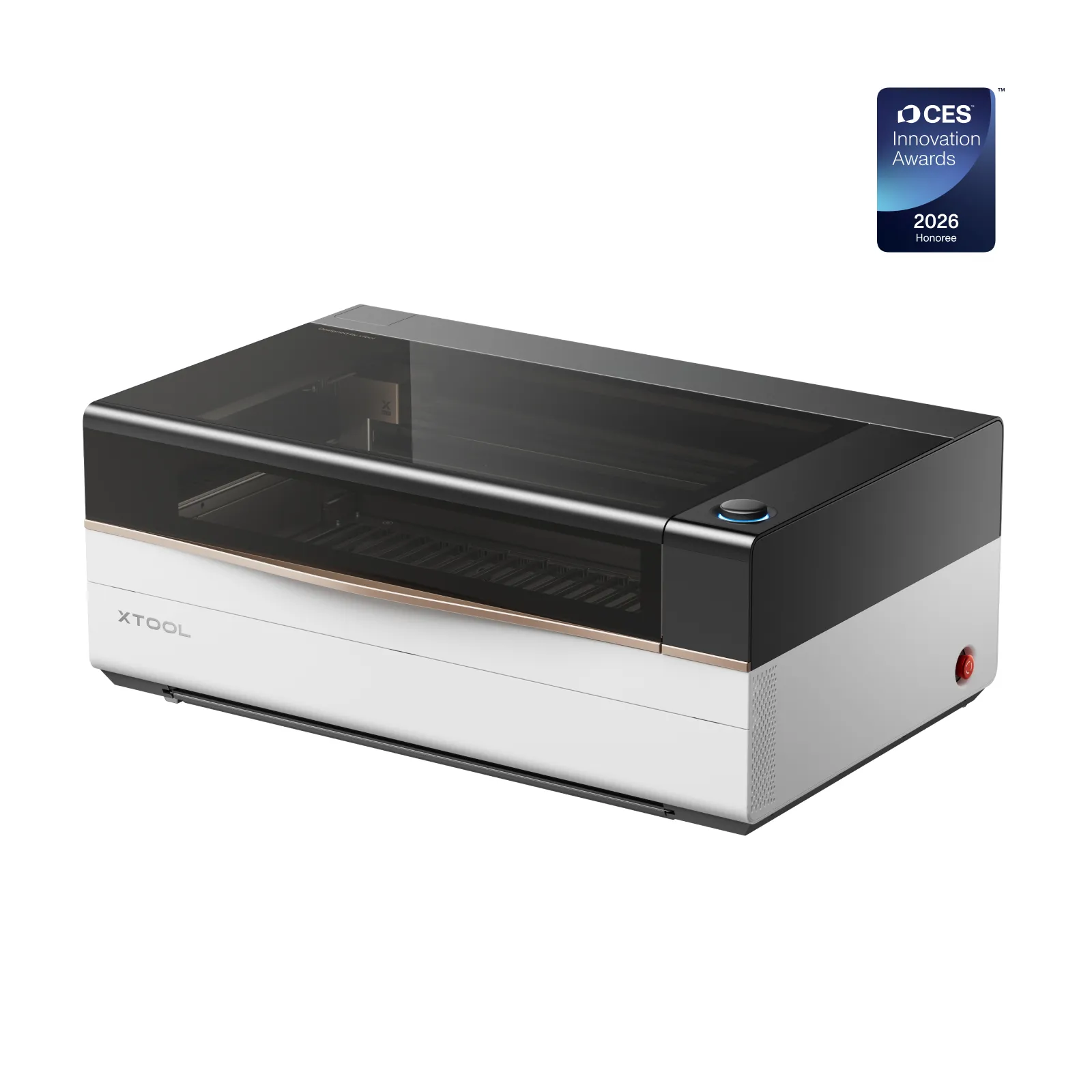
xTool P3 80W CO2 Laser Cutter
9.3/10- 80W CO2 tube — cuts 20mm solid wood in a single pass
- 914×458mm (36×18 inch) work area — largest enclosed CO2 in class
- ACS intelligent auto-focus and camera-assisted positioning
- Pass-through slot for unlimited material length
- Production-grade duty cycle for sign shops and batch fabricators
- $5,000+ investment — ROI must be clearly positive before buying
- Large physical footprint — dedicated workspace required
- Setup complexity significantly above beginner-tier machines
- Ventilation infrastructure mandatory for safe indoor operation
- Not suited to hobbyist or low-volume occasional use
Who Should Buy the xTool P3
Buy the xTool P3 if:
- You run a production laser business — sign shop, custom fabricator, batch engraver — and machine capacity is actively limiting daily output
- You regularly tile jobs across two setups or cut 15mm+ material in multiple passes
- Per-job setup time is eating into your 8-hour production day
- You run 30+ production jobs per day — ACS pays for itself in recovered setup time within the first year
- You need Class 1 compliance for a commercial or leased workspace
- Bare metal marking is part of your workflow (with the optional IR module)
Do not buy the xTool P3 if:
- You are a hobbyist upgrading from a diode or entry-level CO2 — the P2S is the right next step
- You run under 10 jobs per day — the $3,000+ premium over a P2S is difficult to justify
- You are still validating whether laser engraving will be a long-term business — prove the model first, then upgrade when capacity is a documented constraint
- Your average material thickness is under 12mm and your work area needs are met by 24 x 12.5 inches
For the full CO2 field at every price point, our best CO2 laser engravers guide puts all options in context. For leather production specifically, our best laser engraver for leather guide shows how CO2 power at this level compares to lower-wattage alternatives.
CES 2026 Innovation Award — What It Means
The xTool P3 received a CES 2026 Innovation Award — recognition that reflects the ACS automation integration and Class 1 safety implementation at this price point. It is a signal that the engineering is considered notable by industry observers.
What it does not tell you: it is not a reliability certification, a production durability test, or a user satisfaction metric. It is a trade show evaluation based on specifications and design review, not extended field use. Take it as modest validation of the xTool P3 review consensus — not a substitute for the ROI analysis that should drive a $6,399+ decision.
Final Verdict
The spec sheet backs up the positioning: the xTool P3 is the most capable desktop CO2 laser xTool has built. The 80W tube, 36 x 18-inch bed, and ACS automation represent a cohesive engineering package — not a spec list assembled for marketing. Each feature addresses a real production bottleneck, and the specs indicate they’re built to work together the way they’re described on paper.
The 9.3/10 in this xTool P3 review reflects genuine capability against a realistic buyer profile. The deduction is honest: the price is high, the ROI math is demanding, and ACS dependence on xTool Studio creates friction for LightBurn-first operators. These are real considerations for a $6,399+ decision — but not dealbreakers for the right buyer.
The right buyer is a production laser operator whose current setup is a documented bottleneck. If that describes you, the xTool P3 is the machine.
Ready to buy?
Check Current xTool P3 Price on Amazon →If you are still comparing CO2 machines at multiple price points, our full roundup of best CO2 laser engravers covers the full range from $900 to $6,000+ with the same production-focused framing.