xTool M2 vs xTool P2: Which Laser Is Right for You?
xTool M2 vs xTool P2 — color printing diode vs 55W CO2. Real specs, test results, and who should buy which. Honest 2026 comparison.
Disclosure: This article contains affiliate links. If you buy through my links, I may earn a small commission at no extra cost to you.
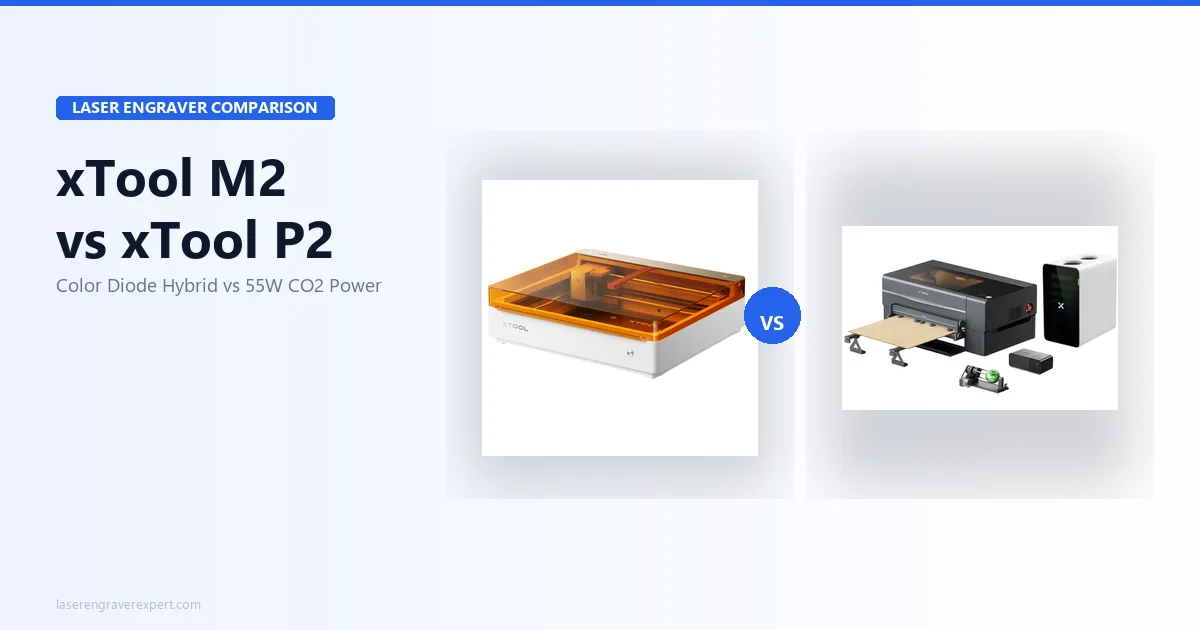
The xTool M2 vs xTool P2 decision comes down to a ~$1,250 price gap between two fundamentally different machines: the xTool M2 is a Class 1 enclosed diode laser with a unique CMYK color print-and-cut workflow starting at $599, while the xTool P2 is a 55W CO2 laser built for production-level acrylic, thick wood, and rubber cutting. I’ve dug into both machines’ full spec sheets — the xTool M2 for color print-and-cut workflows, the xTool P2 for acrylic and wood production over the long haul — and this honest comparison breaks down exactly what each machine delivers and which one is right for your work.
Quick Verdict
xTool M2 vs xTool P2: Specifications Comparison
Here’s how the xTool M2 and xTool P2 stack up head-to-head on the specs that actually shape day-to-day use — laser type, work area, cutting depth, software, and price. Skim the table for the quick numbers, then read on for what each difference means in practice.
| Spec | xTool M2 | xTool P2 55W |
|---|---|---|
| Laser type | Diode (455nm blue) | CO2 (10.6μm), 55W sealed RF |
| Base price | $599 (10W diode only) | ~$1,999 |
| Color printing | Yes — CMYK inkjet module ($749 bundle) | No |
| Work area (laser) | 426 × 320mm | 600 × 305mm |
| Work area (inkjet) | 300 × 294mm | N/A |
| Max engraving speed | 600mm/s | 600mm/s |
| CO2 tube type | N/A (diode) | Sealed RF — 10,000+ hour rated |
| Clear acrylic cutting | No (diode physics) | Yes — single pass at 3mm |
| 3mm basswood | 1 pass (10W) / clean through-cut | Single pass at 40mm/s |
| 6mm wood | 1 pass (20W module) | Single pass at 20mm/s |
| Max basswood (single pass) | 8mm (10W) / 10mm (20W) | 18mm |
| Max acrylic (single pass) | 3mm black (10W) / 8mm black (20W) | 20mm |
| Safety class | Class 1 (TÜV SÜD Certified) | Class 4 |
| Enclosure | Fully enclosed | Semi-enclosed |
| Camera system | 5MP panoramic + 2MP close-range dual camera | 16MP close-range + 16MP panoramic dual camera |
| LightBurn | Unconfirmed — verify before buying | Yes, fully compatible |
| Software | xTool Studio (required for CMYK) | xTool Creative Space + LightBurn |
| Passthrough slot | No | Yes — front and rear |
| Offline operation | Yes | Yes (USB, Wi-Fi) |
| Air assist | Yes | Integrated (200 kPa) |
| Rotary support | Yes — RA3 Lite | Yes |
| Our rating | 8.8/10 | 9.2/10 |
xTool M2 vs xTool P2: Key Differences
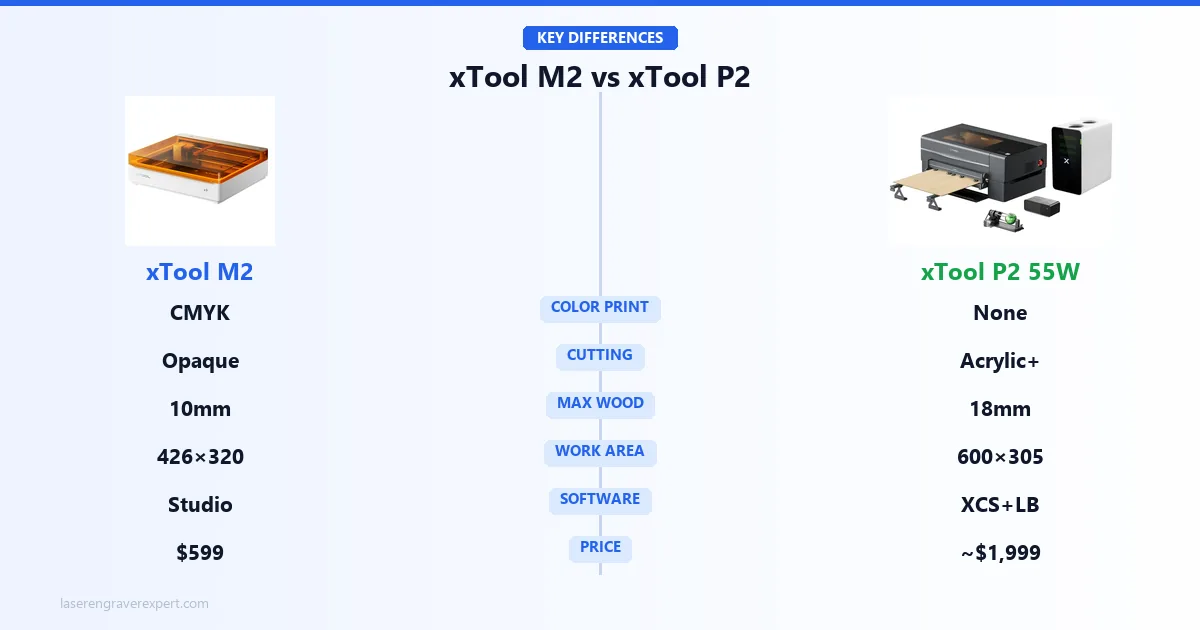
These two machines exist in completely separate categories despite sharing the xTool name. The xTool M2 is a color-first diode laser with a CMYK inkjet module in a fully enclosed Class 1 box — the only sub-$800 machine that prints full-color artwork and laser-cuts the outline in one registered workflow. The xTool P2 is a professional 55W CO2 workhorse whose sealed RF tube cuts materials no diode can touch. Here’s how they differ across the five areas that matter most.
Color Printing
The xTool M2 is the only one of the two that prints. Its CMYK inkjet module lays down full-color artwork on wood, paper, and felt, then the laser cuts the outline in the same registered pass. The xTool P2 has zero color printing capability, so if color print-and-cut products are in your catalog, the xTool M2 is your only option here — at any price.
Material Capability
This is the hardest split. The xTool P2’s 55W CO2 tube cuts clear acrylic (rated to 20mm single pass), thick hardwood (up to 18mm basswood), and rubber stamps — none of which the xTool M2’s diode laser can touch, because diode wavelengths pass straight through transparent acrylic and top out around 10mm basswood. The xTool M2 handles opaque craft stock (wood, leather, felt) well, but for thick or transparent production materials, the xTool P2 is in a different league. Our diode vs CO2 vs fiber laser guide explains the wavelength physics behind this gap.
Work Area
The xTool M2’s 426 × 320mm enclosed bed is sized for craft-scale work — ornaments, keychains, coasters, small signs. The xTool P2’s 600 × 305mm bed is roughly triple the usable area and adds front and rear passthrough slots for oversized material. For batch production or larger panels, the xTool P2’s bed is the decisive advantage.
Software Support
The xTool M2 runs on xTool Studio, which its CMYK workflow requires; LightBurn support for its laser modules is unconfirmed. The xTool P2 ships with xTool Creative Space and is fully LightBurn compatible, opening advanced toolpathing for production users. Full detail is in the Software Comparison section below.
Price Difference
The xTool M2 starts at $599 (base) or $749 (CMYK bundle); the xTool P2 runs approximately $1,999 — a ~$1,250 gap. But total cost of ownership shifts the picture: the xTool M2 carries recurring proprietary ink costs, while the xTool P2 adds ventilation infrastructure and eventual RF tube replacement. The full breakdown is in the Price Comparison section below.
xTool M2 vs xTool P2: Performance Comparison
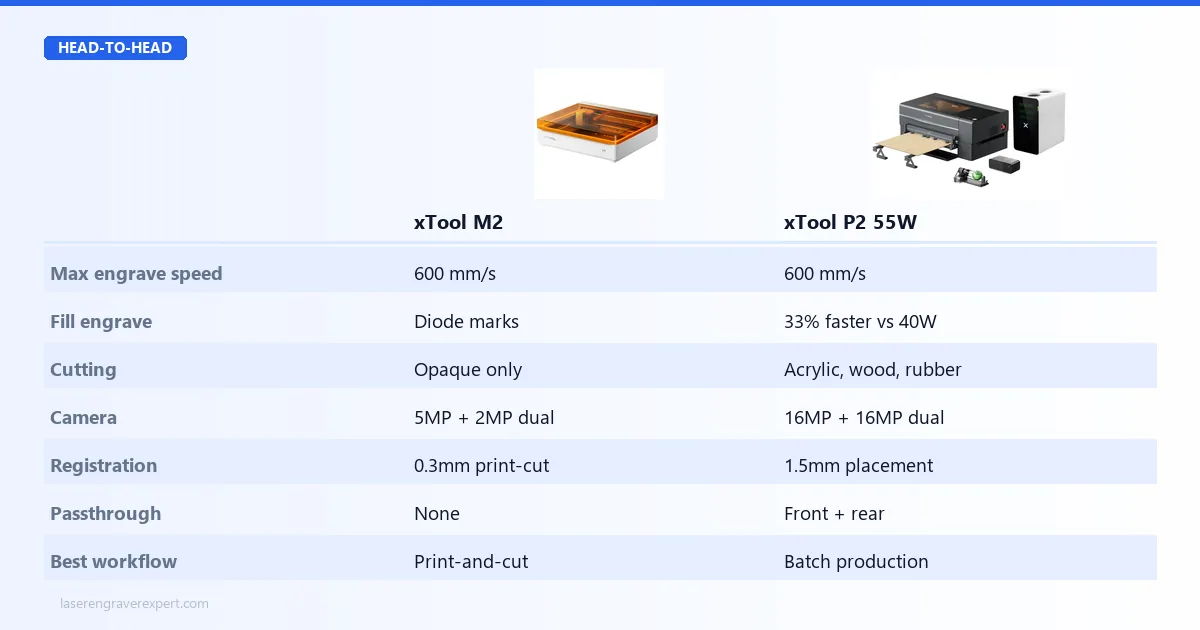
The xTool M2 earns an 8.8/10 in our full xTool M2 review ; the xTool P2 earns a 9.2/10 in our xTool P2 review . Both are excellent — but they perform in completely different lanes. Here’s how they compare across the four areas that decide most purchases.
Engraving Performance
Both machines top out at 600mm/s max engraving speed, but they engrave differently. The xTool M2’s diode laser produces sharp, high-contrast marks — engraving 3mm black cast acrylic at 50% power / 2,000mm/min is xTool’s documented setting for clean, well-defined results on opaque stock.
The xTool P2’s 55W CO2 tube delivers more controlled results on materials diode struggles with. Leather engraving at 80% power and 400mm/s is the manufacturer-recommended setting for deep, clean marks with no peripheral scorching. For raw throughput at production scale, the xTool P2 is faster on paper: on a 400×400mm fill engrave, xTool’s benchmark puts a typical 40W CO2 at 28 minutes versus 19 minutes for the P2 — a 33% cycle-time reduction that compounds across a production day.
Neither machine is only about engraving, though: the xTool M2 is the only one that prints full color — see Color Printing in the Key Differences section above.
Cutting Performance
This is where the machines separate hardest. The xTool M2’s diode laser cannot cut clear acrylic at any power — diode wavelengths pass straight through transparent material, so it’s physics, not a spec gap. It handles opaque stock well: the 10W module cuts 3mm basswood in a single pass (rated to 8mm single pass at slower feeds), and the 20W module is rated for 10mm basswood single pass — xTool’s specs put 6mm birch plywood coming through cleanly at 600mm/min.
The xTool P2’s 55W sealed RF CO2 tube is the reason to buy it. It cuts clear acrylic — rated to 20mm single pass; xTool’s specs show 3mm cutting cleanly at 25mm/s and 6mm at 10mm/s with flame-polished edges no diode can match. Basswood is rated to 18mm single pass (3mm at 40mm/s, 6mm at 20mm/s, 10mm at a conservative 8mm/s per xTool’s listed settings), and it even cuts rubber stamp material in a single pass with crisp relief.
The RF tube is rated 10,000+ hours versus 2,000–4,000 for budget glass tubes, so you’re not babying it to extend life. For even more cutting depth, our xTool P3 review covers the 80W flagship that handles up to 25mm acrylic single pass.
Camera Accuracy
Both machines use dual-camera positioning, but at different resolutions. The xTool M2 pairs a 5MP panoramic and 2MP close-range camera to drive its “Place & Go” system — per xTool’s spec, it locks onto randomly placed wooden blanks in under 4 seconds, and print-to-cut registration holds within 0.3mm on flat stock, tight enough that cut outlines match printed edges with no visible error.
The xTool P2 steps up to a 16MP close-range + 16MP panoramic dual camera. After an 8-minute guided calibration, xTool’s spec puts its overhead camera landing within 1.5mm on first placement — accurate enough for the overwhelming majority of production work, though not quite as tight as the xTool M2’s registration on small color jobs. For how the xTool P2’s camera compares to its newer sibling, see our xTool P2 vs P2S comparison .
Production Workflow
For volume work, the xTool P2 is built to keep moving. Its 600 × 305mm bed is roughly triple the xTool M2’s usable area, and front and rear passthrough slots handle material longer than 305mm — though passthrough requires manual repositioning and re-registration between sections, a skill that takes practice to get seamless. Combined with the 33% faster fill-engrave times above, it’s the clear choice for batch production.
The xTool M2’s workflow shines for a different job: registered print-and-cut craft runs. The enclosed Class 1 bed, quick “Place & Go” positioning, and single-carriage swap between inkjet and laser make small color-product batches fast and safe to run in a home studio — no eyewear, no ventilation ducting. Both machines hit 600mm/s, so the workflow difference is about scale and material, not raw speed.
xTool M2 vs xTool P2: Software Comparison
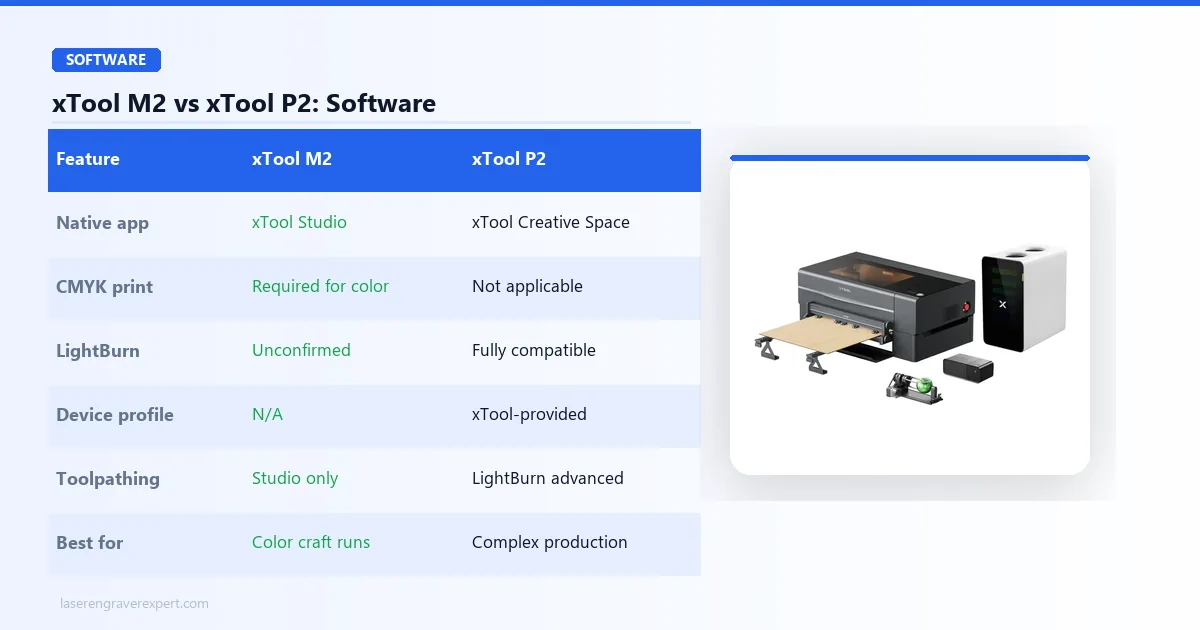
The xTool M2 runs on xTool Studio, and the CMYK color print-and-cut workflow requires it — there is no third-party software path for color print registration. LightBurn compatibility for the xTool M2’s laser modules is expected but unconfirmed at time of writing, so if LightBurn is essential to your workflow, verify current status on xTool’s official compatibility page before buying.
The xTool P2 ships with xTool Creative Space (XCS) as its native software, and for most users that’s all you’ll need — SVG import, raster processing, camera-positioned placement, and a material parameter library cover the full workflow. For power users, the xTool P2 is fully LightBurn compatible, with an xTool-provided device profile that makes setup fast; LightBurn’s precise toolpath control and fill optimization are meaningfully superior for complex production jobs.
My recommendation: start in XCS, learn the machine, then move to LightBurn when you hit its ceiling. For how the xTool P2’s software and camera workflow compare to its newer sibling, see our xTool P2 vs P2S comparison .
xTool M2 vs xTool P2: Price Comparison
The sticker gap is substantial: the xTool M2 starts at $599 for the base laser and $749 for the CMYK bundle, while the xTool P2 runs approximately $1,999 — a $1,250–1,400 difference depending on xTool M2 configuration. But sticker price isn’t the full picture.
| Cost Component | xTool M2 (CMYK bundle) | xTool P2 |
|---|---|---|
| Machine price | $749 | ~$1,999 |
| Annual subscription | None | None |
| LightBurn (optional) | N/A (unconfirmed) | ~$60 one-time |
| CMYK ink (recurring) | Yes — proprietary cartridges | N/A |
| Ventilation infrastructure | Low (enclosed, desktop purifier) | Higher (duct or air purifier required) |
| CO2 tube replacement | N/A | Yes — expensive long-term |
| 3-year software cost | $0 | ~$60 one-time |
Neither machine has subscription fees — which already sets both apart from Glowforge. The xTool M2’s recurring proprietary ink cost is real and worth budgeting. The xTool P2’s ventilation setup and eventual RF tube replacement are real long-term costs buyers often miss. For buyers on a strict sub-$1,000 budget, the xTool P2 is out of reach and the xTool M2 is the right call. For wider budget context, see our best laser engravers under $1,000 and best laser engravers roundup .
xTool M2 vs xTool P2: Pros and Cons
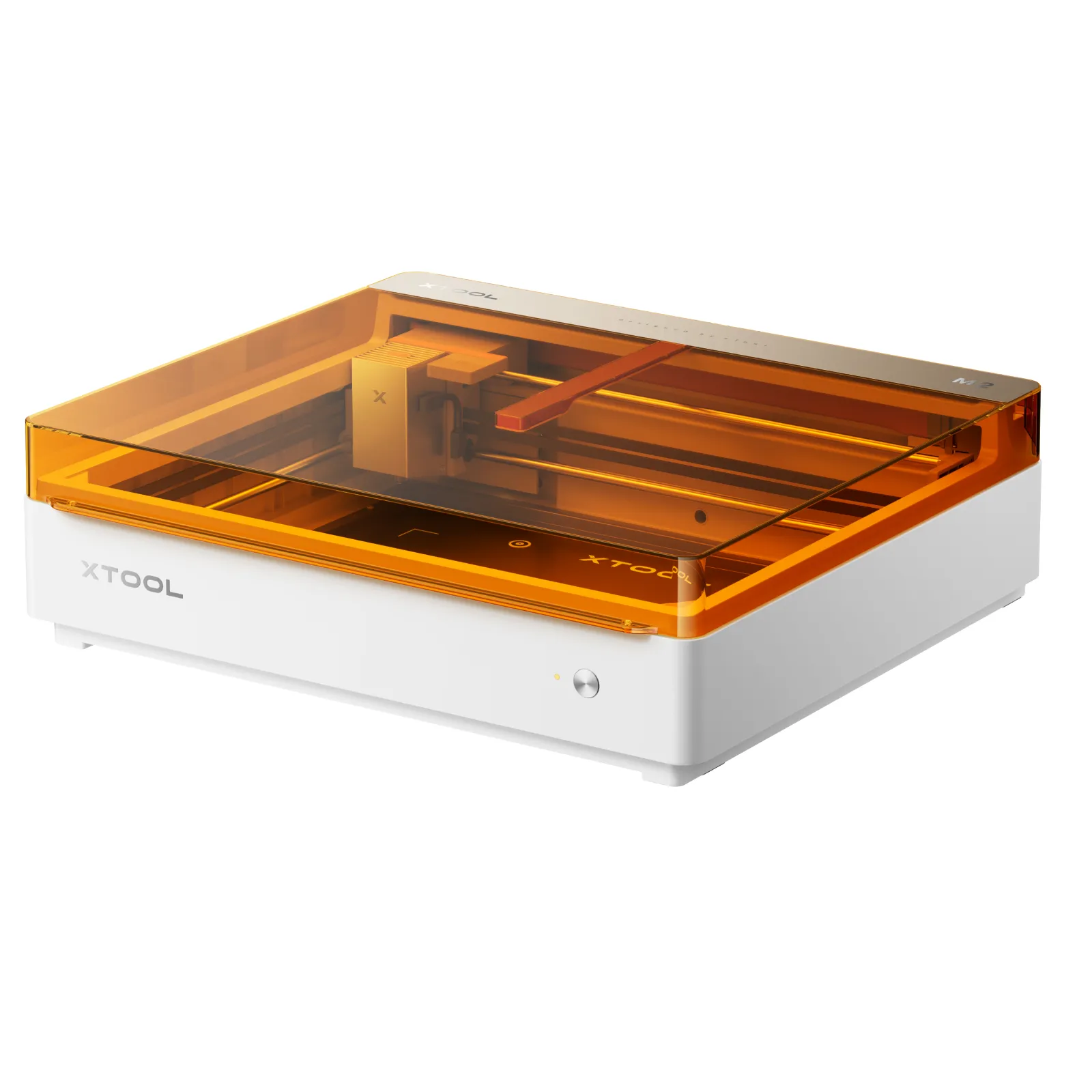
xTool M2 Color Craft Laser
8.8/10- Only sub-$800 machine combining CMYK color printing + diode laser in one workflow
- Class 1 fully enclosed — no eyewear required, apartment and home studio safe
- ACS dual-camera with 0.3mm print-to-cut registration accuracy
- Modular: 10W base, 20W diode, 3W infrared, and CMYK head on same frame
- Real-time safety monitoring with automatic shutoff
- CMYK bundle ($749) only worth buying if color printing is in your actual workflow
- LightBurn compatibility unconfirmed — xTool Studio required for CMYK workflow
- Enclosed lid height restricts tall tumblers and thick workpieces
- Clear acrylic cutting not possible (diode physics)
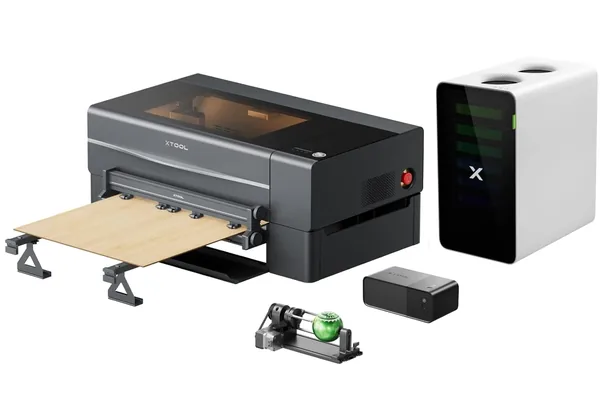
xTool P2 55W CO2 Laser
9.2/10- 55W sealed RF CO2 — cuts clear acrylic, thick wood, rubber in single passes
- 600x305mm work area with front and rear passthrough slot
- 600mm/s max engraving speed — 33% faster than typical 40W CO2 per benchmark
- LightBurn fully compatible — advanced toolpathing for production users
- Built-in overhead camera — 1.5mm placement accuracy, no manual measurement
- RF tube rated 10,000+ hours under normal use
- 305mm Y-axis is a genuine constraint — passthrough requires manual re-registration
- Ventilation infrastructure required — not a plug-and-play indoor machine
- Not suitable for beginners — rewards users who know laser parameters
- RF tube replacement is expensive when it eventually becomes necessary
- No color printing capability
xTool M2 vs xTool P2: Which Should You Buy?
Both machines are genuinely good at what they do. The comparison only goes wrong when a buyer expects the wrong machine to solve their problem. Here’s how to choose.
Buy the xTool M2 If…
- Color printing is actually in your product plans — not just aspirationally, but in real products you intend to sell or make
- You need a fully enclosed Class 1 machine for apartment or home studio use with no eyewear requirements
- Your budget is firmly under $800 and the xTool P2’s ~$1,999 price point is aspirational, not realistic right now
- Your primary materials are wood, leather, felt, and paper at standard craft thicknesses (3–6mm)
- You’re a beginner who wants the most creative capability per dollar in a safe enclosed format — see our best laser engraver for small business guide for how the xTool M2 fits production planning
Buy the xTool P2 If…
- Acrylic production is part of your work — clear acrylic especially, which no diode laser can cut
- You cut thick wood (6mm+) regularly and need single-pass results, not multi-pass sessions
- You’re running a small business and throughput matters — the 600 × 305mm bed and 600mm/s speed are production assets
- You’re an experienced maker who wants LightBurn, real material flexibility, and a machine that rewards skill
- You can accommodate proper ventilation exhaust and the higher upfront investment — see how it stacks up in our Glowforge Pro vs xTool P2 comparison
Final Verdict
You’ve read this far, which means you’re serious about getting this decision right. Here is how to choose.
If color printing is in your plans — even one product line that involves full-color artwork on wood or felt — go with the xTool M2’s CMYK bundle. No other machine at this price can do it. The xTool P2 certainly cannot. This is the xTool M2’s reason to exist, and it delivers.
If clear acrylic, thick wood, or rubber production is in your catalog — the xTool P2 is the only answer between these two. The 55W CO2 tube does things that no diode laser can replicate. The work area and speed support genuine business production. Pay the premium, set up proper ventilation, and the machine pays for itself in throughput.
If you’re still not sure — think about one question: what material do you need that you can’t get from a standard diode laser? If the answer is color printing, buy the xTool M2. If the answer is clear acrylic or thick material cutting, buy the xTool P2. If you don’t have a clear answer yet, the xTool M2 is the lower-risk starting point.
Both machines are available directly from xTool. Neither has a subscription. Both are genuinely good at what they do. The comparison only goes wrong when buyers expect the wrong machine to solve their problem.
Ready to buy?
Buy the xTool M2 →Ready to buy?
Buy the xTool P2 55W →Want more context before deciding? Our best CO2 laser engravers guide covers the full CO2 landscape including where the xTool P2 sits relative to competitors. If you’re leaning toward the xTool P2 but want to compare it to its newer sibling first, read our xTool P2S review and xTool P2 vs P2S comparison before finalizing. And if the xTool M2’s enclosed diode format appeals but you need a larger work area, our xTool S1 review covers the bigger enclosed diode alternative worth knowing about.
Frequently Asked Questions
What is the main difference between the xTool M2 and xTool P2?
Is the xTool P2 worth 3x the price of the xTool M2?
For the right buyer, yes. If you run acrylic production, cut thick wood regularly, or need 600mm/s throughput for small business volume, the xTool P2’s CO2 power and 600 × 305mm work area justify the premium within the first year of production use. If you are a home studio maker focused on color print-and-cut craft products, the xTool M2 does things the xTool P2 simply cannot — and costs $1,150–1,300 less.
The honest answer: if you are asking whether the xTool P2 is worth it, think about whether CO2 materials — especially clear acrylic — are in your catalog. That one question resolves the comparison for most buyers.
Can the xTool M2 do what the xTool P2 does?
No. The xTool M2 cannot cut clear acrylic — this is wavelength physics, not a power limitation — nor can it engrave rubber stamps with the same edge quality. It cuts thicker materials significantly more slowly and less cleanly than the xTool P2’s CO2 tube, and its work area is smaller.
The one capability that runs the opposite direction: the xTool M2’s CMYK color printing is something the xTool P2 cannot replicate at any price. These are not the same machine at different tiers — they have genuinely different material capabilities.
Which xTool laser should a beginner buy?
The xTool M2 is the better beginner choice. It is fully enclosed with Class 1 certification, safer to operate without specialized knowledge, costs significantly less, and includes the unique CMYK color capability that grows with a new maker’s skill set. The xTool P2 is not a beginner’s machine — it rewards users who already understand laser parameters, material prep, and ventilation requirements.
If you’re new to laser engraving and considering both, start with the xTool M2 — you can always step up to a CO2 machine once you know what materials you actually need to cut. Our best laser engravers roundup covers the full spectrum for buyers still building their decision criteria.
Does the xTool P2 work with LightBurn?
xTool M2 vs xTool F2 Ultra UV — how are they different?
You Might Also Like
Glowforge Pro vs xTool P2: Honest CO2 Laser Comparison for 2026
Glowforge Pro vs xTool P2: power, speed, subscription costs, and offline capability compared with real test data. Which CO2 laser is worth it in 2026?
Glowforge Aura vs xTool M2: Which Is Right for Beginners?
Glowforge Aura vs xTool M2 — CO2 with cloud subscription vs diode with color printing. Honest 2026 comparison with real test data and clear buyer guidance.
Sculpfun S30 Pro Max vs Ortur LM3: Which Wins in 2026?
Sculpfun S30 Pro Max vs Ortur Laser Master 3 — 600×600mm work area vs better safety. Real test data and who should buy which in 2026.