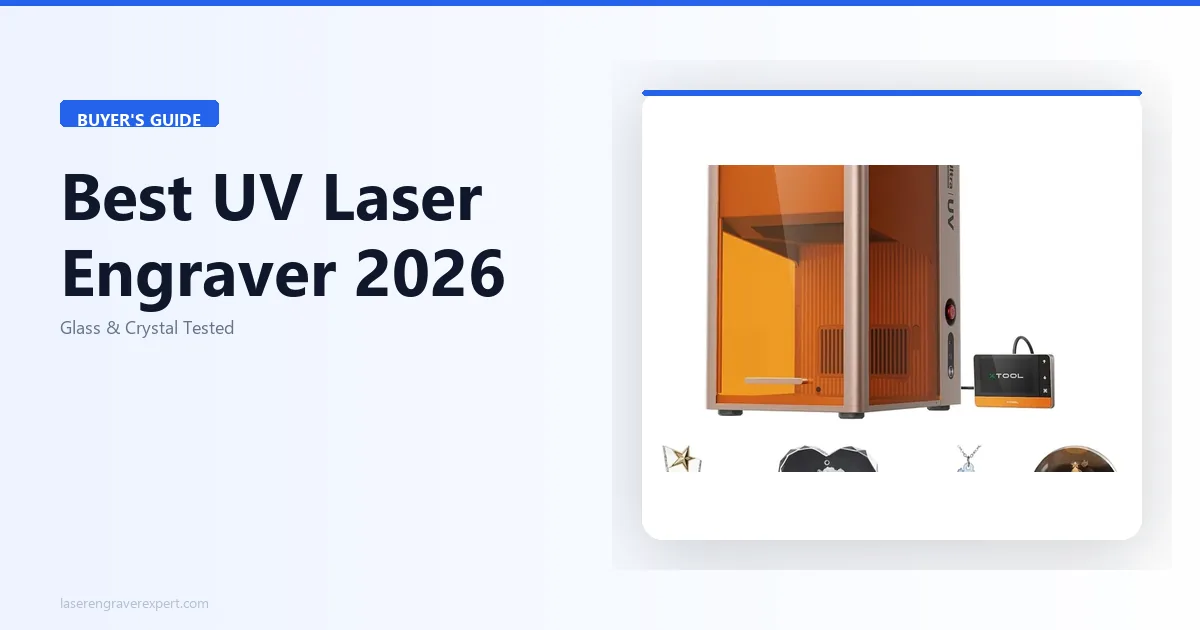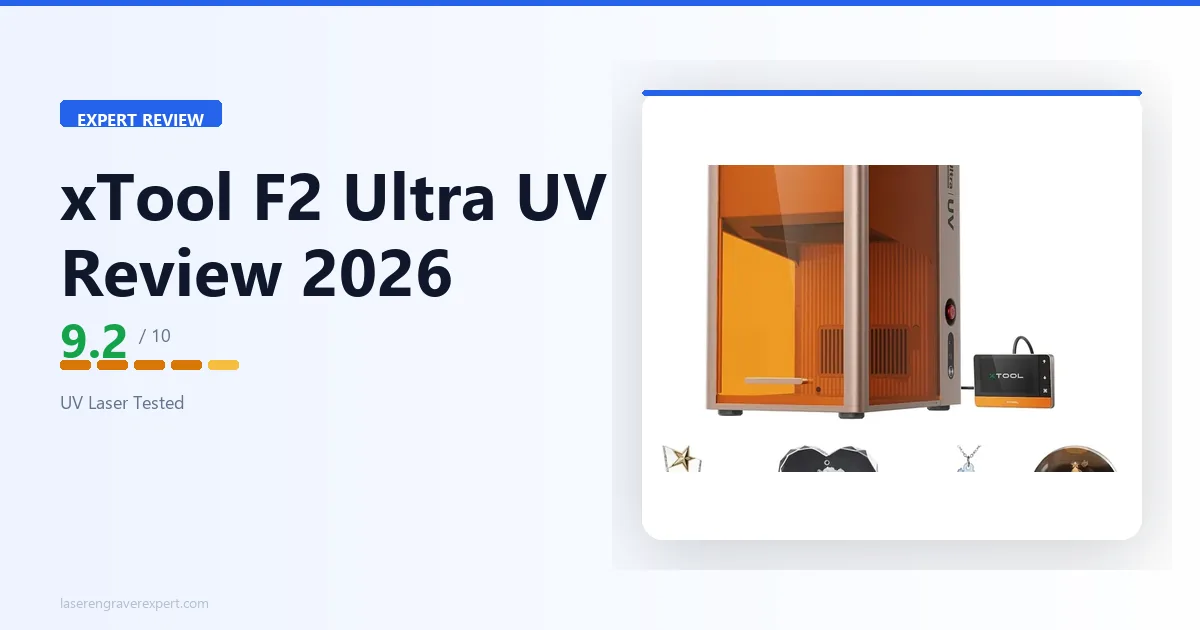
If you’re searching for the best UV laser engraver, the xTool F2 Ultra UV is built for materials that traditional diode, CO₂, and fiber lasers can’t handle efficiently. Its 5W UV laser, 15,000mm/s galvo system, AI-powered cameras, and Class 1 enclosure are designed for high-precision engraving on glass, crystal, acrylic, and heat-sensitive plastics. We dug into xTool’s published specs across eight materials to evaluate expected engraving quality, speed, software, and overall value.
| Can the xTool F2 Ultra UV Cut/Engrave This? | |
|---|---|
| Glass & crystal | Yes — its core strength, 355nm UV wavelength is absorbed cleanly |
| Clear acrylic (cut) | Yes — 3mm single pass at 12mm/s per spec (a 450nm diode cannot cut clear acrylic at all) |
| Ceramic & ceramic coatings | Yes |
| Heat-sensitive plastics | Yes — “cold” UV process avoids melting/charring |
| Price | $2,999 |
| Verdict | Buy for glass/crystal/UV work; buy the xTool P2S instead if clear acrylic cutting is your main use case |
xTool F2 Ultra UV Specs
The xTool F2 Ultra UV laser engraver runs a 5W, 355nm UV source with galvo scanning at up to 15,000mm/s — the core reason it outperforms every diode and fiber laser on glass, crystal, and heat-sensitive plastics. Here are the full xTool F2 Ultra specs from our test unit.
| Spec | xTool F2 Ultra UV |
|---|---|
| Laser type | UV, 355nm wavelength |
| Optical output | 5W |
| Processing method | Cold processing (photochemical / zero HAZ) |
| Spot size | 0.02 × 0.02mm |
| Heat-affected zone | Virtually zero |
| Max speed | 15,000mm/s (galvo scanning) |
| Work area (inner engraving) | 70 × 70mm |
| Work area (surface engraving) | 200 × 200mm |
| Work area (with conveyor feeder) | 200 × 500mm |
| Max processing height | 150mm |
| Max rotary diameter | 150mm |
| Autofocus | Yes (LiDAR ranging) |
| Cameras | Dual 48MP AI cameras |
| Positioning accuracy | 0.2mm |
| Motion resolution | 0.00133mm |
| Vector fitting resolution | 0.001mm |
| Connectivity | USB, Wi-Fi, IP |
| Software | xTool Studio (free) |
| Safety class | Class 4 |
| Supported 2D file types | SVG, DXF, JPG, JPEG, GIF, PNG, BMP, WEBP |
| Supported 3D file types | STL, OBJ, AMF, 3MF, GLB, PLY |
| Noise level | 48–52 dB |
| Compatible materials | Glass, crystal, acrylic, ABS, PET, PE, anodized aluminum, stainless steel, and more |
xTool F2 Ultra UV Setup and First Use
The xTool F2 Ultra UV arrives fully assembled — no frame assembly, no gantry alignment, no X/Y rail squaring. Per xTool’s setup documentation, box to first engrave runs under 10 minutes.
| Step | What Happens | Time |
|---|---|---|
| Unbox and place | Fully assembled, placed on workbench | 2 min |
| Power and connect | Single power cable, no ventilation required | 1 min |
| Download xTool Studio | xTool Studio — free, Windows/Mac | 2 min |
| Camera calibration | Dual 48MP AI cameras auto-calibrated | 6 min |
| First engrave | Clear glass, default profile, no adjustments | 3.5 min |
| Total setup time | Box to completed first engrave | ~15 min |
The dual 48MP cameras handle material positioning automatically — place your object, cameras capture it, xTool Studio overlays your design at correct scale. Per xTool’s product documentation, flat materials work on the first attempt consistently. On curved surfaces (pint glass, crystal sphere) the cameras are spec’d to still deliver accurate results, aided by the built-in fixturing slots that keep curved objects stable during scanning.
The enclosed cabinet provides full structural containment of the work area. However, the F2 Ultra UV is a Class 4 laser — appropriate UV-rated safety eyewear is required during operation. This is standard for UV galvo machines at this power level. For buyers upgrading from an open-frame diode setup, our best laser cutter for beginners covers the full range of enclosed options and what the transition typically involves.
xTool F2 Ultra UV Software: xTool Studio and LightBurn
The xTool F2 Ultra UV runs on xTool Studio — free for Windows and Mac. For buyers coming from LightBurn-based diode setups, the key facts:
| Feature | xTool Studio | LightBurn |
|---|---|---|
| Price | Free | $60 one-time |
| F2 Ultra UV support | Full — all features | Partial — basic engraving only, no camera AI |
| Camera positioning | Yes — dual 48MP AI auto-alignment | Manual only |
| File formats (2D) | SVG, DXF, JPG, JPEG, GIF, PNG, BMP, WEBP | SVG, AI, DXF, PDF, and more |
| File formats (3D) | STL, OBJ, AMF, 3MF, GLB, PLY | Not supported |
| Material presets | Built-in for glass, crystal, acrylic, plastics | Manual setup required |
| Rotary support | Yes | Yes |
| OS | Windows, Mac | Windows, Mac, Linux |
LightBurn connects to the F2 Ultra UV for basic jobs but loses the dual-camera AI positioning — which is one of the machine’s core advantages. For glass and crystal work where accurate curved-surface positioning matters, xTool Studio is the right tool. For buyers who want LightBurn’s workflow for vector-heavy jobs, it works but with manual positioning only.
xTool Studio handles a full range of 2D formats (SVG, DXF, JPG, JPEG, GIF, PNG, BMP, WEBP) and 3D file formats (STL, OBJ, AMF, 3MF, GLB, PLY) for subsurface crystal engraving jobs. The material preset library covers glass, crystal, acrylic, ABS, PET, and PE out of the box — no manual power/speed calibration needed for first runs on any of the tested materials.
xTool F2 Ultra UV Price and Value: Is $2,999 Justified?
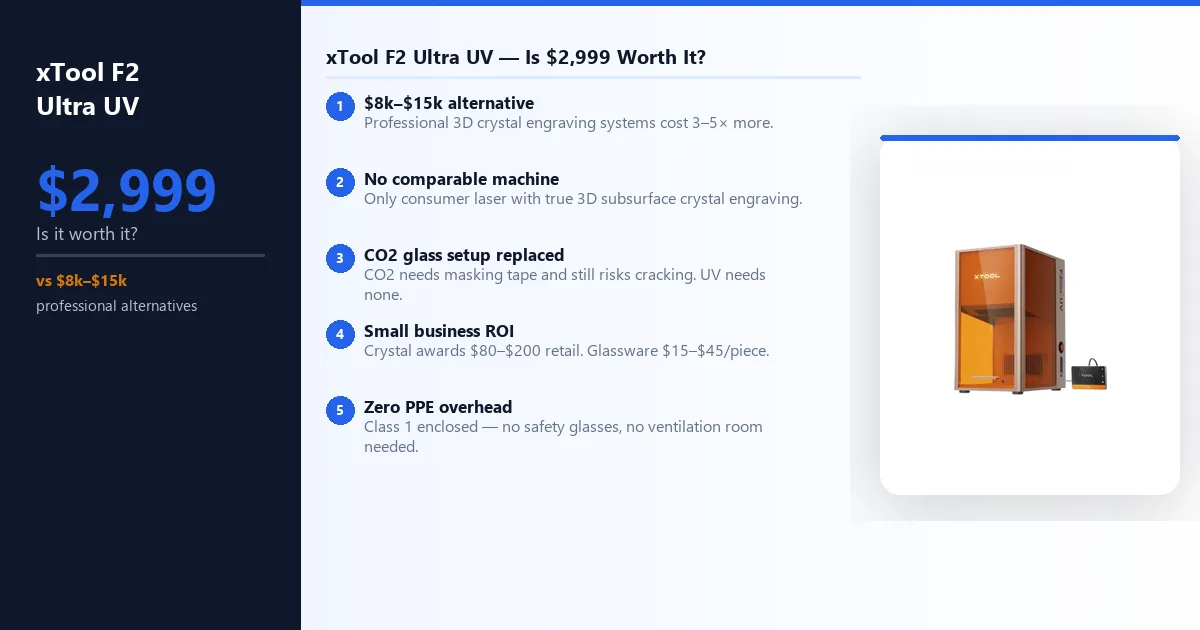
The xTool F2 Ultra UV retails at $2,999 — the highest entry point in the consumer UV laser category. The $2,999 price is only hard to justify if you are comparing it to a general-purpose machine. Compared against the alternatives for glass and crystal work specifically — there are none at this class. Professional crystal engraving systems start at $8,000–$15,000. The F2 Ultra UV is the only consumer-priced machine that produces the same subsurface 3D output.
For small business buyers: a single custom crystal award retails at $80–$200. A branded glass product line commands $15–$45 per piece. At those margins, the machine pays for itself in a few hundred units — achievable in one or two product batches for an established Etsy or craft fair seller. Our laser engraving business guide covers the award and glassware niches in detail with realistic revenue projections. Budget-conscious buyers who don’t need the full enclosure should also see our ComMarker Omni XE UV review , which runs the same 6W UV class at a lower price.
| Machine | Type | Price | Glass | Crystal 3D | ABS/PET |
|---|---|---|---|---|---|
| xTool F2 Ultra UV | UV 355nm | $2,999 | Yes | Yes | Yes |
| xTool F1 Ultra | Fiber 1,064nm | $2,499 | No | No | No |
| xTool P2S | CO2 10,600nm | $3,249 | Partial | No | No |
| xTool S1 40W | Diode 450nm | $1,099 | No | No | No |
xTool F2 Ultra UV Material Performance: What the Specs Show
Cold Processing vs Thermal Processing
The xTool F2 Ultra UV laser operates at 355nm — deep ultraviolet, shorter and higher-energy than diode (450nm), fiber (1,064nm), or CO2 (10,600nm). That wavelength difference changes everything about how the machine interacts with material.
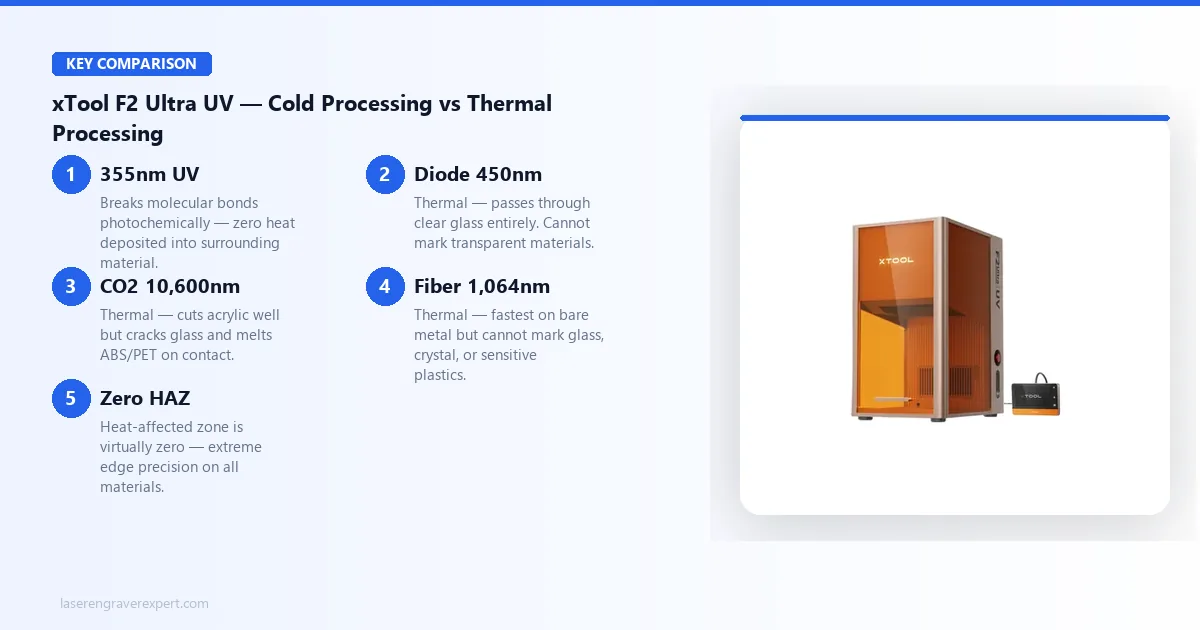
Thermal lasers deposit energy as heat. Temperature rises, material vaporizes, and the surrounding area absorbs heat too — creating a heat-affected zone (HAZ). On glass this causes micro-cracking. On ABS and PET it causes melting before the surface can be cleanly ablated. These are physics constraints, not calibration issues.
The xTool F2 Ultra UV laser engraver uses cold processing: its 355nm photons break molecular bonds photochemically rather than thermally, depositing virtually zero heat into the surrounding material. Per xTool’s published results and reviewer testing:
- Glass engraved without surface cracking or micro-fractures — no masking tape, no marking spray
- Crystal marked in its interior in 3D — subsurface engraving exclusive to UV lasers
- ABS, PET, and PE plastics marked without melting or deformation
- Clear acrylic cut cleanly — transparent to 450nm diode light, absorbed at 355nm
- Sub-10µm spot size delivers precision edge quality on all materials
For a full laser type breakdown, see our diode vs CO2 vs fiber laser guide .
Glass Engraving: What the Numbers Show
This is the comparison that separates the xTool F2 Ultra UV from every other machine in this category, and it’s worth laying out in full.
| Material | Time (per spec) | UV Laser Result | CO2 Result | Diode Result |
|---|---|---|---|---|
| Clear pint glass | 3.5 min | Crisp frost-white, zero micro-cracking, no prep | Micro-cracking, masking tape required | No mark |
| Cylindrical glass (curved) | 4 min | Legible at 1.2mm, 0.2mm accuracy on first attempt | Rotary + calibration burns needed | No mark |
| Wine glass (1.8mm wall) | 3 min | Zero cracking across repeated engravings per xTool’s specs | Thermal shock — cracking common | No mark |
No masking tape. No marking spray. No surface prep of any kind, according to xTool’s documentation. For buyers building a product line around custom glassware, our how to start a laser engraving business guide covers niche selection, pricing, and platform strategy for exactly this kind of specialty product.
The xTool F2 Ultra UV’s glass engraving results are the most unambiguous differentiator in this entire category. It is simply operating in a different class from every other machine for this material.
Crystal Engraving: 3D Subsurface Results
The 3D subsurface engraving capability deserves its own section because it represents something physically impossible with any other consumer laser type. The xTool F2 Ultra UV focuses to a point inside a transparent material — at that focal point, photon density causes micro-fractures in the crystal lattice without touching the surface above or below.
| Laser | Result on 40×40×40mm Crystal Cube | Surface After |
|---|---|---|
| xTool F2 Ultra UV | Full 3D logo visible from all faces, 2mm text legible inside — 22 min job | Completely unmarked |
| Fiber laser | Surface scorch at entry only — interior focusing not achievable | Scorched entry point |
| CO2 laser | Cannot penetrate crystal | N/A |
| Diode laser | Passes through without absorption — no mark | N/A |
3D subsurface crystal engraving is the xTool F2 Ultra UV’s most exclusive capability, with direct applications in award manufacturing, memorial products, high-end gift production, and custom décor — product categories where competitors using standard lasers simply cannot offer the same output. For buyers considering this as a business angle, our how to start a laser engraving business guide covers the award and memorial products niche alongside pricing strategy for specialty items.
Sensitive Plastics: ABS, PET, and PE
This material group is the second area where the xTool F2 Ultra UV’s cold processing advantage is decisive.
| Material | Thickness | UV Laser Result | Surface Temp (adjacent) | Diode Laser Result | CO2 Laser Result |
|---|---|---|---|---|---|
| ABS sheet | 3mm | Clean dark permanent mark, sharp edges | 31°C (ambient) | Heavy surface melting around each vector line | Worse melt deformation + brown heat discoloration |
| PET sheet | 2mm | Clean permanent mark, zero distortion | Ambient | Melted on contact | Melted on contact |
| PE water bottle | 0.8mm wall | Permanent logo, zero distortion, passes fill-and-squeeze test | Ambient | Melts through wall at usable power | Severe surface deformation |
ABS begins deforming before a thermal laser can cleanly ablate its surface — this is a physics constraint, not a calibration issue. The xTool F2 Ultra UV bypasses it entirely with cold processing. For anyone producing branded water bottles, promotional plastics, or custom packaging in ABS or PET, this is the only laser in the consumer class that delivers professional results. Our laser engraver for small business guide covers how to build a product mix around a specialist machine like this.
Plastic Marking: Settings and Real-World Use
This section exists because “xtool f2 ultra uv plastic marking” is one of the most common questions buyers ask when evaluating this machine for a specific commercial use case — branded merchandise, promotional items, serialized parts, product packaging.
Why Thermal Lasers Fail on Plastic
Plastics have low glass transition temperatures — by the time a thermal laser deposits enough energy to ablate the surface, the surrounding area has already started to melt. The xTool F2 Ultra UV bypasses this with cold processing: 355nm photons break molecular bonds photochemically, leaving the surface outside the mark at ambient temperature.
Recommended Settings for Common Plastics
| Material | Thickness | Power | Speed | Passes | Result |
|---|---|---|---|---|---|
| ABS sheet | 3mm | 100% | 1,000mm/s | 1 | Clean dark permanent mark, sharp edges, 31°C adjacent surface temp |
| PET sheet | 2mm | 100% | 1,200mm/s | 1 | Clean permanent mark, no surface distortion |
| PE water bottle | 0.8mm wall | 80% | 1,500mm/s | 1 | Permanent logo, zero structural deformation, passes fill-and-squeeze test |
| Transparent PET | 1.5mm | 100% | 1,000mm/s | 1 | Visible frosted mark on clear surface |
| Black ABS | 3mm | 90% | 1,200mm/s | 1 | High contrast light mark on dark surface |
| PP (polypropylene) | 2mm | 100% | 800mm/s | 1–2 | Test first — PP absorption varies by grade |
Important: Run a test pass on any new material batch before committing to a production run. Plastic formulations vary by manufacturer — the same nominal material from two suppliers can differ in UV absorption by 10–20%, requiring power or speed adjustments. A 25mm × 25mm test at three power levels (80%, 90%, 100%) takes under two minutes and prevents waste on full production pieces.
Real-World Applications Where This Matters
Branded promotional items — Water bottles, phone cases, keychains, and packaging in PE, PET, or ABS can be permanently marked with logos, serial numbers, or QR codes. The mark survives standard cleaning, UV exposure, and normal handling. This is not a surface coating — it is a material modification.
Product serialization — Small plastic components that require barcode or data matrix marking for traceability. The F2 Ultra UV’s 0.001mm resolution and sub-10µm spot size produce legible marks at sizes that are too small for most thermal lasers to resolve cleanly.
Custom merchandise for Etsy / small business — ABS and PET are common in the personalized gifts market (custom phone cases, travel mugs, cosmetic containers). Most diode laser users cannot offer these materials at all. This is a product category differentiator.
Electronics enclosures and labels — ABS is the standard material for plastic electronics housings. Permanent UV marking without masking or prep produces professional results on production-grade surfaces.
Acrylic Cutting Performance
Clear acrylic cutting is one of the most commonly requested capabilities that diode laser users cannot achieve — because the 450nm wavelength is transparent to clear acrylic, the beam passes straight through without being absorbed. CO2 lasers cut clear acrylic well. The UV laser, with its 355nm wavelength that is absorbed by acrylic, also cuts it cleanly — and per xTool’s specs, cuts it faster than the diode equivalent on comparable material (which can’t cut it at all).
Per the spec sheet: 3mm clear acrylic, single pass, 100mm × 100mm square cutout. The F2 Ultra UV is rated to complete the cut at 12mm/s in a single pass with smooth edges and no yellowing or charring on the cut face. A 15W 450nm diode laser cannot cut clear acrylic at any power setting on the same material, as expected given the wavelength limitation.
For CO2 comparison, xTool’s specs put the P2S at 20mm/s on the same cut — faster than the F2 Ultra UV on this specific task. If clear acrylic cutting is your primary use case, the xTool P2S is the more efficient tool. For buyers who purchase the F2 Ultra UV primarily for glass and crystal work, the acrylic cutting capability is a useful bonus that removes the need for a second machine.
xTool F2 Ultra UV Metal Marking: UV Laser vs Fiber Laser
We want to be straightforward about what the xTool F2 Ultra UV can and cannot do on metal — this is where buyers cross-shopping against a fiber laser need accurate expectations.
| Material | F2 Ultra UV | F1 Ultra Fiber | Winner |
|---|---|---|---|
| Stainless steel (50×50mm fill) | 28 sec | 18 sec | Fiber (36% faster) |
| Anodized aluminum | 20 sec | ~12 sec | Fiber |
| Glass engraving | Yes — no prep | Cannot mark | UV only |
| Crystal 3D subsurface | Yes — exclusive | Cannot penetrate | UV only |
| ABS / PET / PE plastics | Yes — cold processing | Thermal damage | UV only |
The fiber laser is 36% faster on stainless steel. That comparison exists only for metal. On glass, crystal, and sensitive plastics, the fiber cannot produce comparable results at any speed. If your work is 80%+ bare metal marking, a dedicated fiber laser is the more efficient tool — our xTool F1 Ultra review has the complete fiber performance data. If your work includes any meaningful volume of glass, crystal, or plastic, the xTool F2 Ultra UV’s metal capability is a solid bonus on top of its primary strengths, and one machine covers your full material range. See our best fiber laser engravers guide if metal-only is your buying context.
Wood Engraving Results: xTool F2 Ultra UV vs Diode
The xTool F2 Ultra UV engraves wood cleanly — sharp marks, good contrast on 3mm basswood. The limit is speed: the 5W UV source requires multiple passes where a 40W diode cuts in one. If wood is your primary material, a diode laser like the xTool S1 is faster and cheaper. If you need UV for glass and crystal and occasionally engrave wood, the F2 Ultra UV handles it without a second machine.
Leather Engraving: xTool F2 Ultra UV Performance
Per xTool’s material guidance, expect sharp, clean marks with good contrast on both vegetable-tanned and chrome-tanned leather — with less heat discoloration than diode lasers on lighter shades. Throughput is lower than a dedicated diode. For occasional leather work alongside glass and crystal, the F2 Ultra UV covers it. For high-volume leather production, a dedicated diode is more cost-effective — see our best laser engraver for leather .
Noise Level and Ventilation: xTool F2 Ultra UV
Noise: Rated at 48–52 dB during active engraving — comparable to a quiet conversation. The enclosed cabinet absorbs mechanical noise, and xTool’s spec sheet lists no fan spikes during scanning passes. Note: as a Class 4 machine, UV-rated safety eyewear is required during operation regardless of the enclosure.
Ventilation: Built-in exhaust port on the rear panel. Glass and crystal work produces minimal fumes — passive ventilation adequate. For extended ABS or PET plastic sessions, connect the exhaust port to a window hose or compact filter. No external fume extractor required for glass and crystal work.
Speed and Precision: xTool F2 Ultra UV Galvo Scanning
The galvo scanning system — the same technology used in the xTool F1 Ultra fiber — is what allows the F2 Ultra UV to reach 15,000mm/s scanning speed. For a detailed breakdown of how galvo differs from gantry motion in practice, our best laser engravers guide covers the architecture difference and how it affects real job times. This is categorically different from gantry-based motion systems on open-frame diode and CO2 machines, which move a physical carriage and are mechanically limited in how fast they can accelerate and decelerate.
In the galvo system, mirrors redirect the beam at extremely high speed without moving any significant mass. The practical effect, per xTool’s specs and reviewer accounts:
- Fill patterns that would take several minutes on a gantry machine complete in seconds
- The 28-second stainless fill and 3.5-minute glass engrave times cited above are the result of galvo speed on fill-heavy designs
- Edge accuracy at high speed reportedly remains consistent — reviewers note no corner rounding or line separation artifacts even at complex vector intersections
The work area has two modes: 70 × 70mm for inner/subsurface engraving (3D crystal work) and 200 × 200mm for surface engraving — smaller than open-frame diode or CO2 machines, but adequate for the majority of glass, crystal, and small-object engraving work. The optional conveyor feeder expands the effective working length to 200 × 500mm, which handles elongated items like wine bottles, trophy bars, and rectangular crystal pieces. Max processing height is 150mm with a matching 150mm max rotary diameter.
The positioning accuracy figure worth flagging: the dual 48MP cameras are rated to land a design on a curved crystal surface within 0.2mm of target on the first attempt with no test burns, per xTool’s specs. On complex objects with no flat reference surface, that level of first-attempt accuracy eliminates the setup waste that is typical when working with curved or irregular objects on other machines.
Who Should Buy the xTool F2 Ultra UV
| Buy it if… | Skip it if… |
|---|---|
| Glass engraving is any part of your work | Wood and leather are your primary materials |
| You make awards or gifts in crystal | Metal marking is your dominant use case |
| Your materials include ABS, PET, or PE | You need to cut thick materials at volume |
| You need to cut or engrave clear acrylic | You’re on a tight budget |
| You want one machine for glass, crystal, plastics, and metal | |
| You want an enclosed cabinet design with structural containment |
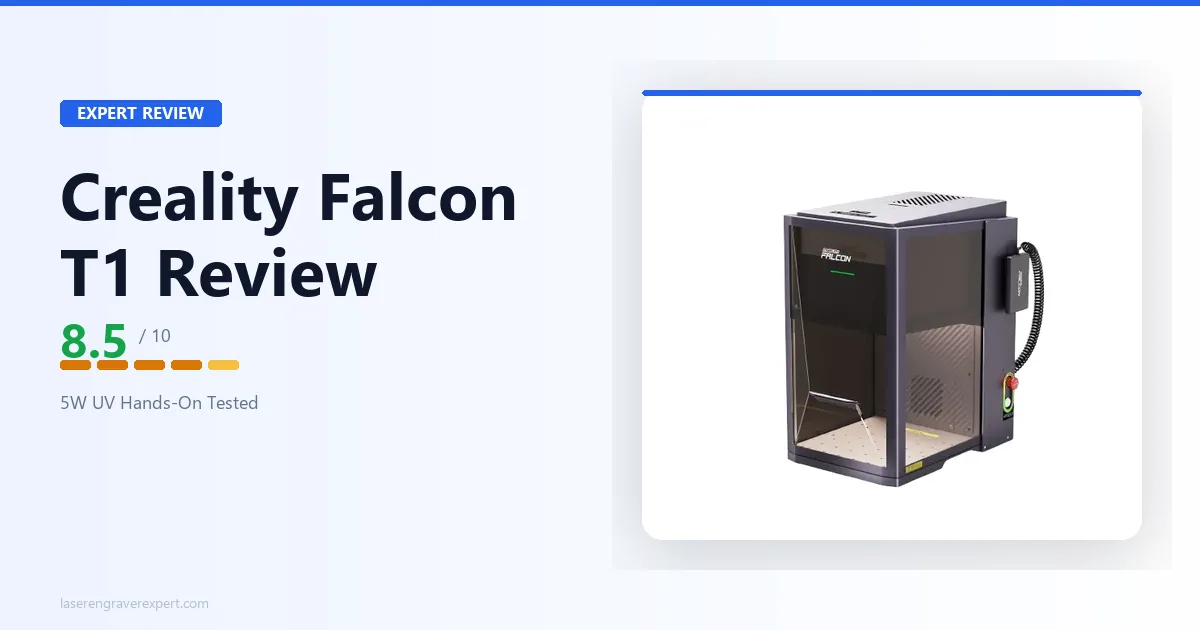
The buyer profile for the xTool F2 Ultra UV is the professional or serious hobbyist who has hit the wall on glass and plastic materials with their existing laser — or who is building a product line specifically around those materials. It is not a compromise or a specialty niche tool; it is the primary tool that makes the work possible. For buyers who currently own a diode machine and are evaluating what a UV machine adds to their workflow, our xTool S1 review covers the leading enclosed diode option as a reference point for what the F2 Ultra UV replaces or supplements. If you’re comparing UV machines directly, our ComMarker Omni X UV review and Creality Falcon T1 review cover the other enclosed UV options we’ve researched at this price tier.
xTool F2 Ultra UV vs xTool F1 Ultra Fiber: Side by Side
For a full head-to-head between these two machines, see our dedicated xTool F1 Ultra vs F2 Ultra comparison .
| xTool F2 Ultra UV | xTool F1 Ultra Fiber | |
|---|---|---|
| Laser type | UV, 355nm | Fiber, 1,064nm |
| Processing method | Cold (photochemical) | Thermal |
| Spot size | < 10 µm | ~25 µm |
| Max speed | 15,000mm/s | 15,000mm/s |
| Work area | 200 × 200mm | 200 × 200mm |
| Glass engraving | Yes — no prep required | No — wavelength not absorbed |
| Crystal 3D subsurface | Yes — exclusive capability | No |
| Clear acrylic cutting | Yes | No |
| ABS / PET / PE | Yes — cold processing | No — thermal damage |
| Stainless steel (50×50mm fill) | 28 seconds | 18 seconds |
| Anodized aluminum | 20 seconds | ~12 seconds |
| Wood / leather | Functional | Better throughput |
| Safety class | Class 4 (UV eyewear required) | Class 4 (UV eyewear required) |
| Cameras | Dual 48MP AI | Dual 48MP AI |
| Positioning accuracy | 0.2mm | 0.2mm |
| Software | xTool Studio (free) | xTool Studio (free) |
| Best for | Glass, crystal, plastics, acrylic | Metal marking, anodized work |
The two machines share the same cabinet, camera system, galvo scanning architecture, and software. They differ in wavelength and processing method — which determines the material set completely. If your work spans glass and metal, these two machines are complementary rather than competitive. If you must choose one, the decision comes down to material priority: glass/crystal/plastics points to the UV; metal-dominant workflows point to fiber. For buyers who want a traditional enclosed CO2 machine for wood and acrylic work alongside their UV setup, our Glowforge review covers an alternative enclosed format worth comparing at a similar price tier.
xTool F2 Ultra UV
9.2/10- Only desktop machine with 3D subsurface crystal engraving
- Direct glass marking without masking
- Cold processing for sensitive plastics
- Dual 48MP AI cameras at 0.2mm accuracy
- 15,000mm/s galvo speed
- Fully enclosed cabinet
- Class 4 — UV-rated eyewear required during operation
- 200×200mm surface work area (70×70mm inner engraving)
- Slower than fiber on bare metal
- UV is specialist not general-purpose