xTool F1 vs xTool F1 Ultra (2026): Is the Fiber Upgrade Worth It?
xTool F1 vs F1 Ultra: one's a portable diode machine, the other's a fiber laser system. We compare specs, speed, and real results so you know exactly which one to buy.
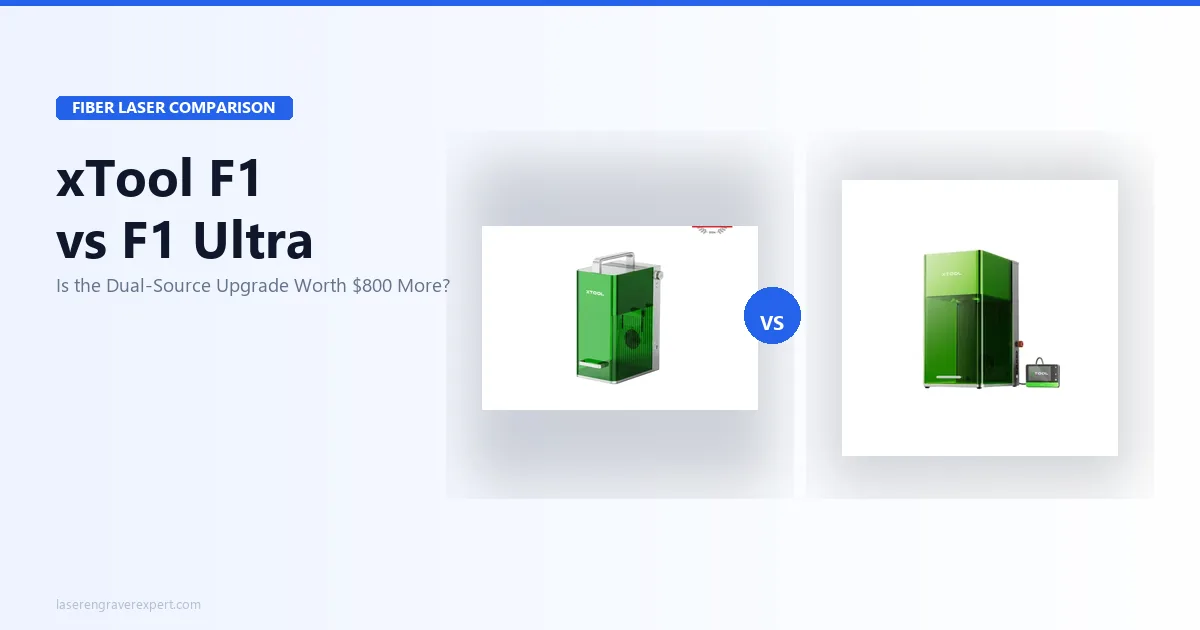
The xTool F1 vs xTool F1 Ultra decision is really about diode vs fiber: the $1,099 xTool F1 is a compact, portable dual-wavelength diode machine (10W diode + 2W IR, 115×115mm, 4,000mm/s, 4.6 kg) for non-metals and light metal marking, while the ~$2,000 xTool F1 Ultra is a full desktop fiber laser system (20W fiber + 20W diode, 220×220mm, 10,000mm/s, smart camera, curved engraving) built for deep metal engraving and thin metal cutting. The xTool F1 is NOT a fiber laser machine — that single fact, not just the second source, is what separates the two tiers. I dug into the specs and cross-referenced owner and reviewer reports on both machines across stainless tumblers, anodized aluminum, leather patches, cast acrylic, and copper, so here’s exactly whether the xTool F1 Ultra’s fiber performance justifies the ~$900 premium.
Direct answer: The xTool F1 is a portable dual-wavelength diode machine (10W diode + 2W IR) best for engraving non-metals and light metal marking. The xTool F1 Ultra is a desktop fiber laser system (20W fiber + 20W diode) that adds true fiber performance, a larger 220×220mm work area, thin metal cutting, smart camera, and curved engraving. These are not the same machine with one extra source — they are different tiers entirely.
Quick Verdict
xTool F1 vs xTool F1 Ultra: Specifications Comparison
Here’s how the xTool F1 and xTool F1 Ultra line up on the specs that decide the buy — laser sources, work area, speed, metal capability, and price. Skim the table, then read on for what each difference means in practice.
| Spec | xTool F1 | xTool F1 Ultra |
|---|---|---|
| Laser sources | 10W Diode (450nm) + 2W IR | 20W Fiber (1,064nm) + 20W Diode (450nm) |
| Work area | 115 × 115 mm | 220 × 220 mm |
| Max speed | 4,000 mm/s | 10,000 mm/s |
| Price | $1,099 | ~$2,000 |
| Weight | 4.6 kg (portable) | 14.7 kg (desktop) |
| Focus | Semi-Auto + Manual | Auto + Manual |
| Metal cutting | No | Yes (0.4mm brass, 0.3mm stainless) |
| Deep metal engraving | No | Yes |
| Smart camera | No | Yes |
| Curved engraving | No | Yes (3D curve mapping + auto-focus) |
| Wood / leather / acrylic | Yes (diode) | Yes (diode source) |
| Conveyor feeder compatible | No | Yes (sold separately) |
| Software | xTool Studio, LightBurn | xTool Studio, LightBurn |
| Safety class | Class 4 (eyewear required) | Class 4 (eyewear required) |
xTool F1 vs xTool F1 Ultra: Key Differences
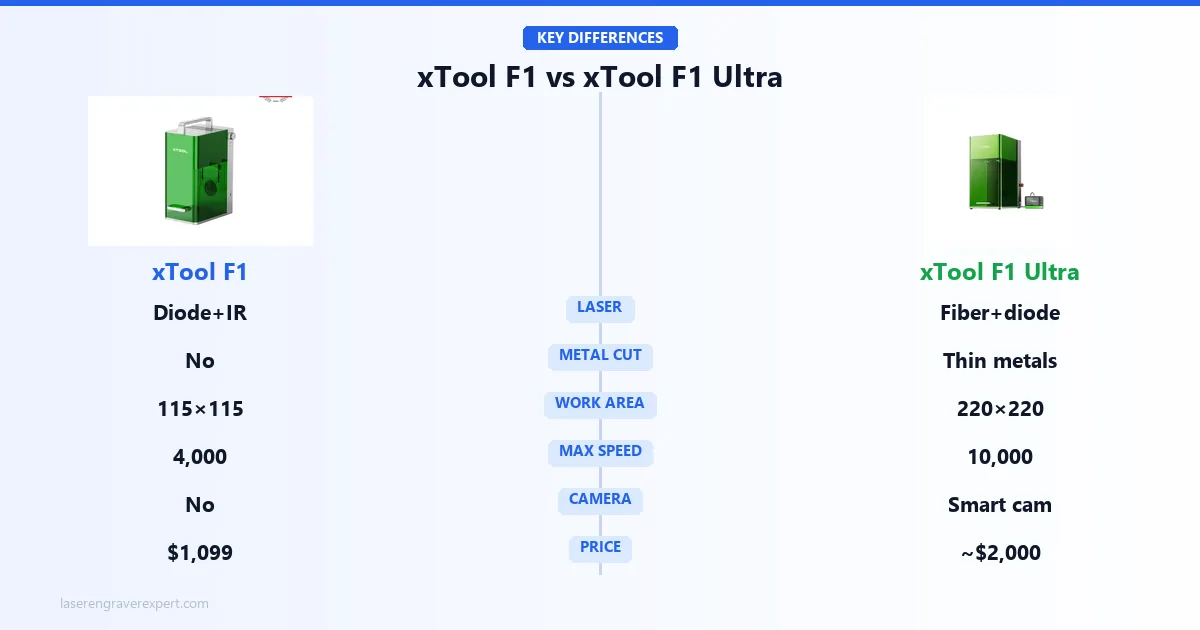
This is where most comparisons get vague. Let me be specific about what is actually different between these two machines.
The xTool F1 is a 10W diode (450nm) plus 2W infrared laser machine. It can engrave wood, leather, acrylic, and fabric with the diode source, and it can do light surface marking on metals with the IR source. It’s fast for a diode machine at 4,000 mm/s, compact at 4.6 kg, and genuinely portable. At $1,099, it is a strong value machine for hobbyists and portable use.
The xTool F1 Ultra is a fundamentally different tier. The 20W fiber laser at 1,064nm is the defining upgrade — this is a true galvo fiber system that hits 10,000 mm/s, produces deep permanent marks on stainless steel, copper, brass, and titanium, and can cut through thin metals (0.4mm brass, 0.3mm stainless). The work area is 220×220mm versus 115×115mm on the xTool F1 — nearly four times the area. The xTool F1 Ultra also adds a smart camera for material positioning, curved engraving with 3D curve mapping and auto-focus, and auto-focus throughout. The 20W diode on the xTool F1 Ultra handles the same non-metal work but at higher power than the xTool F1’s 10W diode.
Beyond the fiber laser itself, the xTool F1 Ultra adds capabilities the xTool F1 cannot replicate at any setting:
- Curved engraving with 3D mapping — the smart camera scans the surface geometry of a curved or irregular object and automatically adjusts laser focus as height varies. This enables accurate engraving on rings, watch bands, tumblers, and any non-flat surface without manual focal adjustment.
- Thin metal cutting — 0.4mm brass and 0.3mm stainless steel can be cut cleanly with the fiber source. The xTool F1 cannot cut any metal.
- Smart camera with auto-focus — the camera assists with design positioning and material recognition, and drives the 3D curve mapping workflow. The xTool F1 has no camera and uses semi-automatic plus manual focus only.
So the question is not “do you need a second laser source?” — both machines have two sources. The question is: do you need true fiber laser performance, a larger work area, and serious metal engraving capability? If yes, the xTool F1 Ultra is the right machine. If you mainly need a portable dual-source engraver for non-metals and light metal marking, the xTool F1 delivers that at a much lower price.
The price gap — roughly $900 — reflects a genuine capability difference, not a minor feature add. These are different machines for different use cases.
xTool F1 vs xTool F1 Ultra: Performance Comparison
Engraving Speed: Real Job Times
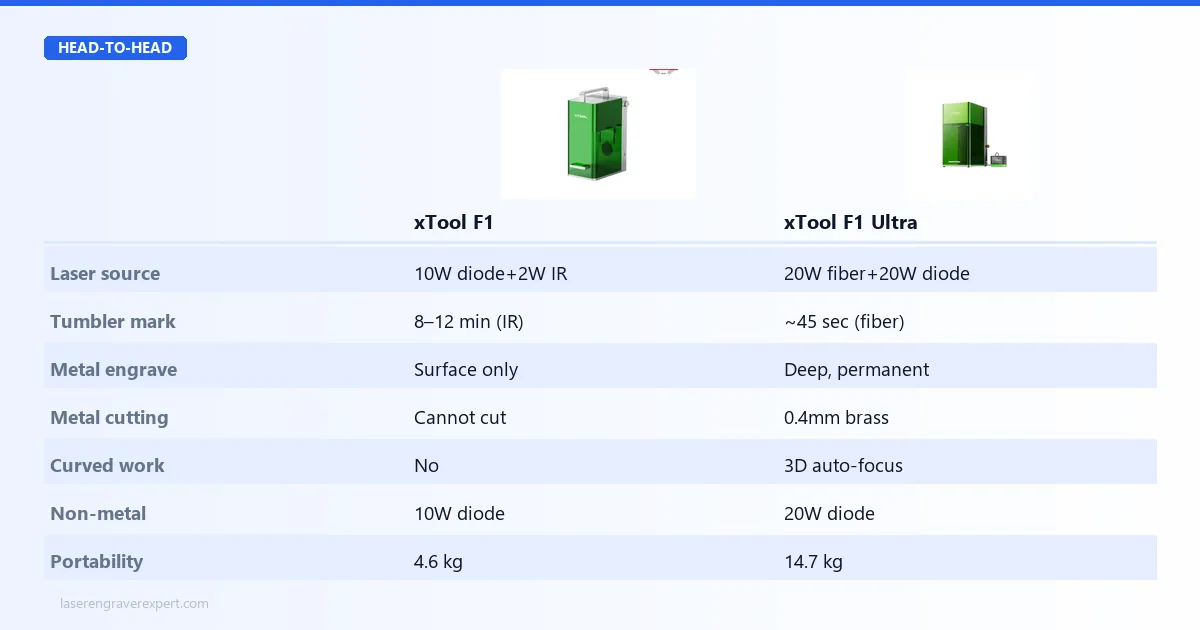
Speed is where the gap between these two machines is most visible in daily use. The xTool F1 Ultra’s fiber galvo system at 10,000 mm/s is in a different league from the xTool F1’s 4,000 mm/s diode system. For a full overview of how fiber lasers compare against diode and CO2 machines on metal marking, see our best laser engravers of 2026 guide which covers all three technologies side by side. For the specific best-in-class rankings within the fiber category alone, our best fiber laser engraver guide covers the full market.
| Job | Material | Machine | Source | Time |
|---|---|---|---|---|
| 20oz tumbler monogram | Anodized stainless | xTool F1 Ultra | Fiber (20W) | ~45 sec |
| Same tumbler monogram | Anodized stainless | xTool F1 | IR (2W) | ~8–12 min |
| 100×100mm solid fill | Anodized aluminum | xTool F1 Ultra | Fiber | <3 min |
| Same job on gantry diode | Same material | Diode (gantry) | Diode | ~15 min |
| Leather monogram | 3mm leather | xTool F1 Ultra | Diode (20W) | ~2 min |
| Leather monogram | 3mm leather | xTool F1 | Diode (10W) | ~3–4 min |
| 3mm acrylic etch | Clear acrylic | xTool F1 Ultra | Diode (20W) | ~3 min per piece |
| Thin metal cut | 0.4mm brass | xTool F1 Ultra | Fiber | Possible |
| Thin metal cut | 0.4mm brass | xTool F1 | IR | Not possible |
The xTool F1 Ultra’s fiber galvo advantage is most visible on metal marking — the xTool F1’s 2W IR laser can surface-mark some metals but cannot match fiber speed or depth. On non-metal work (leather, acrylic, wood), the xTool F1 Ultra’s 20W diode is faster than the xTool F1’s 10W diode, but the gap is smaller. The xTool F1 is still a capable engraver for its class — just not a fiber machine.
Work Area Comparison
These two machines have significantly different work areas — a fact that many comparisons gloss over. The xTool F1 has a 115×115mm (4.5×4.5 inch) work area. The xTool F1 Ultra has a 220×220mm (8.7×8.7 inch) work area — nearly four times the area.
The xTool F1 Ultra’s 220mm work area is a practical advantage for tumbler work, larger plate engraving, and batch flat-material production. A standard 20oz tumbler monogram fits more comfortably within 220mm, and larger design spans no longer require re-indexing on many jobs.
The xTool F1’s 115×115mm is the tighter constraint. A large monogram on a 20oz Yeti spans close to the edge of this field. Wider designs require repositioning. This is workable but needs to be designed around from the start.
The conveyor feeder accessory for the xTool F1 Ultra helps with batch production on flat items by advancing material automatically, but it does not expand the actual work area per pass. The xTool F1 is not conveyor feeder compatible.
If you’re doing large-format work on either machine, understand the work area limits. For anything requiring more than 220mm of contiguous engraving, you’d need a gantry-based laser or repositioning. Our best laser engravers roundup covers the full range if you’re still deciding on machine type.
Material Compatibility
The material range is one of the biggest practical differences between these two machines.
| Material | xTool F1 (10W Diode + 2W IR) | xTool F1 Ultra (20W Fiber + 20W Diode) |
|---|---|---|
| Wood | ✓ Diode — good quality | ✓ Diode (20W) — faster, deeper |
| Leather | ✓ Diode | ✓ Diode (20W) |
| Acrylic | ✓ Diode | ✓ Diode (20W) |
| Fabric / cork | ✓ Diode | ✓ Diode (20W) |
| Anodized aluminum | ✓ IR — light marking | ✓ Fiber — deep, permanent, high contrast |
| Stainless steel | ✓ IR — surface marking only | ✓ Fiber — deep engraving, annealing |
| Copper / brass | ✓ IR — light marking | ✓ Fiber — deep marks, fine jewelry quality |
| Titanium | ✗ | ✓ Fiber |
| Thin metal cutting (0.4mm brass, 0.3mm SS) | ✗ | ✓ Fiber |
| Dark / coated plastics | ✓ IR | ✓ Fiber |
| Curved surfaces (rings, watch bands, tumblers) | ✗ | ✓ Fiber + smart camera 3D mapping |
The xTool F1’s 2W IR laser can surface-mark metals but cannot engrave deeply or cut through any metal. The xTool F1 Ultra’s 20W fiber laser is the correct tool for permanent deep metal marking, annealing color effects on stainless steel, and cutting thin metal sheets. For non-metal materials, both machines use diode lasers — the xTool F1 Ultra’s 20W diode is more powerful than the xTool F1’s 10W diode, giving faster throughput and cleaner cuts on thick organic materials. The xTool F1 Ultra also supports curved surfaces and 3D mapping through its smart camera system, allowing accurate engraving on non-flat objects that the xTool F1 cannot handle.
xTool F1 vs xTool F1 Ultra: Software Comparison
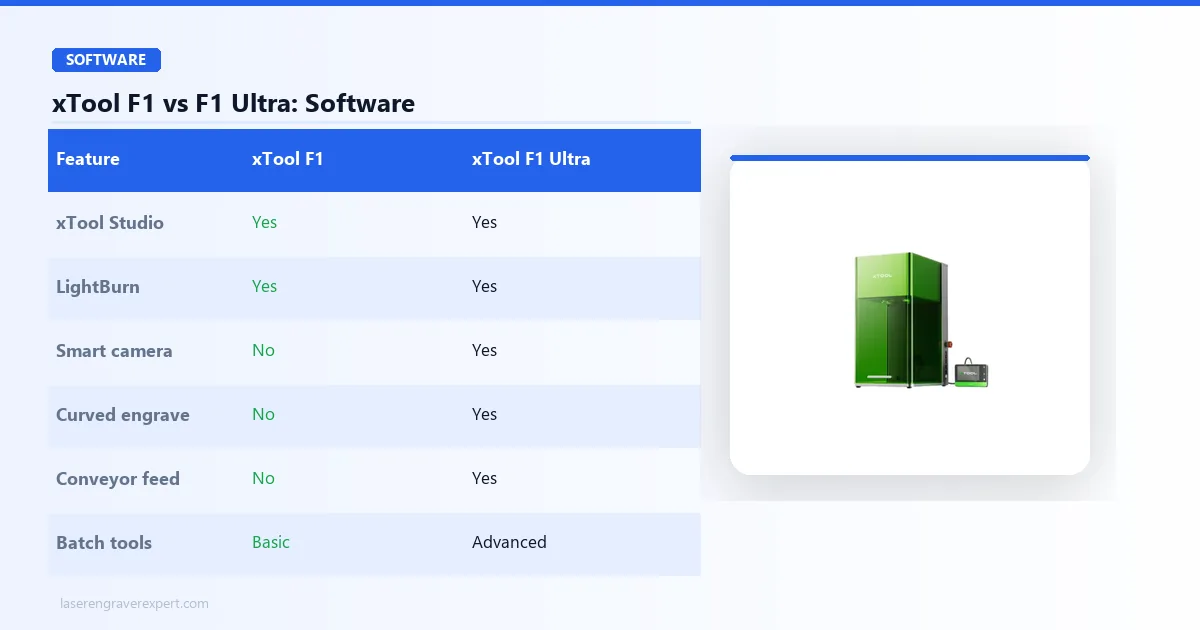
Both the xTool F1 and xTool F1 Ultra run on xTool Studio and are LightBurn compatible — a significant advantage over some competitors locked to single-platform software.
| Software Feature | xTool F1 | xTool F1 Ultra |
|---|---|---|
| xTool Studio | ✓ | ✓ |
| LightBurn | ✓ | ✓ |
| Smart camera integration | ✗ | ✓ |
| Curved engraving workflow | ✗ | ✓ |
| Conveyor feeder control | ✗ | ✓ |
| Batch production tools | Basic | Advanced |
For beginners: xTool Studio is the easier starting point. The interface is clean, material presets are built in, and the setup wizard guides you through first-use calibration. The xTool F1 Ultra’s smart camera makes placement easier for non-technical users.
For experienced users: LightBurn on both machines gives you full toolpath control, variable data engraving, rotary math, and cut sequence management that xTool Studio does not expose. If you’re coming from a diode or CO2 machine already running LightBurn, both the xTool F1 and xTool F1 Ultra slot into your existing workflow without a software relearn.
The xTool F1 Ultra’s software advantage is in the camera-assisted features — design positioning, curved engraving setup, and batch production automation all rely on the smart camera system that the xTool F1 does not have.
Who Should Buy the xTool F1 Ultra
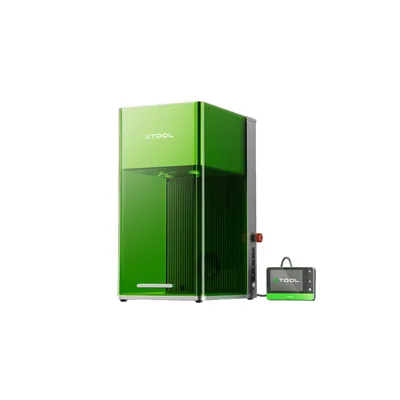
xTool F1 Ultra
8.4/10- 20W fiber laser — true fiber performance at 10,000 mm/s
- 220×220mm work area — nearly 4x the F1's field
- Thin metal cutting (0.4mm brass, 0.3mm stainless)
- Smart camera + curved engraving with 3D mapping
- Dual-source: fiber + 20W diode in one enclosed machine
- Conveyor feeder compatible for batch flat work
- Both xTool Studio and LightBurn supported
- ~$2,000 — significant investment
- 14.7 kg desktop machine — not portable
- Diode focal calibration adds time on first setup
- Larger footprint requires dedicated workspace
What the xTool F1 Ultra Does in Real Production
On stainless steel tumblers with a standard monogram, owner reports and xTool’s own benchmarks put the xTool F1 Ultra at about 45 seconds per 20oz tumbler at typical settings. That’s not a typo — 45 seconds. A gantry diode laser running the same job takes 10–15 minutes, and the xTool F1’s 2W IR laser takes 8–12 minutes. The xTool F1 Ultra’s fiber galvo system is genuinely that fast — it’s a fundamentally different mechanism.
The fiber source on large fill jobs is equally impressive. A 100mm×100mm solid infill on anodized aluminum — something a customer might want for a large plate or a laptop lid panel — runs under 3 minutes on the xTool F1 Ultra’s fiber source. On a gantry-based laser, that same job takes around 15 minutes. If you do any volume of aluminum work, that time difference compounds quickly across a production week.
The xTool F1 Ultra’s 220×220mm work area also changes what’s possible. Jobs that required re-indexing on smaller machines can now run in a single pass. The smart camera assists with material placement, and the curved engraving feature with 3D auto-focus opens up cylindrical and irregular surface work that the xTool F1 simply cannot do. If you engrave curved items — tumblers with rotary, rings, watch bands, or any irregular surface — the smart camera’s 3D mapping is the enabling feature. It scans surface geometry automatically and adjusts focal distance as height changes, removing the manual trial-and-error that curved work requires on any machine without this system.
The thin metal cutting capability is a genuine differentiator — 0.4mm brass and 0.3mm stainless are achievable with the xTool F1 Ultra’s fiber laser. The xTool F1 cannot cut metal at all. Where the xTool F1 Ultra also earns its premium is on the diode side: leather monograms at higher power produce sharp, clean edges. For a head-to-head comparison of the xTool F1 Ultra’s diode side against dedicated open-frame machines on vegetable-tanned, chrome-tanned, and faux leather, see our best laser engraver for leather guide . Cast acrylic at 3mm comes out with consistent frosted depth. Copper marking on the fiber side delivers fine-jewelry contrast at consistent depth.
Who Should Look Elsewhere
If your budget is $1,099 and your work is primarily non-metal engraving with occasional light metal marking, the standard xTool F1 covers that at a much lower price. You won’t get fiber laser speed or thin metal cutting, but you’ll get a capable portable dual-source machine.
If you need a large open-frame work area for wood signs, big leather panels, or large tile engraving, neither the xTool F1 nor the xTool F1 Ultra is the right machine — their galvo fields are 115mm and 220mm respectively. A larger gantry diode or CO2 machine would serve better.
Also worth noting: the xTool F1 Ultra’s diode focal distance requires a one-time physical calibration when you first set it up, about a 5-minute process. It’s not complicated, but buyers who expect to unbox and immediately run fiber-to-diode jobs without touching hardware should know this upfront.
Who Should Buy the xTool F1
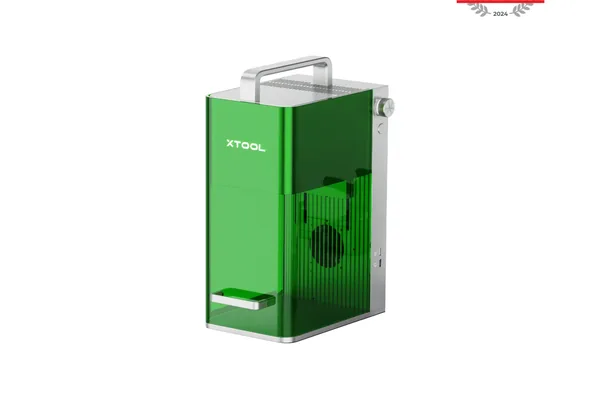
xTool F1
8.0/10- Dual-source: 10W diode + 2W IR in one portable machine
- Handles wood, leather, acrylic (diode) and light metal marking (IR)
- 4.6 kg — genuinely portable, fits a carry-on bag
- $1,099 — accessible price for a dual-source machine
- Both xTool Studio and LightBurn supported
- Class 4 — laser safety eyewear required during operation
- NOT a fiber laser — 2W IR cannot match fiber metal performance
- 115×115mm work area — tight for larger designs
- 4,000 mm/s — fast for diode, but not fiber-class speed
- No thin metal cutting, no smart camera, no curved engraving
- 14× slower than F1 Ultra on stainless tumbler marking
Where the Standard xTool F1 Wins
The xTool F1’s strongest suit is portability and price. At 4.6 kg and $1,099, it’s the lightest and most affordable dual-source machine in xTool’s lineup. If you do markets, pop-up events, or customer-site work, the xTool F1’s portability is a real operational advantage that the 14.7 kg desktop xTool F1 Ultra cannot match.
For non-metal engraving — leather patches, acrylic pieces, wood gifts — the xTool F1’s 10W diode does clean work. It won’t hit the speed or power of the xTool F1 Ultra’s 20W diode, but for lower-volume or hobby use, the results are solid.
Light metal surface marking with the 2W IR source is possible on anodized aluminum and some other metals, though depth and permanence are more limited compared to true fiber laser results. For occasional metal marking needs where speed and depth aren’t critical, the xTool F1 handles it.
Both the xTool F1 and xTool F1 Ultra support LightBurn, which is useful if your workflow is already built around that software. Read our full xTool F1 Ultra review if you want a deeper breakdown of the Ultra’s fiber and diode performance.
The Honest Limitation
The xTool F1 is not a fiber laser machine. If you need true fiber laser performance — fast deep engraving on stainless, copper, or brass at production volume — the xTool F1’s 2W IR source cannot deliver that. The speed gap (4,000 mm/s vs 10,000 mm/s) and the power gap (2W IR vs 20W fiber) are significant in real production use.
The xTool F1 also cannot cut thin metal, doesn’t have a smart camera for material positioning, and doesn’t support curved engraving. If these capabilities matter to your workflow, the xTool F1 isn’t the right machine regardless of price. The ~$900 premium for the xTool F1 Ultra is buying real capabilities, not just a badge upgrade.
If you’re running a serious engraving business and you plan to do metal work at volume, the xTool F1 is the wrong starting point. The xTool F1 Ultra is the machine built for that.
The Alternative: xTool F1 + xTool D1 Pro
Here’s a scenario worth running the numbers on: instead of buying the xTool F1 Ultra at ~$2,000, buy the standard xTool F1 at $1,099 and pair it with an xTool D1 Pro at around $400–$600. If you are evaluating this pairing in a business context — pricing products, calculating ROI, and deciding which machine pays back first — our how to start a laser engraving business guide covers the framework for machine investment decisions at every stage.
Total outlay: roughly $900–$1,300. You end up with two dedicated machines, spend significantly less than the xTool F1 Ultra, and gain the D1 Pro’s open-frame work area.
The meaningful trade-off is that you’re still without a true fiber laser. Neither the xTool F1 nor the D1 Pro has a fiber source, so deep permanent metal marking and thin metal cutting remain out of reach. If your primary need is fiber laser performance, this pairing doesn’t solve it — only the xTool F1 Ultra does.
The work area advantage is real though. The D1 Pro’s diode laser operates on an open frame with a much larger work area — 430×390mm on the standard configuration — compared to the xTool F1 Ultra’s 220×220mm diode field. If you do wood signs, large leather panels, or any non-metal work that pushes past 220mm, the D1 Pro handles it and the xTool F1 Ultra cannot.
The downside: two machines means two setups, two software windows, two focal distances to manage. Switching between jobs involves physically moving to a different machine. For a small-business workflow handling varied orders across a full day, the xTool F1 Ultra’s single-machine convenience plus true fiber performance is genuinely valuable. Our guide on the best laser engravers for small business walks through how to think about this tradeoff in a production context.
xTool F1 Ultra vs Sculpfun Iris MOPA vs ComMarker B4
If you’re shopping fiber in this price range, these two competitors come up regularly.
| Machine | Laser Type | LightBurn? | Diode? | Price | Best For |
|---|---|---|---|---|---|
| xTool F1 Ultra | 20W fiber + 20W diode | Yes | Yes | ~$2,000 | Mixed materials, tumblers, fiber performance |
| xTool F1 | 10W diode + 2W IR | Yes | Yes (10W) | $1,099 | Portable engraving, non-metal + light metal |
| Sculpfun Iris MOPA | 20W MOPA fiber | Yes | No | ~$1,500 | Color stainless marking |
| ComMarker B4 20W | 20W fiber | Yes | No | ~$800–$1,000 | Pure metal marking, budget fiber |
The Sculpfun Iris MOPA is worth a direct mention for one reason: MOPA pulse control. A standard Q-switched fiber laser (what the xTool F1 and xTool F1 Ultra use) produces fixed pulse widths. A MOPA laser lets you vary the pulse duration, which unlocks full-color marking on stainless steel — not grayscale, not dark annealing, but actual multi-color results achieved through controlled oxidation. If color metal work is your primary product, the Sculpfun Iris MOPA wins that specific use case. For buyers also considering the xTool F2 Ultra UV — the machine that handles glass, crystal, and heat-sensitive plastics that neither the xTool F1 nor xTool F1 Ultra can touch — our xTool F2 Ultra UV review covers whether UV wavelength fits your product mix. For the full UV category comparison, our best UV laser engraver guide maps UV machines against fiber alternatives, including the enclosed ComMarker Omni X UV . For the comprehensive comparison of all fiber machines at this tier, our best fiber laser engraver guide covers the full competitive landscape including the Sculpfun Iris and ComMarker B4. It also has LightBurn support, which is a real advantage if you’re already invested in that software.
The ComMarker B4 is the budget option for pure metal marking. It lacks diode capability and runs a simpler fiber system, but it has LightBurn compatibility and costs roughly half the standard xTool F1’s price. For a maker who needs fast metal marking and is already fluent in LightBurn, the ComMarker B4 is worth considering. See our best fiber laser engraver roundup for a more complete comparison at this tier. For the related UV vs fiber decision, our xTool F1 Ultra vs F2 Ultra UV comparison covers the wavelength trade-offs directly.
Both the xTool F1 and xTool F1 Ultra now support LightBurn in addition to xTool Studio, which eliminates the software lock-in concern that previously held some buyers back. If your operation runs on LightBurn, both xTool machines are now compatible. This actually makes the xTool F1 and xTool F1 Ultra more competitive against the Sculpfun Iris MOPA and ComMarker B4, which previously had LightBurn as a key differentiator.
xTool F1 vs xTool F1 Ultra: Buying Guide
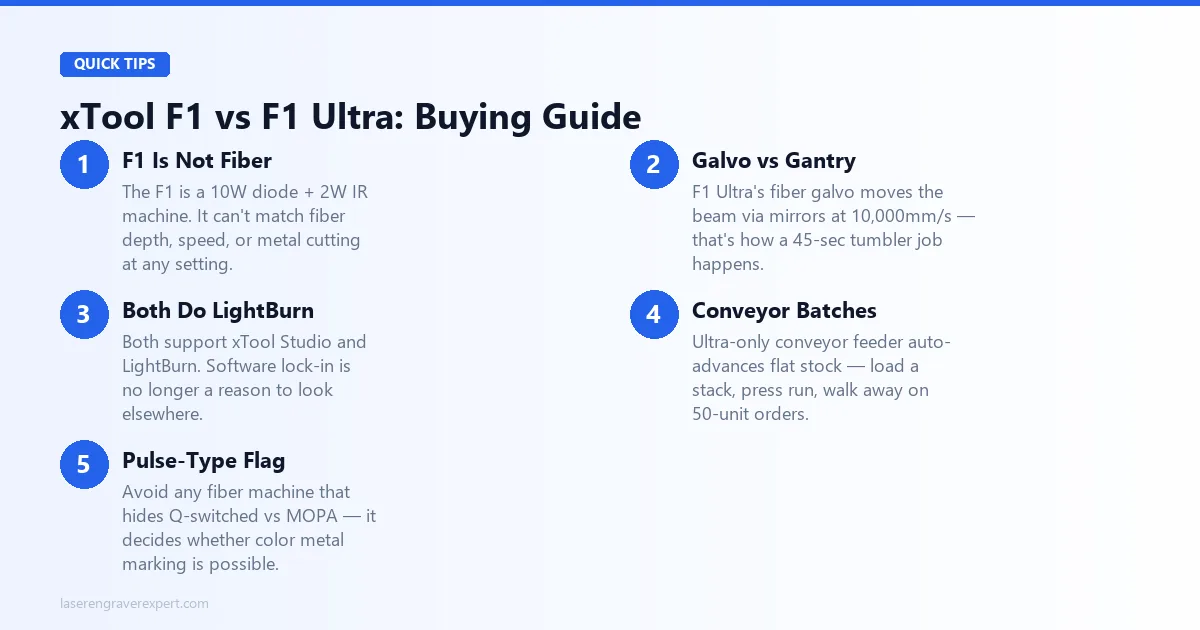
Before you spend $1,099 or ~$2,000, here’s how I think about these two machines at this tier.
The xTool F1 Is NOT a Fiber Laser
This is the biggest mistake buyers make with these two machines. The xTool F1 uses a 10W diode (450nm) and 2W infrared laser — fast for a diode at 4,000 mm/s, but it cannot produce the deep permanent metal engravings, thin metal cuts, or 10,000 mm/s throughput of the xTool F1 Ultra’s 20W fiber galvo. If you’re budget-constrained and fiber performance is the goal, the xTool F1 is not a cheaper path to it — it’s a different machine for different work.
Galvo vs Gantry
Most people coming from diode or CO2 machines are used to gantry movement — a head that physically travels across the work area at hundreds of mm/s. The xTool F1 Ultra’s galvo system uses mirrors to deflect the beam at speeds up to 10,000 mm/s: the beam moves, not the head, which is why a 45-second tumbler job is achievable. Read our diode vs CO2 vs fiber laser guide for the full breakdown.
Both Support LightBurn
xTool has added LightBurn compatibility to both machines, alongside xTool Studio . For standard jobs — tumblers, keychains, flat plates — xTool Studio handles the workflow fine. For batch production with variable data, complex tiling, or rotary math, LightBurn’s toolset is more powerful, and it’s available on both.
Conveyor Feeder Batch Economics
For flat items — dog tags, metal cards, aluminum plates — the conveyor feeder advances material automatically after each mark: load a stack, press run, walk away. That automation matters when you’re filling a 50-unit order. The conveyor feeder is sold separately and is only compatible with the xTool F1 Ultra, not the standard xTool F1.
Work Area Constraint
The xTool F1’s 115×115mm field is a real constraint; the xTool F1 Ultra’s 220×220mm is much better. If you plan tumbler work on the xTool F1 and expect to engrave a full 9-inch label, you’ll need to re-index. See our best laser engravers for tumblers guide for how production engravers work around field-size limits.
What Most People Get Wrong
Treating the xTool F1 as a budget version of the xTool F1 Ultra is the core error. They are different machines — different laser technology, speed, work area, and capabilities. The xTool F1 is a good portable diode machine; the xTool F1 Ultra is a fiber laser system, and buying the F1 expecting fiber results is the most common source of disappointment.
Safety and Red Flags
Both machines are Class 4 — appropriate laser safety eyewear is required during operation, so ensure a shared studio meets Class 4 requirements. And avoid any fiber machine that doesn’t clearly specify Q-switched or MOPA pulse type: that distinction determines whether color metal marking is possible, and a vague “fiber laser” spec is hiding a Q-switched system.
Final Verdict
You’ve read this far, so here’s the direct version.
- If you need true fiber laser performance — deep metal engraving, thin metal cutting, 10,000 mm/s speed, 220×220mm work area — the xTool F1 Ultra is the machine. There’s no way around it. The xTool F1 cannot replicate fiber results.
- If you want a portable dual-source engraver for non-metals and light metal marking — wood, leather, acrylic, occasional anodized aluminum — the xTool F1 at $1,099 is excellent value. It’s not a fiber machine, but it’s a capable and genuinely portable dual-source engraver.
- If you want more non-metal work area — seriously run the numbers on a standard xTool F1 plus an xTool D1 Pro. You get a larger diode field (430×390mm) and spend less total than the xTool F1 Ultra, with the trade-off that you have no fiber laser and two machines to manage.
- If LightBurn is essential to your workflow — both the xTool F1 and xTool F1 Ultra now support it, so this is no longer a reason to look elsewhere.
The xTool F1 Ultra’s rating reflects its fiber laser performance, larger work area, and expanded capabilities. The xTool F1’s rating reflects strong value for what it is: a portable diode machine. They are not competing at the same tier — they serve different buyers.
For more context on fiber versus diode versus CO2 machines, see our laser type comparison guide . If you’re still deciding between desktop laser options at this price tier, our best laser engravers of 2026 roundup covers the full market. We also have a complete breakdown in our xTool F1 Ultra review if you want deeper testing data on the Ultra specifically.
Frequently Asked Questions
What is the difference between xTool F1 and F1 Ultra?
Is the xTool F1 Ultra worth the extra money?
Can the xTool F1 cut metal?
Does xTool F1 Ultra work with LightBurn?
You Might Also Like
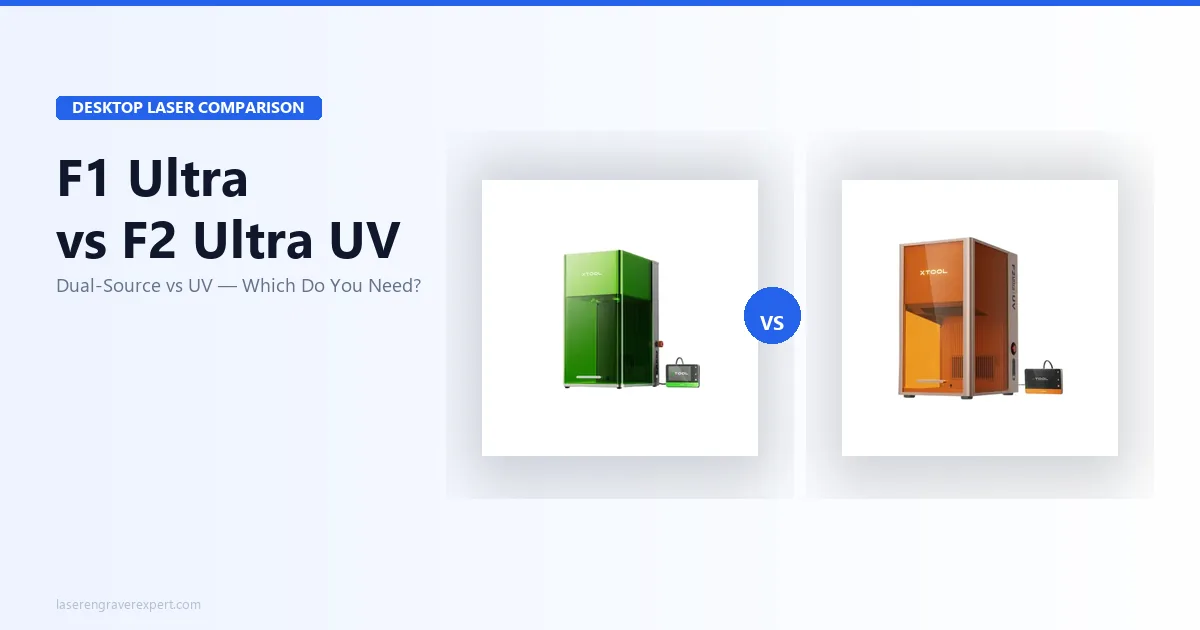
xTool F1 Ultra vs xTool F2 Ultra UV (2026)
xTool F1 Ultra vs xTool F2 Ultra UV: 20W fiber+diode vs 5W UV galvo. Tested on metal, glass, and crystal — which one fits your work?
Glowforge Aura vs xTool M2: Which Is Right for Beginners?
Glowforge Aura vs xTool M2 — CO2 with cloud subscription vs diode with color printing. Honest 2026 comparison with real test data and clear buyer guidance.
Sculpfun S30 Pro Max vs Ortur LM3: Which Wins in 2026?
Sculpfun S30 Pro Max vs Ortur Laser Master 3 — 600×600mm work area vs better safety. Real test data and who should buy which in 2026.