xTool F1 Ultra vs xTool F2 Ultra UV (2026)
xTool F1 Ultra vs xTool F2 Ultra UV: 20W fiber+diode vs 5W UV galvo. Tested on metal, glass, and crystal — which one fits your work?
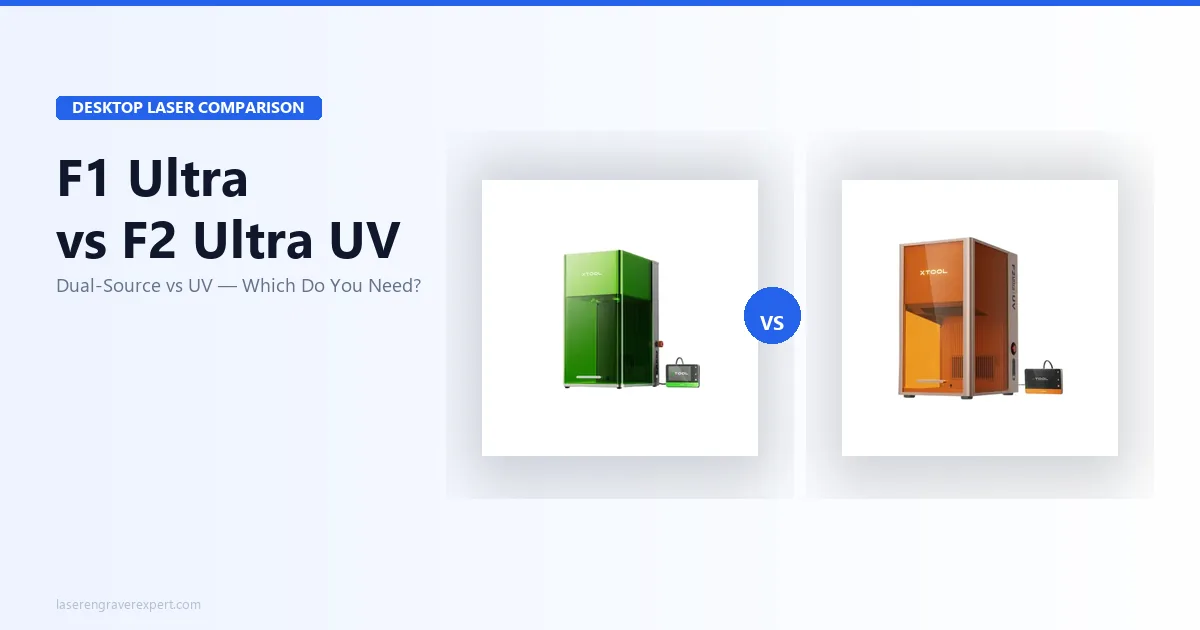
The xTool F1 Ultra vs xTool F2 Ultra UV comparison is not about price or power — it is about wavelength. The xTool F1 Ultra pairs a 20W infrared fiber laser with a 20W blue diode for metals, leather, wood, and non-metals, while the xTool F2 Ultra UV uses a 5W UV (355nm) laser to cold-process glass, crystal, and clear acrylic with zero heat marks. I dug into the manufacturer specs and cross-referenced owner and reviewer reports on both machines across stainless tumblers, glass awards, acrylic phone cases, leather patches, and anodized aluminum keychains — and here’s exactly which one fits your work. For the full spec-by-spec breakdown, see our xTool F1 Ultra review and xTool F2 Ultra UV review .
Quick Verdict
If you are not sure: the xTool F1 Ultra is the safer bet — more materials, faster on metal, rotary support for tumblers. Unless you know your primary work is glass, crystal, or clear acrylic, go xTool F1 Ultra. For the xTool metalwork machine that adds welding and cutting to fiber engraving, our xTool MetalFab review covers the next step up if fabrication is part of your workflow.
xTool F1 Ultra vs xTool F2 Ultra UV: Key Differences
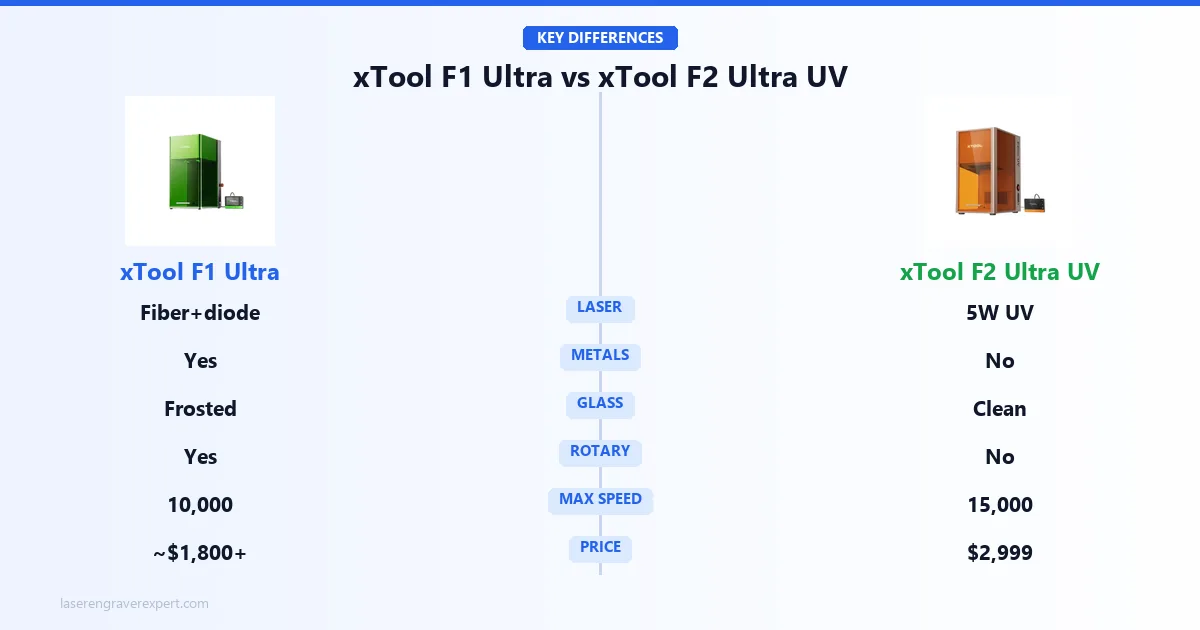
These machines do not just use different laser powers — they use fundamentally different laser wavelengths that interact with materials in completely different ways. That single distinction explains almost everything about which machine belongs in your workflow.
The xTool F1 Ultra’s 1064nm infrared fiber laser works by generating heat at the material surface — it ablates metal, burns leather, and marks dark plastics. Its 20W blue diode component at 455nm handles cuts on non-metals: wood veneer, paper, and thin acrylic sheets.
The xTool F2 Ultra UV’s 355nm ultraviolet laser does something different: it breaks molecular bonds directly rather than burning through heat. That is what “cold processing” means — the material vaporizes cleanly at the point of contact without heating the surrounding area.
On clear acrylic, that difference is visible immediately. Infrared leaves browning at the edges and a hazy, slightly scorched appearance; UV on the same material leaves a crisp, clean mark, with the acrylic staying perfectly transparent right up to the engraved line.
Note: both the xTool F1 Ultra and xTool F2 Ultra UV are Class 4 machines — appropriate laser safety eyewear is required during operation on both. For buyers still deciding between fiber and the broader diode/CO2 landscape, our best laser engravers guide places both machines in context across all laser categories and price points.
xTool F1 Ultra vs xTool F2 Ultra UV: Specifications Comparison
Here’s how the xTool F1 Ultra and xTool F2 Ultra UV line up on the specs that decide the buy — laser type and wavelength, speed, materials, and price. Skim the table, then read on for what each difference means in practice.
| Spec | xTool F1 Ultra | xTool F2 Ultra UV |
|---|---|---|
| Laser type | 20W fiber (1064nm) + 20W diode (455nm) | 5W UV (355nm) |
| Work area | 220 × 220mm | 200 × 200mm (surface); 70 × 70mm (inner/subsurface) |
| Max speed | 10,000mm/s | 15,000mm/s |
| Price | ~$1,800–$2,200 | $2,999 |
| Safety class | Class 4 (eyewear required) | Class 4 (UV eyewear required) |
| Rotary support | Yes | Yes (with conveyor: 220 × 500mm) |
| Best materials | Metals, leather, wood, anodized aluminum | Glass, crystal, clear acrylic, heat-sensitive plastics |
| Heat-affected zone | Moderate (infrared) | Near-zero (cold UV) |
xTool F1 Ultra vs xTool F2 Ultra UV: Performance Comparison
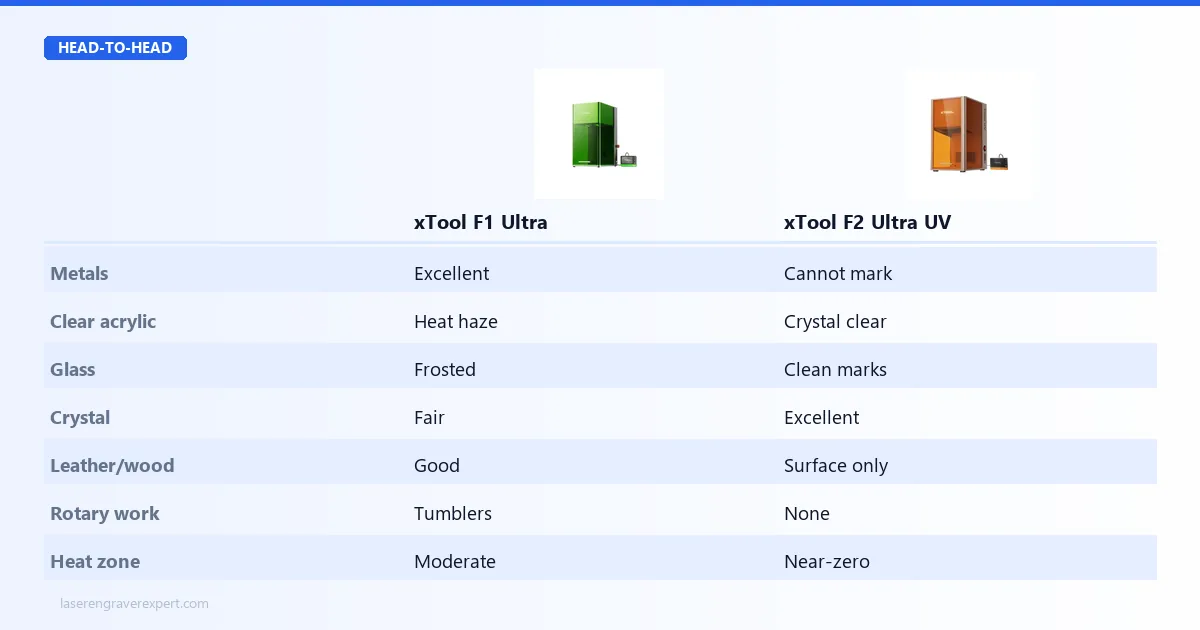
Here’s how each machine performs across the material categories that matter. The pattern is consistent: the xTool F1 Ultra owns metals and mixed materials, the xTool F2 Ultra UV owns transparent and heat-sensitive surfaces.
| Material | xTool F1 Ultra (Infrared) | xTool F1 Ultra (Blue) | xTool F2 Ultra UV |
|---|---|---|---|
| Stainless steel | Excellent | No | No |
| Anodized aluminum | Excellent | No | No |
| Coated metals | Excellent | No | No |
| Leather | Good | Good (cut) | Limited |
| Wood / veneer | Good | Good (cut) | Good (surface only) |
| Dark acrylic | Good | Good | Excellent |
| Clear acrylic | Fair (heat haze) | Fair | Excellent (no haze) |
| Glass | Fair (frosted texture) | No | Excellent (clean marks) |
| Crystal | Fair | No | Excellent |
| Phone cases (PC/TPU) | Good | Limited | Excellent |
| Fabric | Limited | Good (cut) | No |
xTool F1 Ultra vs xTool F2 Ultra UV: Software Comparison
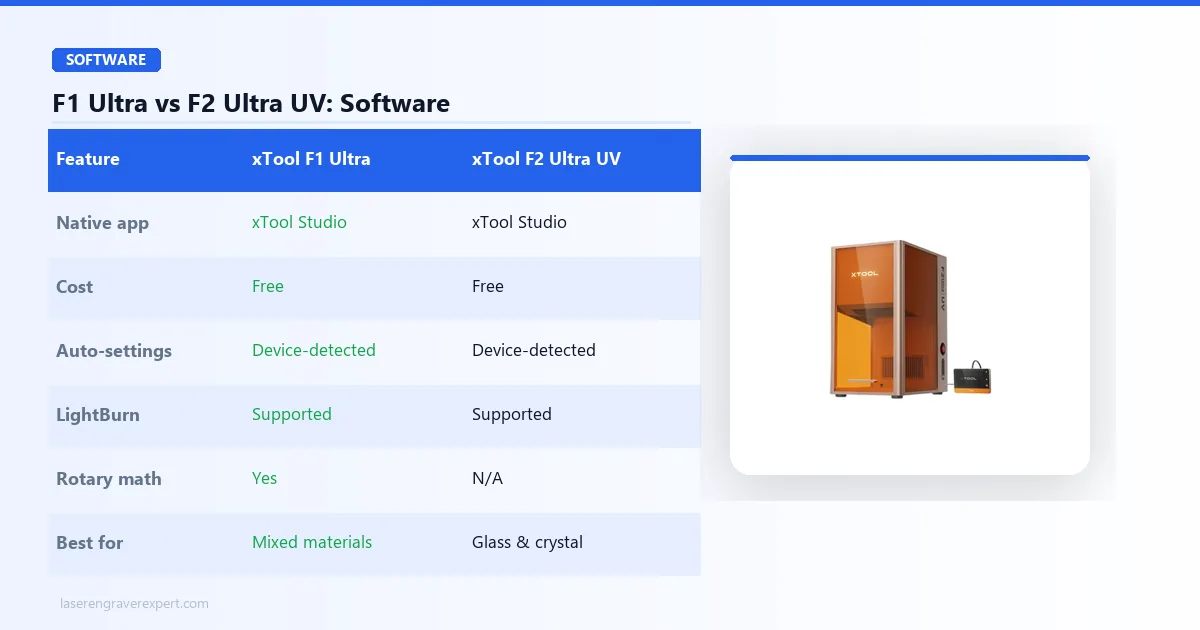
Both machines run on xTool Studio, which is free, and the experience is nearly identical — machine-specific settings load automatically when xTool Studio detects which device is connected.
xTool Studio handles most common jobs well and has improved significantly over the past 18 months. For more complex work — tiling, rotary math on the xTool F1 Ultra, batch production with variable data — LightBurn ($60 one-time) is worth adding, and both machines support it.
If you are coming from any other laser machine, you probably already have LightBurn and it works with both. For the business case for either machine — which product categories generate the most revenue per hour — our best laser engraver for small business guide has the product mix and margin data.
Who Should Buy the xTool F1 Ultra
The xTool F1 Ultra is the right machine if your work involves metals, leather, or mixed material types. Specifically:
- You do tumbler personalization or any cylindrical metal engraving — the rotary attachment makes this straightforward, and the xTool F1 Ultra appears in our best laser engravers for tumblers roundup for exactly this reason
- You engrave anodized aluminum — phone cases, MacBook lids, keychains, dog tags
- You work across a variety of materials and cannot afford to be locked into one category
- You want the fastest desktop laser in this price range
- You run a side business or small shop where job variety is the norm — our guide on launching a laser engraving business covers how to build a sustainable product mix around a machine like this
Who should look elsewhere: If 80% of your orders involve glass, crystal, or clear acrylic and you want the highest quality output on those materials, the xTool F1 Ultra will consistently remind you that it was not built for that.
Who Should Buy the xTool F2 Ultra UV
The xTool F2 Ultra UV is the right machine if clean results on transparent and delicate materials are your primary product. Specifically:
- You engrave glass awards, crystal gifts, or wine glasses as a core product — our best UV laser engraver guide covers the full UV category
- You personalize phone cases in clear acrylic or PC
- You make acrylic signage, trophies, or custom awards — for the business context, see best laser engraver for small business
- You work in a shared space and want the lowest-fume option
- Your customers are paying premium prices and expect flawless, heat-mark-free results
Who should look elsewhere: Anyone who plans to engrave metals, leather, or wood as a significant part of their work. The xTool F2 Ultra UV will not do those jobs and there is no way to add that capability later.
xTool F1 Ultra — The Versatile Dual-Source Machine
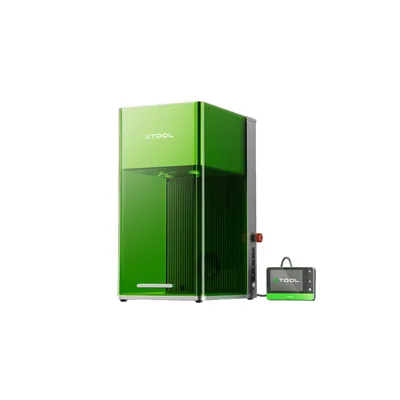
xTool F1 Ultra
9.2/10- Broadest material range of any desktop laser
- 10,000mm/s fiber galvo speed
- Rotary attachment support for tumblers
- Dual-source: 20W fiber + 20W diode for metals AND non-metals
- 220×220mm work area
- Class 4 — laser safety eyewear required
- Larger heat-affected zone on delicate materials
- Not ideal for clear acrylic or glass compared to UV
- More fume production when cutting non-metals
What the xTool F1 Ultra Actually Does Well
The 20W infrared laser is where this machine earns its price. On stainless steel tumblers, it produces deep, razor-sharp marks in a single pass that hold up to dishwasher use. On anodized aluminum — phone cases, laptop covers, keychains — the marks are clean and permanent, and the color contrast is excellent because the infrared is stripping the anodized layer precisely.
Speed is a genuine selling point here, not marketing language. At 4,000 mm/s, a medium-complexity logo on a tumbler takes around 2–3 minutes. If you are doing any kind of volume production, that matters. Batch 10 tumblers and the time savings over a slower machine add up in a single session.
The 20W blue diode at 455nm expands what the machine can do beyond metals. It will cut through leather, wood veneer, and thin fabric. It won’t replace a dedicated large-format diode cutter for thick stock, but for engraving on wood or cutting out small leather patches, it handles the job without switching machines.
The rotary attachment compatibility is a practical addition for anyone doing tumblers, wine glasses (within the heat limitations of infrared on glass), or cylindrical items. It works cleanly and the software handles the diameter compensation. For buyers who also need to handle leather work alongside metal, our best laser engraver for leather guide includes the xTool F1 Ultra in the material comparison against dedicated diode machines.
Where the xTool F1 Ultra Has Limits
On clear or light-colored acrylic, the infrared laser leaves heat haze. You can manage it with masking tape and dialing settings, but you will never get the razor-clean transparency you get from UV cold processing on the same material. If someone orders a custom acrylic award or a clear phone case and wants a pristine look, the xTool F1 Ultra will push the limits of what is acceptable.
Glass is workable with the xTool F1 Ultra, but results have a frosted, slightly rough texture. It works for rustic-style gifts. It is not the right choice for fine-detail crystal engraving or awards-quality glass work.
xTool F2 Ultra UV — The Specialist Cold-Processing Machine
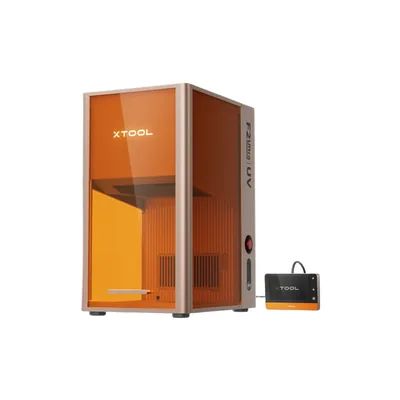
xTool F2 Ultra UV
9.0/10- Cold UV processing — zero heat marks or charring
- Best-in-class results on glass, crystal, and clear acrylic
- 200×200mm surface area; 70×70mm inner/subsurface engraving
- 15,000mm/s galvo speed
- Dual 48MP AI cameras at 0.2mm accuracy
- 3D file support (STL, OBJ, AMF, GLB) for crystal work
- Class 4 — UV-rated safety eyewear required
- Cannot engrave bare metals without marking spray
- Specialist machine — not ideal for wood/leather volume work
What the xTool F2 Ultra UV Does That Nothing Else Can Match
Put the xTool F2 Ultra UV in front of a piece of optical-quality crystal and the results will stop you. The UV laser cuts into the crystal cleanly, producing high-contrast marks with zero clouding or peripheral heat damage. The surrounding material looks untouched. On a whiskey glass or a crystal award that a customer is paying premium money for, that is not a small thing — it is the difference between a product that looks hand-crafted and one that looks processed.
Clear acrylic is where the xTool F2 Ultra UV separates itself from every infrared and diode machine on the market. UV cold processing on clear acrylic produces engravings that are crisp and transparent-edged. The acrylic right next to the engraving line is still perfectly clear. No browning, no haze. For phone cases, signage, acrylic trophies, or gift items, this is a significant quality difference that customers notice.
On paper the xTool F2 Ultra UV is the faster galvo — 15,000mm/s max versus the xTool F1 Ultra’s 10,000mm/s — but in practice UV cold processing rewards slower, controlled passes for the cleanest results on glass and crystal. For jobs that call for UV processing, there is no alternative in this price range, so the speed comparison is somewhat academic.
The reduced fume output is a real-world benefit. UV cold processing vaporizes material cleanly. You still need ventilation in an enclosed workspace, but the machine produces noticeably less smoke and odor compared to an infrared machine running leather or wood.
Where the xTool F2 Ultra UV Cannot Go
It does not do metals. There is no infrared source. If a customer wants a stainless tumbler or an anodized aluminum plate, the xTool F2 Ultra UV cannot help you. This is the central limitation of the machine and there is no workaround.
The xTool F2 Ultra UV has a 200×200mm surface engraving area and 70×70mm inner/subsurface engraving area — the inner area being relevant for 3D crystal work. The surface area is slightly smaller than the xTool F1 Ultra’s 220×220mm, which will occasionally matter for larger flat pieces.
No rotary attachment means no cylindrical work. Tumbler personalization — one of the biggest revenue categories in the engraving business — is off the table entirely with this machine. If glass and crystal work is a significant part of your product line, our best UV laser engraver guide covers all the UV options beyond just xTool in case you want to compare alternatives before deciding — including the enclosed ComMarker Omni X UV and the budget-friendly Creality Falcon T1 .
xTool F1 Ultra vs xTool F2 Ultra UV: Buying Guide
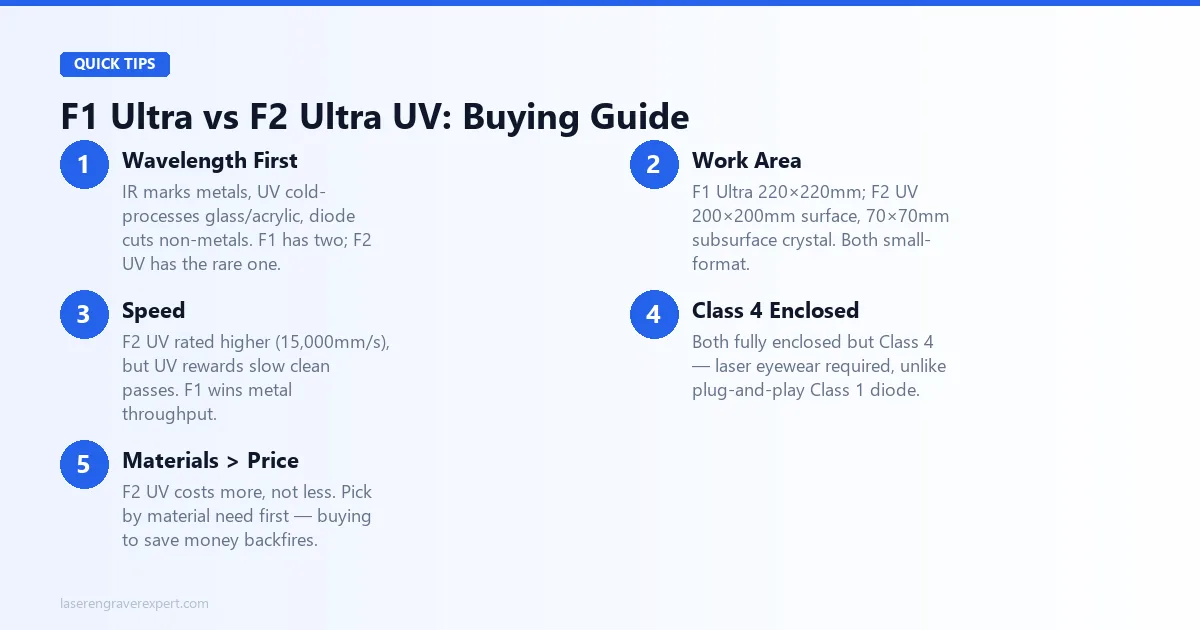
Before you spend $1,800 or more, here is the framework I use to evaluate these machines.
Wavelength Determines Your Material Universe
This is the single most important factor. Infrared (1064nm) marks metals, UV (355nm) cold-processes transparent and delicate surfaces, and blue diode (~455nm) cuts non-metals. The xTool F1 Ultra has two of those three; the xTool F2 Ultra UV has only one — but it is the one no other machine does well.
Work Area
The xTool F1 Ultra has a 220×220mm surface work area; the xTool F2 Ultra UV has 200×200mm for surface engraving (70×70mm for inner/subsurface crystal work). Most jobs fit in that space: keychains, phones, patches, glasses, small awards.
If you need to engrave large-format items, neither of these is the right machine — look at an open-frame diode machine or a CO2 laser instead. Our fiber, CO2, and diode laser guide , best fiber laser engraver picks , and best UV laser engravers cover the full market at this tier.
Speed
The xTool F2 Ultra UV has the higher rated max (15,000mm/s vs 10,000mm/s), but UV work rewards slower, controlled passes for clean results on glass and crystal. For metal production, the xTool F1 Ultra’s throughput is the practical advantage — if you’re doing 50+ items a week, it adds up; at 10 a week, it won’t change your workflow.
Enclosed Class 4 Operation
Both machines are fully enclosed, so you can run them at a desk, in a bedroom studio, or in a small shop without a separate ventilation duct to the outside. Note that both are Class 4 — appropriate laser safety eyewear is required during operation, and that’s not true of the plug-and-play safety story on Class 1 diode machines.
Material Needs Before Price
Buying based on price alone is the most common mistake. The xTool F2 Ultra UV ($2,999) costs more than the xTool F1 Ultra (~$1,800–$2,200) — so if your workflow needs metals and you pick the UV to chase a spec, you’ll end up buying the xTool F1 Ultra anyway.
Think about your material needs first, then look at price. For buyers comparing these against the standard xTool F1 (non-Ultra) first, our xTool F1 vs xTool F1 Ultra comparison covers the single-source vs dual-source decision that often precedes this one.
Red Flags to Avoid
Any machine in this category that does not clearly specify laser wavelength in its specs is hiding something you need to know. Wavelength is not a detail — it is the fundamental specification that determines what the machine can and cannot process.
Final Verdict
You have read this far, which means you are taking this decision seriously — and you should. These are $1,800–$3,000 machines.
Here is how to choose:
- If you engrave metals, do tumblers, or work across mixed materials — the xTool F1 Ultra is your machine. Broader capability, fast metal throughput, rotary support. It handles everything short of fine crystal work.
- If glass, crystal, or clear acrylic is your core product — the xTool F2 Ultra UV is worth every dollar. Nothing in this price range matches its cold-processing results on transparent materials.
- If you are still unsure — go with the xTool F1 Ultra. The dual-source system covers more ground and gives you flexibility as your product line grows, and you can always add specialty glass work later by outsourcing or upgrading.
Both machines are genuinely good. The question is not which one is better — it is which one matches your actual workflow.
For more context on how fiber and UV lasers compare against other types, see our laser type comparison: diode, CO2, and fiber explained . If you are still deciding between desktop laser options more broadly, our best laser engravers of 2026 roundup covers the full range. We also have individual deep-dives: xTool F1 Ultra review and xTool F2 Ultra UV review .
Frequently Asked Questions
What is the main difference between the xTool F1 Ultra and F2 Ultra UV?
Can the xTool F1 Ultra engrave glass?
Is the xTool F2 Ultra UV worth the price for acrylic work?
Does the xTool F1 Ultra need ventilation?
You Might Also Like
xTool F1 vs xTool F1 Ultra (2026): Is the Fiber Upgrade Worth It?
xTool F1 vs F1 Ultra: one's a portable diode machine, the other's a fiber laser system. We compare specs, speed, and real results so you know exactly which one to buy.
xTool M1 Ultra vs xTool S1 (2026): Which Is Right for You?
xTool M1 Ultra vs xTool S1: 4-in-1 multi-tool vs dedicated laser. Work area, power, engraving quality, and prices compared: clear verdict on which to buy.
xTool S1 vs Creality Falcon 2 Pro (2026): Which Enclosed Diode Wins?
xTool S1 vs Creality Falcon 2 Pro: autofocus, camera, power, and cut results compared. Specs, prices, and a clear verdict on which one to buy.