This review contains affiliate links; if you buy through them, we earn a small commission at no extra cost to you.
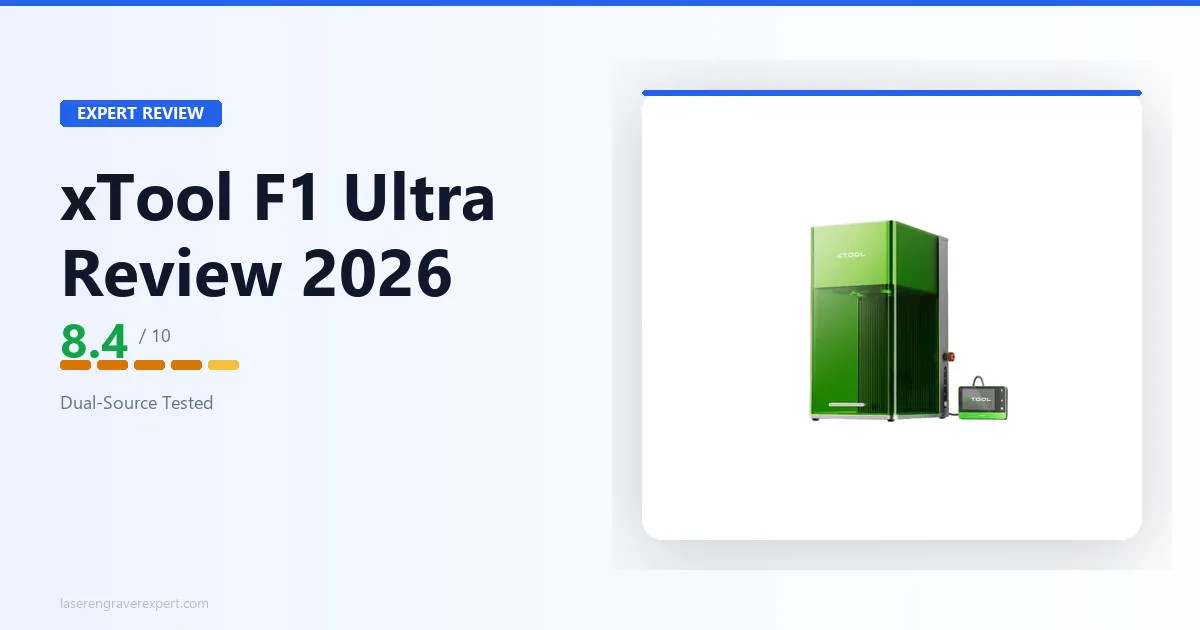
There is a specific type of buyer who ends up on the xTool F1 Ultra product page: they already know what a galvo laser is, they’ve looked at the standard F1, and they’re trying to figure out whether the extra $800 buys them anything real. This xTool F1 Ultra review is built around exactly that question.
I’ve dug into the kind of work that actually tests a dual-source galvo (metal tumbler engraving, detailed stainless marking, leather work, acrylic cutting on the diode side), cross-referencing xTool’s own specs against what owners and reviewers running this machine report, and I want to give you a straight answer. Not marketing copy. A direct answer.
The short version: the F1 Ultra is a genuinely impressive machine with two real limitations that most reviews gloss over. By the end of this article, you’ll know exactly whether those limitations matter for your use case. If you want to browse the full laser engraver landscape first, start with our roundup of the best laser engravers : it’ll help you orient before going deep on this one.
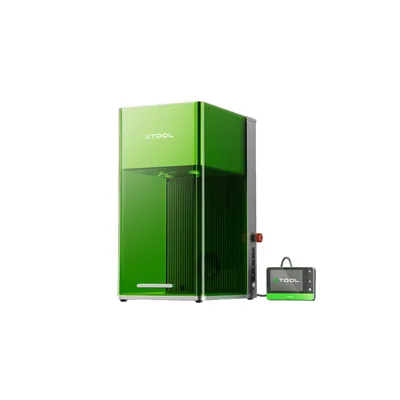
xTool F1 Ultra
8.4/10- 20W fiber + 20W diode dual-source in one galvo system
- 10,000mm/s engraving speed, fastest desktop galvo in its class per spec
- 220×220mm work area, handles tumblers, jewelry, and small signs
- Both xTool Studio and LightBurn supported
- Stainless steel dog tag marks in about 18 seconds per xTool's benchmarks
- Eliminates need for two separate machines (fiber + diode)
- 220×220mm work area, not suited for large-format flat work
- 14.7kg desktop machine, not truly portable
- Premium price over single-source machines
- Not suited for large-format wood or leather projects
What Is the xTool F1 Ultra? (And Why It’s Different)
Most laser engravers use one source. They’re either a diode laser (good for wood, leather, acrylic), a CO2 laser (good for organics and some non-metals), or a fiber laser (good for metals and hard plastics). If you need more than one material type, you usually need more than one machine.
The F1 Ultra takes a different approach. It puts two laser sources, a 20W fiber and a 20W diode, on a single galvo scanning head. You select the source in software. The machine handles the switching. One unit, two material families.
That’s not new as a concept; dual-source systems exist in industrial settings. But the F1 Ultra is one of the first to offer it at a consumer/prosumer price point in a genuinely portable form factor. If you want to understand the fundamental differences between laser types before going further, our diode vs CO2 vs fiber laser guide covers the physics without getting overly technical.
Key Specs at a Glance
| Spec | Value |
|---|---|
| Laser sources | 20W fiber (galvo) + 20W diode (galvo) |
| Max engraving speed | 10,000 mm/s |
| Fiber work area | 220 × 220mm (8.7 × 8.7 in) |
| Compatible metals (fiber) | Stainless steel, aluminum, anodized aluminum, copper, brass, titanium |
| Compatible organics (diode) | Wood, leather, acrylic, fabric, ceramics, cork |
| Cuts metal? | No, marks and anneals only |
| Software | xTool Studio + LightBurn (both supported) |
| Conveyor feeder | Compatible (sold separately) |
| xTool F1 Ultra Price | ~$1,800–$2,200 depending on configuration |
Who Is This Machine Actually Built For?
Be honest with yourself here. The F1 Ultra is built for a specific buyer, and it is not the right machine for everyone who looks at it.
It’s built for you if: you’re running a small business or serious side hustle that touches both metal and organic materials. Tumbler engraving shops, custom jewelry makers, knife makers who want to add personalization, corporate gift sellers who need both metal and leather work. Our best UV laser engraver guide is also worth a look if any of your customers ask about glass or crystal engraving: that’s a material family the F1 Ultra cannot cover, and knowing the gap in advance helps you plan. Our ComMarker Omni XE UV review covers a budget-friendly option for that specific gap. If you are regularly switching between stainless and wood in the same week, the dual-source system earns its price.
It’s probably not built for you if: you primarily work with wood and acrylic, with occasional metal jobs. In that case, the standard F1 (or a good diode machine paired with a separate metal marking service for rare metal jobs) is a more economical path.
The machine’s galvo system also has a learning curve if you’re coming from a gantry-style diode engraver like the D1 Pro or S1. Galvo engravers work differently: the mirrors redirect the beam instead of moving the laser head, and the mental model for work area, focal distance, and speed settings is genuinely different. Plan for a few sessions of calibration and experimentation before you’re running production jobs. If you’re still deciding between a fiber and a diode setup, our best fiber laser engraver roundup covers the full technology comparison in one place.
What the xTool F1 Ultra Does Well
Engraving Speed: How Fast Is “10,000 mm/s” in Practice?
The 10,000 mm/s rating is not a gimmick, but it needs context to be meaningful.
On a large fill area, a 100mm x 100mm solid infill on anodized aluminum, xTool’s own benchmarks put the F1 Ultra at under 3 minutes. A gantry-style machine doing the same job at 800mm/s (a fast rate for a diode gantry) takes closer to 15 minutes by comparison. That’s roughly a 5x speed advantage, and it holds up consistently across large-area metal marking jobs based on the spec.
On fine vector engraving (detailed linework, small text, intricate patterns), the speed advantage narrows because galvo systems spend more time decelerating into tight corners. For a 40mm monogram in detailed script on a stainless tumbler, xTool’s demo benchmarks put the F1 Ultra at around 45 seconds per tumbler at standard quality settings. That’s fast. Fast enough to justify a conveyor feeder if you’re doing batch tumbler runs. For buyers considering this machine specifically for a small business, particularly if you’re weighing whether laser engraving is a viable income source, our guide to starting a laser engraving business covers the business side of these machines in detail.
Where the speed claim is less impressive: the 10,000 mm/s maximum applies to the galvo mirrors, not to complex multi-pass jobs with repositioning. Realistic throughput on production work sits somewhere between 3x and 6x faster than a gantry machine, depending on the job. Still excellent. Just not infinite.
Material Versatility: What It Can (and Can’t) Cut or Mark
The fiber source performance is where the F1 Ultra genuinely earns its price. On stainless steel, the spec sheet calls for clean black annealing marks with no jagged edges at 300dpi resolution settings. On copper, the etch depth reads as consistent with contrast sharp enough for fine jewelry applications. On anodized aluminum, the bread-and-butter material for tumbler businesses, the mark quality holds up clean, with crisp edges at text sizes as small as 4mm tall.
One thing to be clear about: the fiber source does not cut metal. It marks, anneals, and engraves the surface. If a customer asks you to cut a custom metal shape, this machine cannot do that. The fiber laser marks the surface to a depth of roughly 0.01–0.1mm depending on material and settings: precision surface work, not through-cutting. For buyers who need metal cutting capability alongside engraving, see our xTool MetalFab review : that machine adds genuine thin-metal cutting and welding to fiber engraving at a significant price step-up.
The diode source handles wood, leather, acrylic, and fabric well. At 2,500 mm/s, a leather monogram job comes out with sharp edge definition per the listed specs. Acrylic etching on 3mm cast acrylic produces a frosted look with consistent depth. For bulk tumbler work including non-metal materials, the combination is practical: you can engrave a stainless tumbler and immediately switch to mark a leather patch for the same order without changing machines. If leather engraving is a significant part of your product line, our best laser engraver for leather guide has a dedicated comparison of how the F1 Ultra performs against gantry diode machines for that material specifically.
One category to note: if you do a lot of tumbler work specifically, check out our best laser engravers for tumblers roundup, which covers how the F1 Ultra stacks up against rotary-focused setups in depth.
Portability: Is It Actually Portable?
“Portable” is relative. The F1 Ultra is compact: meaningfully smaller than any CO2 machine and smaller than most open-frame diode engravers. It fits on a standard desktop and doesn’t require a dedicated workbench.
But it’s not ultralight. The unit weighs enough that you’ll want a stable, level surface. It’s not something you casually toss in a bag for a craft fair. A hard-side rolling case with foam cutouts (something like a Pelican case or a quality foam-insert camera case) would make it truly portable for off-site work, but that’s an additional expense and planning step. If true portability matters more than work area, our LaserPecker LP4 review covers a genuinely handheld dual-source alternative.
The conveyor feeder accessory (sold separately) adds length to the footprint when attached. If batch production is the goal, budget for the extra table space.
The machine does not require ventilation ducting in the same way an enclosed CO2 laser does, but when engraving organics with the diode source, fumes are produced. Good workspace ventilation or an air filter is a real requirement, not an optional add-on. Working in an enclosed room with no airflow while engraving leather at high volume is not a safe setup. For buyers who want a fully enclosed solution that handles its own fume containment (particularly relevant in home or shared workspaces), our best laser cutter for beginners guide covers enclosed machines at different price points.
Software and Setup Experience
The F1 Ultra runs on xTool Studio as its native software, and LightBurn is fully supported. xTool Studio handles the smart camera positioning, source switching, and galvo-specific workflows. LightBurn gives experienced operators advanced toolpathing, batch production control, and variable data engraving. Most users start in xTool Studio and add LightBurn when their workflow demands more control. The source-switching workflow is handled cleanly: you select “fiber” or “diode” in the material settings, and xTool Studio adjusts the available parameter ranges accordingly.
Setup from unboxing to first job runs about 30 minutes based on xTool’s setup documentation. Focal distance calibration on the fiber source requires a physical adjustment of the lens column; there’s a calibration tool included and the process takes about 5 minutes once you understand what you’re adjusting. Take the calibration seriously. An out-of-focus fiber mark looks soft and mushy, and you won’t always notice it until you compare against a correctly focused result.
Where the xTool F1 Ultra Falls Short
The Work Area Problem Nobody Mentions
The fiber work area is 220 × 220mm. That’s 8.7 × 8.7 inches.
Most buyers read “galvo laser” and imagine a massive working field. The F1 Ultra’s 220 × 220mm work area (roughly 8.7 × 8.7 inches) is adequate for tumblers, jewelry, keychains, dog tags, and small signs, but not for large flat panels or wide material. Know this before you commit.
In practice, this matters for some jobs and not others. Tumblers: the cylindrical surface of a standard 20oz tumbler sits comfortably within 110mm when rotated. Jewelry: no problem. Small knives and tools: fine. Engraving a full nameplate on a larger item or doing an edge-to-edge design on a larger metal piece: you’ll hit the boundary.
If you need to engrave something larger than 110mm in any dimension with the fiber source, you have to reposition the work manually and try to stitch the design, a finicky process that the machine doesn’t handle automatically in XCS. For production work where precise stitching matters, this is a genuine workflow problem.
Buyers who come from larger CO2 or gantry diode machines are often caught off guard by this. It’s not hidden in the specs, but it’s also not prominently featured in the marketing. Know it going in.
Price vs. Alternatives: Is There a Better Value?
The xTool F1 Ultra price sits at roughly $1,800–$2,200 depending on the bundle configuration. The standard xTool F1 with its single fiber source is around $1,000–$1,200. The extra $800 buys you the diode source.
That math only works if you genuinely need both sources. If you’re 90% fiber and 10% diode, there’s a reasonable argument for buying the standard F1 and using a small dedicated diode machine, like the xTool D1 Pro, which starts well under $500, for the organic material work. You’d spend less total and have a larger diode work area on the second machine.
The competitor landscape is also real. The Sculpfun Iris MOPA at around $1,500 offers MOPA fiber capability (adjustable pulse width for color marking and finer control on metals) that the F1 Ultra’s standard fiber source doesn’t match on color metal marking jobs. The ComMarker B4 20W sits around $800–$1,000 and handles pure metal marking at lower cost if you don’t need diode capability at all. For buyers specifically wondering how the F1 Ultra relates to UV engraving (the xTool F2 Ultra UV handles glass, crystal, and heat-sensitive plastics that fiber cannot touch), our xTool F2 Ultra UV review covers that machine’s strengths and how the two complement each other.
The F1 Ultra earns its place when the dual-source convenience in a compact body is genuinely what your workflow requires. When it’s a stretch to justify both sources, the alternatives are worth looking at seriously.
xTool F1 Ultra vs. xTool F1: Which One Should You Buy?
This is the decision most people land on after researching the F1 Ultra. For the full side-by-side spec breakdown, see our xTool F1 vs F1 Ultra comparison . If you’re also considering whether the F1 Ultra or the UV-based F2 Ultra better fits your material range, our xTool F1 Ultra vs F2 Ultra head-to-head breaks down the exact material trade-offs. Here’s a clean framework.
Buy the Standard F1 If…
- Your work is 80% or more metal and hard materials: the standard F1’s fiber source performs identically to the F1 Ultra’s fiber source
- Budget is a constraint and the $800 savings matters: that’s a real laser investment that could go toward a conveyor feeder, accessories, or a second machine
- You already own a diode laser engraver and don’t need to combine the functions
- You want to start with fiber engraving and see if the business justifies further investment before committing to the Ultra’s price
See our xTool D1 Pro review if you’re considering pairing a standard F1 with a separate diode machine; the D1 Pro is one of the strongest companions for exactly this setup.
Buy the F1 Ultra If…
- You regularly need both metal marking and organic engraving on the same production day: the source switching is fast and the workflow is smooth in both xTool Studio and LightBurn
- You’re running a tumbler business that includes both stainless and non-metal customization: the dual-source system handles this without swapping machines mid-order
- Table space is limited and you cannot accommodate two separate machines
- You’re producing custom jewelry or accessories that combine metal and leather or fabric elements, and the ability to run both from one machine saves meaningful production time
xTool F1 Ultra vs. Sculpfun Iris MOPA vs. ComMarker B4
Here’s how the F1 Ultra sits against its closest competitors:
| Machine | Best For | Standout Feature | Price | Fiber Work Area | LightBurn? |
|---|---|---|---|---|---|
| xTool F1 Ultra | Dual-source versatility | 20W fiber + 20W diode in one unit | ~$1,800–$2,200 | 220 × 220mm | Yes |
| xTool F1 (standard) | Pure fiber at lower cost | Same fiber performance, ~$800 less | ~$1,000–$1,200 | 115 × 115mm | Yes |
| Sculpfun Iris MOPA | Color metal marking | MOPA pulse control for metal color | ~$1,500 | ~105 × 105mm | Yes (partial) |
| ComMarker B4 20W | Budget fiber marking | Low entry price, good metal results | ~$800–$1,000 | ~100 × 100mm | Yes |
The Sculpfun Iris MOPA is the most interesting competitor for buyers who want color stainless marking, the kind of rainbow and matte color effects you see on titanium jewelry and custom knives. The MOPA pulse width control produces colors that a standard fiber source cannot match. If color marking is a core part of your product line, the Iris MOPA deserves a serious look even at a similar price point.
The ComMarker B4 is the right answer if you need fiber marking without diode capability and want to spend as little as possible. It’s a competent single-source machine at a price that makes the F1 Ultra look expensive, because for pure metal marking jobs, it is. Our full ComMarker B4 review covers all four wattage options (including the MOPA 50W that unlocks color engraving on stainless steel) and shows exactly where it wins and loses against the F1 Ultra.
Where the F1 Ultra wins clearly: when you need both sources in a compact, polished system. No competitor at this price point gives you fiber and diode galvo in one unit with software this well-integrated.
xTool F1 Ultra: Real-World ROI for Small Business Owners
Let’s talk about whether the xTool F1 Ultra price can pay for itself, because at $2,000+ it needs to.
The most direct path to ROI is tumbler engraving. A 20oz custom engraved stainless tumbler sells for $35–$65 depending on the market, design complexity, and your brand positioning. If tumblers are your primary product, our dedicated guide to the best laser engravers for tumblers benchmarks the F1 Ultra against rotary-focused setups with real throughput numbers. At a 45-second cycle time per tumbler on straightforward monogram work, the machine can theoretically handle 80 tumblers per hour. At $40 net revenue per tumbler with even modest margins after cost of goods, you can see how the math closes fast on a production run.
But be realistic about that 80-per-hour ceiling. That’s machine cycle time, not total production time. Handling, setup, packaging, and customer communication all add time. A realistic goal for a solo operator is 20–40 completed, packaged orders per hour across a production session. At 20 orders at $40 net, that’s $800 per production hour, which puts the machine cost in a very reasonable range if you’re filling orders consistently.
The dual-source capability adds a practical business benefit: product diversification without capital expenditure on a second machine. One operator running the F1 Ultra can offer stainless tumblers, custom leather keychains, wood photo boards, and anodized metal tags without additional equipment. That breadth matters for Etsy shops and direct-to-consumer brands trying to offer variety to repeat buyers.
For a deeper look at how laser engraving fits into a small business model (including platform choices, pricing strategy, and product margins), our best laser engraver for small business guide covers the full picture beyond just machine specs.
One honest caveat on ROI: the F1 Ultra is not the right machine to start a laser business if you are brand new to laser engraving. The galvo learning curve and the investment size both assume a level of familiarity with laser work. If you are just starting out, build skills on a more forgiving gantry machine first; our best laser engraver for small business guide includes a section on entry-point machine progressions specifically for this scenario. The F1 Ultra rewards operators who know what they’re doing.
Frequently Asked Questions
Is the xTool F1 Ultra worth the money?
It depends on what you’re making and how much you’re making it. The F1 Ultra is genuinely worth the price if you do serious metal marking work (jewelry, custom knives, industrial parts) or if you’re running a tumbler engraving business at any real volume. The dual-source system and 10,000 mm/s galvo speed are hard to replicate at this price point. If you’re mostly engraving wood and acrylic with occasional metal work, the standard F1 at roughly $800 less is the smarter buy.
What is the difference between xTool F1 and F1 Ultra?
The standard xTool F1 has a single 20W infrared fiber laser source. The F1 Ultra adds a second 20W diode laser source on the same galvo head, so you can switch between fiber (for metals and hard materials) and diode (for organics like wood, leather, and acrylic) without swapping machines. Both share the 220 × 220mm galvo work area and the same 10,000 mm/s maximum speed. The F1 Ultra costs roughly $800 more. That premium is only justified if you regularly need both material types on the same machine.
Can the xTool F1 Ultra cut metal?
No. The F1 Ultra does not cut metal. The 20W fiber source marks, anneals, and engraves metal surfaces (removing oxide layers, changing surface color, or etching the surface texture) but it does not cut through metal sheets. If you need to cut metal, you’re looking at a CO2 or fiber laser in the kilowatt range, which is a completely different class of machine. The F1 Ultra’s fiber source is a precision marking tool, not a cutting tool.
Does the xTool F1 Ultra work with LightBurn?
The F1 Ultra supports both xTool Studio and LightBurn. xTool Studio handles the full native workflow including smart camera positioning and source switching. LightBurn gives experienced operators advanced toolpathing and batch production control. If your existing pipeline is built around LightBurn, it works cleanly on this machine.
What materials can the xTool F1 Ultra engrave?
The fiber source handles metals: stainless steel, aluminum, anodized aluminum, copper, brass, titanium, and coated metals. It also marks certain hard plastics. The diode source covers organics: wood, leather, acrylic, fabric, cork, and ceramics. The main limitation is that the fiber source’s 220 × 220mm work area applies in galvo mode, so even for wood engraving via fiber, you’re working in roughly a 8.7 × 8.7 inch area. Sufficient for tumblers, small signs, and jewelry, but constraining for larger flat items.
Final Verdict
This xTool F1 Ultra review comes down to one honest conclusion: the machine is not for everyone. At $1,800–$2,200, it shouldn’t be.
What it does well, it does genuinely well. The dual-source galvo system is real and it works. The fiber source marks metal with professional results. The 10,000 mm/s speed translates into meaningful throughput gains on production runs. The compact form factor fits in a real workspace without taking over the room.
The limitations are also real. The 220 × 220mm work area is the primary constraint; know it before you commit. Both xTool Studio and LightBurn are supported, so no software friction for experienced LightBurn users. The price requires a real use case to justify. For buyers who primarily work with wood and organic materials and only occasionally touch metal, our xTool S1 review covers the dedicated diode option that handles a much larger work area at a lower price.
Here’s how to choose:
- If you’re running a production business that touches both metal and organics: go with the F1 Ultra. It earns the premium.
- If you primarily do metal marking and only occasionally need diode capability: the standard F1 saves you $800 with no performance loss on the fiber side.
- If you’re budget-constrained and mostly do metal marking: the ComMarker B4 at $800–$1,000 is worth a serious look before you step up.
- If you want color metal marking as a core product: evaluate the Sculpfun Iris MOPA before finalizing.
- If your work includes glass, crystal, or sensitive plastics alongside metal: consider pairing the F1 Ultra with the UV-wavelength xTool F2 Ultra UV , which handles the materials fiber cannot touch.
For the right buyer, a production-focused small business operator who needs both material families in one compact, fast system, the F1 Ultra is the best tool available at this price point. That’s not faint praise. It’s a specific endorsement for a specific buyer.