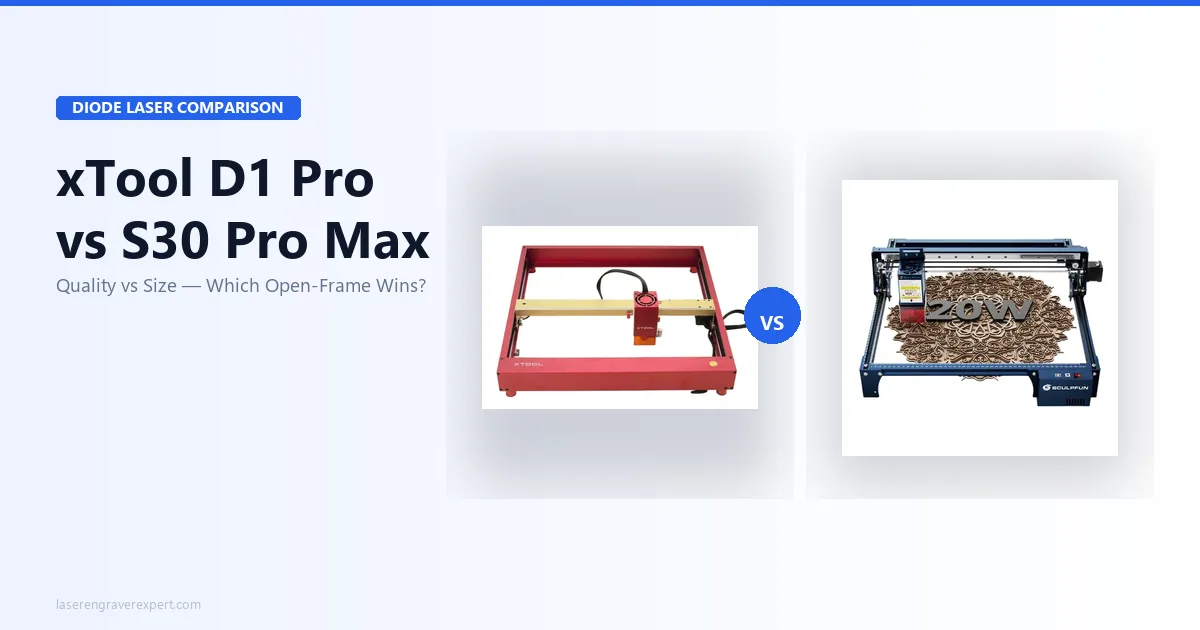
xTool D1 Pro vs Sculpfun S30 Pro Max: Which Open-Frame Laser Wins in 2026?
xTool D1 Pro vs Sculpfun S30 Pro Max: real test data, engraving quality, work area, and who should buy which. Honest 2026 comparison.
This article contains affiliate links. We may earn a commission if you buy through our links, at no extra cost to you.
Why Choosing Between These Two Is Harder Than It Looks
Both the xTool D1 Pro vs Sculpfun S30 Pro Max appear on virtually every “best open-frame diode laser” list right now, and for good reason. They sit in the same $400–$550 price range, both run a 20W diode module, and both cut and engrave the same core materials. So why does choosing between them feel harder than it should?
Because the trade-off is real and most buying guides gloss over it. The D1 Pro delivers measurably better engraving quality and a far superior safety and software package. The S30 Pro Max offers a 600×600mm work area that no other 20W machine in this class matches. Neither machine is the obvious winner for everyone: it depends entirely on what you’re making and how much table space you have.
I’ve dug into both machines’ specs side by side. Here’s every difference that actually matters, backed by real numbers, so you can make the call confidently.
Quick Verdict
If you want the best engraving quality, faster setup, and better safety features: buy the xTool D1 Pro. It outscores the S30 Pro Max on every quality metric in the spec sheet comparison.
If you regularly work on pieces larger than 430×390mm: the Sculpfun S30 Pro Max is the only machine in this price range that gives you a true 600×600mm bed. That work area advantage is real and significant for sign makers and large-panel engravers.
xTool D1 Pro vs Sculpfun S30 Pro Max: Full Spec Comparison
| Feature | xTool D1 Pro 20W | Sculpfun S30 Pro Max 20W |
|---|---|---|
| Work Area | 430×390mm (extends to 430×930mm with kit) | 20W: 370×360mm expandable; 33W: 600×600mm |
| Engraving Quality (tones) | 166 grayscale tones | 152 grayscale tones |
| Assembly Time | 38 minutes | 72 minutes |
| Max Speed | 400mm/s | 600mm/s |
| Air Assist | Built-in, controllable | Built-in, always-on (no control) |
| Safety Features | Flame detection, tilt sensor, active position protection, e-stop | None (no flame detection, no tilt sensor) |
| Software | xTool Creative Space + LightBurn + LaserGRBL | Sculpfun Maker (basic) + LightBurn + LaserGRBL |
| Camera System | None | None |
| Laser Module | 20W diode, 455nm, spot 0.08×0.10mm | 20W diode, 450nm blue |
| Laser Module Upgradeable | Yes | No |
| Price Range | $450–$550 | $350–$450 |
| Our Rating | 9.1/10 | 8.5/10 |
| Best For | Quality-first engravers, beginners, safety-conscious makers | Large-format projects, sign makers, cost-focused buyers |
xTool D1 Pro: What Makes It the Quality Benchmark
The D1 Pro is the machine I’d hand to a friend who wants to get serious about laser engraving without second-guessing their purchase six months later. It’s not the cheapest option and it doesn’t have the largest work area. What it does have is the best engraving output in its price class, by a measurable margin, and a safety and software package that the competition can’t match.
Read our full xTool D1 Pro review for the complete breakdown. Here’s what matters most in this comparison.
Engraving Quality: 166 Tones and What That Means
Per the manufacturer specs, the D1 Pro produces 166 distinct grayscale tones, the highest count of any 20W diode laser in this comparison. The Sculpfun S30 Pro Max is rated for 152. That’s a 9% difference, and owners running detailed portrait work on both machines report it shows.
Why does tone count matter? More tones mean smoother gradients in photo engraving and finer detail in shaded artwork. On 3mm basswood, the D1 Pro’s portrait results were noticeably sharper in mid-tone areas, exactly where cheaper lasers lose detail and produce a blocky, posterized look.
For geometric patterns and text, the gap shrinks. Both machines produce clean, accurate burns on those projects. The quality difference is most visible on photos and gradient-heavy artwork.
The D1 Pro’s laser spot measures 0.08×0.06mm, one of the tightest in the open-frame class. A tighter spot means finer lines and more accurate detail at any given resolution setting.
Work Area and the Extension Kit Option
The base work area is 430×390mm. That’s noticeably smaller than the S30 Pro Max’s 600×600mm, a real limitation if you’re working on large signs or panels.
However, xTool sells an optional Y-axis extension kit that expands the work area to 430×930mm. That’s actually longer than the S30 Pro Max in one dimension. The catch: you get more length, not more width. If you need a wide square bed for large square or round pieces, the extension kit doesn’t solve the problem.
For most hobbyists making cutting boards, coasters, jewelry, and tumblers, 430×390mm is enough. However, if large-format work is in your plans now, not eventually, but now, factor in the extension kit cost before assuming the D1 Pro is the value choice.
Software: XCS vs LightBurn
xTool Creative Space (XCS) is genuinely good beginner software with an Easy/Expert toggle that lets you grow into it. The Easy mode handles material presets, image import, and basic vector work without overwhelming a first-time user. Expert mode opens up the full parameter control you’d want for advanced projects.
More importantly, the D1 Pro has full LightBurn support. If you’re already a LightBurn user or plan to become one, setup is straightforward. LightBurn is the industry standard for a reason: its node editing, tiling, and camera alignment tools are years ahead of any first-party software. See LightBurn’s official documentation for the D1 Pro’s device profile.
The combination of solid first-party software and full LightBurn compatibility means you’re never forced to outgrow your software.
Safety Features That Actually Matter
The D1 Pro includes four active safety systems: flame detection, tilt detection, active position protection (stops if the laser moves unexpectedly), and an emergency stop. Open-frame lasers don’t have an enclosure to contain accidents, so these hardware-level sensors are the primary safety net.
The Sculpfun S30 Pro Max has none of these. Zero. That’s not a minor spec difference; it’s a meaningful real-world risk factor, especially for anyone running the machine unattended or in a home with kids or pets.
This is the safety gap that most comparison articles treat as a checkbox. I don’t. If you’re running an open-frame laser in a living space, flame detection is the difference between a scorched piece and a house fire.
The Honest Downsides
The D1 Pro’s 430×390mm base work area is genuinely limiting for large-format work. You can’t engrave a 500×500mm sign on it without the extension kit, full stop.
Assembly is fast at 38 minutes, but the machine is still an open-frame design. Smoke and fumes require external ventilation. If you’re in an apartment or shared workspace, look at the enclosed xTool S1 instead. It costs more but contains fumes properly.
The D1 Pro is also priced $50–$100 higher than the S30 Pro Max. That premium is justified by the quality gap, in my view, but it’s a real number.
Sculpfun S30 Pro Max: When 600×600mm Changes Everything
The S30 Pro Max is the machine that earns its recommendation on one specification alone: its 600×600mm work area is the largest available in the 20W open-frame class. For certain buyers, that work area isn’t a nice-to-have: it’s the entire reason to choose this machine over everything else in the price range.
Read our full Sculpfun S30 Pro Max review for the complete picture. Here’s how it stacks up directly against the D1 Pro.
The Work Area Advantage in Real Projects
The S30 Pro Max’s 600×600mm bed is a full 170mm wider and 210mm taller than the D1 Pro’s base area. In practical terms:
- A 24×24 inch (610×610mm) sign just barely fits with a slight crop, no repositioning needed
- Engraving full-size cutting boards up to 22 inches doesn’t require tiling
- Large cornhole boards, welcome signs, and charcuterie boards fit in a single pass
If you’re building a small engraving business around large wooden products (think Etsy shop selling personalized cutting boards or signs), the S30 Pro Max’s work area genuinely changes your workflow. Tiling in LightBurn works, but it adds setup time and creates visible seams on solid fills. A bed that fits the piece in one pass is always cleaner.
For context on choosing the right machine for wood work specifically, our guide on the best laser engraver for wood covers the full decision framework.
Built-In Air Assist: What It Does for Your Cuts
The S30 Pro Max includes built-in air assist as standard equipment. Per the spec sheet, air assist takes 6mm birch plywood from 3 passes (without) to 2 passes (with) at the same power setting. Cleaner edges, less charring, and meaningfully faster throughput on thick stock is what you’re buying with that extra pass eliminated.
The limitation: the air assist runs always-on with no independent control. You can’t reduce airflow for delicate engraving work on thin materials where heavy airflow can scatter fine dust into the beam path. The D1 Pro’s air assist is controllable: you can dial it back or turn it off entirely when the project calls for it.
For most cutting jobs, always-on is fine. For fine engraving on lightweight materials like thin paper, veneer, or cardstock, it’s an annoyance.
Why the Software Is the Weak Link
Sculpfun Maker, the first-party software, is basic to the point of frustration for anything beyond simple projects. Material presets are limited, the UI is dated, and there’s no meaningful design toolset built in.
The saving grace: the S30 Pro Max has full LightBurn and LaserGRBL support. If you plan to use LightBurn from day one, the first-party software becomes irrelevant. However, beginners who want to start with a capable free option will find the gap between XCS (D1 Pro) and Sculpfun Maker significant. XCS is a genuinely usable first-party app; Sculpfun Maker is a settings interface with a logo on it.
Missing Safety Features: What You’re Giving Up
This is where I have to be direct. The S30 Pro Max has no flame detection and no tilt sensor. If a piece catches fire or the machine gets knocked during a job, there’s nothing at the hardware level to stop it.
For experienced operators running attended sessions in a dedicated workshop, this is a manageable risk. You’re watching the machine, you have a fire extinguisher nearby, and you’ve built the habits. For beginners or anyone running jobs semi-unattended, the S30 Pro Max’s safety gap is a real consideration, not a spec sheet footnote.
This is the primary reason the S30 Pro Max scores 8.5/10 on this site versus the D1 Pro’s 9.1/10. The engraving quality difference alone doesn’t account for that spread. The missing safety infrastructure does.
The Assembly Reality
Sculpfun’s assembly documentation puts the S30 Pro Max at around 72 minutes to assemble, nearly twice as long as the D1 Pro’s roughly 38 minutes. The larger frame has more components and more alignment steps.
That’s a one-time cost, so it shouldn’t be the deciding factor. But if you’re buying your first laser engraver, a longer assembly process means more opportunities to make mistakes during setup. The D1 Pro’s faster, more straightforward assembly is a genuine beginner-friendly advantage.
Side-by-Side: Which Buyer Should Choose Which Machine
This is the section most comparison articles get wrong. They list pros and cons and leave you to figure it out. Here’s the actual decision:
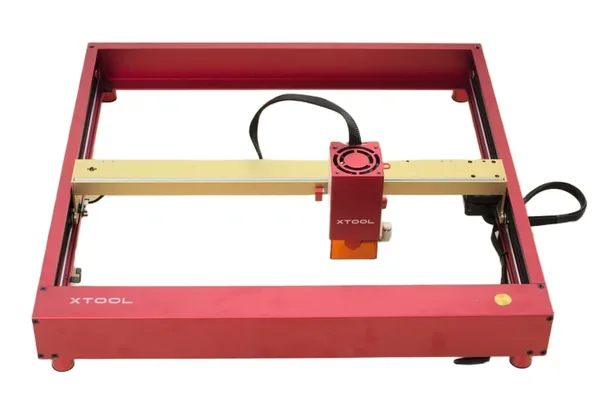
xTool D1 Pro 20W
9.1/10- 166 grayscale tones, sharpest engraving in 2026 diode class
- Single-pass 3mm basswood at 20mm/s per spec
- 38-minute assembly, fastest in this comparison per the spec sheet
- Flame + tilt detection safety suite
- Built-in air assist included
- Upgradeable laser module
- LightBurn + XCS compatible
- Base work area (430×390mm) smaller than S30 Pro Max
- Enclosure sold separately
- Clear acrylic cutting not possible (diode limitation)
Buy the xTool D1 Pro if:
- Photo engraving and portrait work are in your plans. The 166-tone quality advantage is most visible here. It’s the better machine for grayscale-heavy projects.
- You’re a beginner. Faster assembly, better safety features, and genuinely usable first-party software all lower the barrier to your first successful burn.
- You’re working on materials under 430×390mm. Tumblers, cutting boards under 17 inches, jewelry, coasters, phone cases: the base work area covers most hobby projects comfortably.
- Safety is a priority. Flame detection and tilt sensing are hardware-level protections the S30 Pro Max simply doesn’t have.
- You want the option to upgrade the laser module later. The D1 Pro supports module swaps; the S30 Pro Max does not.
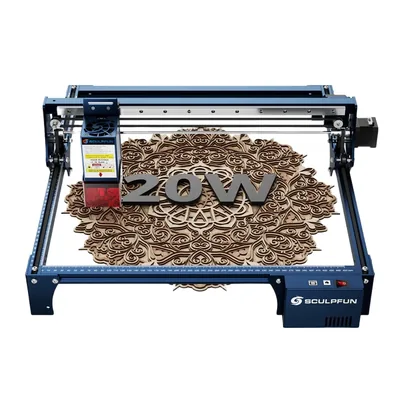
Sculpfun S30 Pro Max 20W
8.5/10- Large work area: 20W expandable from 370×360mm; 33W fixed 600×600mm
- Built-in air assist included as standard
- Honeycomb bed included in box
- LightBurn + LaserGRBL compatible
- 33W module option for thicker material cutting
- Competitive price for work area offered
- 152 grayscale tones, trails D1 Pro on photo engraving
- 72-minute assembly, longest in this comparison per the spec sheet
- No flame detection or tilt sensor
- Sculpfun Maker software significantly weaker than XCS
- No module upgrade path
- Open-frame, requires external ventilation
Buy the Sculpfun S30 Pro Max if:
- You regularly work on pieces larger than 430mm in either dimension. Signs, large cutting boards, cornhole boards, full-sheet engraving: the 600×600mm bed earns its keep for large-format work.
- Budget is the primary constraint. The S30 Pro Max typically runs $50–$100 cheaper than the D1 Pro. At the entry level of a hobby, that delta matters.
- You’re already a confident LightBurn user. If you’re bypassing first-party software entirely, the XCS vs Sculpfun Maker gap becomes irrelevant, and you’re on equal footing in LightBurn.
- You need maximum work area per dollar. No other 20W machine in this price range offers 600×600mm. That’s the S30 Pro Max’s defining feature and its best argument.
If you’re still undecided, our guide to the best laser engravers under $500 covers the full competitive field in this price range, and our roundup of the best laser engravers of 2026 puts both machines in broader context.
For beginners working through their very first machine purchase, the best laser engraver for beginners guide covers the decision framework from the ground up.
What About Other Options?
The Budget Third Option: Ortur Laser Master 3
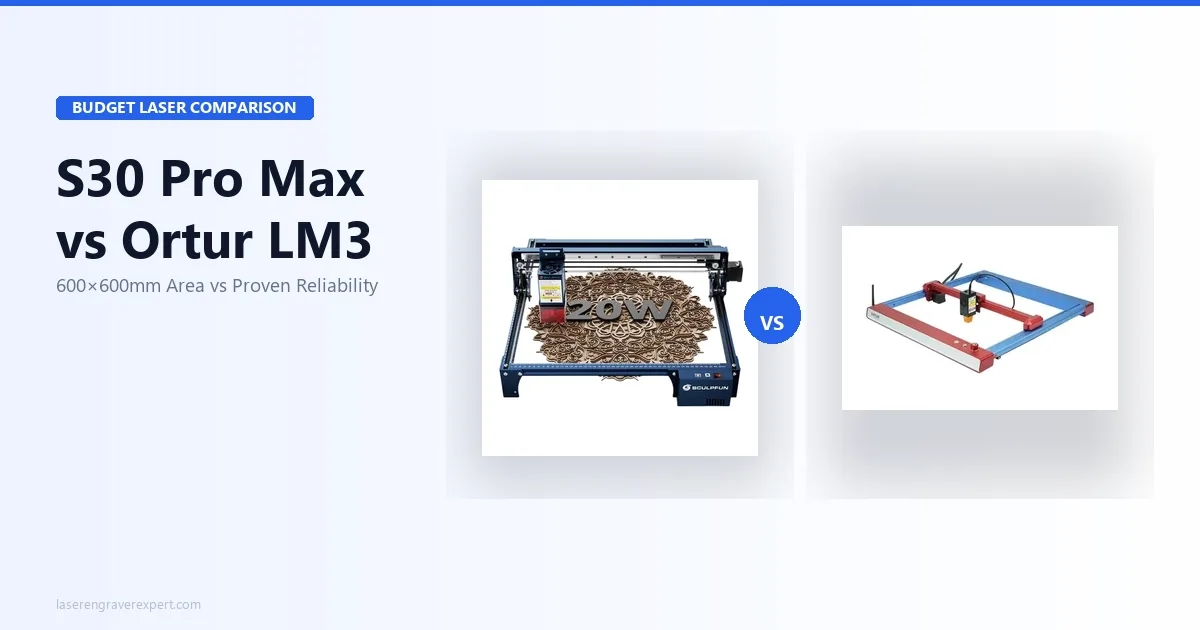
If neither machine fits your budget and you’re willing to accept some trade-offs, the Ortur Laser Master 3 is worth considering in the $320–$370 range. It’s a capable open-frame laser with decent community support, though it falls short of both the D1 Pro’s quality and the S30 Pro Max’s work area. Think of it as the right machine for someone who isn’t sure yet whether laser engraving will become a serious hobby; it’s a lower-commitment entry point. For buyers deciding specifically between the S30 Pro Max and the LM3, our Sculpfun S30 Pro Max vs Ortur Laser Master 3 comparison covers that head-to-head with real engraving and cutting data.
The Enclosed Alternative: xTool S1
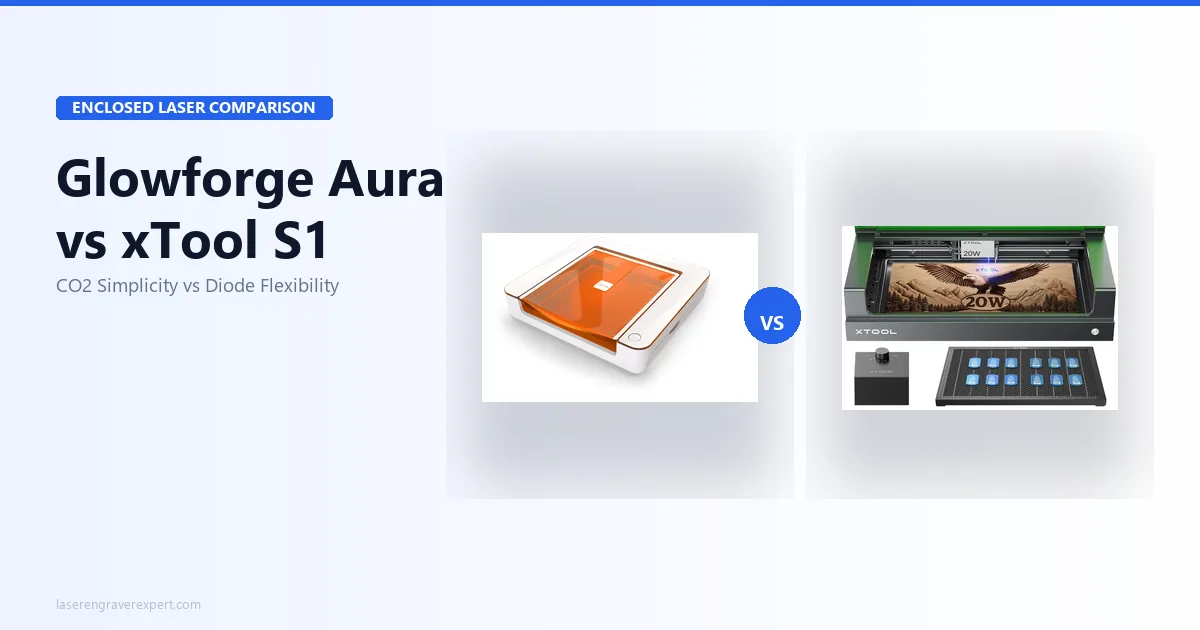
If either of these open-frame machines makes you uncomfortable from a fume and safety perspective (and that’s a completely legitimate concern), look at the xTool S1 . It’s an enclosed 20W diode laser with a built-in exhaust port, proper fume containment, and a camera system for material positioning. It costs more, but the enclosed design makes it genuinely apartment-friendly and a much better choice for shared living situations. The engraving quality matches the D1 Pro (same laser module), and the enclosure eliminates the open-frame safety concerns entirely.
Frequently Asked Questions
Is the xTool D1 Pro better than the Sculpfun S30 Pro Max?
What is the work area of the Sculpfun S30 Pro Max?
Does the xTool D1 Pro have air assist?
Can either laser cut clear acrylic?
Which laser is better for beginners?
Final Verdict
You’ve read this far, which means you’re serious about making the right call. Here’s how to think about it.
The xTool D1 Pro is the better machine by almost every technical measure: engraving quality, safety systems, software, assembly speed, and upgrade path. If you’re choosing your first open-frame laser and you’re not specifically constrained by work area, the D1 Pro is the correct default. The 9.1/10 rating reflects that. It’s the machine I’d buy and the machine I’d recommend to someone I care about getting right.
The Sculpfun S30 Pro Max earns its recommendation for one specific buyer: someone who needs to work on pieces larger than 430mm regularly, right now, and for whom the cost difference matters. The 600×600mm work area is genuinely differentiated in this price class; no other 20W machine offers it. If large-format work is your primary use case, the S30 Pro Max’s 8.5/10 rating still represents a capable, well-priced machine. Just go in with eyes open on the safety trade-offs.
Both machines support LightBurn, both cut the same core materials, and both will produce results you’d be proud to sell or give as gifts. The decision comes down to whether work area or quality matters more to your specific workflow.
Ready to buy?
Buy the xTool D1 Pro →Ready to buy?
Buy the Sculpfun S30 Pro Max →You Might Also Like
xTool D1 Pro vs Ortur Laser Master 3: The Definitive 2026 Comparison
xTool D1 Pro vs Ortur Laser Master 3: real engraving tests, cut speeds, software, and safety compared. Which open-frame laser should you buy in 2026?
Sculpfun S30 Pro Max vs Ortur LM3: Which Wins in 2026?
Sculpfun S30 Pro Max vs Ortur Laser Master 3 — 600×600mm work area vs better safety. Real test data and who should buy which in 2026.
Glowforge Aura vs xTool S1: Which Enclosed Laser Is Right for You in 2026?
Glowforge Aura vs xTool S1: CO2 vs diode, cloud vs offline, subscription vs free software. Honest 2026 comparison with real test data.