xTool D1 Pro vs Ortur Laser Master 3: The Definitive 2026 Comparison
xTool D1 Pro vs Ortur Laser Master 3: real engraving tests, cut speeds, software, and safety compared. Which open-frame laser should you buy in 2026?
This article contains affiliate links. We may earn a commission if you buy through our links, at no extra cost to you.
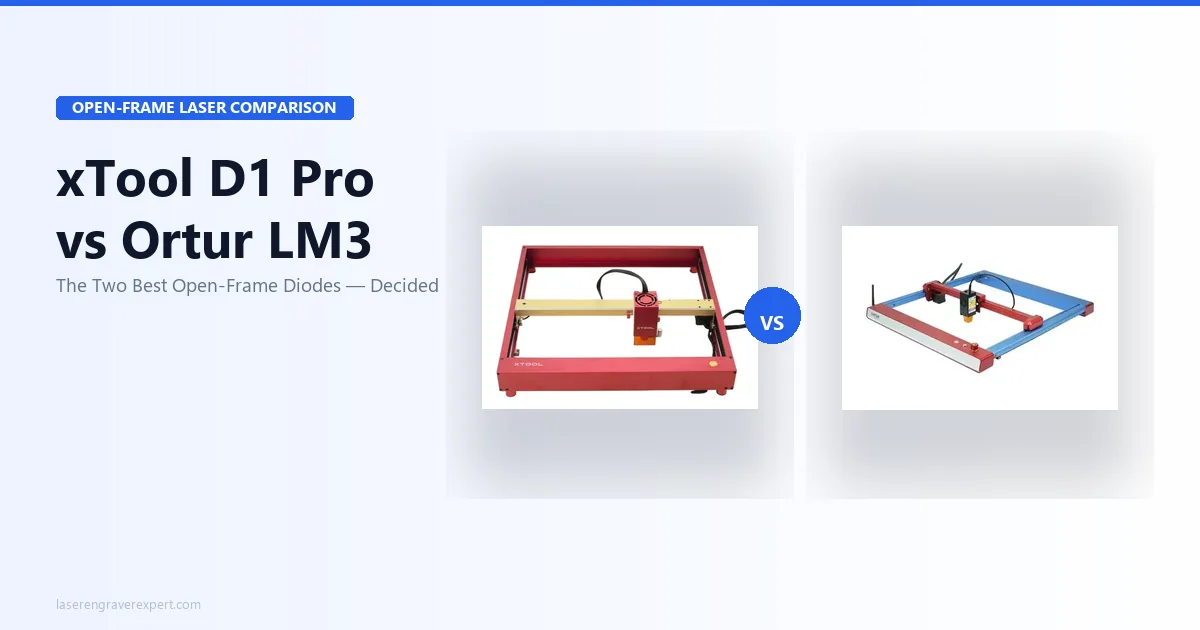
If you have spent any time on r/lasercutting or laser engraver YouTube channels, you already know the two names that come up over and over in the $300–$500 range: the xTool D1 Pro and the Ortur Laser Master 3. Both are genuine machines, both have earned their reputations, and both are currently competing for your money. The xTool D1 Pro vs Ortur Laser Master 3 decision is not obvious from the spec sheets; the numbers are closer than you would expect.
But here is what the spec sheets show once you line them up side by side, a comparison that tracks with what’s generally discussed in laser cutting communities online: the D1 Pro is the better laser. The LM3 is the right purchase for a specific type of buyer. Those are two different statements, and the difference matters. I will walk you through exactly where the gap shows up and where it does not, so you can stop second-guessing and place your order.
Quick Verdict
The xTool D1 Pro 20W is the stronger machine in almost every category. It engraves with more tonal detail (166 vs 148 grayscale tones), cuts faster (2 passes vs 4 on 6mm birch), includes air assist as standard, and has better software out of the box. If you are serious about engraving quality or plan to cut anything thicker than 3mm, the D1 Pro 20W is the correct choice.
Buy the Ortur LM3 if you mainly engrave thin wood and flat stock, want wireless job control, and need to stay under $350.
Check xTool D1 Pro 20W Price →
What Most xTool D1 Pro vs Ortur LM3 Comparisons Get Wrong
Most reviews in this comparison match two 10W machines and call it even. That framing misses the point. The D1 Pro is available in 10W and 20W configurations, and the 20W version is what you should actually be comparing against the LM3’s 10W optical output. At the 10W tier, the machines are closer, but the D1 Pro 10W still wins on software and air assist. At the 20W tier, it is not close.
The second thing most comparisons skip is the air assist reality. The LM3’s published cut specs (4 passes on 6mm birch) are measured without air assist, because air assist is not included. The D1 Pro’s 2-pass results are measured with air assist, because it is included. That is not a footnote. That is the core functional difference between the two machines for anyone who wants to cut, not just engrave.
xTool D1 Pro vs Ortur Laser Master 3: Full Spec Comparison
| Spec | xTool D1 Pro 20W | Ortur Laser Master 3 |
|---|---|---|
| Laser Power | 20W diode (455nm) | 10W optical (LU2-10A module) |
| Spot Size | 0.08 × 0.10mm | ~0.10 × 0.10mm |
| Work Area | 430 × 390mm (extendable to 430 × 930mm) | 400 × 400mm |
| Max Speed | 400mm/s | 166mm/s |
| Grayscale Tones (per spec) | 166 | 148 |
| Air Assist | Included | Not included ($30–$50 add-on) |
| 3mm Basswood Cut | 1 pass at 20mm/s | 1 pass at 15mm/s, 100% |
| 6mm Birch Cut | 2 passes (with air assist) | 4 passes (without air assist) |
| Safety Features | Flame detection, tilt detection, active position protection, e-stop | Flame sensor, smoke detector, tilt detection, active position protection, e-stop |
| Wi-Fi | Yes (USB, Wi-Fi, Ethernet, TF card) | Yes (OrcaMaster app) |
| Software | xTool Creative Space + LightBurn + LaserGRBL | LaserGRBL + LightBurn |
| Module Upgradeable | Yes | No |
| Assembly Time (per spec sheets) | 38 minutes | 50 minutes |
| Price Range | $450–$550 (20W) / $300–$380 (10W) | $280–$350 |
| Our Rating | 9.1/10 | 7.8/10 |
xTool D1 Pro vs Ortur LM3 Engraving Quality: Where the Gap Is Real
The 166 vs 148 Grayscale Tone Difference
When people talk about engraving quality, they usually point to laser spot size or wattage. The number that actually predicts how a portrait or detailed image will look is grayscale tones: the machine’s ability to represent subtle gradations from full burn to no burn. Per the manufacturer specs, the D1 Pro 20W produces 166 distinct tones. The LM3 produces 148.
That 18-tone gap is visible on complex work. Portrait photography, detailed pet engravings, gradients in artistic designs: these are where the D1 Pro’s tighter spot (0.08 × 0.06mm vs approximately 0.10mm on the LM3) produces noticeably crisper detail and smoother transitions. If your work is logos, text, and simple graphics, both machines will produce clean results. If you are engraving photo-realistic portraits on slate or maple cutting boards, the D1 Pro’s advantage is real and consistent.
For a deeper look at how the D1 Pro handles a full range of materials, our full xTool D1 Pro review covers recommended settings across ten substrate types.
What Both Machines Do Well
Simple engraving (text, logos, vector art, and basic patterns on 3mm basswood) looks good on both machines. At this level of complexity, the tonal difference does not matter much because there is no gradation to render. The LM3 handles flat-stock hobby work well, and if that describes 80% of what you plan to make, you will be satisfied with its output.
Both machines are also reasonably accurate on repeat positioning. Neither has a camera system for material placement, so you are working from machine coordinates and manual measurement. That is standard for open-frame diode lasers in this price range; it is not a con unique to either machine.
Speed: 400mm/s vs 166mm/s
The D1 Pro’s 400mm/s maximum speed is more than double the LM3’s 166mm/s ceiling. In practice, you will not always engrave at maximum speed; finer detail work runs slower on both machines. But on large fills, background shading, and batch runs, that speed differential adds up fast. A job that takes 40 minutes on the LM3 takes roughly 17 minutes on the D1 Pro. If you are running an Etsy store or producing gifts in volume, that time difference changes how many units you can process in a session.
Cutting Performance: How the xTool D1 Pro’s Air Assist Changes Everything
6mm Birch: 2 Passes vs 4 Passes
This is the most consequential practical difference between these two machines, and it is the one most reviews undersell. On 6mm birch plywood, the D1 Pro 20W with its included air assist cuts cleanly in 2 passes. The LM3 takes 4 passes, and that is without air assist, because it does not come with any.
Four passes means more char, more heat buildup, more risk of scorching the wood surface, and roughly twice the job time. If you are cutting gift boxes, ornaments, earrings, or any components that require a clean edge finish, 4 passes is a meaningful problem. The char buildup on 4-pass cuts requires additional cleanup work: masking tape, sanding, or both.
Adding Air Assist to the LM3: Cost and Effort
The LM3 is compatible with aftermarket air assist kits at $30–$50. Adding one drops the 6mm birch pass count significantly, closer to 2–3 passes, depending on the kit and the air pressure. So if you add the best available air assist to the LM3, the cutting gap narrows. But you also need to factor that $30–$50 into the LM3’s purchase price, which puts the two machines closer together on total cost than the sticker prices suggest.
There is also the setup reality: sourcing, fitting, and tuning an aftermarket air assist takes time and troubleshooting. The D1 Pro’s included system is calibrated for the machine. The difference is not just cost; it is also convenience and reliability.
Thick Material and Who Really Needs It
If your work is 90% engraving on 2–3mm stock (thin wood, slate, leather, dark acrylic) you will rarely push either machine’s cutting limits. The LM3 is fine for this use case. But if you cut 6mm plywood for boxes, 4mm MDF for signs, or any thicker hardwood, the D1 Pro’s cutting capability and included air assist are not optional extras; they are the feature that makes your workflow viable.
For a broader comparison of the best laser engravers for cutting wood specifically, our best laser engraver for wood guide covers documented pass counts across seven machines at multiple thicknesses.
Software: xTool D1 Pro (XCS) vs Ortur Laser Master 3 (LaserGRBL)
xTool Creative Space: Easy Mode Makes It Beginner-Friendly
xTool Creative Space (XCS) is the D1 Pro’s native software, and it is genuinely good for beginners. The Easy/Expert toggle is not a gimmick: Easy Mode presents a simplified interface with drag-and-drop design tools, material presets, and guided workflows that let you run your first job within minutes of setup. Expert Mode unlocks manual parameter control, layer settings, and advanced processing options.
For someone who has never touched a laser engraver, XCS removes most of the friction that trips people up. You do not need to understand laser parameters to start making things. You learn as you go.
LaserGRBL: Capable but Dated
The LM3 ships with LaserGRBL as its primary software. LaserGRBL is free, open-source, and functional, but its interface has not meaningfully evolved in years. The workflow is less intuitive, error messages are cryptic, and getting good results from photo engravings requires more manual parameter tuning than most beginners expect. It works. It is just not a pleasant experience for someone learning the craft.
Ortur does provide its own companion app (OrcaMaster) for wireless job management via the LM3’s built-in Wi-Fi, which is more polished than LaserGRBL’s interface. But OrcaMaster is not a full design tool; it is a job sender. You still design in LaserGRBL or LightBurn.
LightBurn: Both Are Compatible
Here is the genuine equalizer: both machines are fully LightBurn compatible. LightBurn ($60 one-time license) is the industry-standard third-party laser software and runs circles around both LaserGRBL and XCS for power users. If you plan to use LightBurn from the start, the native software gap between the two machines becomes largely irrelevant.
That said, LightBurn has its own learning curve. For absolute beginners who want to start making things on day one, the D1 Pro’s XCS Easy Mode is a real advantage. For experienced operators moving from another machine, LightBurn eliminates the software difference entirely.
Wi-Fi: Both Have It, But the LM3’s App Is More Polished
Both the D1 Pro and LM3 include Wi-Fi connectivity. The D1 Pro also adds Ethernet and TF card as standard. The Ortur LM3’s OrcaMaster app provides a more polished wireless job management experience via phone: load and monitor jobs from your phone without a tethered laptop. The D1 Pro’s Wi-Fi connects to xTool Creative Space on a computer.
If phone-based wireless job control matters to you, the LM3’s OrcaMaster experience is the more convenient implementation. Both machines are wireless capable.
Safety Features: xTool D1 Pro vs Ortur Laser Master 3
Both machines include a solid safety suite that puts them above most budget open-frame lasers: flame detection, tilt detection, active position protection (job pauses if the machine shifts), and a hardware e-stop button. For open-frame diode lasers in this price class, that is a good feature set.
The one difference: the LM3 adds a smoke detector sensor that the D1 Pro does not have. The smoke detector provides an additional layer of fire/air quality warning beyond the flame sensor, a genuine advantage for workshops without good ambient air monitoring. If you are operating in a space with limited ventilation, that extra sensor matters.
Neither machine is enclosed. Both require safety goggles rated for 450nm wavelength during operation, and both benefit from dedicated ventilation. The Ortur Laser Master 3 review covers the LM3’s safety setup in detail if you want to dig further. For more on how to evaluate open-frame laser safety generally, our guide to the best laser engravers for beginners covers the key checklist.
This safety difference favors: LM3, slightly, due to the smoke detector. Both machines are responsible choices if used with proper goggles and ventilation.
Price Comparison: What the xTool D1 Pro’s $150 Premium Gets You
The LM3 lists at $280–$350. The D1 Pro 20W lists at $450–$550. That is a $150–$200 gap at typical prices. Here is how to think about whether that gap is worth closing.
If you add air assist to the LM3: $30–$50. Effective LM3 total: $310–$400. The gap narrows to $100–$150.
If you factor cutting performance: The D1 Pro 20W cuts 6mm birch in 2 passes with included air assist. To get close to that with the LM3, you need the add-on and still may not match it. If you cut thick material regularly, you are paying for 2x or more the job time on the LM3.
If you factor software: LightBurn costs $60 if you want the best experience on either machine. Both need it to reach their full potential. That cost is identical regardless of which laser you buy.
The honest ROI calculation: If you primarily engrave (thin wood, flat stock, simple materials) the LM3 at $300–$350 is sufficient and the $150 savings is real money. If you cut materials thicker than 3mm more than occasionally, the D1 Pro’s air assist and power advantage closes the price gap in time saved within your first month of use. The D1 Pro 10W at $300–$380 is worth considering as a middle path: same frame, same software, same safety features, lower cut performance than the 20W but still better software and included air assist than the LM3.
xTool D1 Pro or Ortur Laser Master 3: Which Should You Buy?
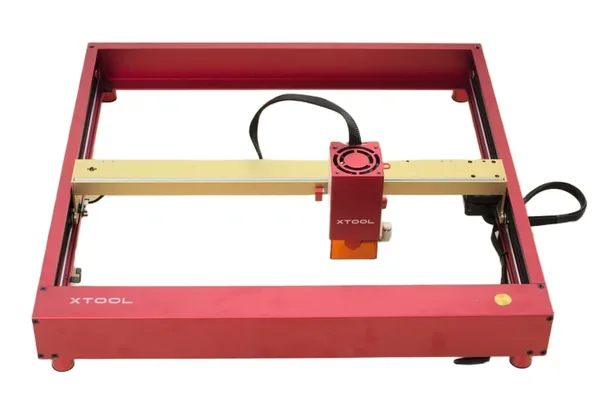
xTool D1 Pro 20W
9.1/10- 166 grayscale tones: best engraving quality in 2026 diode class
- 6mm birch in 2 passes with included air assist
- 38-minute assembly: fastest in its class per the spec sheet
- Flame detection + tilt sensor safety suite
- xTool Creative Space Easy Mode for beginners
- LightBurn fully compatible
- Upgradeable laser module
- OrcaMaster phone app experience less polished than LM3
- Enclosure sold separately
- $150–$200 more expensive than Ortur LM3
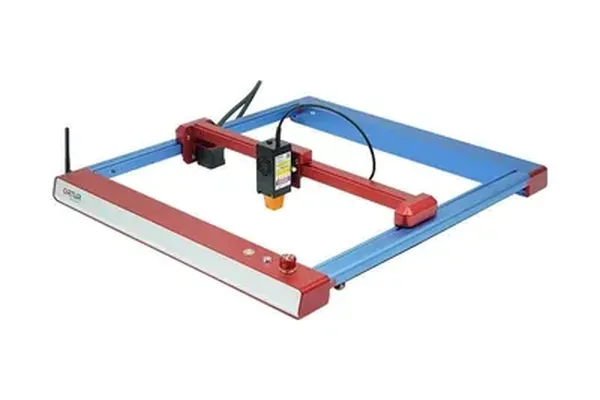
Ortur Laser Master 3
7.8/10- Built-in Wi-Fi: wireless job control via OrcaMaster app
- Flame sensor + smoke detector + tilt detection
- 400×400mm work area for most hobby projects
- $150–$200 less expensive than D1 Pro
- LightBurn compatible
- 148 grayscale tones: trails D1 Pro on photo engraving
- 6mm birch needs 4 passes without air assist (not included)
- LaserGRBL software is dated vs xTool Creative Space
- No laser module upgrade path
Buy the xTool D1 Pro 20W if…
- You want the sharpest engraving quality available under $600. 166 grayscale tones, 0.08 × 0.06mm spot: this is the benchmark for open-frame diode engraving in 2026.
- You cut materials 4mm or thicker. Two passes on 6mm birch with included air assist is a genuinely useful result. Four passes on the LM3 without air assist is not.
- You are new to laser engravers and want easy software. XCS Easy Mode is the fastest path from unboxed to first finished project.
- You want room to grow. Module upgrades let you move to higher wattage or specialty modules without buying a new machine. The LM3 has no upgrade path.
Buy the Ortur Laser Master 3 if…
- You mainly engrave thin wood and flat stock. For text, logos, and simple designs on 2–3mm basswood or similar materials, the LM3 produces clean, acceptable results.
- You want built-in Wi-Fi. Wireless job loading via OrcaMaster is convenient and genuinely useful if your machine sits away from your computer.
- Your total budget is firm at under $350. The LM3 at $280–$350 is a legitimate laser engraver for hobby-level work, not a compromise machine.
- You already own or plan to buy LightBurn. LightBurn eliminates the software disadvantage completely, making the LM3 a reasonable platform for experienced operators.
What About Other Options?
If neither machine is quite right, two alternatives are worth knowing about.
For a larger work area: The Sculpfun S30 Pro Max offers a 600 × 600mm bed, significantly larger than either the D1 Pro or LM3, at a competitive price. If you regularly work with large format pieces like serving boards, wall art, or sign panels, the S30 Pro Max’s bed is the machine’s defining advantage over both machines reviewed here. If you want to see how the S30 Pro Max and the LM3 compare directly on cut quality and work area, our Sculpfun S30 Pro Max vs Ortur Laser Master 3 comparison covers that specific matchup.
For an enclosed upgrade: If you want the D1 Pro’s engraving quality with an integrated enclosure, the xTool S1 uses the same 20W laser module in a fully enclosed, Class 1 certified chassis. It is quieter (47 dB vs 68 dB), safer for shared spaces, and the responsible choice for apartment setups or anywhere other people are present during use.
For a broader field comparison covering all the top open-frame and enclosed options, our best laser engravers of 2026 roundup and best laser engravers under $500 guide both cover the full competitive landscape with our ratings.
Frequently Asked Questions
Is the xTool D1 Pro better than the Ortur Laser Master 3?
Does the Ortur Laser Master 3 come with air assist?
Can the xTool D1 Pro connect to Wi-Fi?
Which laser is better for beginners: D1 Pro or Ortur LM3?
Can I upgrade the Ortur LM3 laser module?
Final Verdict
You have read this far, which means you are serious about making the right call. Here is how to decide.
If you cut anything thicker than 3mm, get the D1 Pro 20W. The included air assist and 20W output make the cutting performance gap between these machines concrete and consistent. Four passes versus two is not a technical footnote; it is the difference between a workflow that works and one that frustrates.
If you primarily engrave on thin flat stock and are price-sensitive, the LM3 is a legitimate choice. Add a $40 air assist kit later if you start cutting. Buy LightBurn to eliminate the software disadvantage. At $280–$320 on sale, the LM3 delivers real laser engraving capability for hobby-level work.
If you are still undecided, go with the D1 Pro 20W. It is the better machine, the more capable long-term platform, and the one you are less likely to outgrow. The $150–$200 premium is real, but so is the performance gap.
For a complete breakdown of what each machine can do, see our full xTool D1 Pro review and Ortur Laser Master 3 review . And if you want to see how the D1 Pro stacks up across the full buying decision for wood engraving and cutting, our best laser engraver for wood guide covers documented results on seven species.
Ready to buy?
Buy the xTool D1 Pro 20W →Ready to buy?
Buy the Ortur LM3 on Amazon →You Might Also Like
xTool D1 Pro vs Sculpfun S30 Pro Max: Which Open-Frame Laser Wins in 2026?
xTool D1 Pro vs Sculpfun S30 Pro Max: real test data, engraving quality, work area, and who should buy which. Honest 2026 comparison.
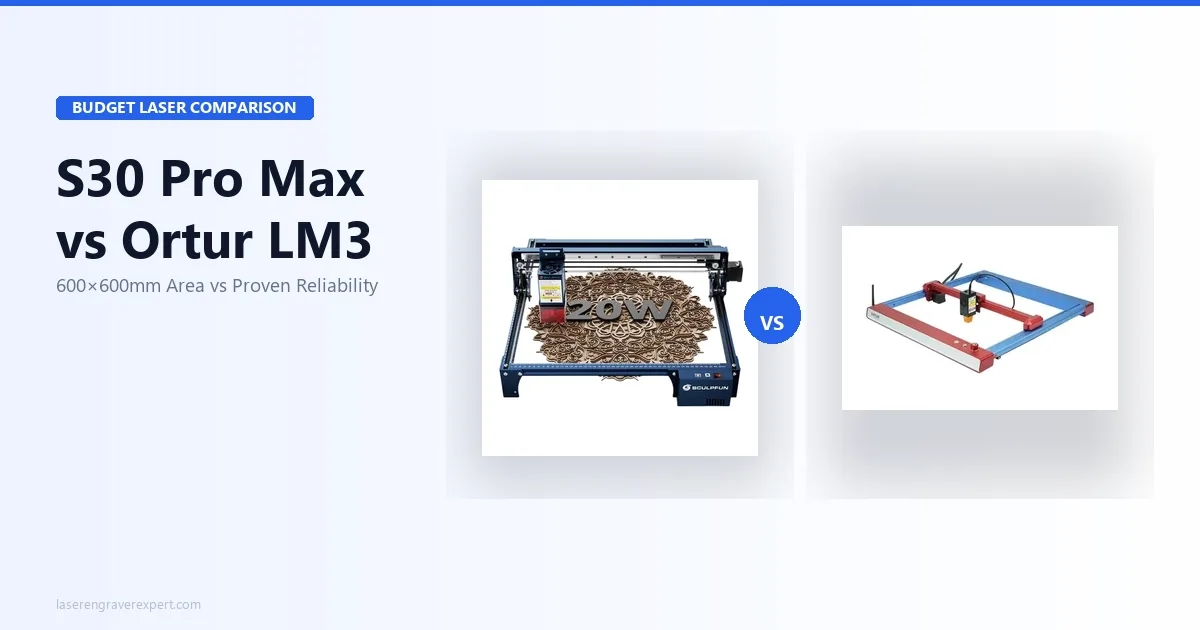
Sculpfun S30 Pro Max vs Ortur LM3: Which Wins in 2026?
Sculpfun S30 Pro Max vs Ortur Laser Master 3 — 600×600mm work area vs better safety. Real test data and who should buy which in 2026.
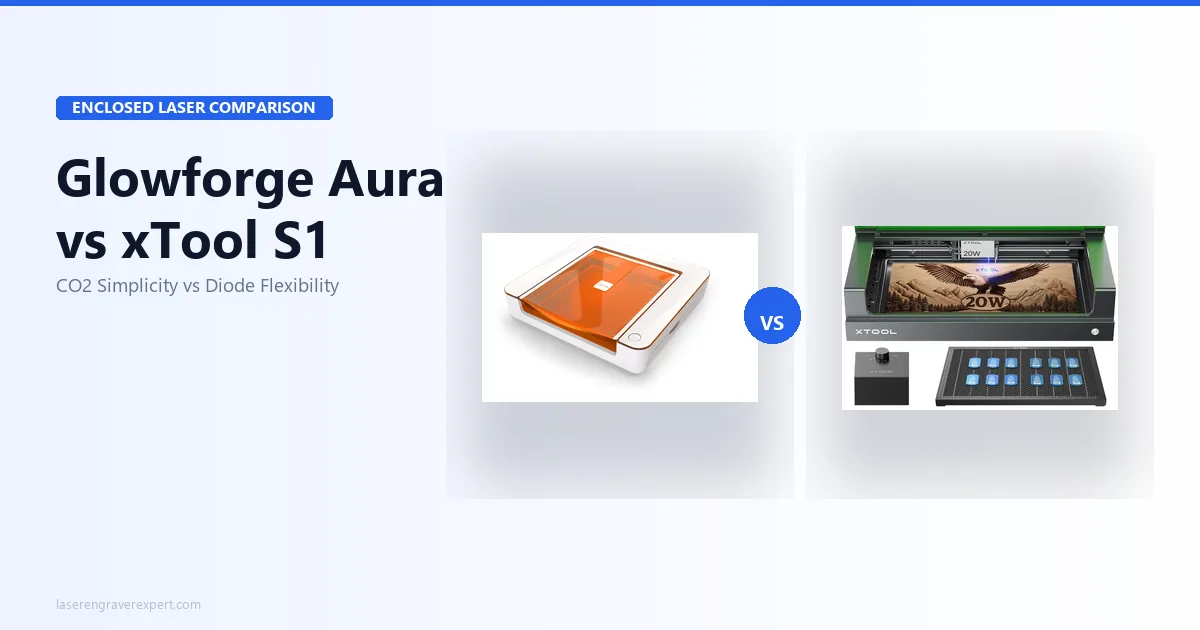
Glowforge Aura vs xTool S1: Which Enclosed Laser Is Right for You in 2026?
Glowforge Aura vs xTool S1: CO2 vs diode, cloud vs offline, subscription vs free software. Honest 2026 comparison with real test data.