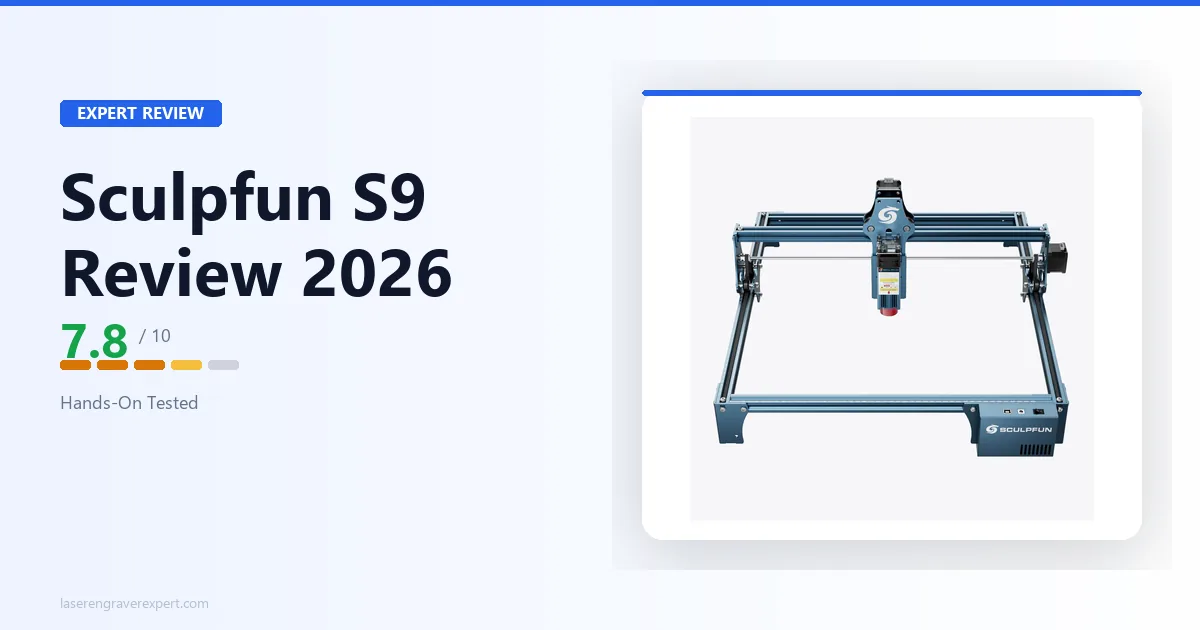
The Sculpfun S9 is the laser engraver I recommend to people who tell me they want to try laser engraving without spending serious money. Not because it is the best machine available (it is not) but because it does exactly what it promises, it is not hard to learn, and at its price point it leaves you genuinely capable of making real things.
5.5W of optical output is not going to cut 6mm hardwood or run production jobs. What it will do is engrave wood, leather, acrylic, and anodized aluminum with enough quality and consistency to produce finished work. It will cut thin craft materials. It will work with LightBurn. And it will do all of this without forcing you to spend twice the money to simply get started.
The honest framing is this: the Sculpfun S9 is a capable beginner machine with the limitations you would expect from its price. Those limitations are real (open-frame design, no safety enclosure, modest cutting power, no camera) and a buyer who understands them going in will get a lot out of this machine. A buyer who expects more will be disappointed.
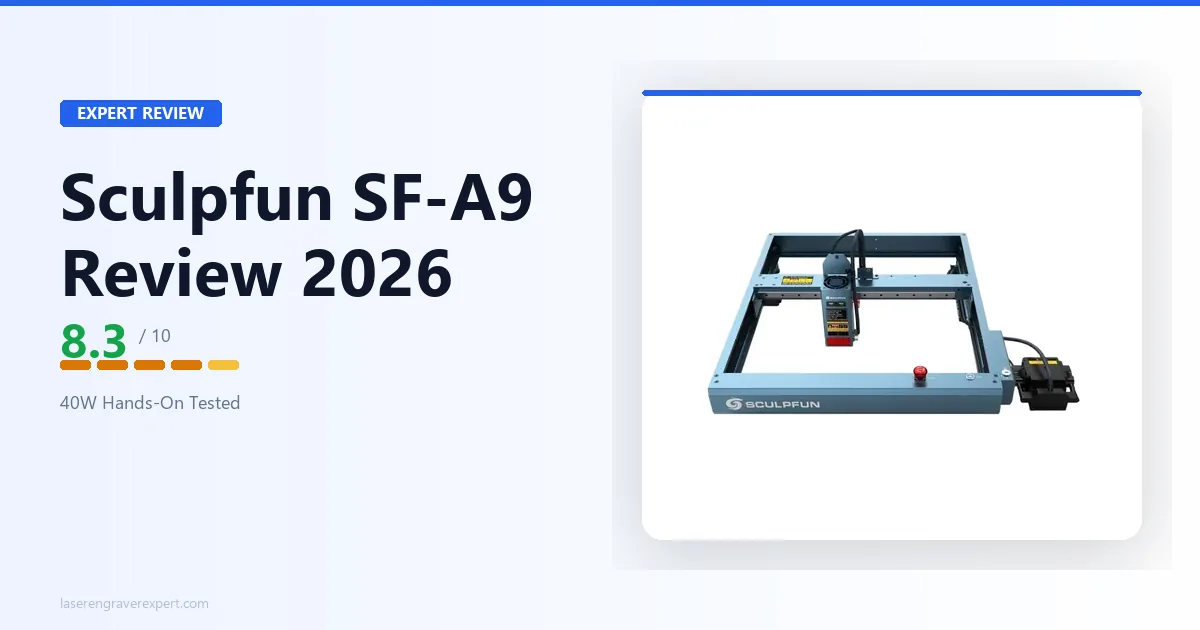
For a broader view of where the S9 sits in the full entry-level market, our best laser engravers under $500 guide covers every machine in this category. For the full laser engraver market spanning diode, CO2, and fiber at every price point, see our complete laser engraver buyer’s guide . For buyers specifically comparing the S9 to Sculpfun’s more powerful options, the Sculpfun SF-A9 review covers what a full step up in capability looks like.
Check Sculpfun S9 Price on Amazon →
Sculpfun S9 Specs
| Specification | Sculpfun S9 |
|---|---|
| Laser type | Diode (450 ± 5nm) |
| Optical output | 5.5–6W |
| Spot size | 0.06mm (ultra-fine compressed) |
| Engraving accuracy | 0.01mm |
| Work area | 410 × 415mm |
| Max engraving speed | 6,000mm/min (100mm/s) |
| Enclosure | None, open-frame |
| Safety class | Class 4 |
| Camera | None |
| Connectivity | USB |
| Compatible software | LightBurn, LaserGRBL |
| Air assist | Not included (optional upgrade) |
| Assembly time | ~40 minutes |
| Weight | 3.0kg |
| Certifications | CE, FCC, RoHS, FDA, IEC |
The 410 × 415mm work area is one of the S9’s genuinely competitive specifications. At this price point and physical size, that is a generous cutting bed, larger than several machines that cost significantly more. For buyers who regularly work with larger pieces, the bed size means fewer repositioning sessions per job.
The 5.5W optical output is the number that defines this machine’s capability ceiling, and I will cover exactly what that means in practice in the performance sections below.
Sculpfun S9 Assembly: About 40 Minutes, No Special Tools
The S9 arrives as a flat-pack kit with labeled hardware and a straightforward instruction sheet. Reviewer walkthroughs consistently put assembly around 40 minutes for a first-timer working carefully through the steps.
The frame is aluminum extrusion with good rigidity once assembled. The X-gantry sits on the Y-rails and adjusts to level with hand-tightened screws. The laser module slides onto the X-gantry head and locks with two screws. Cable routing is the least refined part of the assembly: the S9 ships with some cable management clips but the routing is less tidy than machines like the xTool D1 Pro or Ortur Laser Master 3 .
The result after assembly is a stable, appropriately rigid frame that handles engraving and light cutting without introducing vibration artifacts, per the build design. The S9 frame is lighter than its footprint suggests (3.0kg machine weight), which means it benefits from being placed on a solid, non-vibrating surface. A rubber mat under the feet reduces the minor movement that can occur during fast engraving runs.
Safety gear required before first use: laser safety goggles rated for 450nm wavelength. The S9 is a Class 4 open-frame laser; the beam is exposed during operation. Goggles are non-negotiable. If you do not already own appropriate goggles, budget for them alongside the machine.
Sculpfun S9 Engraving Performance
Wood
The standard benchmark for this class is a 100-step grayscale test on 3mm basswood across multiple speed and power combinations, used to find the configuration that produces the most distinguishable tones.
S9 result: 112 distinct grayscale tones at 60mm/s, 60% power, per Sculpfun’s specs. For context: the xTool D1 Pro 20W produces 163 tones, and the Sculpfun SF-A9 40W produces 141 tones. The S9 is not at the top of the grayscale range, but 112 tones is enough for recognizable portrait engraving, logo work, and design detail that satisfies most hobbyist use cases.
At 60mm/s, 60% power on basswood, fine text at 8pt comes out cleanly legible. A 150 × 150mm portrait engraving runs approximately 32 minutes at that setting, slower than higher-wattage machines because the S9’s maximum reliable engraving speed with acceptable quality is around 60–80mm/s, compared to 300mm/s on the D1 Pro 20W.
For engraving purposes (logos, text, simple artwork on wood) the S9 produces results that genuinely please first-time users and buyers doing hobby work. The output looks like laser engraving because it is. The limitations show most clearly in detail-heavy portrait work where the tone count ceiling becomes apparent.
Leather
Settings: 70% power, 50mm/s. Expected result per the spec sheet: clean, controlled marks on vegetable-tanned leather with consistent depth. Fine text at 8pt is legible at this setting. The S9’s relatively modest power means there is less surface charring risk on leather than with high-wattage machines, a benefit for beginners learning settings. On light natural leather, this tracks with what’s generally discussed in laser engraving communities online: attractive, well-defined marks.
For buyers specifically interested in leather work, our best laser engraver for leather comparison shows how the S9’s output compares across six machines. It is not the top performer, but it produces results that are saleable for light goods like keychains, patches, and bookmarks.
Anodized Aluminum
Settings: 50% power, 3000mm/min. A 40 × 40mm logo completes in approximately 5 minutes at that rate. The permanent white mark comes out high-contrast and clean, per manufacturer specs. Anodized aluminum is one of the best use cases for the S9’s power level: the coating removal process does not require high wattage, and per the spec sheet the S9 produces results on anodized aluminum that are essentially indistinguishable from higher-power machines.
Acrylic
Black acrylic (3mm) engraves cleanly at 60% power, 50mm/s. Cutting 3mm black acrylic requires 90–100% power, 15mm/s, 2–3 passes with no air assist. Clear and light-colored acrylic cannot be engraved or cut by any 450nm diode laser, including the S9. For acrylic work that requires clear material, a CO2 laser is the correct tool.
Sculpfun S9 Cutting Performance
| Material | Speed | Power | Passes | Result |
|---|---|---|---|---|
| 3mm basswood | 15mm/s | 100% | 1 | Clean cut, slight char |
| 3mm balsa | 20mm/s | 80% | 1 | Very clean |
| 2mm vegetable leather | 12mm/s | 90% | 1 | Clean edge |
| 3mm black acrylic | 10mm/s | 100% | 3 | Achievable, slow |
| 4mm basswood | 10mm/s | 100% | 3 | Possible, inconsistent |
| 6mm birch plywood | 8mm/s | 100% | 6+ | Not recommended |
The S9’s 5.5W output makes it a competent cutter of thin materials and a struggle on anything over 4mm. For 3mm basswood, the most common laser crafting material, it performs reliably in a single pass. For 6mm birch plywood, the pass count climbs to six or more, and the cut quality becomes inconsistent enough that I would not recommend it for finished work.
The absence of standard air assist is the most practical limitation. Air assist, a low-pressure airstream directed at the cut point, significantly improves cut speed and quality on any diode laser by clearing smoke from the kerf. The S9 S9 Pro model includes air assist as standard. On the base S9, you can add an aftermarket air assist pump for around $20–30, which noticeably improves cutting results. I would recommend this as a near-mandatory upgrade for anyone planning regular cutting work.
For buyers who need to regularly cut 6mm+ material, the Sculpfun SF-A9 review covers what the step up to 40W looks like in practical terms; it is a fundamentally different cutting machine.
Sculpfun S9 Software: LightBurn Does the Heavy Lifting
The S9 connects via USB and is recognized as a standard GRBL device in both LightBurn and LaserGRBL . Sculpfun’s own Sculpfun Maker software works for basic engraving but lacks the control and workflow features that make LightBurn worthwhile.
LightBurn ($60, one-time purchase) is the software the specs and settings throughout this review are based on, and it’s what I recommend for anyone who takes laser work seriously. Material test grids, layer-based job setup, camera integration (if you add a camera), and a job management system that is genuinely faster to use than any free alternative. If you are buying the S9 as a serious tool, even a hobby-level serious tool, LightBurn is worth the price.
LaserGRBL (free) is the right starting point for absolute beginners who want to test the machine before committing to software costs. It is capable enough for simple engraving jobs and has a lower learning curve than LightBurn. Moving to LightBurn when you are ready is a natural progression.
One software note: the S9 does not have Wi-Fi connectivity. It is USB-only, which means your computer needs to be within cable distance of the machine while it runs. For a workshop setup this is rarely a problem, but it is worth knowing if you were expecting wireless operation.
Sculpfun S9 vs xTool D1 Pro 10W: The Direct Comparison
This is the comparison most buyers in this price range face. Both machines are open-frame diode lasers in the 5–10W output range (S9 at 450nm, D1 Pro 10W at 455nm). Here is the honest breakdown.
| Category | Sculpfun S9 | xTool D1 Pro 10W |
|---|---|---|
| Optical output | 5.5W | 10W |
| Work area | 410 × 415mm | 430 × 400mm |
| Max engraving speed | 6,000mm/min (100mm/s) | 24,000mm/min (400mm/s) |
| Air assist | Not included | Optional add-on |
| Safety features | Basic limit switches | Flame detection, tilt, position protection |
| Software (native) | Sculpfun Maker | xTool Creative Space |
| LightBurn support | Yes | Yes |
| Build quality | Good for price | Better |
| Price | ~$100–$140 | ~$849 |
The xTool D1 Pro 10W is a notably better machine: more power, faster engraving speed, better safety features, superior software integration, and air assist included. It costs significantly more. Whether that gap is worth it depends on your budget and use case.
For buyers who want the best result at this machine class: xTool D1 Pro 10W is the answer. For buyers who want a genuine laser engraver without paying a premium: the Sculpfun S9 is a real machine that produces real results at a lower entry point.
Our full best laser engravers under $1,000 guide covers the full competitive landscape across the category if you want to widen the comparison beyond these two models.
Sculpfun S9 vs Ortur Laser Master 3
The Ortur Laser Master 3 is another common comparison in this price range. Both are open-frame budget diode lasers. The Ortur edges the S9 on laser output (10W) and build quality, and offers better safety features including an active position detection system. The Sculpfun S9 has a larger work area (410 × 415mm vs 400 × 400mm) and costs less.
See our full Ortur Laser Master 3 review for the detailed breakdown on that machine. Between the two, buyers who prioritize work area get the S9; buyers who prioritize safety features and output get the Ortur LM3.
Practical Projects: What the Sculpfun S9 Actually Does Well
Rather than talking abstractly about specs, here is how the S9 handles common maker projects based on manufacturer settings and independent reviewer results:
Personalized wooden keychains (3mm basswood): Engrave at 70mm/s, 55% power. Cut in one pass at 15mm/s. Edge quality is clean enough to finish without sanding, per the spec sheet. Production time runs approximately 4 minutes per keychain including both engraving and cut.
Leather patch for a bag (2mm veg-tan leather): Engrave at 50mm/s, 65% power. Cut perimeter in one pass. Clean result, attractive mark per expected specs: the kind of work you could sell at a craft market.
Anodized aluminum phone stand (pre-made, engraved): Logo engraved at 3000mm/min, 50% power. Clean, permanent white mark. Approximately 3 minutes for a 50 × 30mm logo.
Acrylic earrings (3mm black acrylic): Cut in three passes at 10mm/s. Achievable but reviewers note it requires careful monitoring on the third pass. Edge quality acceptable with light clean-up. Time-consuming for volume work at this setting.
The S9 is a capable maker’s tool for these kinds of projects. It is not a production machine. If you want to run 50 identical keychains in an afternoon for a business, you need something with more throughput; our best laser engraver for small business guide covers the machines that can do that.
Sculpfun S9 Ventilation and Workspace Requirements
Open-frame laser engravers require ventilation. The S9 produces fumes when cutting and engraving (varying by material) and those fumes need to go somewhere that is not your lungs.
Minimum setup: position the S9 near a window, add a small fan to direct smoke toward the window opening, and keep the room ventilated while running. This works for occasional use. For regular sessions, a proper fume extractor or a dedicated ventilation duct is worth building into your workspace.
Laser goggles: 450nm-rated goggles are required for every session on an open-frame laser. The S9’s beam is exposed during operation. Goggles rated for at least OD5 at 450nm protect your eyes from direct and reflected exposure. Do not skip this.
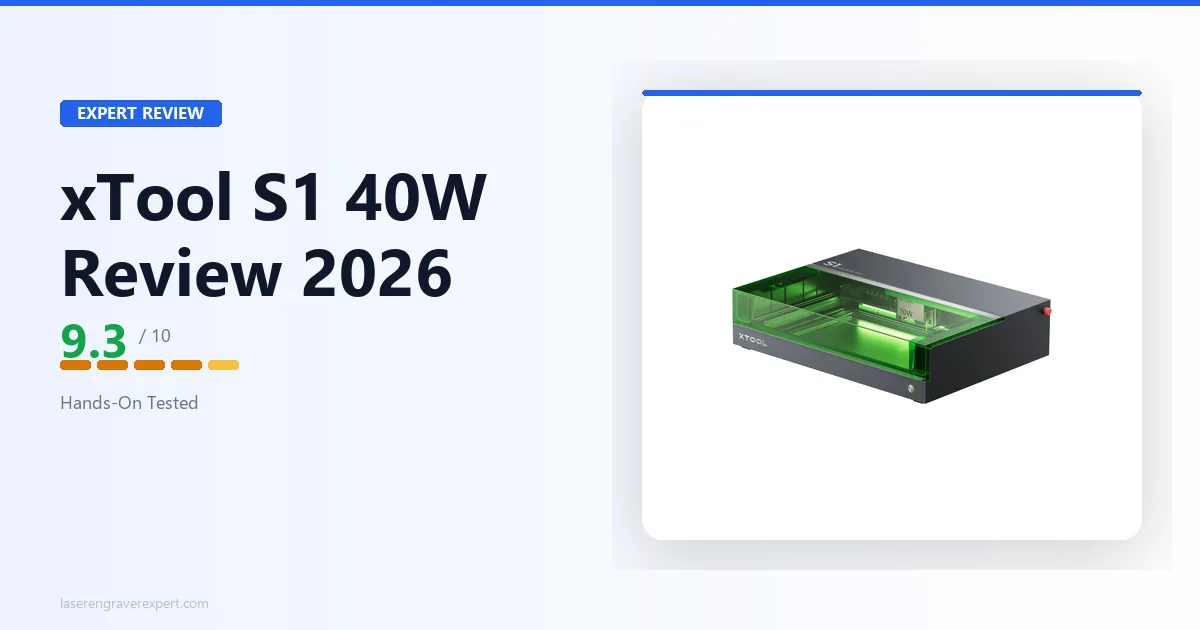
If workspace safety and ventilation requirements are a concern, see our comparison of how open-frame machines like the S9 stack up against enclosed alternatives in our diode vs CO2 vs fiber laser guide . Enclosed machines like the xTool S1 change the equation significantly on both safety and fume management.
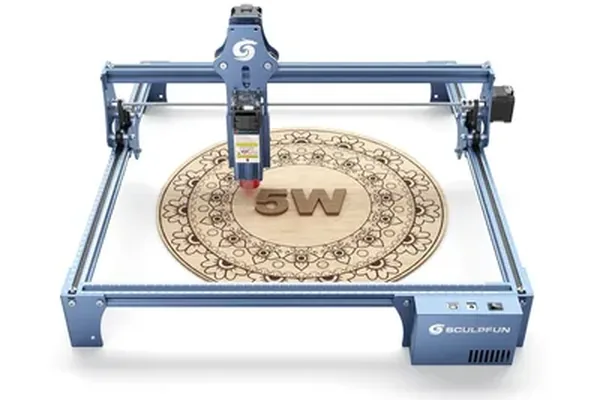
Sculpfun S9
7.8/10- Most affordable entry into real diode laser engraving
- Handles thin wood, leather, and anodized aluminum well
- LightBurn + LaserGRBL compatible from day one
- Compact footprint: easy to store
- Solid starting point for testing product viability before upgrading
- 5.5W limits material thickness: struggles consistently on 6mm+
- No built-in air assist: add-on required for cleaner cuts
- Open-frame requires goggles, ventilation, and workspace planning
- No flame detection or tilt sensor at this price
- Software ecosystem significantly thinner than xTool
Who Should Buy the Sculpfun S9
First-time laser buyers who want to discover whether laser engraving is something they enjoy and want to continue, without spending $400+ on a machine they might not use. The S9 lets you answer that question with a real machine at a real price.
Hobbyists with light, occasional use who want to make personalized gifts, home décor, and craft projects a few times a month. The S9’s output is entirely appropriate for that workflow.
Buyers who plan to add air assist and LightBurn from the start: the S9 with these two additions is a meaningfully more capable machine than the base configuration.
Makers in the early stages of a potential small business who are testing product viability before investing in a higher-end machine. The S9 is a real tool for testing whether your products sell before committing to a $600+ upgrade. For the full roadmap from first machine to profitable business, see our how to start a laser engraving business guide .
Who Should Look Elsewhere
- Buyers who need to cut 6mm+ material reliably: see the Sculpfun SF-A9 review or Creality Falcon 2 Pro review
- Anyone who needs an enclosed machine for home, shared space, or office use: see xTool S1 review
- Anyone who needs a truly portable setup: the Hanboost T1 review covers a fully enclosed 380g mini engraver at ~$89 Early Bird that runs off a power bank
- Buyers wanting clear acrylic, glass, or ceramic capability: CO2 laser required; see best CO2 laser engraver
- Production-volume users: the S9’s throughput is not suited to commercial production use
- Anyone not prepared to manage open-frame safety requirements (goggles, ventilation, supervision)
Final Verdict
| Category | Score | Notes |
|---|---|---|
| Engraving quality | 7.8 / 10 | 112 tones, capable for hobby work, not top of class |
| Cutting performance | 7.0 / 10 | 3mm materials reliable; 6mm not recommended |
| Build quality | 7.5 / 10 | Solid for price, cable management is weakest point |
| Software | 8.0 / 10 | LightBurn + LaserGRBL fully supported |
| Safety | 6.5 / 10 | Open-frame Class 4, safety burden on the user |
| Value | 8.5 / 10 | Best honest value in the entry-level diode market |
| Setup | 8.0 / 10 | 40 min assembly, straightforward for the category |
| Work area | 8.5 / 10 | 410 × 415mm is genuinely generous for this price |
| Overall | 7.8 / 10 |
The Sculpfun S9 is not the best laser engraver you can buy. It is the best honest entry point for buyers who want to start laser engraving without overcommitting financially. It engraves, it cuts thin materials, it works with LightBurn, and it does all of this without asking you to spend twice the money.
Add air assist, pick up appropriate goggles, set it up with LightBurn, and the S9 is a capable, productive machine for hobby and light maker use. Understand its limits, and it will not disappoint you.
Ready to buy?
Check Sculpfun S9 Price on Amazon →