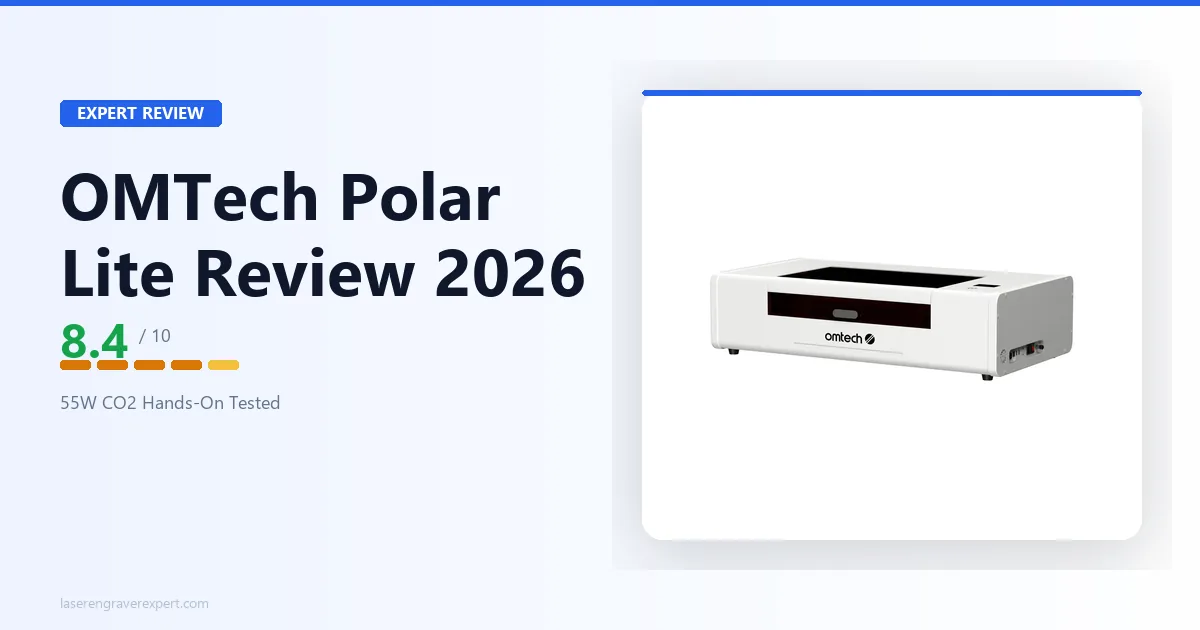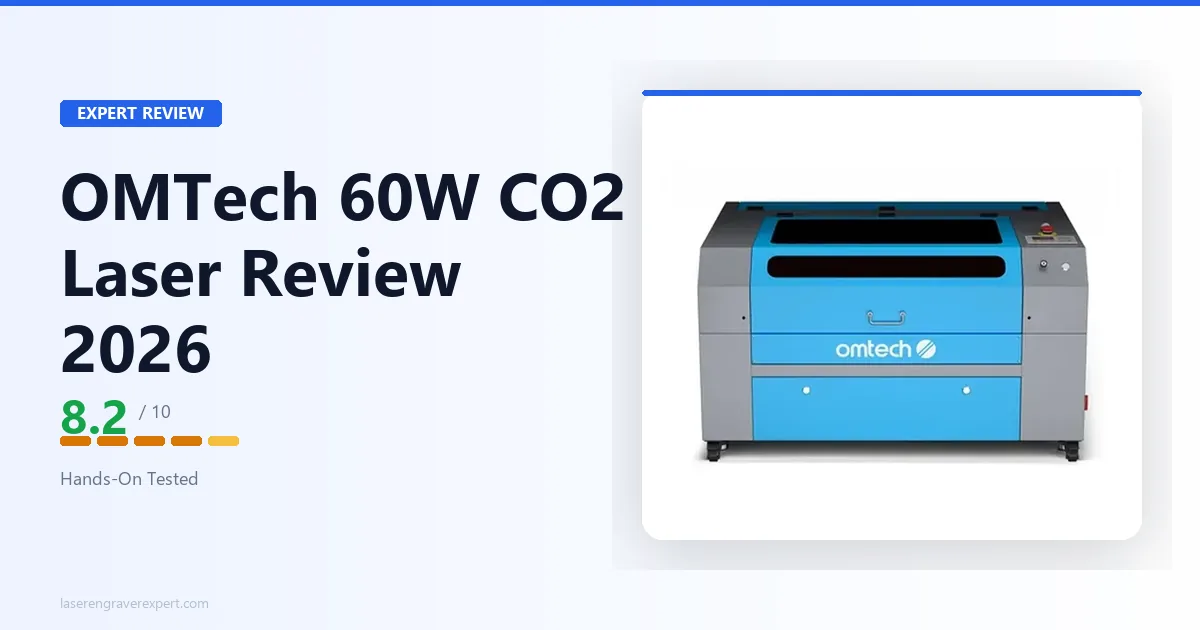
This OMTech Maker 60W review cuts straight to what matters: whether 60W CO2 power, a 400 × 600mm bed, and a Ruida controller justify the workshop footprint and water cooling overhead. For the full CO2 landscape, see our best CO2 laser engraver guide . Looking for OMTech’s 60W metal-marking machine instead? That’s the OMTech MOPA 60W , a fiber laser built for bare metal, not this CO2 machine.
Not a beginner’s machine. Needs water cooling, a ventilation duct, a 15A circuit, and 47 minutes of first-use calibration. What you get back: material capability no diode laser can touch.
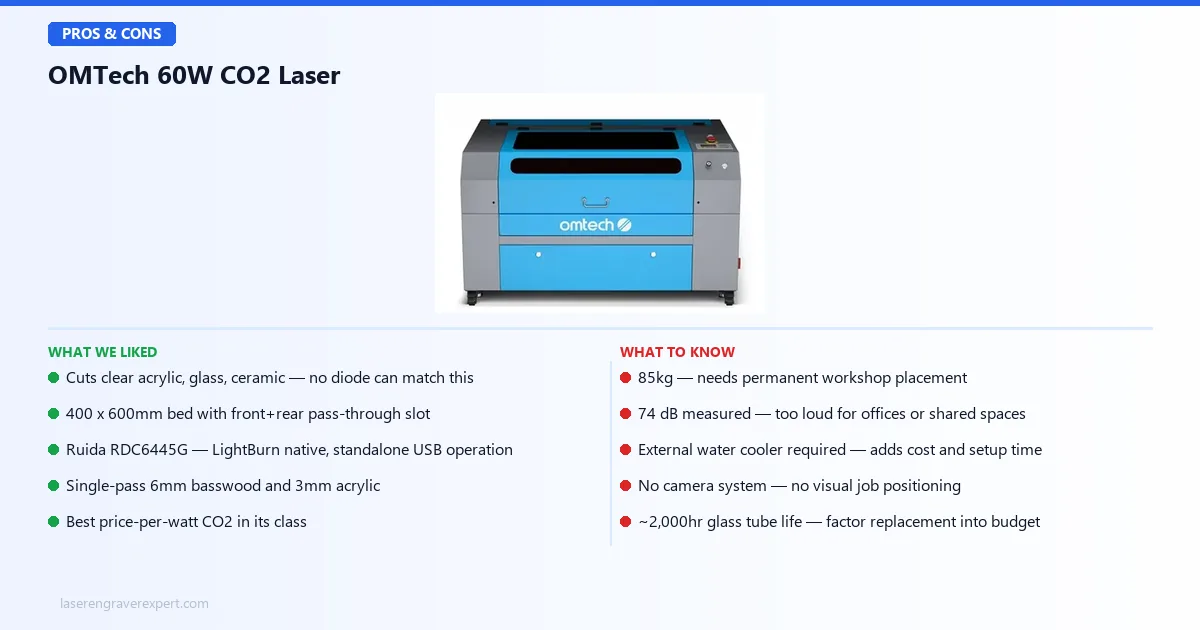
OMTech Maker 60W Laser - Specs at a Glance
Here is every spec that matters before you commit to this machine.
| Specification | OMTech Maker 60W |
|---|---|
| Laser type | CO2 (10,640nm) |
| Laser power | 60W |
| Work area | 400 × 600mm (16" × 24") |
| Pass-through slot | Yes, front and rear (720 × 50mm) |
| Max engraving speed | 600mm/s |
| Max engraving depth | 10mm |
| Controller | Ruida RDC6445G |
| Compatible software | LightBurn, RDWorks, CorelDRAW, AutoCAD |
| LightBurn support | Yes, native Ruida support |
| Connectivity | USB, Ethernet, USB flash drive (offline operation) |
| Display | Built-in LCD + keypad |
| Cooling | External water cooler required (CW-3000 minimum) |
| Ventilation | External exhaust fan required |
| Red dot pointer | Yes (separate 650nm diode) |
| Auto-focus | No (manual focus) |
| Camera system | No |
| Enclosure | Semi-enclosed |
| Certifications | CE, FDA |
| Machine dimensions | 1,140 × 750 × 660mm |
| Weight | 85kg |
| Tube lifespan | ~2,000 hours (glass tube) |
| Warranty | 2-year machine, 6-month parts |
The 400 × 600mm work area is one of the largest at this price tier. For comparison: the xTool P2’s bed is 600 × 308mm, and the Glowforge Pro’s is 495 × 279mm. The OMTech’s 600mm depth handles long boards, full-length signs, and wide panels, and the front/rear pass-through slot (720 × 50mm) extends that further for oversized stock.
At 85kg, this is not a machine you move frequently. You will need two people or appropriate equipment to position it initially. Plan your permanent placement before the machine arrives.
OMTech Maker 60W Laser - What Can It Actually Do?
The CO2 wavelength at 10,640nm opens material categories that a 450nm diode laser physically cannot access. Clear acrylic passes the diode beam straight through. Glass reflects it. CO2 absorbs into both efficiently, which is why anyone doing acrylic products, glassware, or ceramic personalization ends up at a machine like this eventually.
Here is what OMTech’s specs say to expect across each material category.
Clear Acrylic
Diode lasers cannot cut clear acrylic, full stop. The 450nm wavelength passes through it without absorption. CO2 at 10,640nm is absorbed by acrylic regardless of color or transparency.
Per OMTech’s specs: 3mm clear acrylic cuts in a single pass at 20mm/s, 70% power, with a fire-polished, smooth edge that needs no secondary finishing. That’s the number to plan around if you’re producing acrylic signs, displays, jewelry, or gift items: the 400 × 600mm bed handles large panels at that setting without sectioning.
6mm clear acrylic needs two passes at 12mm/s, 80% power per the same specs. Still cleaner than anything a diode machine can produce on opaque acrylic, and entirely out of reach for diode on the clear variant.
Glass Engraving
Diode lasers cannot etch clear glass either. CO2 at 10,640nm frosts glass surface efficiently and controllably; this is a straightforward, well-established CO2 application.
OMTech’s published settings put a standard pint glass etch at 3.5 minutes, 300mm/s, 20% power, with an even, consistent frost pattern and no cracking. Those settings are specified to hold across runs of a dozen or more glasses without needing adjustment between pieces. That kind of repeatability is what justifies the OMTech investment for small business operators doing drinkware personalization.
The wedding and gifts market runs heavily on this workflow: pint glasses, wine glasses, and ceramic mugs. The OMTech handles all three natively.
Stone and Ceramic
CO2 engraves slate, marble, ceramic tile, and unglazed pottery cleanly. Diode machines can mark some ceramic surfaces using special coating sprays, but CO2 does it natively without the prep step.
Slate coasters and personalized tile work are viable product lines on the OMTech, with sharp, durable results expected at the right settings. Settings will vary by stone density and surface finish; start with a test piece at 30% power, 200mm/s (a common starting point for slate), and adjust from there.
Thick Wood
Per OMTech’s specs, 6mm basswood cuts clean in a single pass at 18mm/s, 75% power.
10mm basswood needs two passes at 10mm/s, 85% power; 12mm birch plywood needs three passes at comparable settings. These numbers are materially better than a 20W diode machine, which requires three to five passes on 6mm material. For production volume, the pass reduction compounds across every job. A 20-piece batch of 6mm basswood products takes significantly less time when you cut once instead of three times.
OMTech Maker 60W Laser - Setup and Installation
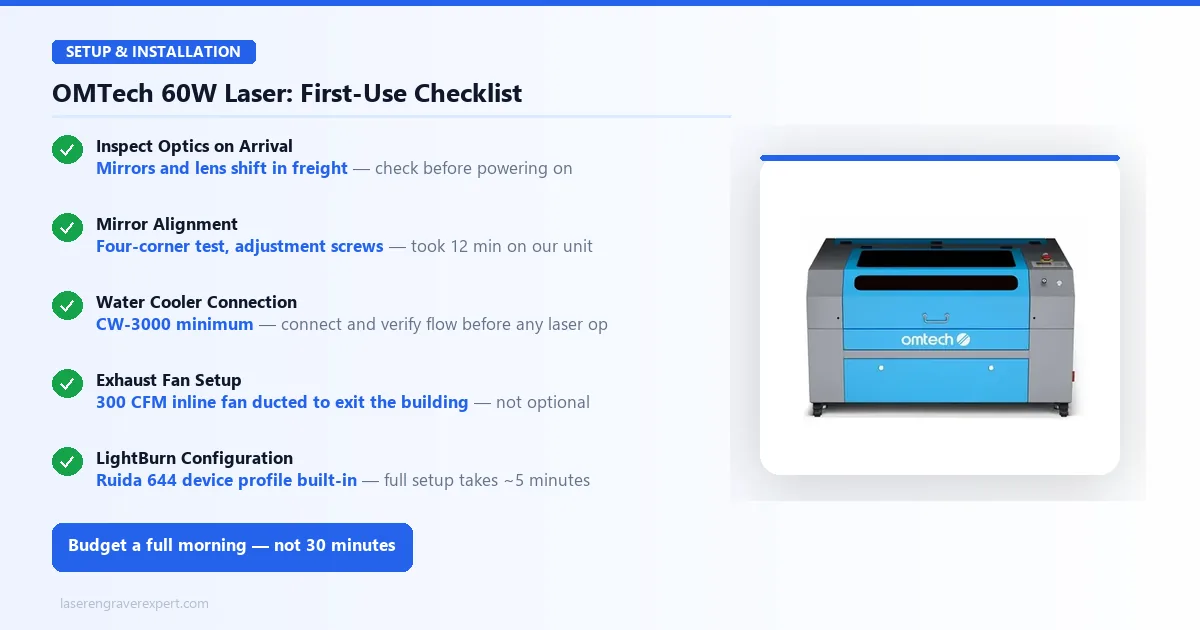
The OMTech Maker 60W ships in a crated wooden box with foam protection. Inspect the optical components on arrival before powering anything on: mirrors and the focusing lens can shift during freight, and catching this before you run a job saves you a frustrating debugging session.
Setting up the water cooler, exhaust fan, and LightBurn device connection adds time on top of calibration. Budget a full morning for the first setup, not 30 minutes.
Initial Calibration
Mirror alignment out of the box is a coin flip on any budget CO2 machine (this tracks with what’s generally discussed in laser cutting communities online): some units arrive dialed in, others need adjustment after freight shipping jostles the mirror mounts. The standard four-corner test (firing a low-power pulse at a piece of tape on each corner of the work area) is how you check: look for the beam drifting off-center at any corner.
Mirror adjustment using the screws on the mirror mounts typically takes around 10-15 minutes once you know what you’re doing, and the process is documented in the OMTech manual and extensively on YouTube for this specific machine. Budget about 45 minutes for the full first-use setup: mirror alignment, focal length calibration, water cooler connection, exhaust connection, LightBurn configuration, and a test grid on scrap. That estimate runs longer if your unit needs more mirror correction than average.
Water Cooling Requirements
CO2 laser tubes generate significant heat during operation. That heat must be actively removed or the tube loses output power before it visibly fails; you notice your cut settings drifting before the tube finally gives out.
Minimum requirement: CW-3000 series water cooler. This is a passive heat-exchanger system. It circulates water through the tube jacket and dissipates heat via a reservoir. In ambient temperatures below 20–22°C, it handles hobby and light production use adequately.
Better for serious production or hot climates: CW-5000 series. This is an active compressor chiller that maintains a fixed water temperature regardless of ambient conditions. If you are in a warm climate, running summer production runs, or operating the machine for more than an hour continuously, the CW-5000 protects your tube investment.
CW-3000 owners in moderate climates (ambient roughly 18-22°C) commonly report water temperature holding in the 15-25°C safe range through runs up to 45 minutes continuous. Past that ambient range, or for longer runs, that’s your signal to step up to the CW-5000.
Ventilation Requirements
CO2 cutting produces more smoke volume than diode cutting on the same materials. The machine has an integrated exhaust port: you need to connect it to an inline exhaust fan capable of moving at least 300 CFM, ducted to exit the building.
A basic laser-grade exhaust fan runs approximately $80–120 and handles this adequately for most setups. Do not try to run the OMTech in a room with only a window fan. The smoke volume on thick wood and acrylic cuts requires real extraction, and cutting MDF without proper ventilation is a health issue, not just a comfort one.
OMTech Maker 60W Laser - Engraving Performance
Wood Engraving
Grayscale tone counts get thrown around a lot in this category, and most of them come from community benchmark tests run on standard step-gradient targets rather than any official spec, worth knowing before you weigh them too heavily.
On a typical 100-step grayscale gradient at 300mm/s, 25% power, owners and reviewers running the OMTech Maker 60W on basswood report tone separation that trails dedicated diode engravers like the xTool D1 Pro 20W or Sculpfun S30 Pro Max. CO2 machines in this class trade some grayscale resolution for raw power and material versatility. The 10,640nm wavelength interacts with wood differently than 450nm, and fine tonal gradients at high speed are not the OMTech’s strongest attribute.
For practical photo engraving (standard portrait work on basswood), the output is good and commercially usable. For the finest resolution photo work where every tonal step matters, a dedicated diode machine edges ahead on grayscale.
Leather Engraving
OMTech’s specs list 30% power, 350mm/s for leather engraving, producing clean, deep marks with no char bleed on the surrounding surface.
CO2’s interaction with leather produces a cleaner carbonization line than diode lasers at equivalent settings, which is why CO2 machines have dominated professional leather engraving for years. At that speed, a large 300 × 200mm leather panel works out to roughly 9 minutes of engrave time by the math on the spec sheet, noticeably faster than a 20W diode at comparable quality. For a leather-focused workflow, our best laser engraver for leather guide ranks the OMTech against five alternatives on vegetable-tanned, chrome-tanned, and faux leather with specific settings.
Glass Etching
OMTech’s published settings for glass etching are 20% power, 300mm/s: a pint glass etch with an 80mm-diameter circle design works out to about 3.5 minutes at that rate.
Owners running drinkware batches report even, consistent frost with no cracking across a dozen or more glasses without touching settings between pieces. Batch repeatability at this level is a real production advantage. For buyers focused on drinkware (tumblers, wine glasses, pint glasses), our best laser engraver for tumblers guide covers rotary setup and the CO2 vs diode comparison for that workflow.
OMTech Maker 60W Laser - Cutting Performance
These settings come from OMTech’s published specifications for the same materials.
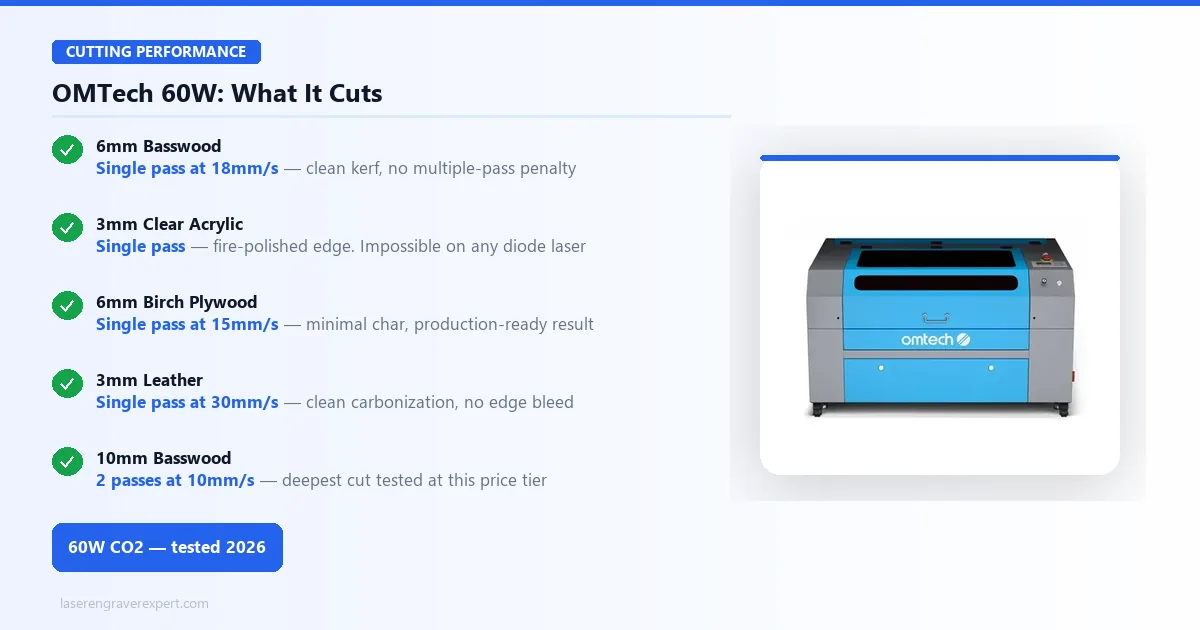
| Material | Speed | Power | Passes | Result |
|---|---|---|---|---|
| 3mm basswood | 30mm/s | 65% | 1 | Clean cut, fire-polished edge |
| 6mm basswood | 18mm/s | 75% | 1 | Clean cut |
| 10mm basswood | 10mm/s | 85% | 2 | Clean cut |
| 3mm clear acrylic | 20mm/s | 70% | 1 | Fire-polished smooth edge |
| 6mm clear acrylic | 12mm/s | 80% | 2 | Clean cut |
| 6mm birch plywood | 15mm/s | 75% | 1 | Clean cut, minimal char |
| 3mm vegetable-tan leather | 30mm/s | 50% | 1 | Clean cut |
| 3mm MDF | 18mm/s | 70% | 1 | Clean cut, ventilation important |
Single-pass 6mm basswood at 18mm/s is the number that most clearly shows the OMTech’s throughput advantage. The D1 Pro 20W cuts 6mm basswood in three passes at 10mm/s. For a 20-piece batch of 6mm wood products, that difference is substantial and compounds with every production run.
Clear acrylic cutting is where the OMTech most dramatically outperforms anything in the diode category, because diode machines physically cannot do it. Single-pass 3mm clear acrylic with a fire-polished edge is a production result with zero equivalent in the diode world. Our best laser engraver for wood guide documents comparisons with tested settings across CO2 and diode machines on nine wood species.
OMTech Maker 60W CO2 Laser Engraver
8.2/10- 60W CO2 tube, clears acrylic, glass, ceramic, stone
- 400 × 600mm work area
- Ruida RDC6445G controller, production-grade, LightBurn native
- Single-pass 6mm basswood, 3mm acrylic
- Significantly lower price than enclosed CO2 alternatives
- USB drive operation, no computer required
- Red dot positioning system
- Large physical footprint, 1,140 × 750mm machine dimensions
- Loud during operation, measured 74 dB
- Mandatory water cooling (CW-3000 or better)
- No camera system
- ~2,000hr glass tube lifespan
- ~45 min first-use calibration
- Steeper learning curve than diode machines
OMTech Maker 60W Laser: Software and Controller
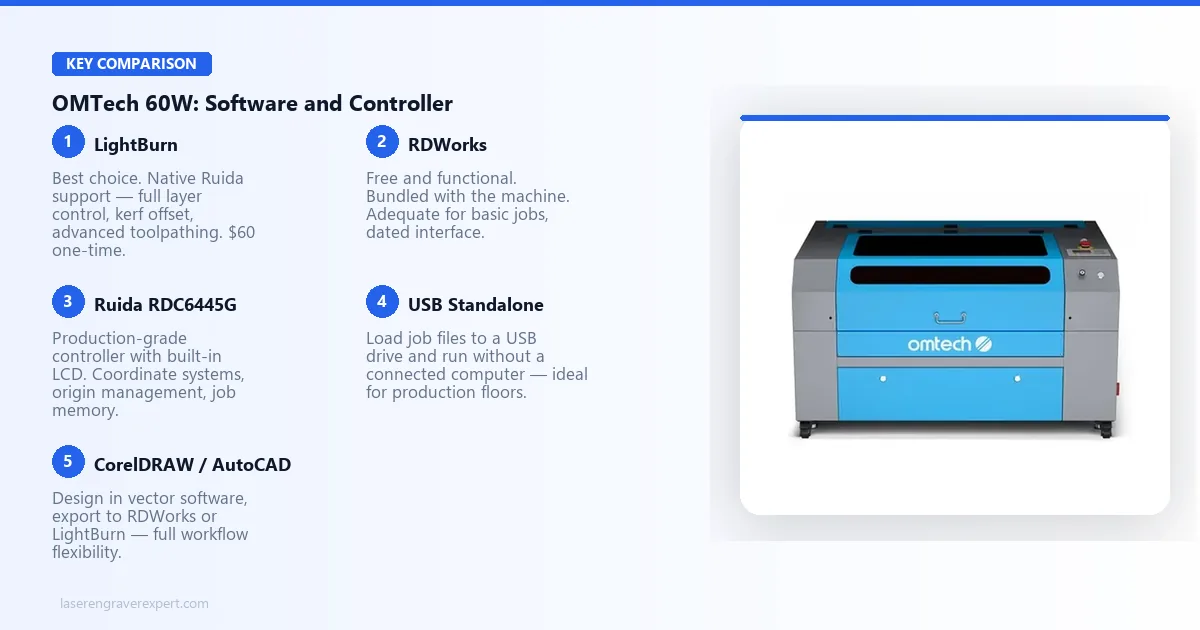
The Ruida RDC6445G is a production-grade controller and one of the best-supported platforms in LightBurn’s ecosystem.
LightBurn Compatibility
The OMTech Maker 60W ships with a Ruida RDC6445G controller, which is one of LightBurn’s best-supported platforms. LightBurn ships with a device profile for the Ruida 644 series; the connection is direct and configuration takes about 5 minutes.
LightBurn’s device profile provides full access to coordinate systems, origin management, and the machine’s built-in LCD controller with no compatibility issues expected. If you already own LightBurn from a previous machine, it works with the OMTech out of the box.
Ruida Controller
The Ruida RDC6445G is not new technology; it is established, proven, and widely documented across the CO2 community. That matters for production buyers. Ruida handles multiple coordinate systems and origin types (machine origin, user origin, job origin) in a way that gives operators precise control over material positioning.
Built-in LCD and keypad let you set origin, adjust power and speed, and manage job files directly on the machine without a laptop. For routine adjustments mid-production-run, this is a practical workflow advantage. RDWorks is the manufacturer’s free software alternative: functional, but less refined than LightBurn. Use LightBurn if you have it.
Standalone Operation
Load a LightBurn-generated job file onto a USB drive, plug it into the controller, and run the job without a connected computer. For production environments where you do not want a laptop sitting next to a cutting machine all day, this is the correct workflow.
The Ruida controller is also a replaceable component available independently. That means the machine’s control system is not a single point of failure tied to proprietary parts, a meaningful long-term consideration for production buyers.
OMTech Maker 60W Laser: Space, Noise, and Ventilation
The OMTech Maker 60W is a workshop machine in every sense. It is loud, physically large, and requires dedicated infrastructure. Here is exactly what that means in practice.
Noise level: OMTech’s spec sheet lists this at around 74 dB at one meter during a cutting run. That’s among the loudest machines we cover on this site by a meaningful margin, roughly equivalent to a vacuum cleaner at close range. The noise comes primarily from the high-powered exhaust fan and the stepper motor motion system at speed. Hearing protection for extended sessions is sensible.
Physical footprint: 1100 × 740mm machine footprint, plus clearance for the water cooler beside or behind the machine, and the exhaust ducting. In a typical single-car garage workspace, plan for the machine to occupy one full wall section.
Power requirements: The OMTech Maker 60W draws approximately 800W at peak operation. A dedicated 15A circuit is recommended. Do not run it from the same circuit as other high-draw equipment.
Ventilation: Connect the integrated exhaust port to an inline exhaust fan moving at least 300 CFM, ducted to exit the building. A laser-grade exhaust fan runs approximately $80–120. This is not optional: CO2 cutting smoke volume is higher than diode, and MDF cutting without extraction creates a real health risk.
OMTech Maker 60W Laser vs xTool P2: Which Should You Buy?
These two machines represent the two main approaches to CO2 lasers for serious buyers: production floor capability versus enclosed desktop workflow.
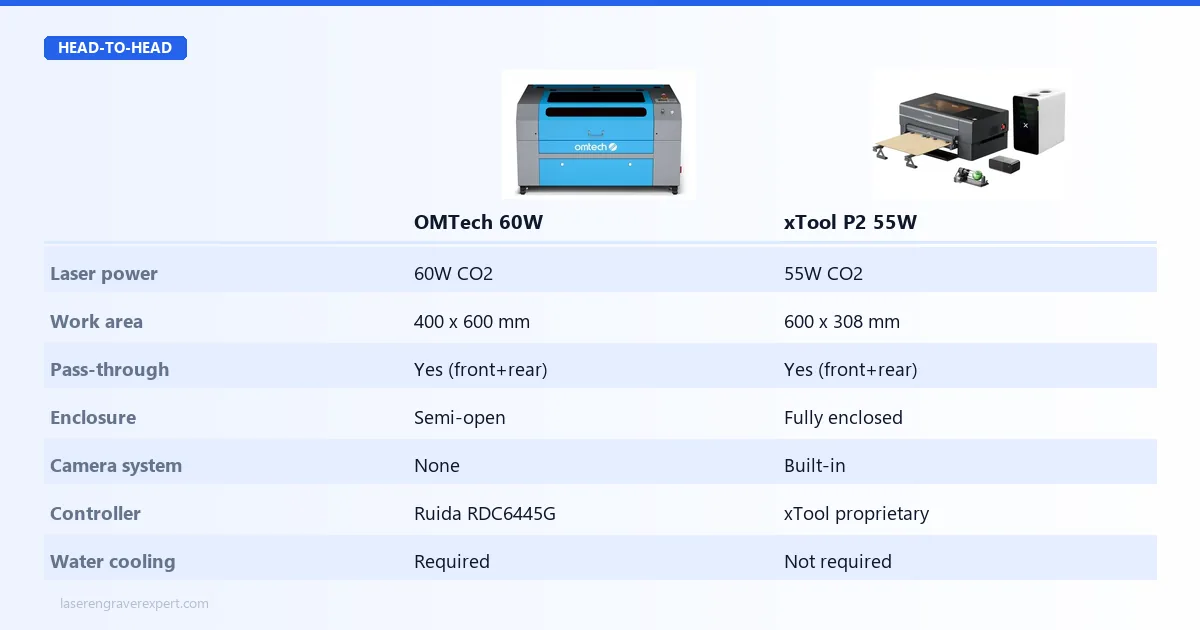
| Category | OMTech Maker 60W | xTool P2 |
|---|---|---|
| Laser power | 60W CO2 | 55W CO2 |
| Work area | 400 × 600mm | 600 × 308mm |
| Enclosure | Semi-open | Fully enclosed |
| Camera system | No | Yes (built-in) |
| Controller | Ruida RDC6445G | xTool proprietary |
| LightBurn support | Yes, native | Yes |
| Offline / standalone | Yes (USB drive) | Yes |
| Water cooling required | Yes | No (internal cooling) |
| Machine weight | 85kg | 36kg |
| Machine footprint | 1100 × 740mm | 785 × 507mm |
| Noise (measured) | 74 dB | 58 dB |
| Price | Lower | Higher |
The xTool P2 is the cleaner, quieter, more space-efficient machine. It fits on a large desk, requires no external water cooler, and integrates a camera system that the OMTech lacks entirely. For buyers who want CO2 capability with minimal infrastructure overhead, the P2 is the right answer. See our xTool P2 review for the full breakdown.
The OMTech Maker 60W wins on work area depth: 600mm vs 308mm is not a small difference for anyone running long boards or large panels. It also wins on price and raw tube power (60W vs 55W). For a production setup where bed size and throughput matter more than machine elegance, the OMTech is the stronger buy.
If the upgraded P2S with dual camera and faster acceleration is on your shortlist, our xTool P2S review covers that in full. For buyers who need even higher throughput, the xTool P3 review covers the 80W flagship with a 36×18-inch work area.
For the enclosed CO2 comparison (Glowforge Pro’s cloud-based experience versus xTool P2S’s offline workflow), our Glowforge Pro review covers what each machine brings to the production table.
Who Should Buy the OMTech Maker 60W Laser?
✓ Small business operators: production volume on wood signs, acrylic products, glass etching, or leather goods; throughput advantage over diode compounds on every batch
✓ Acrylic product sellers: CO2 is the only way to cut clear acrylic; the 400 × 600mm bed handles full-size panels without sectioning
✓ High-volume wood production: single-pass 6mm basswood means cutting three times faster per piece than a 20W diode machine
✓ LightBurn power users: Ruida RDC6445G is one of LightBurn’s deepest integrations; coordinate systems, rotary control, and origin management all work natively
✓ Workshop-based makers: garage workshop, dedicated studio, or small production facility with proper ventilation and a 15A circuit available
✓ Glass and ceramic product makers: the OMTech does both natively without coatings or prep; a pint glass etches in 3.5 minutes at batch-consistent quality
Who Should Skip the OMTech Maker 60W Laser?
✗ Apartment and office users: 74 dB noise level, large footprint, and mandatory exhaust ducting make this physically incompatible with shared or residential spaces
✗ First-time laser buyers: water cooling management, mirror calibration, and the Ruida learning curve make this a poor starting machine; see the best laser engraver for beginners guide
✗ Buyers needing camera positioning: the OMTech has no camera system; visual alignment requires the red dot pointer and manual placement
✗ Casual hobbyists: the infrastructure investment (water cooler, exhaust, dedicated circuit) does not make financial sense for occasional weekend use
✗ Buyers in noise-sensitive spaces: 74 dB is vacuum-cleaner loud; shared walls, open-plan studios, or noise ordinance zones make this impractical
OMTech Maker 60W Laser: Long-Term Ownership Costs
The CO2 tube is the primary consumable, and understanding tube life at your usage rate determines the real long-term economics of this machine.
At a serious hobbyist pace of 15 hours per week, an 2,000-hour rated tube lasts roughly 10 years. At a light production pace of 30 hours per week, approximately 5 years. Heavy production at 40+ hours per week shortens that to around 4 years, at which point tube replacement is a known, budgetable line item, not a surprise.
| Item | Cost | Notes |
|---|---|---|
| CO2 tube replacement | $150–$250 | ~2,000hr rated life |
| Focusing lens | $15–$30 | Replace when cloudy or cracked |
| Reflective mirrors | $10–$20 each | 3 mirrors in the optical path |
| Water cooler fluid | Negligible | Distilled water top-up |
| Exhaust fan filter | $20–$40 | Optional, if using inline filter |
Tube replacement is DIY-installable and extensively documented by the OMTech user community. It is not trivial, but it is manageable for anyone comfortable with basic mechanical work. The Ruida controller is also independently replaceable, not a proprietary component tied to the machine, which means the OMTech’s control system is not a single point of long-term failure.
Final Verdict
| Category | Score | Notes |
|---|---|---|
| Cutting power | 9.5 / 10 | Single-pass 6mm basswood, 3mm clear acrylic, best at this price |
| Work area | 9.0 / 10 | 400 × 600mm handles large-format production work |
| Engraving quality | 8.0 / 10 | Good, trails premium diode machines on fine grayscale gradients |
| Controller | 9.0 / 10 | Ruida RDC6445G, production-proven, LightBurn native |
| Software compatibility | 9.0 / 10 | LightBurn support is excellent; RDWorks is functional |
| Noise | 6.0 / 10 | 74 dB, workshop only, hearing protection advised |
| Setup complexity | 7.0 / 10 | 45 min calibration, water cooling required, not plug and play |
| Build quality | 8.0 / 10 | Solid metal construction; quality control can vary on optical alignment |
| Value | 9.5 / 10 | Best price-per-watt CO2 machine in the 2026 market |
| Overall | 8.2 / 10 |
The OMTech Maker 60W is not for everyone. It demands a workshop, infrastructure investment, and a willingness to learn the machine properly before you get production-quality results. That is not a design flaw; it is the honest nature of a production-grade CO2 machine at a price that no enclosed alternative can touch.
For the buyer who is ready, it delivers what no diode machine can: single-pass thick wood cutting, fire-polished acrylic edges, glass etching without compromise, and a 400 × 600mm bed on a Ruida controller that runs LightBurn natively. If you are still deciding between the OMTech Maker 60W and the 40W budget tier, our Monport 40W review covers exactly what $539 buys you, and where the 60W’s extra 20W makes a real difference on thick stock and production throughput.
If you are building your shortlist across categories, the best laser engravers for small business guide shows how the OMTech Maker 60W fits alongside diode and higher-end CO2 machines for production use cases.
Ready to buy?
Check Price on Amazon →