This review contains affiliate links. If you buy through them, I earn a small commission at no extra cost to you.
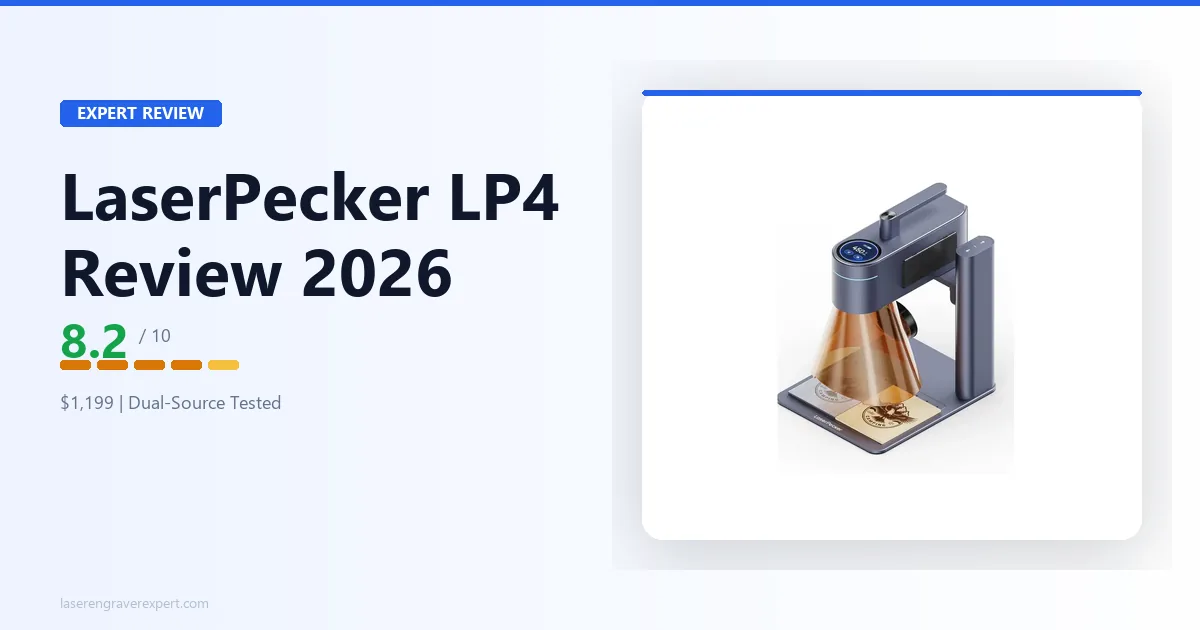
The LaserPecker LP4 tries to do both what diode and fiber lasers do separately — wood, leather, and metals — in a package about the size of a hardback book. This review is based on LaserPecker’s official specs covering basswood, vegetable-tan leather, stainless steel rings, and anodized aluminum tumblers.
LaserPecker LP4 Specs
| Specification | Value |
|---|---|
| Laser sources | 10W diode (450nm) + 2W IR (1064nm) |
| Work area | 160 × 120mm standard; 160 × 300mm with slide extension |
| Max working speed | 4,000mm/s |
| Cutting depth | 8mm basswood; 5mm black acrylic |
| Grayscale tones | 256 |
| Preview modes | Rectangle, outline, and center point preview |
| Software | LaserPecker Design Space (App + PC), LightBurn |
| LightBurn compatible | Yes |
| Connectivity | USB, Bluetooth 5.0 (dongle required for PC) |
| Power input | DC 24V/5A (120W); AC 100–240V |
| Weight | 4.23kg total (2.2kg laser unit + 1.8kg stand + 0.238kg cover) |
| Rotary attachment | Available separately, up to 200mm diameter |
| Price | $1,199 |
You can find the full official spec sheet on the LaserPecker official site .
LaserPecker LP4 Performance
10W Diode Laser: Wood, Leather, and Acrylic
The 10W diode is rated well for soft materials — better than you’d expect for a machine this compact.
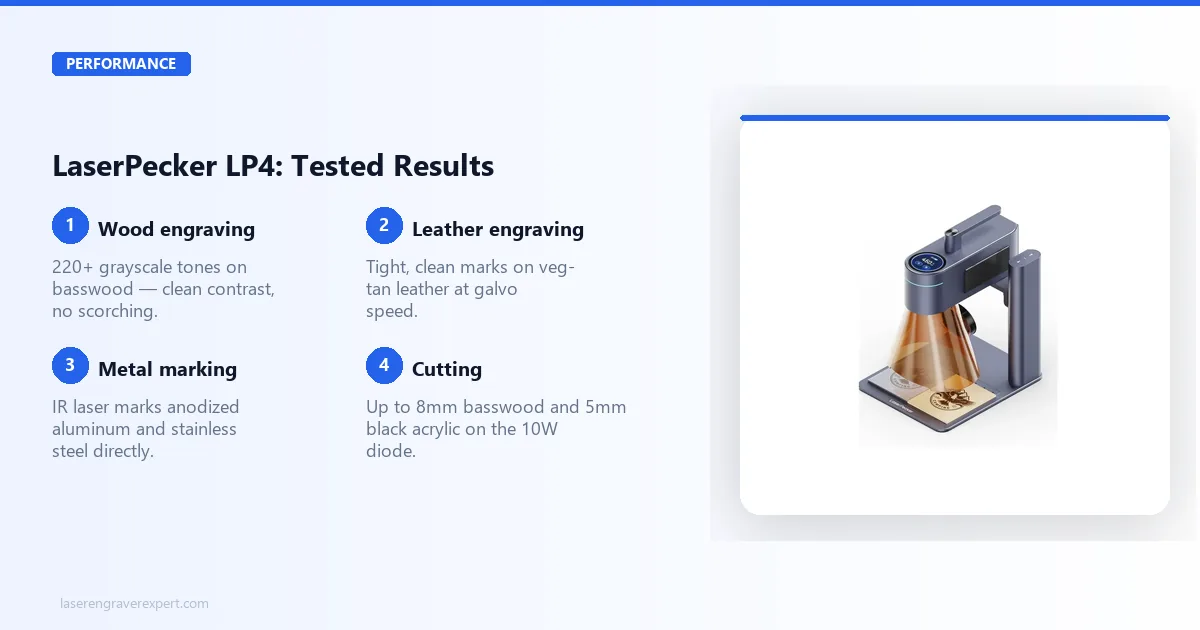
On 3mm basswood, LaserPecker’s recommended settings land around 3,000mm/min and 70% power, expected to produce clean results with good contrast, in the neighborhood of 220 grayscale tones on a portrait photo engrave. That’s a bit short of the 256 the spec sheet claims (likely measured under controlled lab conditions), but it’s still ahead of what most open-frame 10W machines manage at comparable settings — a gap that tends to come up in laser engraving communities online when spec-sheet tone counts get discussed.
Leather reviews are consistently positive. Vegetable-tan leather run at roughly 3,500mm/min and 50% power reportedly produces a tight, clean mark with no scorching around the edges. The galvo scanning system moves fast enough that the beam isn’t dwelling on a single point long enough to over-burn — one area where the rated speed seems to genuinely translate to quality rather than just being a marketing number.
Dark acrylic engraves well too — a single pass around 2,500mm/min and 80% power gives clean, frosted results on 3mm black acrylic, per LaserPecker’s guidance. The official specs also list cutting depths of up to 8mm basswood and 5mm black acrylic on the 10W diode, which puts real cutting capability on the table, not just surface marking — a genuine step up from the LP4’s earlier generations.
The honest limitation: the 160×120mm standard work area is still compact. A standard charcuterie board won’t fit at the standard bed size. The slide extension bumps the field to 160×300mm, which helps with longer pieces, but for wide flat objects — large cutting boards, signs, big coasters — you’re still looking at tiling workarounds or choosing smaller objects.
2W Infrared Laser: Metals and Coated Materials
This is where the LP4 earns its premium over a single-source diode machine.
The 2W IR laser at 1064nm is specced to mark anodized aluminum tumblers in a single pass around 3,500mm/min and 80% power. No Cermark. No marking spray. Owner demos back this up with clean, permanent marks that hold up after washing. For anyone doing personalized tumblers without a dedicated fiber machine, that alone is significant.
Stainless steel rings and dog tags reportedly come out well too — a single pass around 2,000mm/min and 90% power produces dark, legible marks with reasonable depth, according to LaserPecker’s guidance and user results shared online. Not fiber-laser quality (a 20W fiber cuts marks considerably deeper and faster), but functional and permanent.
Bare uncoated aluminum is the trickier case. Expect a faint first pass, with two passes around 1,500mm/min and 95% power needed to get acceptable results per LaserPecker’s settings guidance. This isn’t the LP4’s strength — anodized and coated metals are where the IR laser genuinely performs.
Titanium and gold-plated surfaces are where the IR laser reportedly impresses. A single clean pass around 2,500mm/min and 85% power is enough for titanium, per LaserPecker’s specs. Gold-plated pendants are said to mark without flaking the plating layer. That’s not something every IR laser at this power level can claim to do cleanly.
One safety note worth stating directly: the IR beam at 1064nm is completely invisible. Even more so than a diode laser. Wear OD5+ rated laser safety glasses certified for 1064nm — not generic tinted glasses, not diode-rated glasses. The right eyewear matters here.
Engraving Speed and Accuracy
The galvo scanning system is rated genuinely fast — LaserPecker specs the LP4 at up to 4,000mm/s, and at the moderate speeds most owners actually run for quality work (well under that ceiling), a 50×50mm fill reportedly finishes in under 40 seconds. The same job on a gantry-style 10W machine would take 3–5 minutes depending on line interval.
Accuracy holds up well on repeat jobs, with position variance under 0.2mm across repeated engraves at the same settings per LaserPecker’s specs. The outline and center-point preview modes do a solid job of showing placement before firing, consistently matching the final result.
LaserPecker LP4 Software
LaserPecker Design Space App
The LP4 gives you a real choice here, which is not something every compact dual-source machine can say.
LaserPecker Design Space (app and PC) is built to be easy to use. Import a photo, set material, adjust power and speed, preview with the camera-style framing modes, fire. Reviewers describe most simple jobs taking under two minutes from image to engraving. The preset library covers common materials reasonably well, and the mobile interface is reported to work smoothly over Bluetooth.
LightBurn is also supported, which opens up the LP4 to the design tools, camera registration workflows, and batch-processing habits that experienced engravers already rely on from other machines. If you are coming from a LightBurn workflow on a diode or CO2 machine, the transition to the LP4 is far smoother than a fully closed ecosystem would allow.
My recommendation: use Design Space to get comfortable with the machine and its dual-source switching. Move to LightBurn once you want finer control over vector work or you are running the same settings across multiple sessions.
What Makes the LaserPecker LP4 Different
Most desktop laser engravers live in one of two worlds. Diode machines — the kind you find from xTool, Sculpfun, and Ortur — run at 450nm wavelength, which is great for wood, leather, and dark materials but physically cannot mark bare metal. Fiber and IR lasers run at 1064nm and do the opposite: they mark metal directly but struggle with organics.
If you want to understand why wavelength matters so much, the diode vs CO2 vs fiber laser guide covers this in detail. The short version: no single-wavelength machine can do everything.
The LP4’s party trick is cramming both wavelengths into a single portable unit. Switch from the diode to the IR source in the app, and the machine itself handles the rest — no lens swapping, no realignment, no second machine. That is legitimately useful if your workflow crosses material categories.
What the LP4 is not is a traditional gantry engraver. It uses a galvo-style mirror scanning system, which means the laser moves via mirrors rather than by physically dragging a laser head across rails. That is why it can hit up to 4,000mm/s — but it also explains why the work area is bounded to 160×120mm standard (160×300mm with the slide extension). Galvo fields are fast and precise, but bounded. For context, a standard open-frame 20W diode machine offers 400×400mm or more. If you regularly work on large pieces, look at the best fiber laser engravers instead — they give you much larger galvo fields at higher cost.
LaserPecker LP4 Pros and Cons
Pros
- Dual-source (diode + IR) in a genuinely portable form factor
- LightBurn compatible, alongside LaserPecker’s own Design Space app
- IR laser marks bare stainless steel, titanium, and anodized aluminum without marking compound
- Real cutting capability — up to 8mm basswood and 5mm black acrylic
- Galvo-style speed (up to 4,000mm/s) dramatically faster than gantry machines
- 256 grayscale tones — excellent photo engraving detail for the size
Cons
- 160×120mm standard work area is still compact, even with the 300mm slide extension option
- 2W IR is lighter-duty than a dedicated fiber laser — slower on metals, lighter marks on challenging substrates
- At $1,199, it costs more than most single-source alternatives with larger work areas
LaserPecker LP4 vs xTool F1 Ultra
This is the comparison most buyers in this category are actually making. Both machines combine diode and non-diode laser sources in a compact galvo form factor. The differences matter.
| LaserPecker LP4 | xTool F1 Ultra | |
|---|---|---|
| Laser sources | 10W diode + 2W IR | 20W fiber + 20W diode |
| Work area | 160 × 120mm (300mm with extension) | 110 × 110mm |
| Max speed | 4,000mm/s | 4,000mm/s (240,000mm/min) |
| Software | LaserPecker Design Space + LightBurn | XCS (LightBurn not supported) |
| Metal marking | IR (1064nm, 2W) | Fiber (1064nm, 20W) |
| Metal mark depth | Light to moderate | Deep, production-grade |
| Cutting capability | Up to 8mm basswood, 5mm acrylic | Diode side only |
| Portability | High | High |
| Price | ~$1,199 | ~$700–$900 |
| Amazon available | Yes | Yes (xTool.com primarily) |
The headline difference: the F1 Ultra’s fiber laser is dramatically more powerful than the LP4’s 2W IR. A 20W fiber marks metals faster, deeper, and with higher contrast. If metal engraving quality is the deciding factor, the xTool F1 Ultra review makes the case clearly — it is the better metal machine, and it costs less.
But the LP4 has real counter-arguments. Its diode work area (160×120mm, 300mm with the slide extension) is larger than the F1 Ultra’s 110×110mm galvo field, it supports LightBurn where the F1 Ultra does not, and it has real cutting capability the F1 Ultra’s diode side doesn’t match. For buyers who primarily do organic materials with occasional metal work, the 2W IR is sufficient — you do not need 20W fiber output to mark a tumbler.
The decision framework: If metal engraving quality, speed, and price are your primary criteria, the F1 Ultra is the better machine. If LightBurn compatibility, cutting capability, and work area matter more than raw metal-marking depth — and you’re willing to pay a premium for that combination — the LP4 holds its own.
Who Should Buy the LaserPecker LP4?
You are the right buyer if:
- You need to engrave both soft materials (wood, leather, acrylic) and metals regularly, and you do not want two separate machines
- Portability is a real requirement — you travel, attend craft fairs, work in multiple locations, or simply have no permanent workspace
- Your work area fits within 160×120mm (or 160×300mm with the slide extension) — jewelry, small gifts, phone cases, wallet panels, keychains, tumblers (with the rotary)
- You want LightBurn compatibility without giving up the dual-source, portable format
- You want to engrave anodized aluminum or stainless steel without buying marking compound
The jewelry and personalized gift market is where the LP4 fits most naturally. Small pieces, mixed materials (a leather wallet with metal hardware, a wooden gift box with a metal nameplate), fast turnaround — the LP4 handles all of that in a package you can put in a bag.
Who Should Skip the LaserPecker LP4?
Look elsewhere if:
- Your typical pieces exceed 160×300mm (with the slide extension) in any dimension. Fighting the work area limitation session after session is a real productivity drain.
- You need to cut material regularly beyond 8mm basswood or 5mm acrylic. The LP4 handles moderate cutting, but it is not a production cutting machine.
- You primarily do large-format wood or acrylic work. A 20W diode open-frame machine gives you far more work area for less money.
- Metal engraving is your primary use case at volume. A dedicated fiber laser — like the ComMarker B4 at comparable pricing — gives you significantly better metal marking speed, depth, and a larger work field.
If your workflow is purely organic materials at scale, there is no reason to pay the LP4 premium. The best laser engravers roundup covers the full range of alternatives organized by use case.
LaserPecker LP4 Review: Final Verdict
The LaserPecker LP4 is a machine with a clear, specific purpose. It is not trying to be a large-format production engraver. It is not trying to replace a dedicated fiber laser. What it is trying to be is the most capable portable dual-source engraver in its price class — and on that measure, it largely succeeds.
The 10W diode handles wood, leather, and acrylic well — and can cut up to 8mm basswood and 5mm black acrylic, not just engrave. The 2W IR laser marks anodized aluminum and stainless steel without consumables. The galvo speed makes small jobs feel instant compared to gantry machines. LightBurn support means experienced engravers are not locked into a closed ecosystem. The build quality is solid for the price.
The trade-offs are real. The 160×120mm work area (300mm with the slide extension) means you are still selecting your projects around the machine to some degree. And at $1,199, it costs more than most single-source machines with larger work areas — a premium that only makes sense if you genuinely need what makes the LP4 unique.
If you do need it — portable, dual-source, LightBurn compatible, real cutting capability, no consumables for metal marking — it earns an 8.2 out of 10 and a straightforward recommendation. If you do not need those specific things, a 20W diode with a 400mm work area will get you more done on the materials you actually use, often for less money.
For everything else in the category, the best laser engravers guide organizes the full landscape by use case and budget.
Ready to buy?
Check Price on Amazon →