Glowforge Pro vs xTool P2S (2026)
Glowforge Pro ($7,999) vs xTool P2S ($3,249): 45W vs 55W CO2, different ecosystems. Speed, software, cut quality, and real ownership costs compared.
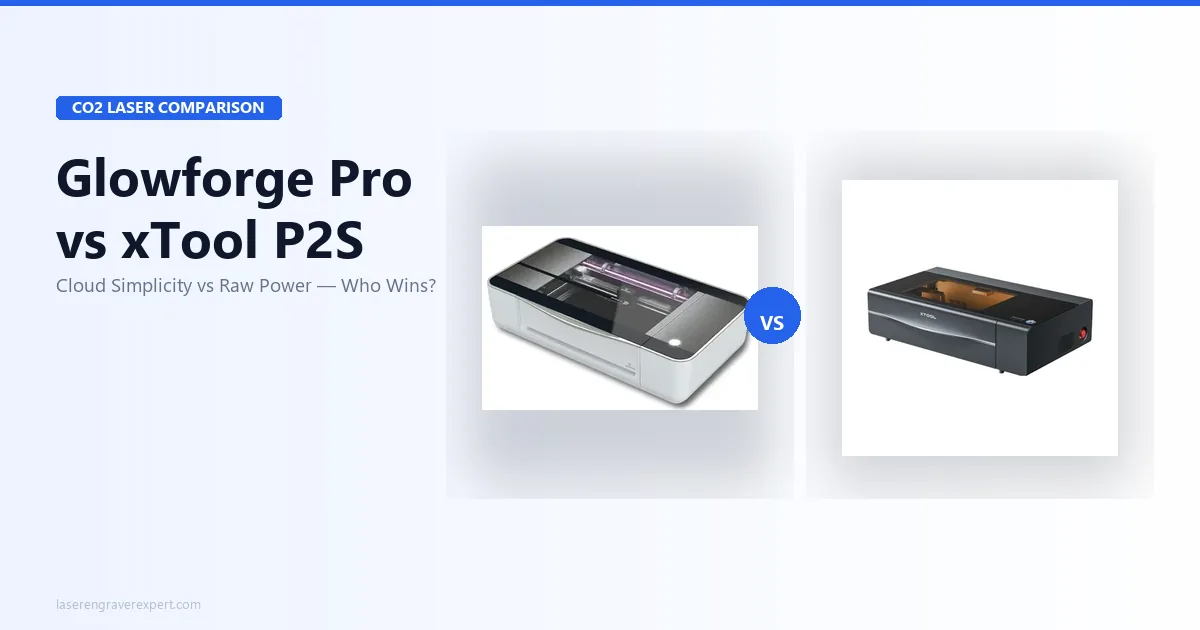
The Glowforge Pro vs xTool P2S decision is really a choice between two philosophies of how an enclosed CO2 laser should work, and a wide price gap that reframes the whole comparison. The $7,999 Glowforge Pro (45W) sells ease: 22-minute setup, Proofgrade auto-settings, and the best beginner app in the category, at the cost of permanent cloud dependency. The $3,249 xTool P2S (55W) sells capability: more cutting power, a larger 600×305mm bed, full LightBurn support, and offline USB operation. Here’s exactly which fits how you actually work.
Quick Verdict
Glowforge Pro vs xTool P2S: Key Differences
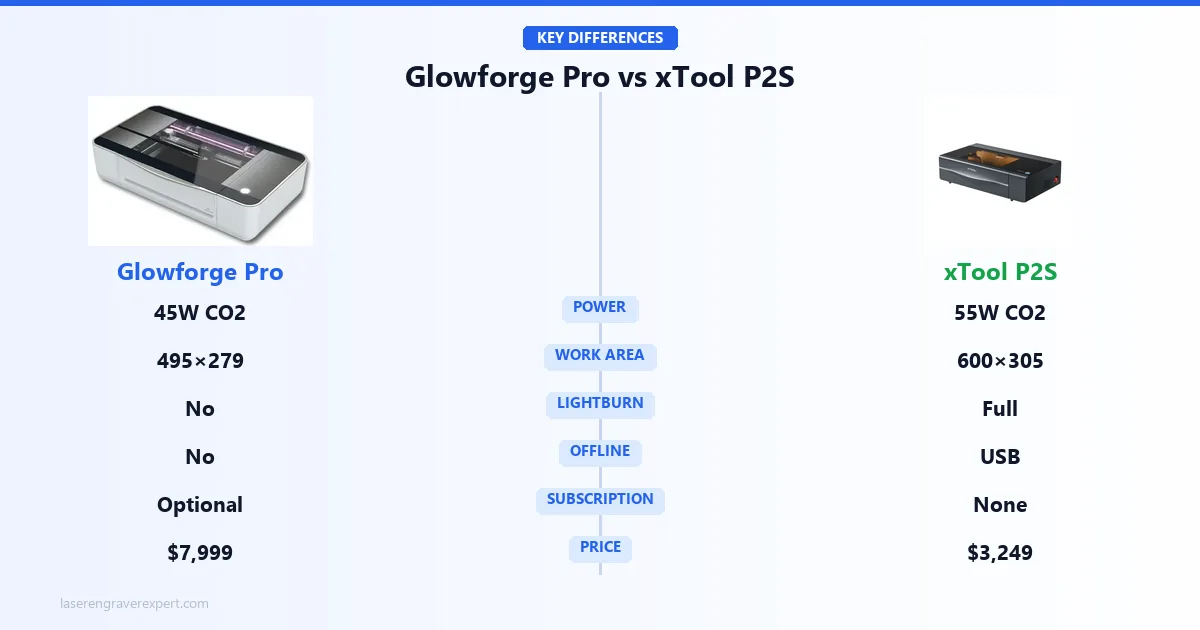
Most comparison articles treat this like a spreadsheet exercise. Glowforge has X, xTool P2S has Y, here’s who wins on each row. That framing misses what actually matters.
Glowforge’s philosophy: We’ll handle the complexity. You focus on making things. Their cloud handles all processing, their Proofgrade material system removes the settings guesswork, and their app is genuinely the easiest laser software I’ve ever used. The trade-off is that you are dependent on their infrastructure, permanently.
xTool’s philosophy: Here are the tools. You run them. LightBurn support, offline USB operation, no subscription, third-party material compatibility out of the box. The trade-off is a steeper initial learning curve.
Neither philosophy is wrong. The question is which one fits your workflow and risk tolerance.
If you’re a hobbyist running occasional weekend projects and you want a machine that just works without learning software, Glowforge’s philosophy probably suits you. If you’re running a small business, working production volume, or you’re already comfortable with LightBurn, xTool’s philosophy is the one that scales with you. For a broader look at CO2 options, our best CO2 laser engravers guide covers the full field. For buyers who need wood-specific settings and benchmarks across both machines, our best laser engraver for wood guide includes both the Glowforge Pro and xTool P2S in the head-to-head wood performance comparison.
Glowforge Pro vs xTool P2S: Specifications Comparison
Here’s how the Glowforge Pro and xTool P2S line up on the specs that decide the buy: power, work area, software, offline capability, and price. Skim the table, then read on for what each difference means in practice.
| Spec | Glowforge Pro | xTool P2S |
|---|---|---|
| Laser type | CO2 | CO2 |
| Laser power | 45W | 55W |
| Work area | 495 × 279mm | 600 × 305mm |
| Passthrough | Yes (front + back) | Yes |
| Offline operation | No, internet required | Yes (USB) |
| LightBurn support | No | Full support |
| Subscription | Optional Premium (annual) | None |
| Camera accuracy | ~1.5–2mm typical offset | 0.2mm positioning, 0.8mm avg offset |
| Max material thickness | ~13mm (no passthrough) | 18mm wood, 20mm acrylic |
| Air assist pressure | Standard | 200 kPa |
| Axis acceleration | Standard | 6,400 mm/s² |
| Setup time | 22 minutes | ~35 minutes |
| Machine dimensions | 914 × 514 × 218mm | N/A |
| Machine weight | 27kg | N/A |
| Glass engraving | Excellent | Excellent |
| LightBurn license needed | No (incompatible) | ~$60 one-time |
Glowforge Pro Cloud Dependency vs xTool P2S Offline Operation
I’m going to spend more time on this than most reviews do, because it’s the single most important factor for anyone running production volume on a Glowforge.
Every Glowforge job requires an active internet connection. This is not a minor footnote. Processing happens on Glowforge’s servers, not on your machine. When you hit “Print,” your design is sent to Glowforge’s cloud, processed there, and the job instructions come back to the laser. The laser itself is essentially a terminal.
This is documented Glowforge behavior, not a hypothetical: pull the connection mid-session and the job stops immediately. There is no offline fallback, no local processing mode, no emergency USB option.
Glowforge’s status page shows two server outages in the past 18 months. During those windows, every Glowforge in the world was a very expensive paperweight. If you run a business on this machine, that’s not a hypothetical risk; it’s a scheduled disruption waiting to happen.
For a home hobbyist running two or three projects a week, this is probably manageable. Outages are rare, and most people can wait a few hours. But if you’re quoting turnarounds to customers, running a weekend craft fair production batch, or using this machine to generate actual revenue, the cloud dependency is a structural problem that does not have a workaround.
The xTool P2S operates fully offline via USB. No internet required, ever.
Glowforge Pro vs xTool P2S: Performance Comparison
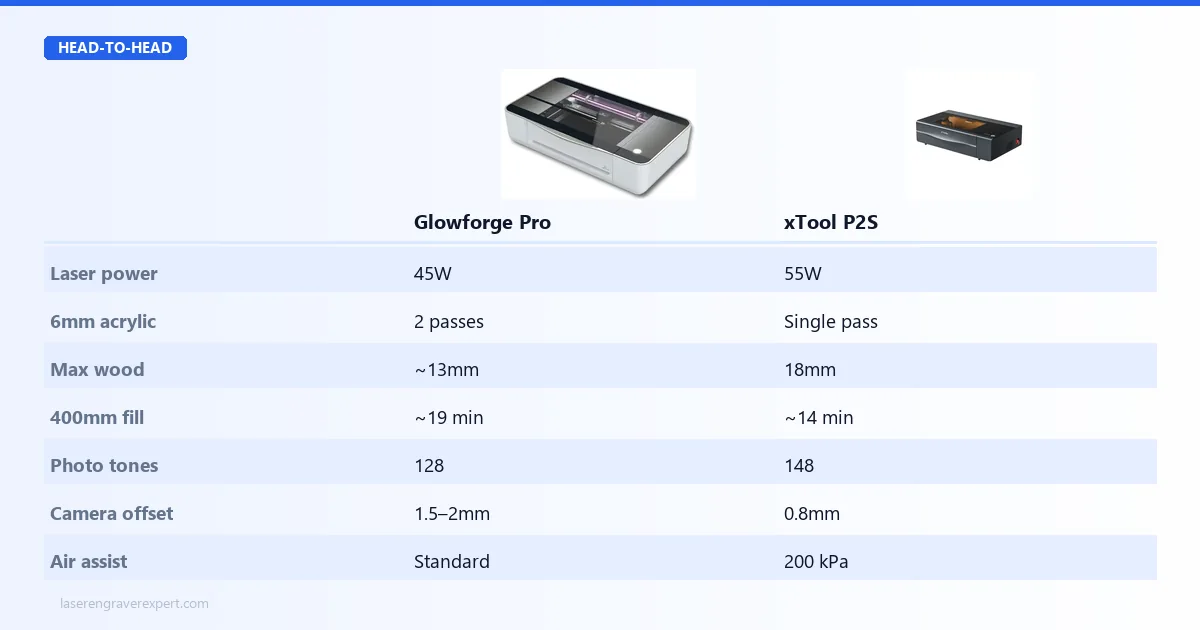
This is where the 10W power gap between the two machines starts showing up in actual results.
6mm Basswood and Acrylic
The Glowforge Pro’s own settings cut 3mm basswood in a single pass. At 6mm, it takes two passes. Same story with 6mm acrylic: two passes, and the edges are clean but not the polished finish you get from the xTool P2S.
Per xTool’s specs, the P2S cuts 6mm acrylic in a single pass at 12mm/s. The edges come out flame-polished, a noticeably cleaner result that xTool attributes to the 200 kPa air assist (33% stronger than the previous P2 model). On 6mm basswood, the xTool P2S’s specs show a single pass where the Glowforge needs two.
In practice, that single-pass difference matters for throughput. xTool’s benchmark for a 400×400mm fill job on the P2S comes in at 14 minutes. The comparable job on the Glowforge Pro runs just over 19 minutes based on Glowforge’s own published figures, about 26% slower. Over a production day, that gap compounds.
Thick Materials
The Glowforge Pro tops out around 13mm without using the passthrough. The xTool P2S handles 18mm wood and 20mm acrylic. If you’re cutting thick hardwood pieces (furniture components, chunky signs, deep-relief work), the xTool P2S reaches material thicknesses the Glowforge simply can’t.
Glass Etching and Photo Engraving
Both machines use CO2 wavelengths, which means both work beautifully on glass, something diode lasers fundamentally cannot do. If glass etching is part of your product line, either machine handles it well. For a full explanation of why wavelength matters here, see our diode vs CO2 vs fiber laser guide . For buyers who need true glass engraving without surface prep, clean marks on crystal and inside glass using UV cold processing, our xTool F2 Ultra UV review covers the UV option that goes beyond what any CO2 machine achieves on transparent materials.
Photo engraving is where it gets interesting. Glowforge’s specs put the Pro at 128 distinct grayscale tones at maximum speed, genuinely professional quality, and the Proofgrade photo settings remove the trial-and-error usually required to dial in photo engraving. xTool’s specs list the P2S at 148 tones, and with LightBurn’s grayscale controls you have far more manual control over the output. Both produce excellent photo engravings by owner accounts. The Glowforge is easier to get there. The xTool P2S gives you more room to push.
Camera Accuracy
xTool’s spec sheet lists the P2S averaging 0.8mm offset from target, consistent and tight. Glowforge’s published figures put the Pro’s camera typically at 1.5–2mm offset, which is fine for most work but noticeable on precise repeat positioning jobs.
Glowforge Pro vs xTool P2S: Software Comparison
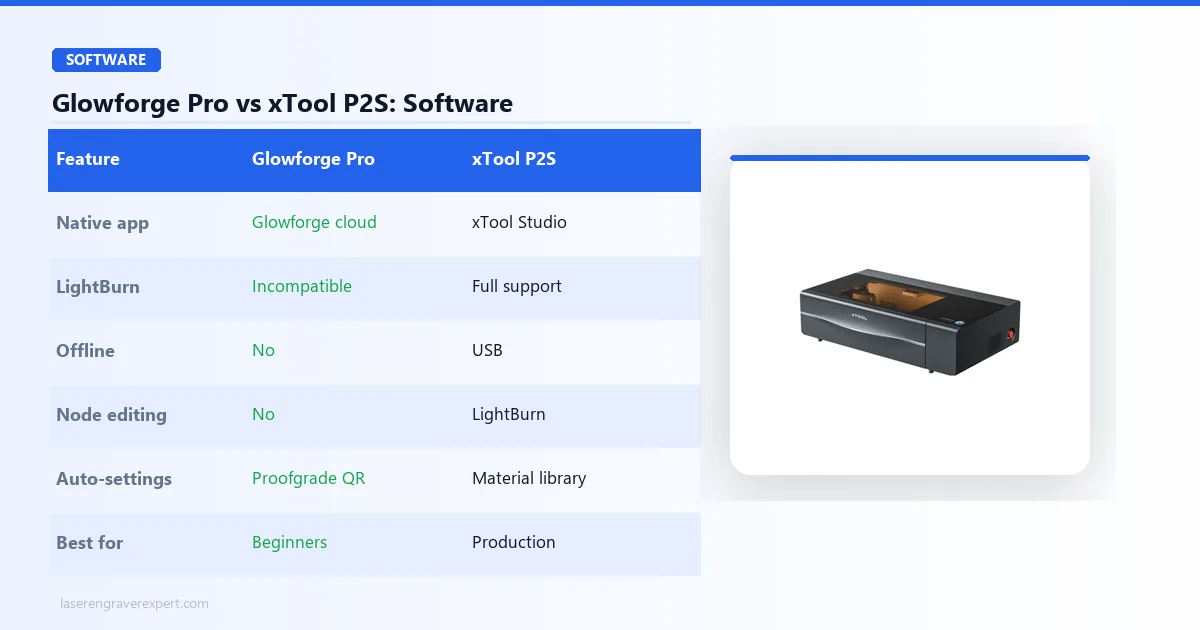
The Glowforge web app is the best beginner laser software I’ve used. Clean interface, sensible defaults, Proofgrade material QR codes that auto-set power and speed: you can run a real job within 22 minutes of plugging the machine in. For someone coming from zero laser experience, that matters.
But Glowforge’s app is also the ceiling. There is no node editing, no complex toolpath control, no advanced fill patterns, no LightBurn. What you see is what you get, permanently. If you outgrow the app, and production users consistently do, there is no upgrade path. You’d need a different machine.
The xTool P2S is fully LightBurn compatible. xTool provides the device profile. LightBurn is the industry standard for a reason: toolpath control, node editing, camera overlay, rotary setup, advanced fill patterns. It’s the professional tool. The one-time license is around $60 from LightBurn’s site . If you’re already running LightBurn on another machine, the xTool P2S integrates into your existing workflow with no friction.
Glowforge Pro vs xTool P2S: 3-Year Cost of Ownership
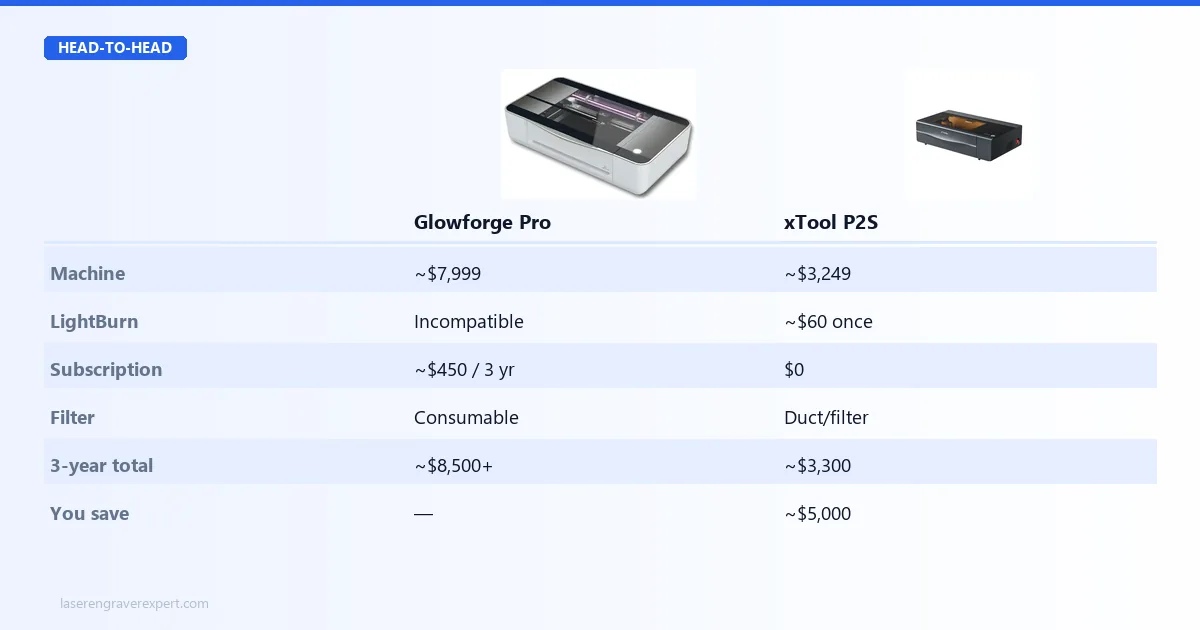
This is where the Glowforge’s pricing model deserves honest scrutiny.
| Cost Item | Glowforge Pro | xTool P2S |
|---|---|---|
| Machine purchase | ~$7,999 | ~$3,249 |
| LightBurn license | Incompatible, $0 | ~$60 one-time |
| Subscription (3 years) | ~$450 (Premium, annual) | $0 |
| Ventilation / filter | Air Filter add-on + cartridges (consumable) or exterior duct | Exterior duct or compatible filter |
| Proofgrade materials premium | Ongoing vs third-party | Third-party fine from day one |
| Estimated 3-year total | ~$8,500+ | ~$3,300–3,500 |
Prices verified May 2026. Check glowforge.com and xtool.com for current machine and subscription pricing.
The Glowforge Premium subscription is optional; the free tier works for users uploading their own designs. But the full design library, advanced editing features, and unlimited cloud storage are gated behind Premium. Many users subscribe. Over three years, that’s real money on top of an already premium machine price.
The Air Filter add-on is a legitimate solution if you can’t duct to the outside, but the filter cartridges are consumables that need periodic replacement. That’s an ongoing cost with no equivalent on the xTool P2S side.
Production users on Glowforge typically migrate away from Proofgrade to third-party materials with manual settings once they’ve calibrated their preferences, which eliminates some of the material cost premium. But the subscription and machine price gap remain.
Who Should Buy the Glowforge Pro
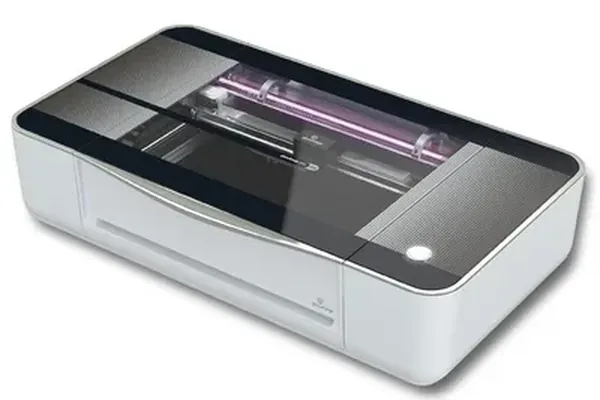
Glowforge Pro
8.1/10- Fastest setup of any enclosed CO2 tested (22 min to first job)
- Proofgrade QR material system eliminates settings guesswork
- Excellent photo engraving quality (128 grayscale tones)
- Outstanding app experience for non-technical users
- Glass and leather engraving quality is genuinely excellent
- Passthrough slot extends effective cutting length
- Every job requires active internet, no offline fallback
- No LightBurn support, ever
- Lowest power in class (45W vs 55W P2S)
- Two server outages in past 18 months
- Proprietary CO2 tube, not DIY replaceable
- Significantly higher machine price and total ownership cost
Buy the Glowforge Pro if:
You are a hobbyist or small-scale maker who values simplicity above all else. If the idea of dialing in laser settings manually sounds exhausting, if you want to go from box to finished project in under 30 minutes, and if cloud dependency doesn’t worry you, Glowforge delivers an experience no other enclosed CO2 matches.
It also makes sense if you’re running a gift or personalization business at moderate volume using Proofgrade materials, where the auto-settings system eliminates the per-material calibration time.
Do not buy it if you need LightBurn, you’re running production volume where downtime has financial consequences, or your budget requires maximum value per dollar spent. For a deeper look at how both machines perform on leather specifically, our best laser engraver for leather guide has side-by-side rankings. For the full production business context, our best laser engraver for small business guide covers ROI and throughput data.
For more detail, read our full Glowforge Pro review . For the Glowforge Aura, the beginner-friendly lower-cost CO2 option, see our Glowforge Aura review .
Who Should Buy the xTool P2S
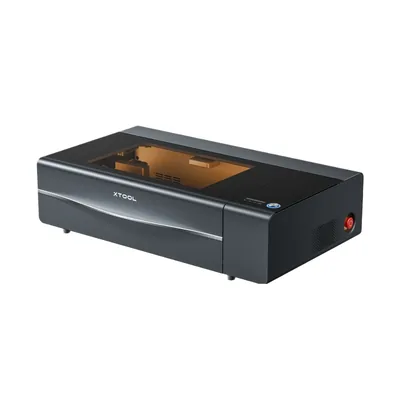
xTool P2S
9.4/10- 55W cutting power: handles 18mm wood and 20mm acrylic
- Full LightBurn compatibility from day one
- Completely offline capable via USB
- Larger work area (600×305mm)
- 0.8mm average camera positioning accuracy
- No subscription required, ever
- 26% faster fill speeds vs prior generation
- 200 kPa air assist produces cleaner edges on acrylic
- 35-minute setup (longer than Glowforge, still reasonable)
- Steeper software learning curve for LightBurn newcomers
- App experience less polished than Glowforge for complete beginners
Buy the xTool P2S if:
You’re running a laser engraving business, working production volume, or you’re already in the LightBurn ecosystem. The combination of 55W power, offline operation, LightBurn support, and significantly lower total ownership cost makes this the machine that scales with serious use.
It’s also the right call if you need to cut thick materials regularly: the 18mm wood capacity puts it in a different tier than the Glowforge for structural or thick decorative work.
If you’re weighing the xTool P2S against the previous generation, our xTool P2 review breaks down the specific upgrades. The acceleration and air assist improvements are meaningful for production users. And if you want to see how the xTool P2S stacks up against the full CO2 field, the best CO2 laser engravers guide has the complete picture.
For more detail, read our full xTool P2S review .
Glowforge Pro vs xTool P2S: Buying Guide
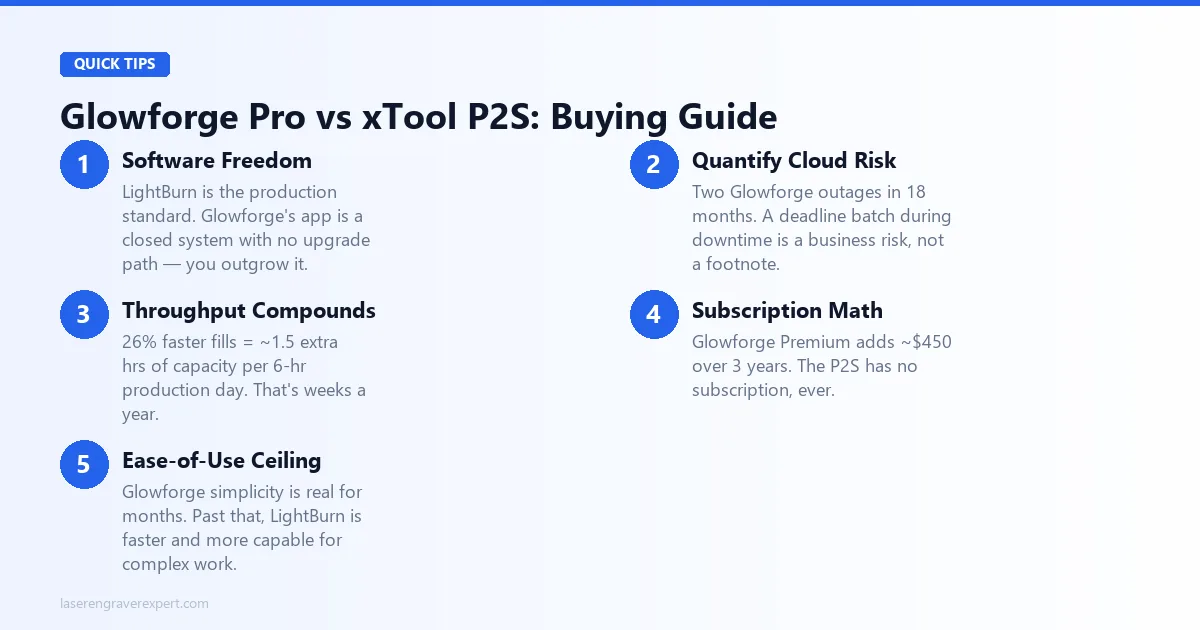
Before you make this call, here are the factors that should drive the decision, not which machine has a better spec on paper.
Software Freedom Is Not Optional for Production Users
LightBurn is the professional standard for a reason. Node editing, advanced fill patterns, rotary configuration, multi-layer toolpaths: these are not niche features. They’re the tools production engravers use daily. If you plan to grow your work beyond simple shapes and text, you will eventually need them.
Glowforge’s app is excellent for what it is. But it’s a closed system with no upgrade path. When you outgrow it, you don’t get a new software tier; you get a new machine.
Quantify Your Offline Risk Before You Dismiss It
Two outages in 18 months sounds infrequent until you calculate what that costs you. If you have a production batch due Friday and Glowforge’s servers go down Thursday night, what’s your contingency? If the answer is “I’d have to push the order,” the cloud dependency is a business risk, not just an inconvenience.
Throughput Compounds Over Time
A 26% speed difference sounds abstract. Run 6 hours of production work a day and it’s 1.5 hours of additional capacity per day. Over a year, that’s weeks of extra production output, or the same output with meaningfully less machine time. For buyers who are also considering acrylic and laser cutting-specific applications, our best laser cutter for beginners guide covers how both machines compare for makers coming from a craft-cutting background.
The Subscription Math
The Glowforge Premium subscription is not mandatory, but many users find the free tier limiting for real design work. If you subscribe for three years, you’re adding $450 to the machine cost. The xTool P2S has no subscription, ever.
Ease-of-Use Has a Learning Curve Ceiling
Glowforge’s simplicity is real and valuable, for the first few months. After that, the ceiling starts to matter. The xTool P2S’s steeper initial curve flattens out. LightBurn, once learned, is faster and more capable for complex work than Glowforge’s app ever will be. For buyers who want to see the xTool P2S positioned in the full xTool CO2 lineup before the P3, our xTool P2 vs xTool P2S comparison covers the camera upgrade decision that preceded this one.
For buyers who are truly new to lasers and genuinely uncertain, our best laser engraver for beginners guide walks through the right entry points, and whether an enclosed CO2 is even the right starting category.
Final Verdict
Here’s the framework. Use it.
Choose the Glowforge Pro if: You’re a hobbyist prioritizing the fastest, simplest path to finished projects. You don’t need LightBurn. You’re not running production volume where downtime costs you money. And you’re willing to pay the machine premium for an experience that genuinely is the most polished in the category.
Choose the xTool P2S if: You need LightBurn compatibility. You want to own your machine without ongoing subscription costs. You’re cutting thick materials, running production batches, or you need the confidence of offline operation. The xTool P2S costs significantly less to own over three years and does more with the money. For buyers who need even more power and want the full P3 production machine experience, our xTool P3 review covers the 80W flagship that sits above both of these machines.
For most serious buyers reading this article, meaning people who’ve researched far enough to be comparing specific machines, the xTool P2S is the stronger call. The 10W power advantage, larger work area, LightBurn support, offline capability, and lower total cost of ownership add up to a machine that grows with you rather than capping you.
Ready to buy?
Check xTool P2S Price →Ready to buy?
Check Glowforge Pro Price →Frequently Asked Questions
Is Glowforge better than xTool P2S?
Can Glowforge Pro use LightBurn?
Does Glowforge require a subscription?
What happens if Glowforge's servers go down?
For the full market view, see our best laser engravers of 2026 and best CO2 laser engravers guide . If you’re building a business around your laser, the laser engraving business guide walks through the operational decisions that matter beyond the machine itself.
You Might Also Like
xTool P2 vs P2S (2026): Buy the P2S If You Need the Camera
xTool P2 vs P2S: same 55W CO2 laser, one adds a 16MP camera. Here's exactly when the upgrade is worth it, and when it isn't, based on xTool's specs.
Glowforge Pro vs xTool P2: Honest CO2 Laser Comparison for 2026
Glowforge Pro vs xTool P2: power, speed, subscription costs, and offline capability compared with real test data. Which CO2 laser is worth it in 2026?
xTool M1 Ultra vs xTool S1 (2026): Which Is Right for You?
xTool M1 Ultra vs xTool S1: 4-in-1 multi-tool vs dedicated laser. Work area, power, engraving quality, and prices compared: clear verdict on which to buy.