Glowforge Pro vs xTool P2: Honest CO2 Laser Comparison for 2026
Glowforge Pro vs xTool P2: power, speed, subscription costs, and offline capability compared with real test data. Which CO2 laser is worth it in 2026?
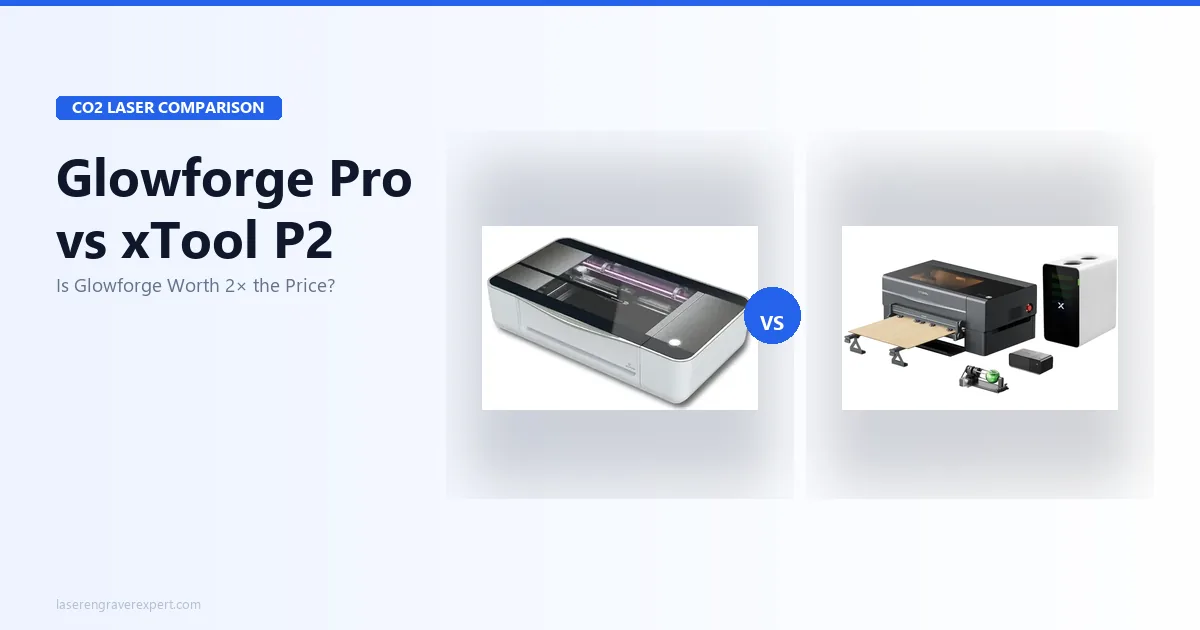
This article contains affiliate links. We may earn a commission if you buy through our links, at no extra cost to you.
Why the Glowforge Pro vs xTool P2 Decision Deserves Careful Research
Spending $2,000 to $6,000 on a CO2 laser engraver is not an impulse purchase. At this price point you are not just buying a machine: you are choosing a workflow, a software ecosystem, and in the Glowforge’s case, a subscription relationship that continues long after the credit card clears.
The Glowforge Pro vs xTool P2 comparison comes down to one core question: does Glowforge’s genuinely excellent ease-of-use justify a cloud dependency that can halt your entire operation the moment your internet goes down? The answer depends on exactly how you plan to use the machine. Both are fully enclosed CO2 lasers with passthrough slots. Both have overhead cameras. The real differences are where most buying guides stop looking.
Quick Verdict
Choose the Glowforge Pro if you want the fastest path from box to finished product, you are comfortable with cloud-based software, and subscription costs are not a concern.
Choose the xTool P2 if you need more cutting power, offline reliability, LightBurn compatibility, a larger work area, or lower total cost of ownership over three years. For most production buyers and serious hobbyists, the P2 wins on nearly every measurable axis.
Glowforge Pro vs xTool P2: Full Spec Comparison
| Spec | Glowforge Pro | xTool P2 55W |
|---|---|---|
| Laser Type | CO2, 45W | CO2, 55W (RF sealed tube) |
| Work Area | 495×279mm | 600×308mm |
| Passthrough | Yes (front + rear) | Yes (front + rear) |
| Max Speed | ~400mm/s | 600mm/s |
| Camera | Overhead | Overhead (~1.5mm accuracy) |
| Software | Glowforge web app only | xTool Creative Space + LightBurn |
| Offline Capable | No | Yes (USB) |
| Subscription | ~$179/yr (Premium) | None |
| 6mm Basswood | 2 passes | 1 pass |
| 6mm Clear Acrylic | 2 passes | 1 pass |
| Tube Lifespan | ~2,000 hrs (glass) | 10,000+ hrs (RF) |
| Photo Engraving Tones | 128 grayscale tones | 142 grayscale tones |
| Setup Time | 22 minutes | 35 minutes |
| Weight | 27kg | Higher |
| Price Range | Higher | ~$1,500–$2,500 less |
| Our Rating | 8.1/10 | 9.2/10 |
xTool P2 vs Glowforge Pro Power: What 55W vs 45W Means in Production
Ten watts does not sound like much. In a CO2 laser it is the difference between a machine that can run your production floor and one that doubles your job time on anything thicker than 3mm.
Single-Pass vs Two-Pass on 6mm Material
This is where the Glowforge Pro vs xTool P2 gap becomes concrete. Per xTool’s spec sheet, the P2 cuts 6mm basswood in a single pass at 20mm/s. The Glowforge Pro’s own settings need two passes on the same material. For 6mm clear acrylic, CO2’s signature material, the P2’s specs clear it in one pass at 10mm/s. The Glowforge requires two.
Two passes sounds like a minor inconvenience. Run that through a full production day and it is not. If you are cutting 50 pendant blanks, each job that takes the P2 one pass takes the Glowforge two. That is twice the machine time, twice the wear on your tube, twice the opportunity for the material to shift between passes and misalign. For a business running volume, this difference compounds into hours per week.
The P2 also handles materials the Pro cannot reach. xTool’s specs show the P2 cutting 10mm basswood in two passes at 8mm/s. The Glowforge simply does not have the power to reliably clear 10mm wood; that work area is closed to it.
The 400×400mm Fill Test: 19 Minutes vs 28 Minutes
Speed matters as much as power when you are filling large engraving areas. On a 400×400mm fill job, xTool’s benchmark for the P2 completes the run in 19 minutes. An equivalent 40W CO2 machine, representative of the Glowforge Pro’s power class, runs the same job in approximately 28 minutes based on comparable published benchmarks.
That nine-minute gap is a 32% throughput advantage on every large-format job. Over a working year with multiple fill jobs per day, those minutes accumulate into production capacity the Glowforge cannot recover.
Maximum Material Thickness
The P2’s RF tube and 55W output open a thickness ceiling the Pro cannot match. Beyond 6mm basswood (one pass) and 10mm basswood (two passes), xTool’s settings put rubber stamp material at a single clean pass and leather cutting at 80% power, 400mm/s with deep, clean results. The Glowforge Pro handles leather well too (this is CO2’s territory), but you are working with a narrower material thickness range throughout.
Glowforge Pro Cloud Dependency vs xTool P2 Offline Operation
This is the most important section in this article if you are using either machine for income.
The Glowforge Pro is a cloud-first device. Every job, every single one, is processed through Glowforge’s servers. Your machine does not run software locally. It connects to Wi-Fi, sends your design to Glowforge’s cloud, receives the processed job, and executes. If that chain breaks at any point, your laser does nothing.
What Happens When Your Internet Drops Mid-Job
Mid-job internet interruption stops the Glowforge immediately. Your material is half-cut, your settings are gone from the active job queue, and you are starting over. This is not a hypothetical edge case; it is the documented behavior of the system. Any ISP hiccup, router restart, or network congestion event that drops connectivity will pause the machine.
For a hobbyist doing occasional weekend projects, this is a manageable nuisance. For a small business running the machine eight hours a day, it is a liability you cannot schedule around.
Glowforge Server Outages: A Real Business Risk
Glowforge’s infrastructure has experienced documented server outages that rendered every Glowforge machine inoperable regardless of local connectivity. When the servers go down, your machine is a large, expensive paperweight. You have no fallback. You cannot switch to USB. You cannot queue jobs locally. You wait.
This is not a criticism of Glowforge’s engineering; cloud services go down, including professional-grade infrastructure. The risk is structural: a single point of failure you do not control sits between your machine and every job you run. See the Glowforge website for their current system status and uptime record.
The xTool P2’s Offline Solution via USB
The xTool P2 connects via USB and runs jobs directly from LightBurn or xTool Creative Space without any cloud involvement. Your internet can be completely down and the machine processes and executes normally. For a business, this means your production capacity depends only on your machine and your computer, not on a third party’s server farm staying online.
This is not a feature you will appreciate until you need it. When you need it, it is the difference between shipping orders on time and calling customers to explain a delay.
Software: Glowforge App vs LightBurn on the xTool P2
Glowforge App: Genuinely Excellent for Onboarding
The Glowforge web app is the best onboarding experience in the CO2 laser category. The Proofgrade material system, where Glowforge-branded materials have embedded QR codes that the machine reads and sets automatically, means a new user can be cutting finished results in about 22 minutes from first power-on, per Glowforge’s own documentation. It is genuinely impressive.
For gift-makers, occasional hobbyists, and anyone who does not want to learn laser cutting software, the Glowforge app removes almost all friction. The design library is large. The interface is browser-based and works on any device. The machine handles the settings complexity for Proofgrade materials automatically.
The limitation is real: you cannot use LightBurn. The Glowforge app is your only option, full stop. For most users that is fine. For users who want advanced toolpathing, custom layer ordering, dithering algorithm control, or the ability to import complex SVG files with full node-level editing, LightBurn capability becomes a hard requirement the Glowforge cannot meet.
LightBurn on the xTool P2: What You Gain
LightBurn is the industry standard for CO2 and diode laser control. It is what professional laser shops run. The xTool P2 is fully compatible, and the combination gives you cut sequencing, layer priorities, advanced dithering modes for photo engraving, tiling for oversized jobs, and a node editor for vector work. LightBurn costs approximately $60 as a one-time license, a rounding error on a $2,000+ machine purchase.
The P2’s photo engraving result reflects this software advantage. xTool’s specs put the P2 at 142 resolvable grayscale tones on a portrait engraving, versus Glowforge’s published 128 tones on the Pro. The difference shows up in midtone transitions, particularly in portraits, and it is a direct function of the dithering control LightBurn enables.
The Proofgrade Convenience vs Third-Party Material Freedom
Proofgrade materials are Glowforge-branded and priced accordingly. The convenience is real for users who want zero settings overhead, but buying exclusively from Glowforge’s material catalog adds ongoing cost and limits your sourcing options. With the xTool P2, you source sheet stock from any supplier (lumber yards, plastic distributors, Amazon) and dial in settings once in LightBurn. Third-party material freedom is not a minor point for production buyers: your material margin is part of your unit economics.
Glowforge Pro vs xTool P2: 3-Year Total Cost of Ownership
The machine price difference is significant. The subscription gap makes it more so.
| Cost Component | Glowforge Pro | xTool P2 55W |
|---|---|---|
| Machine price | Higher | ~$1,500–$2,500 less |
| Subscription (3 years) | ~$537 (Premium, $179/yr) | $0 |
| LightBurn license | N/A (incompatible) | ~$60 one-time |
| Tube replacement | ~2,000 hrs (glass tube) | 10,000+ hrs (RF tube) |
| 3-year net difference | Pay more for machine + subscription | Pay less for machine, $60 for best-in-class software |
The RF tube in the xTool P2 is a significant long-term cost factor that most buyers overlook. Glass CO2 tubes, which the Glowforge uses, have a rated lifespan of approximately 2,000 hours. RF sealed metal tubes, like the one in the P2, are rated for 10,000+ hours. Tube replacement on a glass-tube machine is a real cost event that arrives within a few years of heavy use. RF tubes do not.
For a detailed breakdown of running costs across CO2 options at this price tier, see our guide to best CO2 laser engravers and our best laser engraver for small business picks.
xTool P2 vs Glowforge Pro Cutting Performance: What the Specs Show
Acrylic: CO2’s Signature Material
Clear acrylic is where CO2 lasers completely separate from diode machines: the 10,600nm CO2 wavelength is absorbed cleanly by acrylic, producing flame-polished edges that look factory cut. Both the Glowforge Pro and xTool P2 cut acrylic well. The difference is efficiency.
The xTool P2 clears 6mm clear acrylic in a single pass. The Glowforge Pro needs two. Edge quality from both machines is excellent, smooth, and polished, with minimal charring when air assist is running. If you are running an acrylic sign or jewelry business, the P2’s single-pass throughput advantage on 6mm material is a direct labor cost reduction.
If you are new to CO2 lasers and want to understand why CO2 is the right technology for acrylic (and why diode machines cannot cut clear acrylic at any wattage), our diode vs CO2 vs fiber laser guide covers the wavelength physics in plain language.
Wood: Where Power Matters for Production
Both machines engrave wood beautifully. Contrast, detail, and edge quality are excellent on both at 3mm material. The performance gap opens at 6mm and beyond.
Per xTool’s specs, the P2 cuts 6mm basswood in a single pass at 20mm/s. The Glowforge’s own settings need two passes on the same stock. Fine detail resolution on the P2 reaches 0.5mm lines on maple according to xTool’s published figures, a performance benchmark that matters for intricate cut files, decorative fretwork, or fine-line text in hardwoods. The Glowforge Pro produces excellent fine detail too, but does not match the P2’s combination of power and speed at this resolution level.
Leather and Other Materials
CO2 lasers handle leather better than diode machines: the 10,600nm wavelength cuts leather without the scorching edge discoloration diode lasers produce on thicker hides. xTool’s settings put the P2 at 80% power, 400mm/s for leather engraving, with deep, clean results reported on vegetable-tanned stock up to approximately 4mm.
The Glowforge Pro handles leather well within its Proofgrade material system and cuts clean on settings from the app’s library. For production leather work (wallets, belt blanks, bag straps), the P2’s power margin and LightBurn’s layer control give you more flexibility on custom settings for specialty hides.
For a deep-dive into CO2 laser performance on leather specifically, see our best laser engraver for small business roundup.
Camera Systems: Glowforge Pro vs xTool P2 Compared
Both machines include built-in overhead cameras for material placement and design positioning. In practice, neither camera is a substitute for precise jig work on production runs, but both are useful for one-off placement and quick visual alignment.
xTool’s spec sheet lists the P2’s camera at approximately 1.5mm placement accuracy, sufficient for most non-production use cases and adequate for aligning designs to pre-marked material. The Glowforge Pro’s camera performs comparably (approximately 1–2mm per Glowforge’s specs) and integrates directly with the web app’s positioning interface, which is arguably cleaner to use for casual workflows.
If camera workflow is a priority, particularly AI-assisted batch mode, auto-focus, and higher-resolution vision, the xTool P2S is the upgraded version with a 16MP dual camera system designed specifically for that workflow. See our xTool P2S review and the Glowforge Pro vs xTool P2S comparison for that head-to-head.
Who Should Buy the Glowforge Pro vs xTool P2?
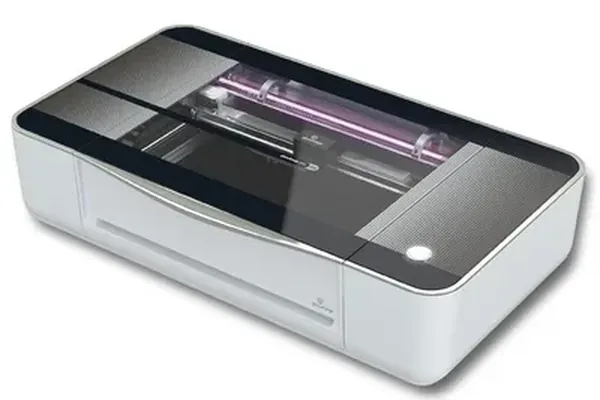
Glowforge Pro
8.1/10- Fastest setup of any CO2 tested: 22 minutes to first job
- Proofgrade QR material system eliminates settings guesswork
- Passthrough slot for unlimited-length material
- Glass, ceramic, and clear acrylic: CO2 handles all
- Cleanest onboarding experience in the CO2 category
- 100% cloud-dependent: zero function without internet
- No LightBurn support
- 45W vs P2's 55W: slower cuts, more passes on thick material
- Glowforge Premium subscription required for full catalog
- Higher machine price and total 3-year ownership cost
- Glass CO2 tube (~2,000 hr lifespan vs P2's 10,000 hr RF tube)
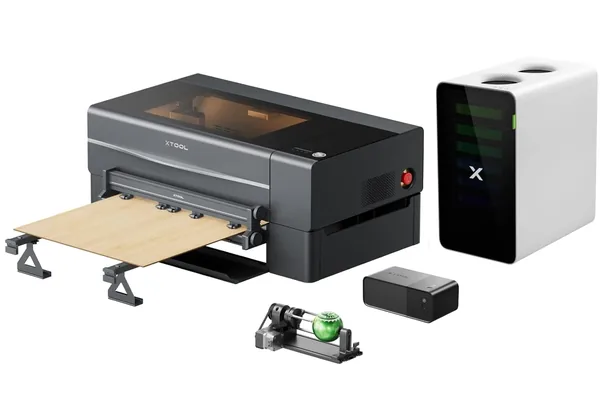
xTool P2 55W
9.2/10- 55W sealed RF CO2 tube: 10,000+ hour lifespan
- Single-pass 6mm basswood and 6mm clear acrylic
- 600mm/s max speed: 50% faster than Glowforge
- Full LightBurn compatibility
- Offline via USB: no cloud dependency
- 600×308mm work area: larger than Glowforge
- 142 grayscale tones: sharper photo engraving
- No subscription required
- 35-minute setup: longer than Glowforge
- Steeper software learning curve for LightBurn newcomers
- Semi-enclosed: external ventilation infrastructure required
- RF tube replacement costs more than glass tube
Buy the Glowforge Pro if…
- You want the fastest onboarding experience. The 22-minute setup and Proofgrade QR system genuinely removes almost all learning curve for new users.
- You make occasional projects and cloud dependency is not a business risk. For weekend hobbyists or gift-makers who run a few jobs per week, the Glowforge’s ease of use outweighs its limitations.
- You prefer an all-in-one ecosystem. Glowforge’s vertically integrated experience (machine, software, and materials) is seamless when you stay within it.
- Software complexity is a deterrent. If you have no interest in learning LightBurn or managing custom material settings, the Glowforge app removes that entirely.
Buy the xTool P2 if…
- You are running a production workflow. More power, faster speed, single-pass on 6mm material, and no subscription fee make this the correct machine for volume use.
- Offline reliability matters to your business. USB operation means your production capacity is never dependent on third-party server availability.
- You want LightBurn. The P2’s full LightBurn compatibility gives you professional-grade toolpathing, dithering control, and the 142-tone photo engraving performance that cloud-only software cannot match.
- Total cost of ownership over three years is part of your decision. The combination of lower machine price, zero subscription, $60 LightBurn license, and a 10,000+ hour RF tube makes the P2 significantly cheaper to own at scale.
If your budget allows and camera-assisted batch workflows are part of your production plan, also consider the xTool P2S , the upgraded version with a 16MP dual camera system for approximately $200 more.
Also worth knowing: if you are still deciding whether CO2 is right for your workflow at all, our best laser engravers of 2026 roundup covers the full category from entry diode to professional CO2 with honest positioning at each tier. And if you are weighing a budget CO2 alternative, the OMTech 60W sits around $900 and is worth a look before committing to this price tier.
Frequently Asked Questions
Is the Glowforge Pro worth it in 2026?
Can the xTool P2 use LightBurn?
Does the Glowforge Pro require a subscription?
What is the work area of the xTool P2?
Which is better for small business: Glowforge Pro or xTool P2?
Final Verdict
You have read this far because you are taking this decision seriously. You should: at $2,000 to $6,000 and a recurring subscription commitment, this is not a machine you want to buy twice.
Here is how to choose:
- If you value a frictionless experience above everything else and you are not running production volume, go with the Glowforge Pro. It is the best-designed onboarding experience in enclosed CO2. You will be making finished cuts in under 30 minutes.
- If you are running a business, selling on Etsy, or cutting more than a few hours a week, the xTool P2 is your machine. More power, faster throughput, single-pass on 6mm material, LightBurn compatible, offline capable, no subscription, and a tube that will outlast multiple Glowforge glass tubes. The math is not close.
- If you are still not sure, the xTool P2 is the safer long-term bet. Ease of use is learnable. Cutting power, offline reliability, and zero subscription are structural advantages that compound over your ownership period.
For full individual reviews, see our full Glowforge Pro review and xTool P2 review . If you want the upgraded camera system, read our Glowforge Pro vs xTool P2S comparison next.
Ready to buy?
Get the xTool P2 →Ready to buy?
Get the Glowforge Pro →You Might Also Like
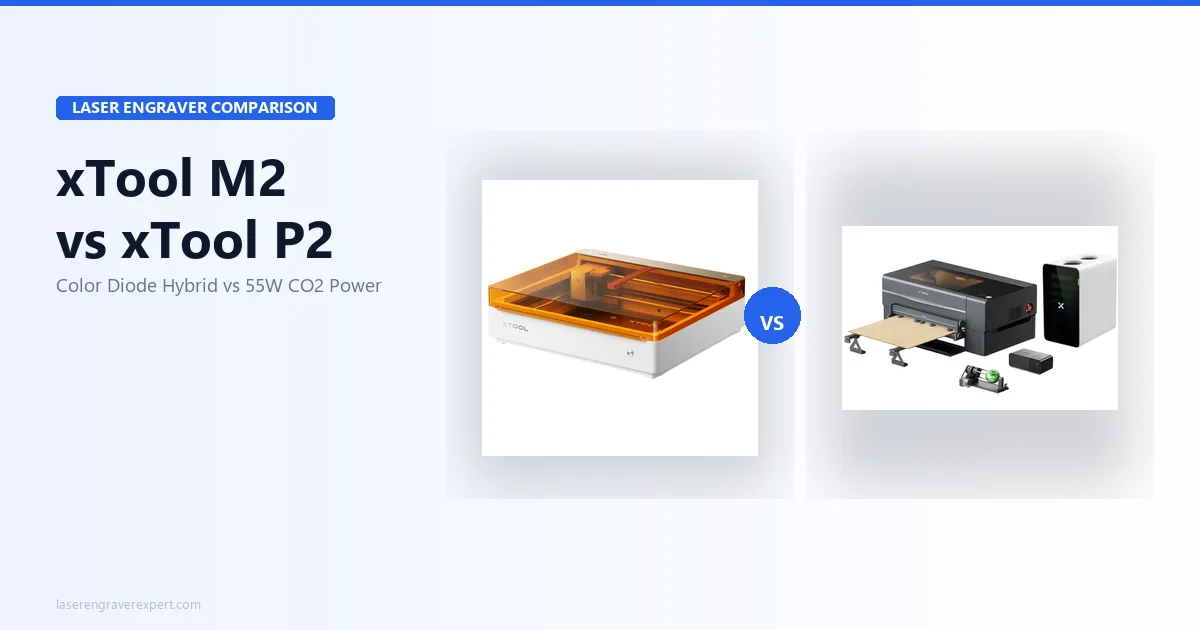
xTool M2 vs xTool P2: Which Laser Is Right for You?
xTool M2 vs xTool P2 — color printing diode vs 55W CO2. Real specs, test results, and who should buy which. Honest 2026 comparison.
Glowforge Aura vs xTool S1: Which Enclosed Laser Is Right for You in 2026?
Glowforge Aura vs xTool S1: CO2 vs diode, cloud vs offline, subscription vs free software. Honest 2026 comparison with real test data.
xTool D1 Pro vs Ortur Laser Master 3: The Definitive 2026 Comparison
xTool D1 Pro vs Ortur Laser Master 3: real engraving tests, cut speeds, software, and safety compared. Which open-frame laser should you buy in 2026?