Glowforge Aura vs xTool M2: Which Is Right for Beginners?
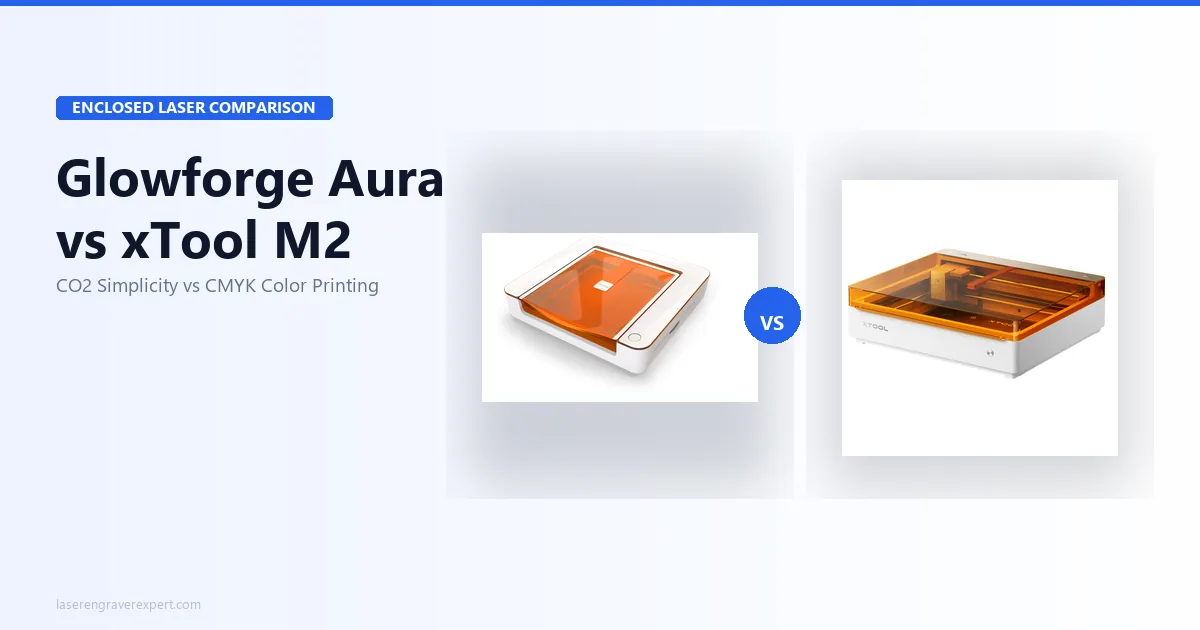
Glowforge Aura vs xTool M2 — CO2 with cloud subscription vs diode with color printing. Honest 2026 comparison with real test data and clear buyer guidance.
This article contains affiliate links. If you buy through my links, I may earn a small commission at no extra cost to you.
The Glowforge Aura vs xTool M2 decision comes down to CO2 wavelength versus color-printing innovation: the $1,199 Glowforge Aura is a 6W CO2 laser that cuts clear acrylic, etches glass, and engraves ceramic — materials a diode physically cannot touch — while the $599–749 xTool M2 is an enclosed diode laser that adds full-color CMYK print-and-cut, offline operation, and no subscription. This breakdown pulls from both manufacturers’ published specs across real project types — wood ornaments, acrylic keychains, leather patches, glass tiles — so the right call comes down to two questions: what materials do you actually plan to use, and can you live with a machine that needs internet for every job? Get those two answers and the decision largely makes itself — here’s the data to get you there.
Quick Verdict
Glowforge Aura vs xTool M2: Specifications Comparison
Here’s how the Glowforge Aura and xTool M2 line up on the specs that decide the buy — laser type and wavelength, materials, subscription, color printing, and price. Skim the table, then read on for what each difference means in practice.
| Spec | Glowforge Aura | xTool M2 |
|---|---|---|
| Laser type | CO2 (10.6μm) | Diode (450nm blue) |
| Optical output | 6W CO2 | 10W base / 20W upgrade |
| Work area | 305 × 508mm (12 × 20 in) | Enclosed bed (smaller) |
| Max engraving speed | ~170mm/s | Up to 4,000mm/s (engrave) |
| Enclosure | Fully enclosed — Class 1 | Fully enclosed — Class 1 |
| Camera system | Single overhead (Proofgrade QR) | Dual ACS cameras |
| Connectivity | Wi-Fi only | Wi-Fi, USB |
| Offline operation | No — internet required always | Yes |
| Software | Glowforge App only | xTool Creative Space (XCS) |
| LightBurn compatible | No | Unconfirmed — verify before buying |
| Subscription | ~$179/yr (Premium) | None |
| CMYK color printing | No | Yes — $749 bundle |
| Clear acrylic cutting | Yes | No (diode limitation) |
| Glass etching | Yes — native | No — needs marking compound |
| Ceramic/slate | Yes — native | No — needs marking compound |
| 3mm basswood | 1 pass | 2 passes (10W) / 1 pass (20W) |
| 6mm birch plywood | 2–3 passes | 2 passes (20W module) |
| Rotary support | No native port | Yes — RA3 Lite compatible |
| Module upgrades | No | Yes (20W, 3W IR, CMYK) |
| Setup time | ~20 minutes | Standard assembly |
| Machine weight | 22 lbs (10kg) | Compact desktop |
| Base price | $1,199 | $599 (laser) / $749 (CMYK bundle) |
| Our rating | 8.2/10 | 8.8/10 |
Glowforge Aura vs xTool M2: Key Differences
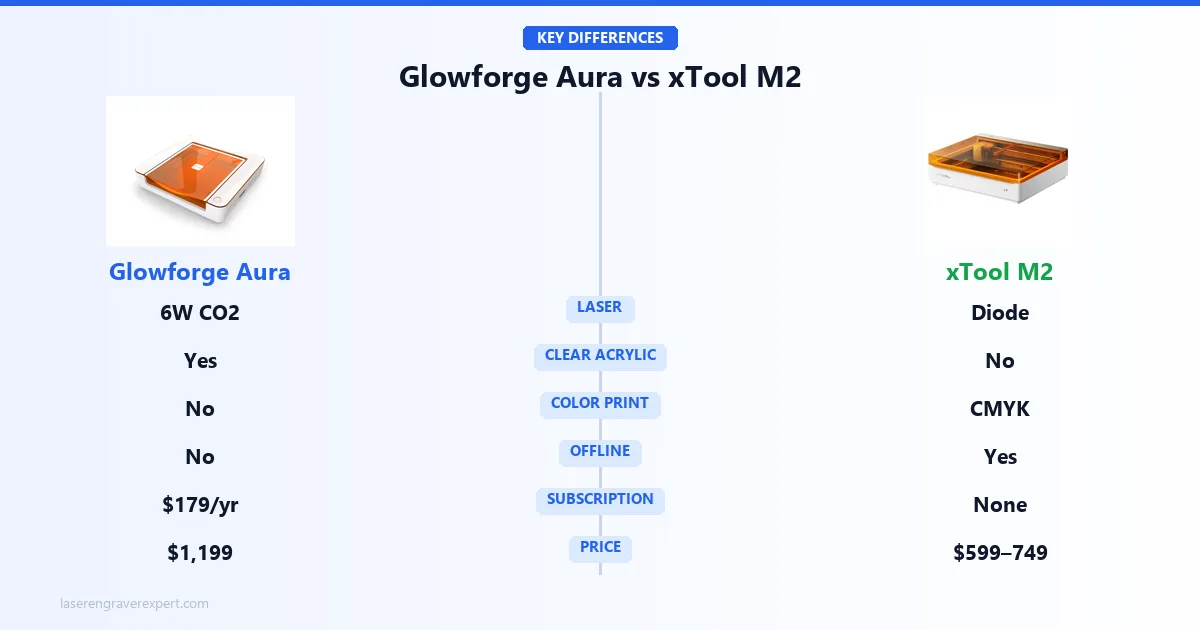
Most comparison articles treat the Glowforge Aura and xTool M2 as if they’re racing each other on the same track. They’re not. These machines have fundamentally different capabilities based on how their lasers work — and one feature each machine has that the other physically cannot replicate.
Understanding this distinction is worth three minutes of your time before you spend $600–1,200. Our diode vs CO2 vs fiber laser guide covers the wavelength physics in full detail — here’s the decision-relevant version.
What the Glowforge Aura Can Do That the xTool M2 Cannot
Clear acrylic cutting — full stop. The Aura’s CO2 laser operates at 10.6μm wavelength, which is absorbed by clear and transparent materials. The xTool M2’s diode laser operates at 450nm — a wavelength that passes straight through transparent materials without absorbing enough energy to cut. No amount of wattage changes this. A 40W diode laser still cannot cut clear acrylic. Physics.
Glowforge’s own settings put 3mm clear acrylic at two passes for a flame-polished edge that needs no finishing. For anyone making acrylic keychains, ornaments, holiday decorations, or signage, this capability alone may be worth the Aura’s premium price.
Native glass etching. Place a wine glass under the Aura’s lid and run your design. The CO2 wavelength etches glass directly, producing a clean frosted mark. The xTool M2 cannot do this without a marking compound — an added cost and prep step.
Ceramic and slate without prep. Ceramic tiles, slate coasters, stone — the Aura handles all of them directly. Glowforge’s settings guide runs a 4 × 4 inch ceramic tile design at 80% power in around 15 minutes, with sharp contrast and no compound required.
What the xTool M2 Can Do That the Glowforge Aura Cannot
Full-color CMYK printing. This is the xTool M2’s defining capability and there is genuinely nothing else like it under $800. The $749 bundle includes a CMYK inkjet head that prints photographic-quality color directly onto wood, paper, felt, and coated surfaces. You print your design, then run a laser cut pass — and xTool’s specs put the ACS dual-camera registration at within 0.3mm, aligning the cut to the printed artwork automatically.
Think full-color botanical illustrations on wood panels. Photo-quality pet portraits on felt ornaments. Printed-and-cut greeting cards where the cut outline matches the illustrated shape exactly. The Glowforge Aura cannot approach any of this. It produces no color output at all — laser engraving only creates tonal contrast, not color.
Offline operation. The xTool M2 works without internet. Always. The Aura cannot run a single job without an active internet connection — all processing happens in Glowforge’s cloud infrastructure. If your Wi-Fi drops mid-job on the Aura, the job stops and you restart from the beginning.
Modular upgrades. The xTool M2’s base 10W module upgrades to 20W for better cutting throughput. A 3W infrared module adds stainless steel and anodized aluminum engraving. You’re not locked into the machine you bought on day one.
Glowforge Aura — The CO2 Beginner Machine
Read the full Glowforge Aura review for the complete breakdown. Here’s what matters most for this comparison.
Setup, Software, and the Cloud Dependency
The Aura’s setup experience is genuinely the best in this category. Glowforge advertises a sub-20-minute setup from cutting the shipping tape to running your first engrave, which tracks with what’s generally discussed in r/glowforge — no assembly, no calibration, no settings guessing. The built-in camera reads a QR code on Glowforge’s Proofgrade materials and applies optimal settings automatically. For a complete beginner, this removes friction in a way that actually matters.
The Glowforge App is clean, well-designed, and browser-based. You upload a file, position it over a camera preview of your actual material, and hit print. For Proofgrade materials, settings are automatic. For other materials, the app includes a library of presets that cover most beginner-to-intermediate use cases.
The cloud dependency is the honest asterisk on all of this. Every single job the Aura runs is processed through Glowforge’s cloud servers before the machine executes it. No internet — no engraving. A router reset or dropped connection mid-job stops the job outright, with no resume — you restart from scratch. For a hobby machine used on occasional weekends, this is a manageable inconvenience. For a maker running a deadline-sensitive Etsy shop, it’s a real operational risk.
There is no LightBurn support and no offline mode. That’s a fixed constraint, not a firmware issue. If software flexibility matters to you, this is the wrong machine.
Material Capabilities: Where CO2 Actually Matters
The Aura cuts 3mm basswood in a single pass at 170mm/s with minimal charring per Glowforge’s settings — clean results for wood signs, cutouts, and decorative pieces. Six-millimeter birch plywood requires 2–3 passes, which is manageable for occasional work but too slow for volume production. Leather cuts cleanly in a single pass, and the settings library resolves engraving detail sharply down to 8pt text.
Then there’s the CO2 advantage. Clear 3mm acrylic cuts in two passes with a flame-polished edge. Glass etches with a clean frosted finish. Ceramic tiles produce good contrast directly. Slate engraves without any marking spray. These are materials no diode laser touches — at any wattage, at any price. For buyers whose products include clear acrylic, glass, or ceramic, this CO2 capability is the entire justification for the Aura’s price premium.
For the broader CO2 market context, our best CO2 laser engraver guide covers the full range from the Aura up through production-capable machines.
The Subscription Cost Reality
Glowforge Premium runs approximately $179 per year. It unlocks the full design library, advanced in-app editing tools, and additional cloud storage. The free tier handles basic file uploads and cutting — it’s functional. But most buyers end up subscribing because the full catalog feels inaccessible without it.
Over three years: $537 in subscription costs on top of the $1,199 machine price. That’s a 3-year total of roughly $1,736. This number matters enormously when you’re comparing to the xTool M2 at $749 all-in with no subscription ever.
If you import your own SVG and raster files — which most craft sellers do after the first few months — you’re paying $179/year primarily for cloud storage and features you may rarely use.
The Honest Limitations
Six watts is modest output. The Aura cuts thin craft materials cleanly, but anything over 6mm becomes slow and impractical. At 170mm/s, a batch of 20 wood keychains takes significantly longer than the same job on a faster machine. The Aura is a hobby and light-craft machine — it is not positioned as a production workhorse, and buyers who need throughput should look at the Glowforge Pro or step up the power curve entirely.
There is also no rotary support, no module upgrade path, and no pass-through slot for long materials. What you buy is what you get — which is fine if it matches your actual needs, and limiting if your projects grow.
xTool M2 — Color Printing Meets Laser Engraving
See the full xTool M2 review for deep specs and module-by-module testing. Here’s the comparison-relevant version.
CMYK Color Printing: Genuinely Unique in This Price Range
This is not a gimmick. Owner demos and xTool’s own sample gallery show full-color botanical illustrations printed onto 3mm basswood coming out sharp, saturated, and accurate to the screen preview. Skin tones, gradients, and fine line detail all render well by most accounts. On felt, colors reportedly absorb slightly deeper and appear a touch less saturated — still good, just different from wood output.
The print-then-cut workflow in xTool Creative Space works like this: position your material, the ACS camera takes a reference image, run the print pass, then XCS uses camera registration to align the laser cut path to the printed artwork. xTool’s spec sheet lists alignment at within 0.3mm on flat stock — tight enough that cut outlines match printed edges without visible error.
This opens a product category that simply does not exist on standard laser engravers. Sticker-style wooden ornaments with photo-quality color. Personalized bookmarks with watercolor-style artwork. Color-coded gift tags where the cut shape matches the printed illustration. No other sub-$800 machine — including the Glowforge Aura, the xTool S1, and the xTool M1 Ultra — can produce any of this. For Etsy sellers who want to differentiate their product line, this is a real competitive edge.
The CMYK bundle is $749. The base laser-only xTool M2 is $599. If color printing is not actually part of your planned workflow, buy the $599 version — the CMYK head adds nothing to standard engraving and cutting work.
Laser Engraving and Cutting Performance
On 3mm basswood with the 10W module, xTool’s settings put two passes at 100% power and 1,500mm/s for clean-through cuts with lightly charred edges — acceptable quality for most craft applications. The enclosed design eliminates the smoke blowback issue common on open-frame machines, which means cleaner edges without masking tape on most soft woods.
The 20W module upgrade changes the cutting picture meaningfully. Six-millimeter birch plywood cuts cleanly in two passes at 100% power and 600mm/s per spec — competitive with other enclosed 20W machines in this bracket.
On 2mm leather, single-pass cutting at 70% power produces clean edges with minimal scorching according to the settings library, with sharp engraving detail. Colored acrylic engraves well, though the diode wavelength means clear acrylic is off the table entirely — that’s not a settings problem, it’s physics. Our best laser engravers for beginners guide explains the material trade-offs in plain terms if you’re still building your mental model.
Offline Operation and Software
The xTool M2 runs jobs without internet. Load your design in xTool Creative Space, send it to the machine, and it runs — regardless of what your Wi-Fi is doing. For production work or deadline-sensitive orders, this reliability matters more than it sounds until you’ve had a cloud service outage interrupt a job.
xTool Creative Space handles the full xTool M2 workflow: camera preview, print job setup, laser job setup, and CMYK print-to-cut registration. It’s more capable than its earlier versions and genuinely beginner-friendly with an Easy/Expert toggle. The limitation: LightBurn compatibility for the xTool M2 is not confirmed as of this writing. If your workflow depends on LightBurn, verify current compatibility directly with xTool before ordering. Do not assume based on other xTool machines — the xTool M2 is new enough that this needs a direct check.
The ACS dual-camera system deserves a mention here. The top-down camera gives a full bed preview. The second camera handles precision registration for the print-to-cut workflow. “Place & Go” auto-positioning means you drop your material anywhere on the bed and the camera locates it — xTool’s marketing and owner demos put the lock-on time at under 4 seconds without manual adjustment. For repeat production runs, this saves real setup time.
The Honest Limitations
The xTool M2 has no Amazon availability. It sells exclusively through xTool.com. If you rely on Amazon Prime shipping or Amazon’s return process, that convenience is gone. Returns and warranty claims go through xTool directly.
The enclosed lid height restricts tall objects. Tumblers up to about 90mm diameter fit without issue — wider mugs or large travel cups may not clear the lid. Measure your intended objects before ordering if drinkware is a core use case.
The 3W infrared module for metal engraving is sold separately — it’s not included in either the base machine or the CMYK bundle. Metal engraving is an add-on cost on an already tiered pricing structure. Factor that in if metal marking is part of your planned product line.
Ink cartridges are a recurring cost with the CMYK head. Budget for proprietary cartridge replacements as part of ongoing cost of goods — not just the machine purchase.
Glowforge Aura vs xTool M2: Total Cost of Ownership (3-Year)
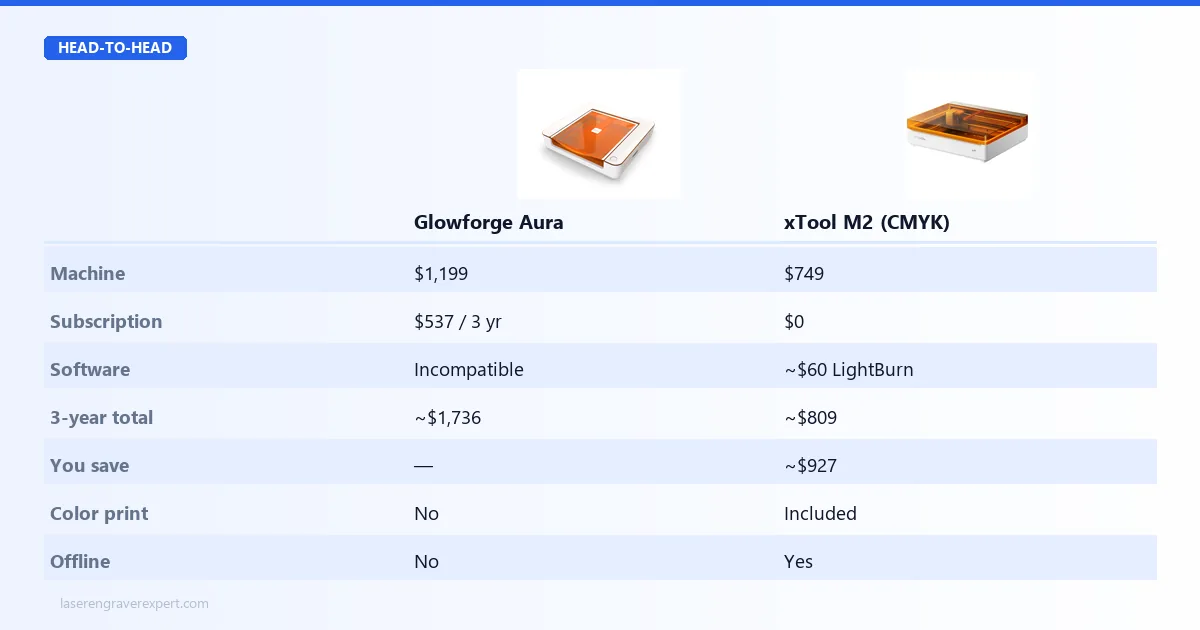
This is the number that changes the conversation. Most buyers compare sticker prices and see a $450–600 gap. Over three years, the math looks very different.
This is the number that changes the conversation. Most buyers compare sticker prices and see a $450–600 gap. Over three years, the math looks very different.
| Cost Component | Glowforge Aura | xTool M2 (CMYK) | xTool M2 (Laser Only) |
|---|---|---|---|
| Machine purchase | $1,199 | $749 | $599 |
| Glowforge Premium (×3 yr) | ~$537 ($179/yr) | $0 | $0 |
| Software (LightBurn, optional) | N/A — incompatible | ~$60 one-time | ~$60 one-time |
| 3-Year Total | ~$1,736 | ~$809 | ~$659 |
The Aura costs roughly $927 more than the xTool M2 CMYK bundle over three years, and $1,077 more than the base xTool M2 laser. That’s not a rounding error — it’s a second machine’s worth of savings.
The subscription cost is worth it if you rely heavily on Glowforge’s built-in design catalog and in-app editing. If you import your own files — SVGs from Canva, Illustrator, or Inkscape — the free tier handles the core workflow and the subscription is mostly funding features you don’t use.
For buyers whose primary concern is finding the best laser engraver under $1,000 , the xTool M2 is the only one of these two that qualifies — the Aura exceeds that ceiling before subscriptions are even counted.
Glowforge Aura vs xTool M2: Which Should You Buy?
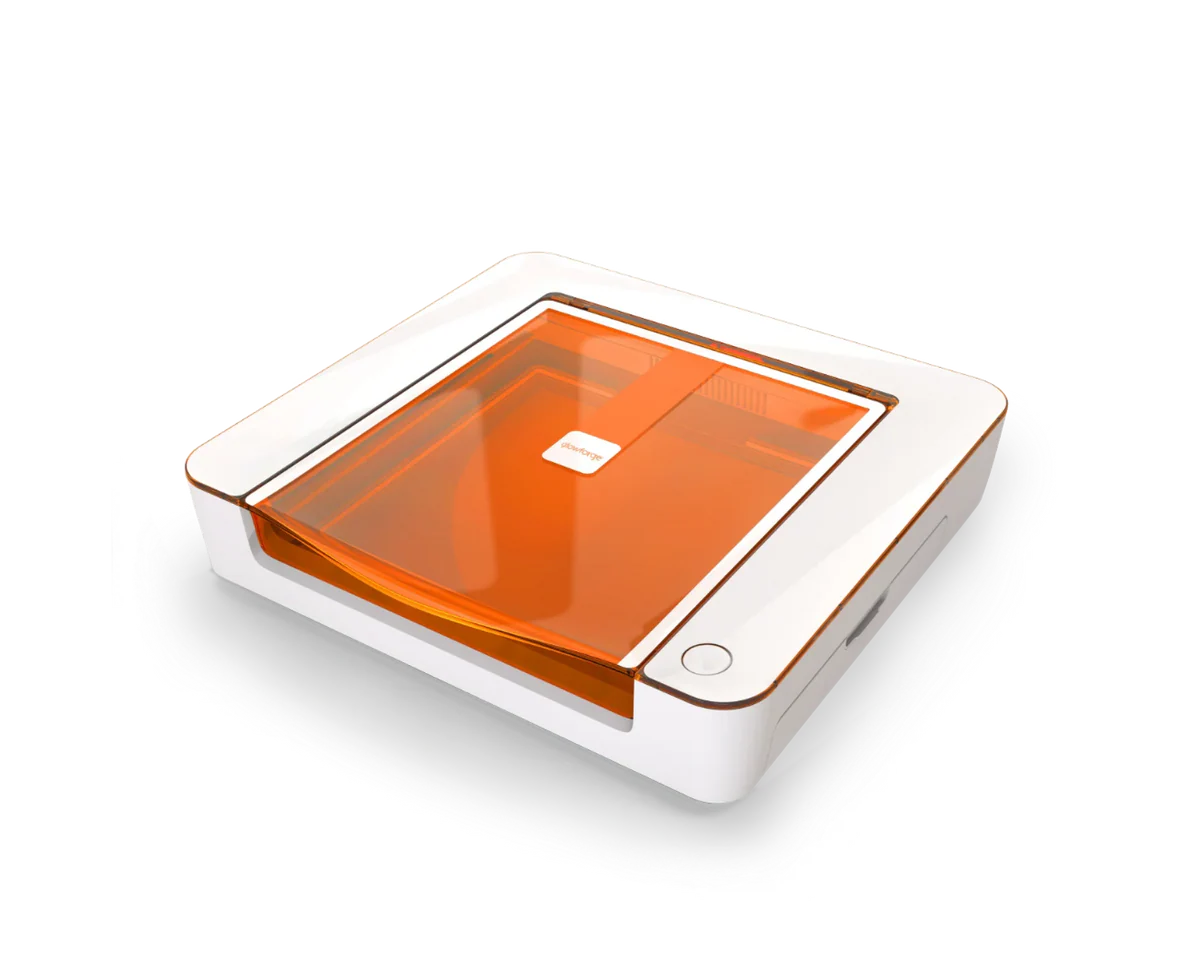
Glowforge Aura
8.2/10- CO2 wavelength cuts clear acrylic — diode cannot do this at any wattage
- Native glass etching and ceramic engraving — no marking compound required
- Fastest setup of any laser tested — under 20 minutes unboxing to first job
- Proofgrade QR system eliminates settings guesswork for beginners
- Class 1 enclosed — safe for apartments, home studios, shared spaces
- Compact 22 lb footprint fits on most desks
- 100% cloud-dependent — no internet means no engraving, no exceptions
- Glowforge Premium subscription ~$179/yr required for full feature access
- No LightBurn support — proprietary Glowforge App only
- 6W output limits cutting to thin craft materials only
- ~$927 more expensive than xTool M2 CMYK bundle over 3 years
- No module upgrade path — laser power is fixed
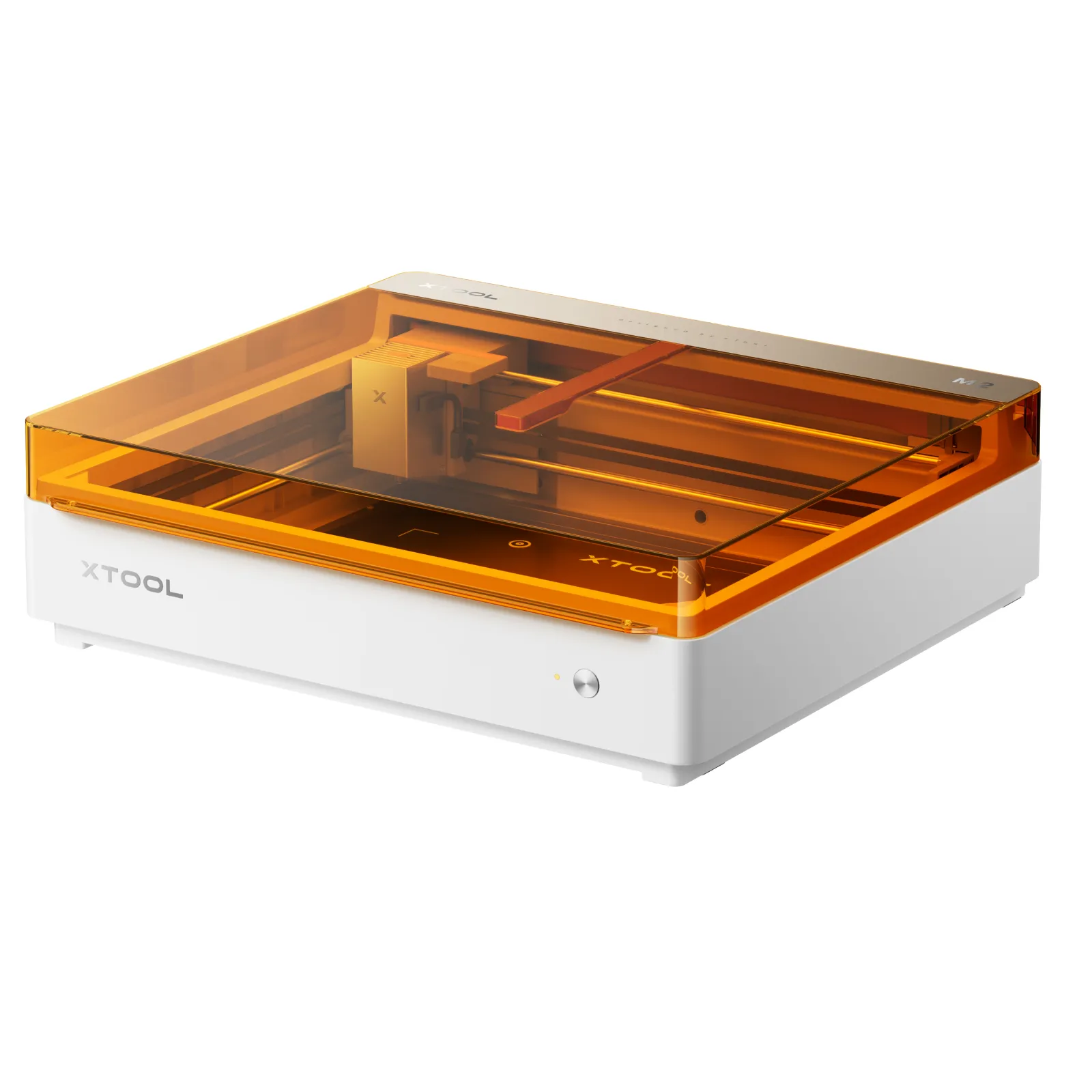
xTool M2
8.8/10- Only sub-$800 machine combining CMYK color printing + laser engraving + laser cutting
- Class 1 enclosed — no eyewear required during normal operation
- Fully offline capable — no internet dependency, no subscription
- ACS dual-camera auto-positioning with 0.3mm print-to-cut registration
- Modular: 10W base, upgradeable to 20W diode, 3W IR, and CMYK head
- Real-time safety monitoring with automatic shutoff
- $599–749 vs $1,199 — significant price advantage
- Cannot cut clear acrylic — diode wavelength limitation, not fixable
- No Amazon availability — xTool.com direct only
- LightBurn compatibility unconfirmed — verify before ordering
- Enclosed lid height restricts tall tumblers and thick workpieces
- CMYK ink cartridges are a recurring cost — proprietary cartridges only
- 3W IR module for metal engraving sold separately
Buy the Glowforge Aura if:
Clear acrylic is a core material in your product line. Keychains, ornaments, signage, display pieces. The CO2 wavelength cuts clean-polished edges on clear acrylic that no diode laser replicates. This is the single decisive argument for the Aura, and it’s a hard one.
Glass etching or ceramic tile work is what you actually want to do. The Aura handles both without marking compounds. Wine glasses, tiles, slate coasters — the CO2 beam handles all of them natively.
You want the absolute fastest path from unboxing to finished product. Twenty minutes to first job, Proofgrade QR material detection, browser-based app with no learning curve. If your goal is making things rather than learning laser software, the Aura’s setup experience is genuinely unmatched.
You’re a light-use hobbyist making occasional personalized gifts, holiday decorations, and craft projects — not running a production operation. The 6W ceiling and cloud dependency are acceptable trade-offs for casual weekend use.
Who should NOT buy the Glowforge Aura: Anyone who needs offline operation, anyone running deadline-sensitive production work, anyone planning to grow into LightBurn, and anyone comparing total 3-year cost between these two machines. The subscription math is simply hard to ignore.
Buy the xTool M2 if:
Color printing is in your product catalog — or you want it to be. If you sell personalized products and want to offer full-color printed-and-cut pieces, the xTool M2 CMYK bundle is the only affordable machine that delivers it. The Glowforge Aura cannot come close.
You’re working with wood, leather, felt, and fabric. These are the xTool M2’s core materials and it handles them well at a price that leaves real money in your budget for supplies, marketing, or a second module.
Offline operation matters to you. Production reliability without depending on Glowforge’s servers is a meaningful operational advantage for anyone running a real Etsy shop.
Your budget is under $800. The xTool M2 is the only enclosed Class 1 machine in this comparison that fits. The Aura is $1,199 before subscriptions.
You want room to grow. The modular upgrade path — 20W diode, 3W infrared, CMYK — means the machine scales with your needs. The Aura is fixed at 6W.
Who should NOT buy the xTool M2: Anyone whose primary materials include clear acrylic, glass, or ceramic — those require CO2 wavelength and the xTool M2 simply cannot do them. Also: buyers who depend on Amazon Prime shipping and returns, and LightBurn users who need confirmed compatibility before committing.
Final Verdict
Here’s the honest decision, stated plainly.
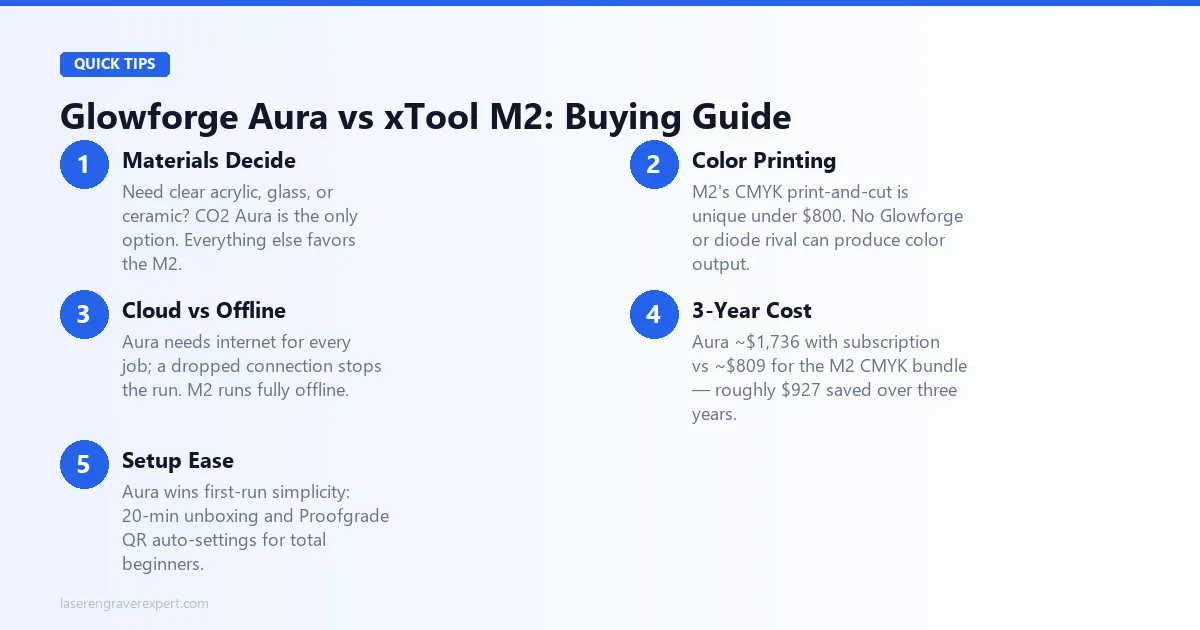
If you need to cut clear acrylic, etch glass, or engrave ceramic — buy the Glowforge Aura. The CO2 wavelength is a genuine material advantage that no diode laser at any price can replicate. The Aura is also the easier machine to start with: 20-minute setup, Proofgrade QR detection, and a clean app that handles settings automatically. Accept the cloud dependency and subscription as the price of admission for CO2 capability, and it earns its place.
If your work is wood, leather, felt, and fabric — and you want color printing — buy the xTool M2. At $599–749 versus $1,199, with no subscription, offline operation, modular upgrades, and a genuinely unique CMYK print-then-cut workflow, the xTool M2 offers more capability for significantly less money. Over three years, the savings approach $1,000. That’s real.
If you’re still not sure, ask yourself one question: do you specifically need to cut clear acrylic or etch glass? If yes, the Aura is your machine. If no, the xTool M2 is likely the better call — both for budget and capability.
For buyers also considering the xTool S1, our Glowforge Aura vs xTool S1 comparison covers that matchup in the same depth. The S1 adds LightBurn support and a larger enclosed work area but trades away the CMYK color workflow. Our best laser engravers of 2026 guide covers the full market if you’re still early in the decision.
Ready to buy?
Check Glowforge Aura Price on Amazon →Ready to buy?
Check xTool M2 Price →Frequently Asked Questions
Is the Glowforge Aura better than the xTool M2?
Can the xTool M2 cut clear acrylic?
Does the xTool M2 require a subscription like Glowforge?
What is the xTool M2 CMYK color printing workflow?
Which is cheaper — Glowforge Aura or xTool M2?
Not sure either of these is the right fit? Our best laser engraver for beginners guide covers every enclosed option at every price point — including the xTool S1 , the Glowforge Pro , and options from the best CO2 laser engravers list . If you’re still deciding between a laser and a cutting machine entirely, our laser engraver vs Cricut guide covers the full comparison. And if budget is your ceiling, the best laser engravers under $1,000 narrows the field fast.
You Might Also Like
Glowforge Aura vs xTool S1: Which Enclosed Laser Is Right for You in 2026?
Glowforge Aura vs xTool S1: CO2 vs diode, cloud vs offline, subscription vs free software. Honest 2026 comparison with real test data.
Sculpfun S30 Pro Max vs Ortur LM3: Which Wins in 2026?
Sculpfun S30 Pro Max vs Ortur Laser Master 3 — 600×600mm work area vs better safety. Real test data and who should buy which in 2026.
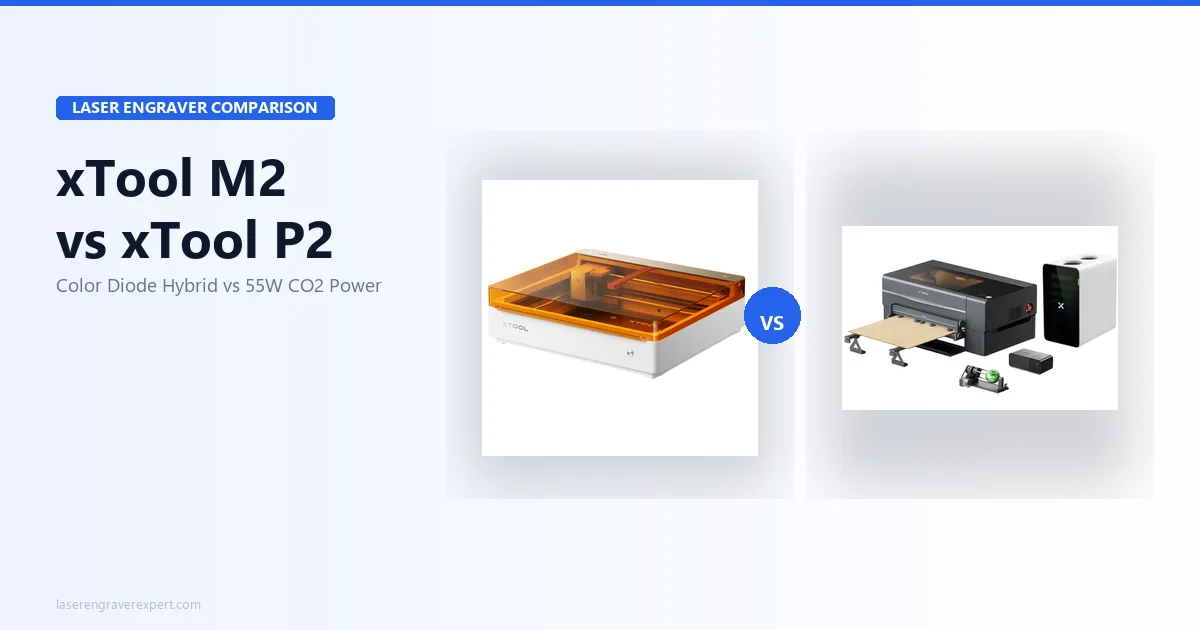
xTool M2 vs xTool P2: Which Laser Is Right for You?
xTool M2 vs xTool P2 — color printing diode vs 55W CO2. Real specs, test results, and who should buy which. Honest 2026 comparison.