This article contains affiliate links. If you purchase through our links, we may earn a commission at no extra cost to you.
If you’re trying to figure out which xTool laser engraver actually fits your project list, the lineup can feel overwhelming fast — ten current models spanning diode, CO2, fiber, and UV. There isn’t one “best xTool,” because xTool didn’t build one machine and call it done. They built four separate tool categories, each solving a different material problem.
This hub breaks down every current xTool laser engraver — D1 Pro, S1, S1 40W, M1 Ultra, M2, P2, P2S, P3, F1 Ultra, and F2 Ultra UV — and what each one is actually built to do. If you want the full cross-brand picture before narrowing in on xTool specifically, our complete laser engraver buying guide covers every major brand side by side.
Quick Comparison: xTool Lineup at a Glance
| Model | Type | Power | Work Area | Best For | Buy |
|---|---|---|---|---|---|
| xTool D1 Pro 20W | Open-frame diode | 20W | 430×390mm | Budget diode, expandable workspace | Check Price |
| xTool S1 20W | Enclosed diode | 20W | 498×330mm | Quiet, apartment-friendly enclosed diode | Check Price |
| xTool S1 40W | Enclosed diode | 40W | 498×319mm | Thicker-material throughput in an enclosure | Check Price |
| xTool M1 Ultra | Enclosed 4-in-1 (laser + inkjet + blade + pen) | 10W diode | 300×300mm | Multi-modality hobby machine | Check Price |
| xTool M2 | Enclosed modular diode | 10W/20W + optional 3W IR | 426×320mm | Color print-and-cut | Check Price |
| xTool P2 55W CO2 | Semi-enclosed CO2 | 55W | 600×305mm | Entry CO2 cutting power | Check Price |
| xTool P2S 55W CO2 | Semi-enclosed CO2 | 55W | 600×305mm | CO2 with camera/batch automation | Check Price |
| xTool P3 80W CO2 | Enclosed CO2 | 80W | 914×458mm | Largest-bed CO2, production throughput | Check Price |
| xTool F1 Ultra | Dual-source galvo (fiber + diode) | 20W fiber + 20W diode | 220×220mm | Metal marking without a dedicated fiber buy | Check Price |
| xTool F2 Ultra UV | UV galvo | 355nm UV | 200×200mm | Glass, crystal, heat-sensitive materials | Check Price |
Best xTool by Use Case
| If you need… | Go with | Why |
|---|---|---|
| A first machine for a shared or apartment space | xTool S1 20W | Fully enclosed, Class 1 certified, measured at 47dB — about 30% quieter than open-frame alternatives |
| The lowest-cost entry into diode engraving | xTool D1 Pro 20W | Open-frame, LightBurn compatible from day one, expandable work area with an add-on conveyor kit |
| Cutting clear acrylic or thick hardwood | xTool P2 55W CO2 | 55W sealed RF CO2 tube cuts material a diode physically can’t touch, with a passthrough slot for oversized stock |
| Production-volume CO2 cutting | xTool P3 80W CO2 | Largest bed in the lineup at 914×458mm and the highest CO2 wattage xTool offers |
| Camera-guided batch or irregular-blank work | xTool P2S 55W CO2 | 16MP dual camera and 2x X-axis acceleration over the base P2, built for repeat production jobs |
| Color print-and-cut in one machine | xTool M2 | The only xTool laser with CMYK registration — prints and engraves in the same job |
| Multiple craft modes (laser, inkjet, blade, pen) | xTool M1 Ultra | 4-in-1 enclosed machine, zero repositioning between modes |
| Metal marking without buying a dedicated fiber laser | xTool F1 Ultra | 20W fiber + 20W diode share one galvo head — switch sources instead of switching machines |
| Glass, crystal, or heat-sensitive materials | xTool F2 Ultra UV | The only UV wavelength in the lineup — cold processing marks glass and crystal with no masking |
| Thicker wood or leather at higher throughput, still enclosed | xTool S1 40W | Doubles the S1’s diode power while keeping the same enclosed, quiet build |
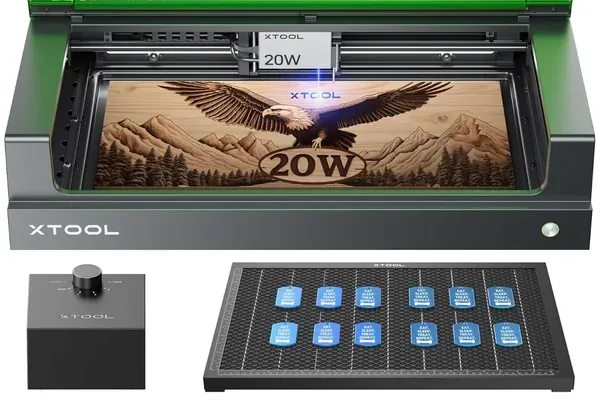
1. xTool S1 20W — Best Enclosed Diode for Shared Spaces
xTool S1 20W
9.0/10- Fully integrated enclosure, not a bolt-on add-on
- Class 1 safety certified — no eyewear needed during normal operation
- Overhead camera for material alignment
- 163 grayscale tones, matching the D1 Pro's output quality
- 330mm Y-axis is shorter than the D1 Pro's 390mm
- No passthrough slot for oversized material
The S1 runs the same 20W diode module as the D1 Pro, so engraving output is identical between the two. What the S1 adds is the enclosure — a fully integrated Class 1 design, not an add-on shell bolted onto an open frame. That distinction matters in a shared workspace: no beam exposure, no safety-glasses requirement for anyone walking past, and at a measured 47dB, it runs quietly enough to sit in a room while someone’s on a video call.
The overhead camera handles material alignment through the software instead of a tape measure, and the 330mm Y-axis, while shorter than the D1 Pro’s 390mm, is still enough bed for most engraving and light-cutting projects. There’s no passthrough slot here — if you regularly need to feed oversized stock through the machine, that’s a D1 Pro or conveyor-equipped setup instead.
Read the full xTool S1 review for the complete breakdown, or see exactly how it stacks up against its open-frame sibling in xTool S1 vs D1 Pro .
2. xTool P2 55W CO2 — Best Entry CO2 Cutting Power
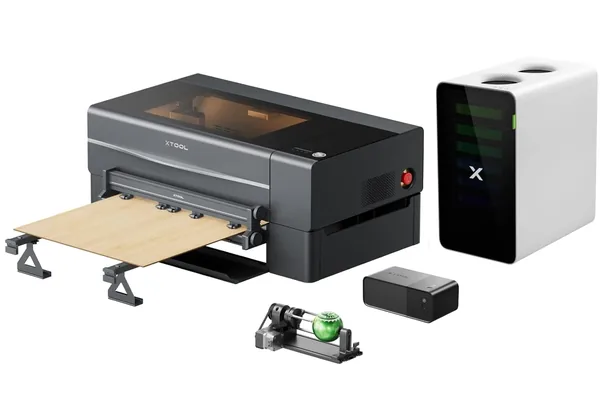
xTool P2 55W CO2 Laser
9.2/10- 55W sealed RF CO2 tube cuts material no diode can touch
- Camera positioning system handles material placement
- Passthrough slot for oversized stock
- LightBurn compatible
- 305mm Y-axis is a real bed constraint
- Passthrough requires manual re-registration
The P2 is where the xTool lineup crosses from diode into genuine CO2 cutting territory. A 55W sealed RF tube handles clear acrylic, thick wood, and rubber — none of which a diode laser can cut regardless of wattage, since diode wavelengths don’t absorb into clear materials the way CO2 does. The camera positioning system removes the guesswork from placing a design on an irregular blank, and the passthrough slot extends the effective cutting length past the 600×305mm bed when you need it.
The honest constraint is that 305mm Y-axis — it’s workable for most projects but a real planning factor if you’re cutting large panel work regularly. If camera-guided batch production matters more than saving on the upgrade cost, the P2S is the step up; see xTool P2 vs P2S for the direct breakdown.
Read the full xTool P2 review for the complete rundown.
3. xTool D1 Pro 20W — Best Budget Diode, Expandable Workspace
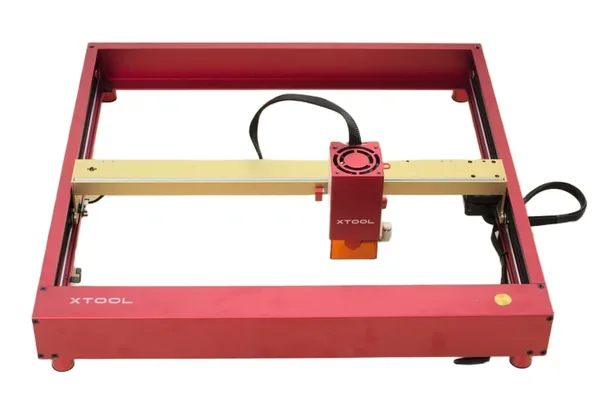
xTool D1 Pro 20W
9.1/10- 166 grayscale tones — the highest of any diode in the lineup
- Single-pass 3mm basswood cutting
- Flame and tilt detection safety sensors
- Work area expandable via add-on conveyor kit
- Enclosure sold separately
- Cannot cut clear acrylic
The D1 Pro is the open-frame counterpart to the S1, running the same 20W diode module at a lower price point. What it adds over the S1 is flexibility: a 430×390mm native bed that extends to 430×930mm with an add-on conveyor kit, useful for anyone batching long, narrow pieces like signs or nameplates. The 166 grayscale tone count is the best of any diode machine xTool sells, which shows up directly in photo-engraving detail.
The trade-off is the open frame — you’re responsible for safety glasses and a controlled workspace, and there’s no enclosure included at this price (xTool sells one separately if you want it later). It also can’t cut clear acrylic, a diode-wavelength limitation shared by every non-CO2 machine in this lineup.
Read the full xTool D1 Pro review for the complete breakdown, or compare it directly against other open-frame diode options in xTool D1 Pro vs Sculpfun S30 Pro Max .
4. xTool M2 Color Craft — Best for Color Print-and-Cut
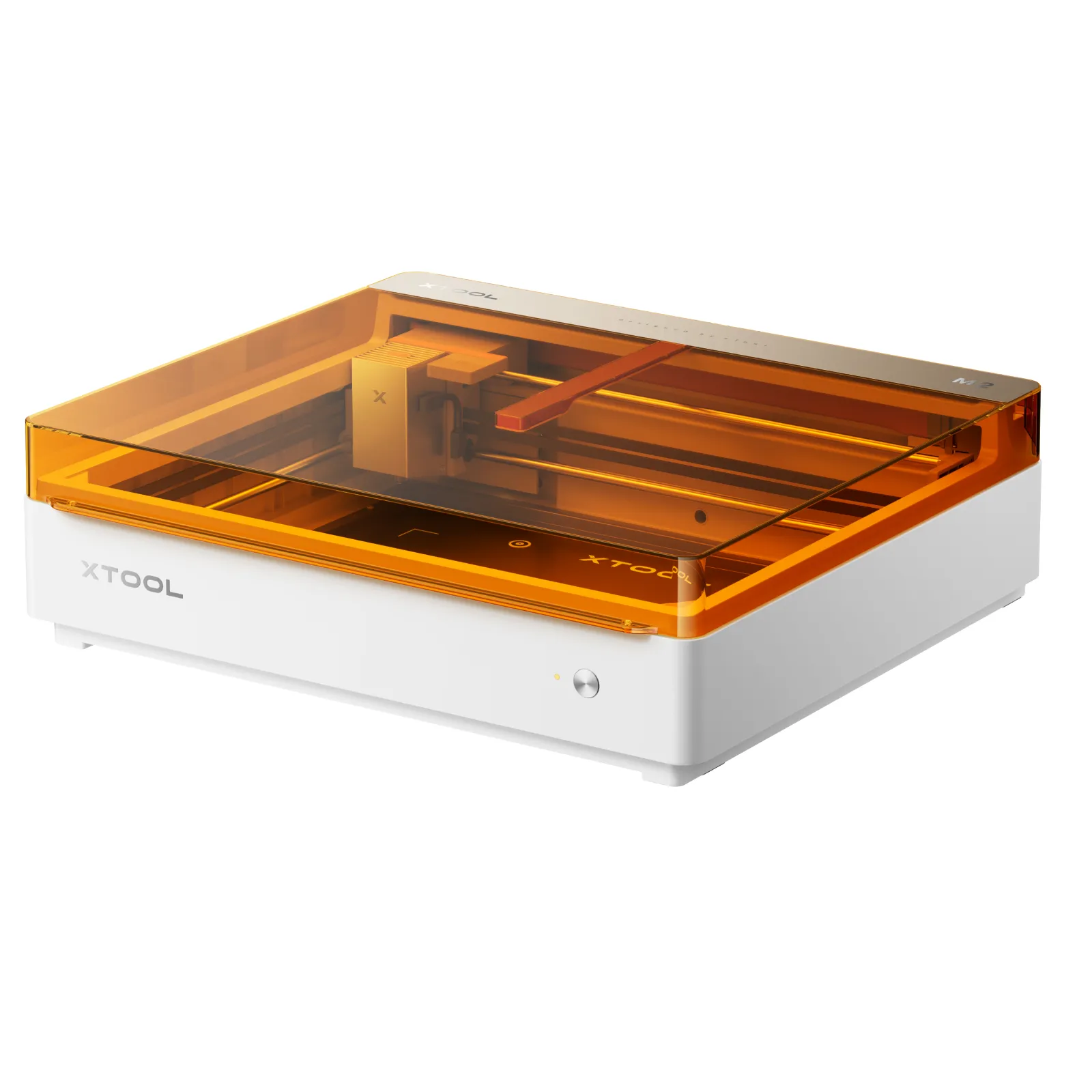
xTool M2 Color Craft Laser
8.8/10- Only sub-$800 machine combining CMYK color printing, laser engraving, and cutting
- Class 1 enclosed, no eyewear required
- 0.3mm print-to-cut registration via dual camera
- Modular: 10W base, 20W diode, optional 3W IR head
- CMYK bundle only worth the extra cost if color printing is actually in your workflow
- LightBurn compatibility unconfirmed
The M2 solves a problem none of xTool’s other machines touch: combining full-color CMYK printing with laser engraving and cutting in a single enclosed unit. The dual-camera system holds print-to-cut registration to 0.3mm, which is tight enough for layered color projects where misalignment would ruin the piece. The modular head system means you can start on the 10W base and step up to the 20W diode, or add the 3W IR module later for metal marking.
It’s priced to be an easy entry point — $599 for the base configuration — but that’s only a good deal if color printing is actually on your project list. If you just need cutting power, the P2’s CO2 tube does far more for roughly the same money once you factor in the CMYK bundle cost. LightBurn support also isn’t confirmed on this model, so XCS is the software you should plan around.
Read the full xTool M2 review for the complete breakdown, or see exactly where it beats — and loses to — the P2’s cutting power in xTool M2 vs P2 .
5. xTool F1 Ultra — Best Metal Marking Without a Dedicated Fiber Laser
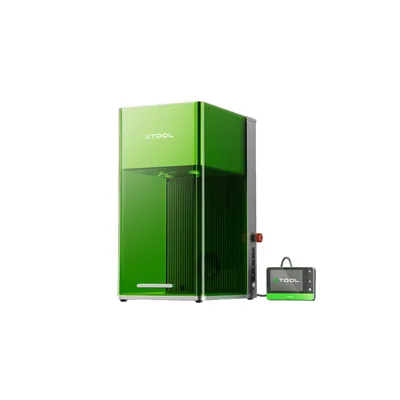
xTool F1 Ultra
8.4/10- Dual-source 20W fiber + 20W diode in one galvo system
- 10,000mm/s engraving speed, fastest desktop galvo in its class
- Both xTool Studio and LightBurn supported
- Eliminates the need for two separate machines
- 220×220mm work area, not built for large flat work
- 14.7kg desktop unit, not truly portable
The F1 Ultra’s whole pitch is the dual-source galvo head: a 20W fiber module for bare-metal marking sitting alongside a 20W diode module for standard engraving, switchable without swapping machines. For anyone whose project list spans both metal tumblers and wood or leather work, that’s the difference between owning one machine and owning two.
Speed is the other standout figure — 10,000mm/s puts it ahead of most desktop galvo systems, which matters directly for batch work like stainless steel tags or jewelry runs. The constraint is the compact 220×220mm bed; this isn’t a machine for large flat panels, it’s a precision tool for small, high-value items.
Read the full xTool F1 Ultra review for the complete breakdown, or see how it compares to its UV sibling in xTool F1 Ultra vs F2 Ultra .
6. xTool F2 Ultra UV — Best for Glass, Crystal & Heat-Sensitive Materials
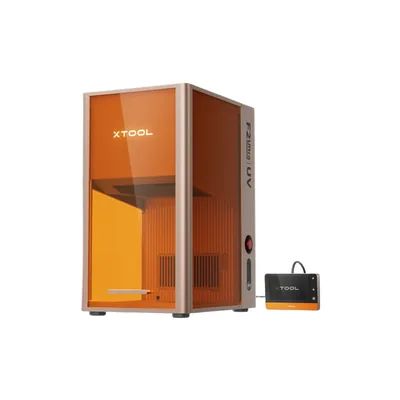
xTool F2 Ultra UV
9.2/10- The only UV wavelength machine in the xTool lineup
- Direct glass and crystal marking with no masking required
- Dual 48MP AI cameras, 0.2mm accuracy
- 3D subsurface crystal engraving
- Class 4 laser — UV-rated eyewear required
- 70×70mm inner engraving area is small
UV lasers work through a photochemical reaction instead of heat transfer, which is the entire reason the F2 Ultra UV can mark glass and crystal without cracking them and engrave heat-sensitive plastics without yellowing or melting the surface. No other machine in the xTool lineup can do this — it’s the sole UV-wavelength model, which makes it a one-machine answer for a very specific material category rather than a general-purpose engraver.
The trade-off is scale: the usable inner engraving area is just 70×70mm (the 200×200mm figure is the full surface area, not the clean engraving zone), so this is a precision tool for small, high-value pieces like crystal awards or glass ornaments, not a batch-production machine for large panels.
Read the full xTool F2 Ultra UV review for the complete breakdown, or see our best UV laser engraver roundup for how it stacks up against UV options from other brands.
7. xTool P2S 55W CO2 — Best CO2 for Camera-Guided Production
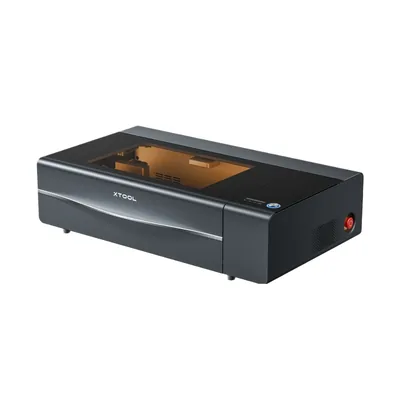
xTool P2S 55W CO2 Laser
9.4/10- 2x X-axis acceleration over the base P2
- 16MP dual camera with 0.3mm rated precision
- 200 kPa air assist for cleaner cuts
- 18mm wood and 20mm acrylic capacity
- Same 305mm Y-axis constraint as the P2
- Harder to justify the upgrade cost for light hobbyist use
The P2S runs the same 55W CO2 tube as the P2, so raw cutting capability doesn’t change — what you’re paying for is automation. The 16MP dual camera and 2x X-axis acceleration cut real time out of batch jobs and irregular-blank work, where re-registering material by hand on the base P2 becomes the bottleneck. The hydraulic auto-lock lid and upgraded air assist round out a machine built for repeat production rather than occasional hobby use.
If you’re running LightBurn exclusively and cutting predictable sheet stock, the camera advantage mostly disappears and the base P2 saves real money for the same cut quality — see xTool P2 vs P2S for the full comparison.
Read the full xTool P2S review for the complete breakdown.
8. xTool S1 40W — Best for Thicker Material, Still Enclosed
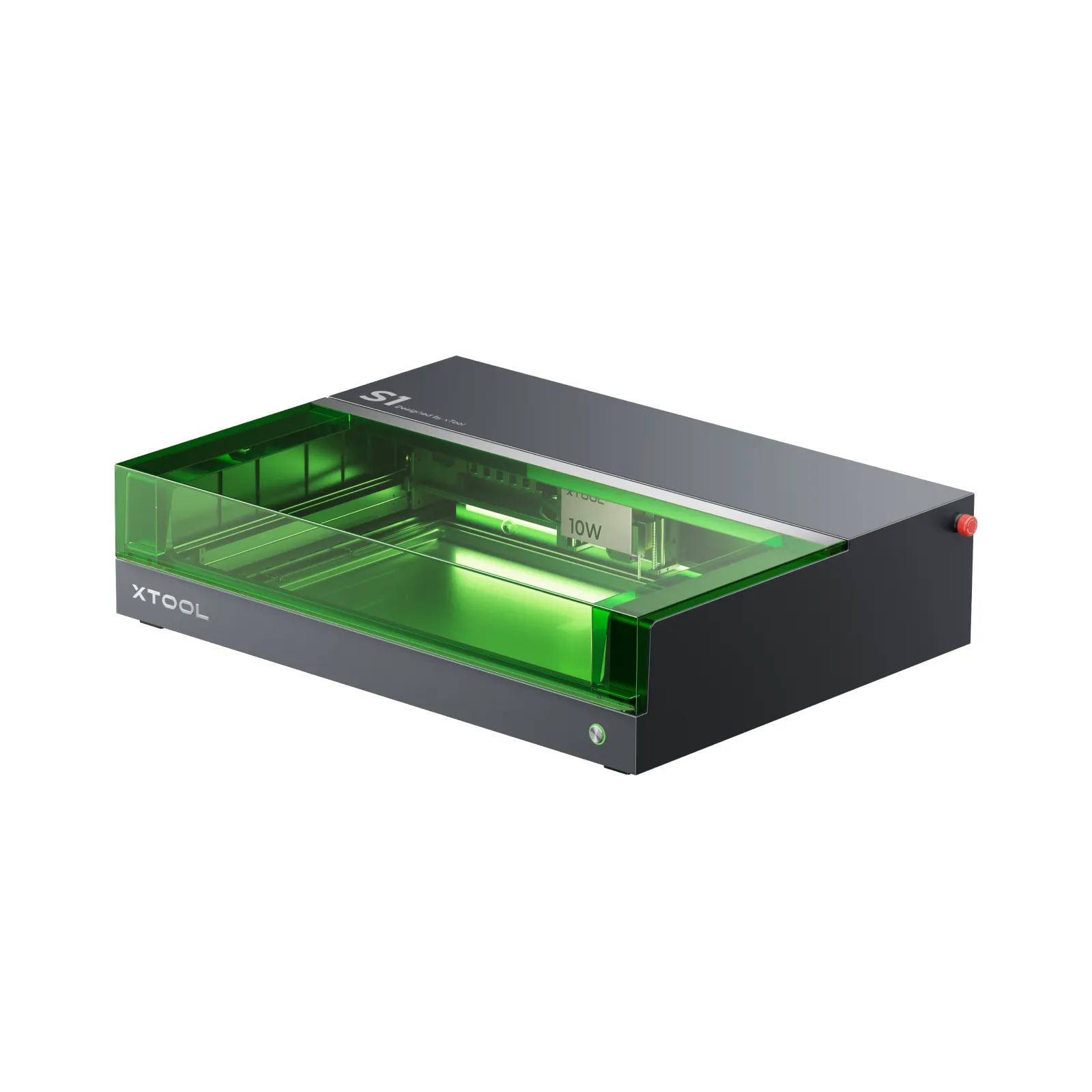
xTool S1 40W
9.3/10- Single-pass 3mm basswood, 6mm birch in two clean passes
- Class 1 fully enclosed, FDA certified, no eyewear required
- 47dB measured noise — 30% quieter than open-frame alternatives
- LightBurn fully compatible
- 498×319mm bed needs a conveyor feeder for longer stock
- Cannot cut clear acrylic, glass, or ceramic
The S1 40W is the power upgrade inside the same enclosed, quiet chassis as the base S1 — doubling the diode wattage without giving up the enclosure or the noise rating that makes the S1 line apartment-friendly in the first place. That extra power shows up directly in thicker-material throughput: single-pass basswood cutting and faster multi-pass birch, which matters if you’re running a small business and the 20W S1 started feeling slow on repeat orders.
It shares the same diode-wavelength ceiling as every other non-CO2 xTool machine — clear acrylic, glass, and ceramic are off the table regardless of wattage. If those materials are on your list, that’s a P2-tier decision, not a diode one.
Read the full xTool S1 40W review for the complete breakdown.
9. xTool M1 Ultra — Best Multi-Modality Hobby Machine
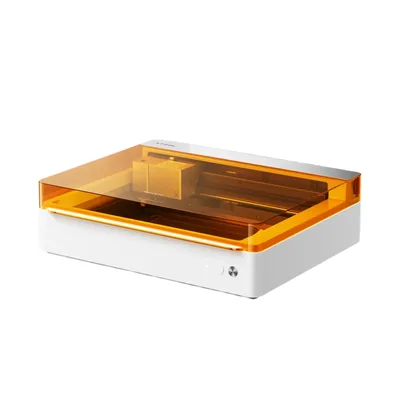
xTool M1 Ultra
8.9/10- 4-in-1 modes — laser, inkjet, blade cutter, and pen — in one enclosed machine
- Zero-repositioning workflow switching between modes
- 2025 CES Innovation Award
- Unified XCS software across all four modes
- 10W diode module is slower than a dedicated 20W laser
- 300×300mm work area is smaller than most standalone machines
The M1 Ultra is built for a different kind of buyer than the rest of the lineup — someone whose projects mix laser engraving with vinyl, HTV, fabric, or cardstock cutting, and doesn’t want four separate machines cluttering a craft room. Switching between laser, inkjet printing, blade cutting, and pen drawing happens without repositioning the material, which is the real value proposition over owning a Cricut alongside a separate laser.
The 10W diode module is the honest compromise: it’s slower than the dedicated 20W machines in this lineup, and the 300×300mm bed is smaller than the S1 or D1 Pro. If laser performance is the priority and the other three modes aren’t something you’d actually use, the S1 or D1 Pro will outperform it for less money.
Read the full xTool M1 Ultra review for the complete breakdown, or see how it compares to the enclosed diode alternative in xTool M1 Ultra vs S1 .
10. xTool P3 80W CO2 — Best for Production Volume and Oversized Material
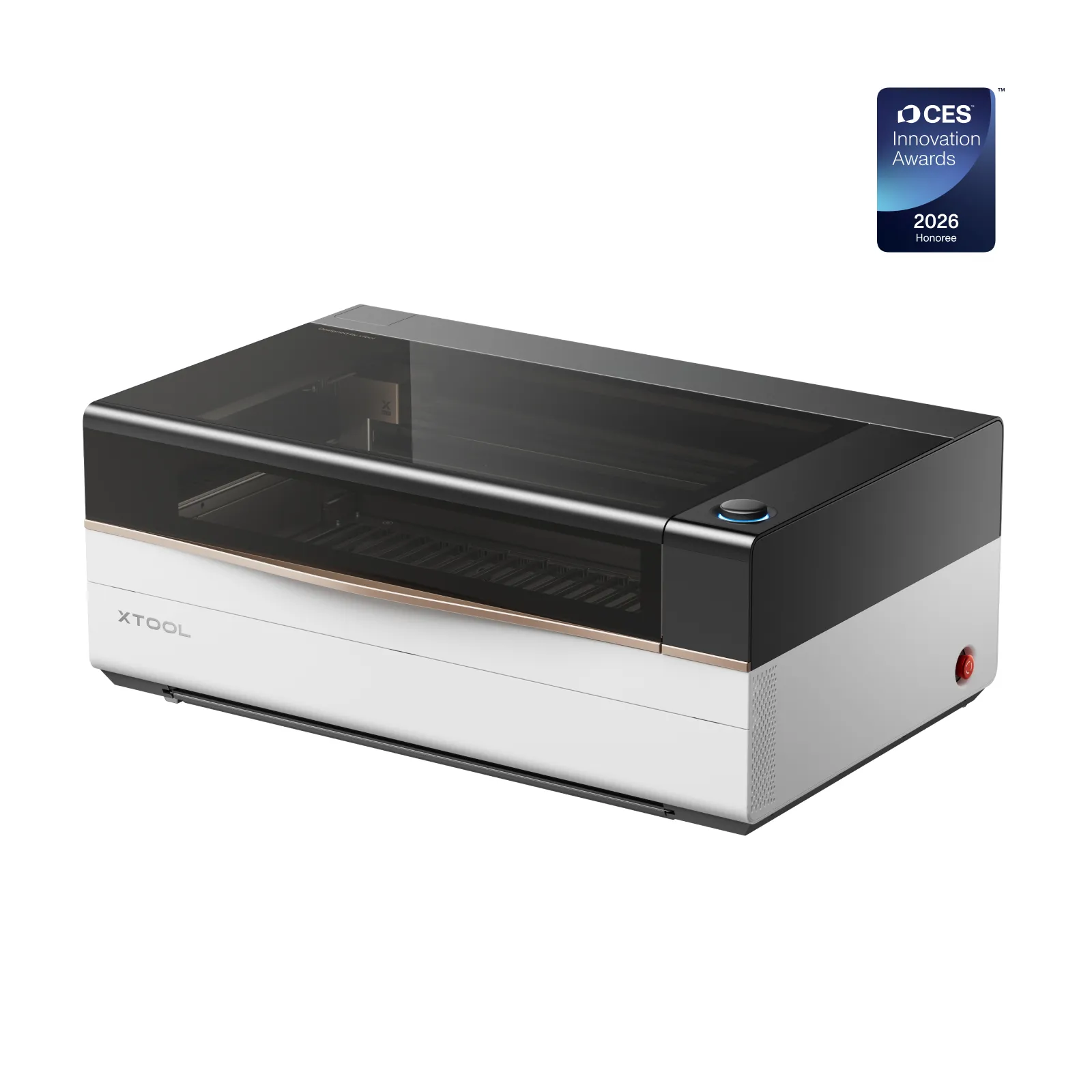
xTool P3 80W CO2 Laser Cutter
9.3/10- 80W tube cuts 20mm solid wood in a single pass
- Largest enclosed CO2 work area in the lineup at 914×458mm
- ACS auto-focus and camera positioning
- Passthrough slot for oversized stock
- $5,000+ investment that needs a clear ROI case
- Large footprint requires dedicated ventilation
The P3 is the top of the xTool CO2 tier — an 80W tube and a 914×458mm bed, both the largest figures in the lineup. Single-pass 20mm solid wood cutting puts it in a different production class than the P2 or P2S, and the ACS auto-focus and camera system are built around minimizing manual setup time on a machine meant to run jobs back-to-back.
At $6,399, this isn’t a hobbyist’s second machine — it needs a genuine production or small-business use case to justify the cost and the ventilation infrastructure a machine this size requires. If your cutting needs are real but don’t require an 80W tube or a bed this large, the P2 or P2S cover the same CO2 category at a fraction of the investment.
Read the full xTool P3 review for the complete breakdown.
Diode vs CO2 vs Fiber vs UV in the xTool Lineup
xTool’s ten current models split across four laser types, and the type matters more than the model name when you’re deciding what to buy.
Diode (D1 Pro, S1, S1 40W, M1 Ultra, M2) works by heat — burning or vaporizing material to cut or mark it. These machines handle wood, leather, dark acrylic, and coated metals well, but none of them can cut clear acrylic or glass, since diode wavelengths don’t absorb into transparent materials.
CO2 (P2, P2S, P3) also works by heat, but at a wavelength that clear acrylic and thicker wood absorb far more efficiently. This is the category to buy into if clear acrylic cutting or thick-stock production is on your project list — no diode machine in the lineup, regardless of wattage, closes that gap.
Fiber (F1 Ultra’s fiber module) is the only laser type in this lineup that marks bare, uncoated metal directly. Diode and CO2 machines need a marking spray or coating first; fiber doesn’t.
UV (F2 Ultra UV) works through a photochemical reaction rather than heat, which is the only way to mark glass, crystal, or heat-sensitive plastics without cracking or yellowing them.
If you’re deciding between laser types more broadly across every brand, not just xTool’s lineup, our diode vs CO2 vs fiber laser engraver guide breaks down the full picture.
How to Choose the Right xTool
What material is non-negotiable on your project list? If it includes clear acrylic or thick hardwood, that’s a CO2 decision (P2/P2S/P3) regardless of budget. If it includes bare metal, that narrows you to the F1 Ultra. Glass or crystal narrows you to the F2 Ultra UV alone. Everything else — wood, leather, coated metal, most plastics — is diode territory.
Enclosed or open-frame? The S1, S1 40W, M1 Ultra, M2, F1 Ultra, F2 Ultra UV, P2, P2S, and P3 are all enclosed. Only the D1 Pro is open-frame, which is also why it’s the cheapest diode option — you’re paying for the enclosure on every other model in the lineup.
How much bed space do you actually need? The P3’s 914×458mm bed is the largest in the lineup; the F2 Ultra UV and F1 Ultra are the smallest at roughly 200×200mm, built for precision work on small items rather than panel-sized projects. Buying more bed than your project list needs just adds cost and footprint.
Software ecosystem. If you’re already running LightBurn on another machine, the D1 Pro, S1, S1 40W, P2, and P2S carry that workflow over directly. The M2, M1 Ultra, F1 Ultra, and F2 Ultra UV lean on xTool’s own Creative Space software, with LightBurn support unconfirmed on several of them.
Production volume. If you’re buying to run a small business rather than occasional hobby projects, the P2S’s camera automation and the P3’s throughput start paying for themselves in saved setup time — our best laser engraver for small business guide walks through what changes when a machine runs daily instead of on weekends.
Final Verdict
Ready to buy?
Check Price on Amazon →Here’s the simple breakdown by buyer:
- Want the safest default for a first xTool machine → S1 20W. Enclosed, quiet, camera-equipped, no CO2 pricing.
- Need to cut clear acrylic or thick wood → P2 55W. Nothing in the diode lineup gets you there at any price.
- Lowest-cost diode entry, don’t mind open-frame → D1 Pro 20W.
- Color printing is part of the workflow → M2.
- Metal marking without a dedicated fiber investment → F1 Ultra.
- Glass or crystal work specifically → F2 Ultra UV. No substitute in this lineup.
- Running production volume, need camera automation → P2S, or P3 if you also need the largest bed.
- Multiple craft modes beyond laser alone → M1 Ultra.
- Still not sure? The S1 20W is the safest default — enclosed, well-reviewed, and priced in the middle of the lineup rather than at either extreme.