This article contains affiliate links. If you purchase through our links, we may earn a commission at no extra cost to you.
If you’re deciding between Sculpfun models, the lineup splits cleanly along two lines: budget and power tier. Sculpfun doesn’t build one flagship and call it done — the catalog runs from a sub-$150 entry diode up to a 40W cutting-focused machine, with an enclosed, beginner-safe pair sitting apart from the rest.
This hub breaks down every current Sculpfun model — the E1, E1 Pro, S9, S30 Pro Max, S30 Ultra, and SF-A9 — and what each one is actually built to do. If you want the full cross-brand picture before narrowing in on Sculpfun specifically, our complete laser engraver buying guide covers every major brand side by side.
Quick Comparison: Sculpfun Lineup at a Glance
| Model | Power | Work Area | Enclosed? | Best For | Buy |
|---|---|---|---|---|---|
| Sculpfun S9 | 5.5–6W | 410×415mm | No | Rock-bottom entry point | Check Price |
| Sculpfun E1 | 12W | 400×320mm | Yes (Class 1) | Beginner-safe, occasional use | Check Price |
| Sculpfun E1 Pro | 21W | 400×320mm | Yes (Class 1) | Beginner-safe, small-batch scaling | Check Price |
| Sculpfun S30 Pro Max | 20W or 33W | 370×360mm (expandable to 900×890mm) / 600×600mm | No | Best work-area-per-dollar | Check Price |
| Sculpfun SF-A9 | 40W | 400×400mm | No | Cutting power in a compact footprint | Check Price |
| Sculpfun S30 Ultra | 33W | 590×595mm | No | Deepest single-pass cut in the lineup | Check Price |
Best Sculpfun by Use Case
| If you need… | Go with | Why |
|---|---|---|
| The cheapest way to try laser engraving | Sculpfun S9 | A genuine diode laser, not a toy, for around $100–$140 — handles thin wood, leather, and anodized aluminum |
| An enclosed machine for a home with kids or shared space | Sculpfun E1 or E1 Pro | Class 1 safety rated, built-in camera, no goggles or ventilation setup required |
| Scaling from occasional use into small-batch production | Sculpfun E1 Pro | 21W cuts 6mm+ stock roughly twice as fast as the base E1’s 12W, same enclosed safety |
| The most work area per dollar | Sculpfun S30 Pro Max | 370×360mm at a competitive price, expandable to 900×890mm with add-on rails |
| Deepest single-pass cutting in the lineup | Sculpfun S30 Ultra | 33W cuts 6mm basswood single-pass, the strongest rating of any Sculpfun model |
| Cutting power without a large-format footprint | Sculpfun SF-A9 40W | Genuine 40W optical output in a compact 400×400mm bed |
1. Sculpfun S30 Pro Max — Best Work-Area-Per-Dollar
Sculpfun S30 Pro Max
8.5/10- Large expandable work area at a competitive price
- Built-in always-on air assist
- Honeycomb bed included
- No flame or tilt detection — zero active safety systems
- Sculpfun's bundled software trails LightBurn in features
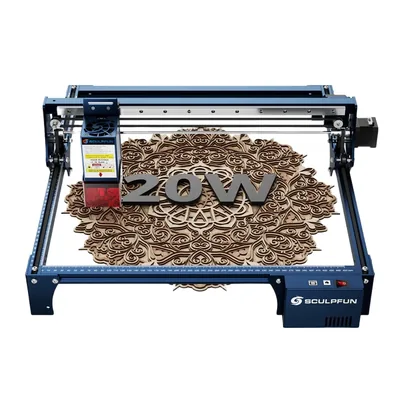
The S30 Pro Max leads the Sculpfun lineup on pure value: a 370×360mm bed at its 20W configuration, expandable to 900×890mm with add-on rails, at a price that undercuts most machines with comparable work area. The included always-on air assist and honeycomb bed are both things competitors often sell as separate add-ons, which narrows the real gap between this and pricier large-format machines.
The trade-off is safety hardware — there’s no flame or tilt detection here, so this isn’t a machine to leave running unattended the way an enclosed model is. It’s also worth being clear-eyed that “best value” doesn’t mean “most powerful” — the S30 Ultra and SF-A9 both out-cut it on thick stock. If raw cutting depth matters more than work-area economics, look at those two instead.
Read the full Sculpfun S30 Pro Max review for the complete breakdown, or see how it stacks up against a direct open-frame competitor in Sculpfun S30 Pro Max vs Ortur Laser Master 3 .
2. Sculpfun S9 — Best Rock-Bottom Entry Point
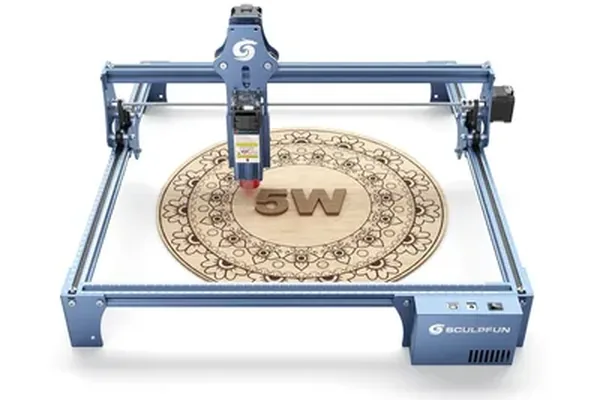
Sculpfun S9
7.8/10- Most affordable real diode laser entry point
- 410×415mm bed is large for the price
- LightBurn and LaserGRBL compatible from day one
- No air assist included — add-on required for cleaner cuts
- 5.5–6W ceiling struggles past 4mm material
The S9 exists for one job: the lowest-cost way to find out if laser engraving is something you’ll actually use before spending more. At around $100–$140, it’s genuinely capable of thin wood, leather, and anodized aluminum engraving — this isn’t a toy-tier machine, it’s a real diode laser with real limitations.
Those limitations are the 5.5–6W power ceiling (thicker material becomes a multi-pass or no-go proposition) and the lack of included air assist, which affects cut cleanliness on anything beyond light engraving. Open-frame also means safety glasses and ventilation planning from the start, same as the rest of the non-enclosed Sculpfun lineup.
Read the full Sculpfun S9 review for the complete breakdown.
3. Sculpfun SF-A9 40W — Best Cutting Power in a Compact Footprint
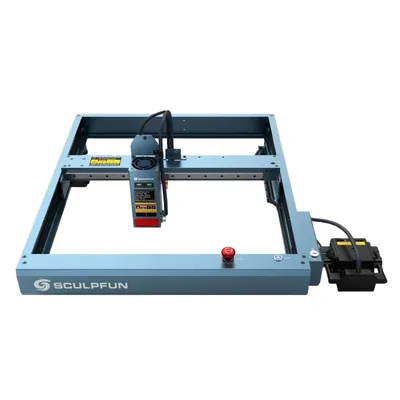
Sculpfun SF-A9 40W
8.3/10- Genuine 40W optical output cuts single-pass where 20W machines need two
- Air assist included at base price
- Flame detection included
- Sculpfun's bundled software is mediocre
- Engraving detail trails the xTool D1 Pro 20W
The SF-A9 packs 40W of genuine optical output into a 400×400mm bed — smaller than the S30 Pro Max or S30 Ultra, but with enough power to single-pass cut material those machines need two passes for. If your priority is cutting depth without committing to a large-format footprint, this is the Sculpfun model built around that exact tradeoff.
It’s also the only open-frame Sculpfun model with flame detection built in, which matters given the rest of the lineup (outside the E1/E1 Pro) skips active safety sensors entirely. The honest weak point is engraving detail quality, which trails dedicated engraving-focused machines like the xTool D1 Pro — this is a cutting-first tool, not a photo-engraving specialist.
Read the full Sculpfun SF-A9 review for the complete breakdown.
4. Sculpfun S30 Ultra 33W — Deepest Single-Pass Cut in the Lineup
Sculpfun S30 Ultra
8.5/10- 33W optical output cuts 6mm basswood single-pass
- 590×595mm fixed work area
- High-pressure metal air assist nozzle included
- 42-bit stepper motor and 0.005mm linear slide rail
- No autofocus — manual focus pin required
- Open-frame, no enclosure
The S30 Ultra is the raw-power pick in the Sculpfun catalog. A 33W module cuts 6mm basswood in a single pass — the deepest single-pass rating anywhere in this lineup — and extends to roughly 10mm in two to three passes. The 590×595mm fixed bed is also the largest non-expandable work area Sculpfun sells, paired with a 42-bit stepper motor and 0.005mm linear slide rail for the kind of mechanical precision that shows up in clean edge quality on cuts, not just engraving detail.
The compromise is focus: there’s no autofocus here, so you’re setting focus height with a manual pin on every material change, which adds a step the S30 Pro Max and newer machines skip. It’s also open-frame like the rest of the non-E1 lineup.
Read the full Sculpfun S30 Ultra review for the complete breakdown.
5. Sculpfun E1 Pro 21W — Best Enclosed Diode for Scaling Up
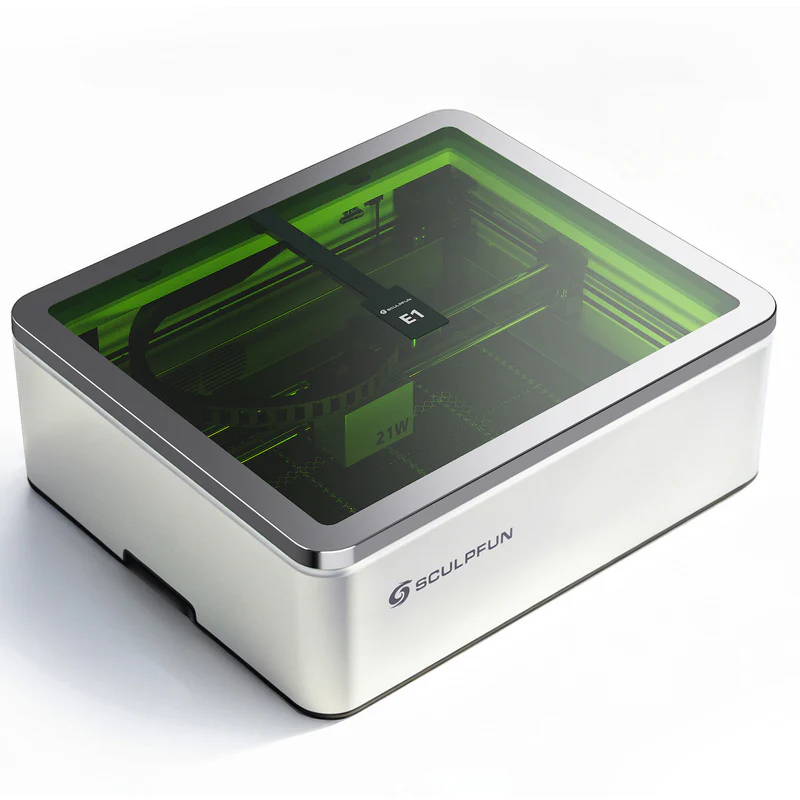
Sculpfun E1 Pro 21W
8.6/10- Class 1 enclosed — no goggles or dedicated room needed
- CoreXY motion rated to 600mm/s
- Built-in HD camera for material alignment
- Cuts 8mm basswood single-pass, roughly 2x the base E1's rate
- No clear acrylic or bare metal cutting without the Dual upgrade
- Smaller 400×320mm bed than the open-frame models
The E1 Pro is one of only two enclosed machines Sculpfun currently sells, and the 21W module is a real step up from the base E1 — roughly double the cutting speed on 6mm+ stock, which matters if you’re moving from occasional hobby projects into small-batch production. The Class 1 enclosure means no safety glasses or ventilated room requirement, a genuinely different ownership experience than every open-frame model in this lineup.
The 400×320mm bed is smaller than the S30 Pro Max or S30 Ultra, which is the trade-off for the enclosure — Sculpfun hasn’t built a large-format enclosed machine yet. If bed size matters more than enclosure safety, the open-frame models give you more room per dollar.
Read the full Sculpfun E1 Pro review for the complete breakdown.
6. Sculpfun E1 12W — Best Enclosed Entry Point
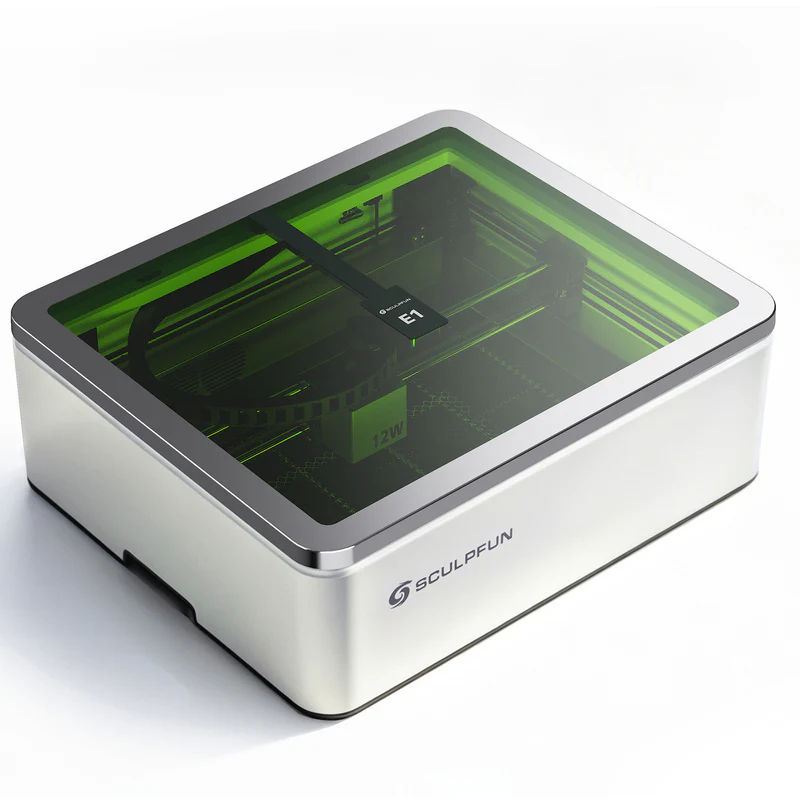
Sculpfun E1 12W
8.2/10- Class 1 enclosed — the lowest-cost way into an enclosed Sculpfun
- CoreXY motion system with built-in HD camera
- No goggles or ventilated room required
- 12W ceiling limits cutting to thin material only
- No clear acrylic or bare metal capability
The E1 is the lower-cost half of Sculpfun’s enclosed pair, running the same Class 1 safety design and CoreXY platform as the E1 Pro at a reduced 12W. For buyers who want the enclosed, camera-equipped experience but engrave occasionally rather than cutting thick stock regularly, this is the more budget-friendly entry.
The 12W ceiling is the honest constraint — thin wood and leather engrave fine, but cutting anything past a few millimeters becomes slow or impractical. If you expect to scale into regular cutting work, the E1 Pro’s 21W module is worth the price step up from day one rather than upgrading later.
Read the full Sculpfun E1 review for the complete breakdown.
How to Choose the Right Sculpfun
Enclosed or open-frame? Only the E1 and E1 Pro are enclosed. Everything else — S9, S30 Pro Max, S30 Ultra, SF-A9 — is open-frame, which means safety glasses and a ventilated space are part of the setup, not optional extras.
How much power do you actually need? The S9’s 5.5–6W is fine for engraving and thin material. Cutting 6mm+ stock regularly points to the S30 Ultra’s 33W or the SF-A9’s 40W instead — buying less power than your project list needs just means more passes and slower jobs.
Work area vs. desk space. The S30 Ultra’s 590×595mm fixed bed and the S30 Pro Max’s expandable-to-900×890mm option are both built for large-format work. If your projects are small — jewelry, nameplates, awards — the SF-A9’s compact 400×400mm bed or either enclosed E1 model wastes less desk space.
Budget tier. The S9 sits well under $150, the E1/E1 Pro and SF-A9 occupy the mid-range, and the S30 Pro Max and S30 Ultra are the premium end of the lineup near or above $1,000. None of these compete directly on price — they’re mostly separated by tier, not overlapping choices.
No Sculpfun model, regardless of wattage, cuts clear acrylic — that’s a diode-wavelength limitation shared across the whole lineup. If clear acrylic is on your project list, that’s a CO2 laser decision; our best CO2 laser engraver guide covers that category.
Final Verdict
Ready to buy?
Check Price on Amazon →Here’s the simple breakdown by buyer:
- Testing whether laser engraving is for you, lowest cost → S9.
- Want an enclosed, safety-rated machine for occasional use → E1.
- Want an enclosed machine and expect to scale into small-batch cutting → E1 Pro.
- Best balance of work area and price → S30 Pro Max.
- Need the deepest single-pass cut in the lineup → S30 Ultra.
- Want cutting power without a large-format footprint → SF-A9 40W.
- Still not sure? The S30 Pro Max is the safest default — the best work-area-to-price ratio in the lineup, with enough power for most hobby and small-business cutting needs.