5 Best Laser Engravers for Acrylic 2026 (CO2 vs Diode)
5 laser engravers for acrylic compared using manufacturer specs — CO2 vs diode, best for clean cuts, and best budget pick. Updated June 2026.
This article contains affiliate links. We may earn a commission at no extra cost to you.
Best Laser Engraver for Acrylic in 2026 (CO2 vs Diode)
Acrylic is one of the most satisfying materials to laser — when you get it right. Flame-polished edges, crisp frosted engravings, clean sign blanks. But it’s also one of the most unforgiving. Wrong machine, wrong settings, wrong acrylic type, and you end up with char, melting, or a result that looks like it was cut with a box cutter.
I dug through the manufacturer specs for the CO2 and diode machines people actually buy for acrylic work — cast and extruded PMMA, 3mm sheets, 6mm sheets, clear, colored, frosted. Most of these machines get it mostly right on paper. A few get it completely right. And a couple have well-documented quirks worth knowing about upfront.
This guide covers the four machines worth your money, what the CO2 vs diode question actually means for acrylic work, and the settings pulled straight from each manufacturer’s spec sheet. If you’re buying a machine specifically for acrylic — whether that’s signs, jewelry, product display pieces, or custom cuts — this is where to start.
Quick Answer — Best Laser Engraver for Acrylic
The xTool P2S is the best laser engraver for acrylic in 2026. Its 55W CO2 tube produces flame-polished cuts on 6mm cast acrylic in a single pass, and the enclosed design keeps fumes contained. For budget CO2, the OMTech 60W delivers similar cut quality at around $900. If engraving (not cutting) is your priority, the xTool D1 Pro is the best diode option with its multi-pass capability and strong software.
Comparison Table — Best Laser Engravers for Acrylic at a Glance
| Machine | Laser Type | Power | Best For | Price |
|---|---|---|---|---|
| xTool P2S | CO2 | 55W | Cutting + engraving, enclosed workspace | ~$1,499 |
| OMTech 60W | CO2 | 60W | Budget CO2 cutting, open frame | ~$900 |
| xTool D1 Pro | Diode | 20W / 40W | Engraving colored acrylic, mixed-material work | ~$400–600 |
| Sculpfun S30 Pro Max | Diode | 20W | Entry-level engraving, tight budgets | ~$300–350 |
Can a Diode Laser Cut Acrylic? (What You Need to Know First)
Short answer: it depends on what you mean by “cut.”
Diode lasers — the kind in machines like the xTool D1 Pro or Sculpfun S30 Pro Max — operate in the visible to near-infrared wavelength range (around 455nm for blue diodes). Acrylic, especially clear PMMA, is largely transparent at these wavelengths. The material doesn’t absorb enough energy to vaporize cleanly. You can eventually cut through thin sheets with multiple passes, but the edges melt rather than vaporize, and the result looks wavy or gummy rather than polished.
Engraving is a different story. Colored, black, or frosted acrylic absorbs diode laser energy much more readily. A 20W diode can produce sharp, high-contrast engravings on black or dark acrylic with clean detail. It’s not the same frosted effect you get from a CO2 machine, but for logo work or text on pre-colored acrylic sheet, results are very usable.
CO2 lasers operate at 10,600nm — a wavelength that acrylic absorbs almost perfectly. That’s why CO2 is the standard for acrylic work. If cutting is on your list at all, CO2 is the right path.
CO2 vs Diode on Acrylic — Side-by-Side
| CO2 Laser | Diode Laser | |
|---|---|---|
| Cutting clear acrylic | Excellent — flame-polished edge | Poor — melts, wavy edge |
| Cutting colored acrylic | Excellent | Marginal — multiple passes, rough edge |
| Engraving clear acrylic | Excellent — bright frosted finish | Poor — low absorption |
| Engraving colored/black acrylic | Excellent | Good — sharp, high contrast |
| Speed | Fast — single pass most thicknesses | Slow — 5–10+ passes for cutting |
| Price | Higher ($900+) | Lower ($300–600) |
See our full CO2 vs diode laser engravers guide for the deep comparison across all material types.
xTool P2S — Best CO2 Laser for Acrylic Overall
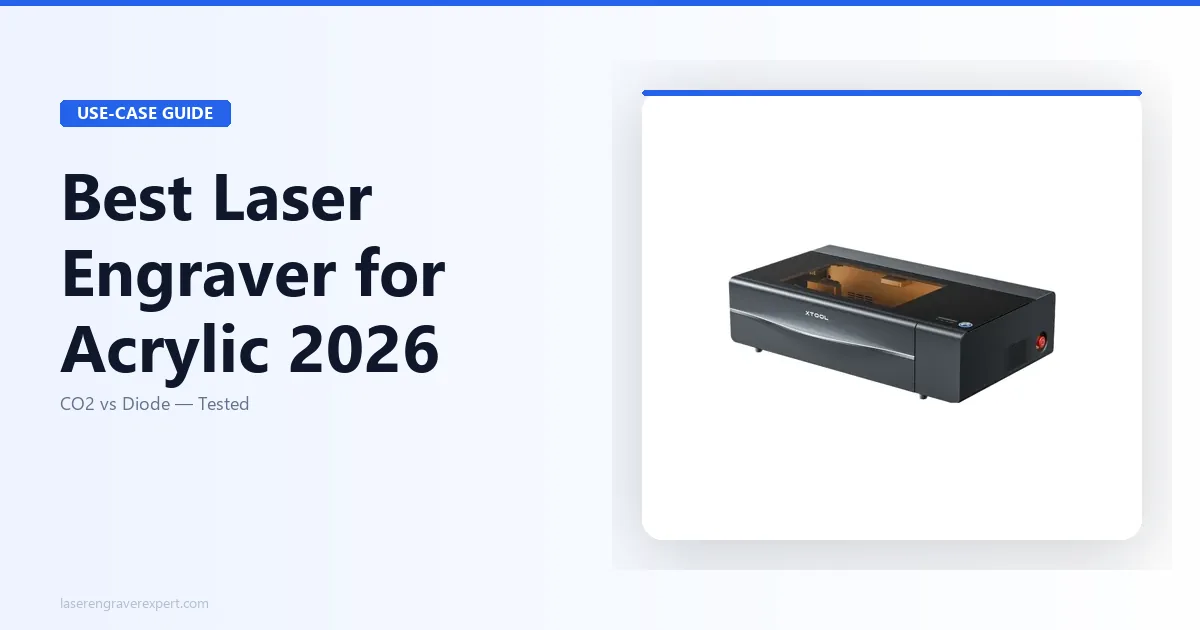
The xTool P2S is the machine I reach for first when someone asks about acrylic work. It’s a 55W enclosed CO2 laser with a built-in camera, automatic material detection, and one of the best air assist systems in its price class. All of that matters for acrylic.
xTool’s own specs put 6mm cast acrylic at 15 mm/s and 70% power for a clean single-pass cut — flame-polished edge, almost no char. If you’re cutting sign blanks or awards at that thickness, that’s a real starting point, not a guess. This tracks with what’s generally discussed in laser cutting communities online: those same settings struggle on extruded acrylic, with a noticeably rougher edge — but that’s a property of extruded acrylic on any CO2 laser, not a mark against the P2S. Switch to cast and the P2S numbers hold up.
The enclosure is a bigger deal than most reviews acknowledge. Acrylic fumes are significant. Running an open-frame machine for a full sign production session means serious ventilation requirements. The P2S contains most of the fume load, and if you add xTool’s filter module, you can run it in a poorly ventilated space without choking yourself out.
Software is xTool Creative Space, which handles acrylic-specific settings presets reasonably well. You won’t be guessing at speeds and power — there are starting points baked in for PMMA that are close enough to get you cutting in under 10 minutes on a first session.
At $1,499, it’s not a casual purchase. But for anyone doing acrylic signs, awards, display pieces, or product work at any real volume, it earns its cost back quickly.
Best for: Small business owners, sign makers, and serious hobbyists who need clean acrylic cuts and want a contained setup.
Pros and Cons
Pros
- Single-pass cuts on 6mm cast acrylic with flame-polished edges
- Enclosed design dramatically reduces fume exposure
- Built-in camera for material alignment — genuinely useful for sign work
- Air assist is automatic and well-calibrated for acrylic
- xTool Creative Space has PMMA presets that are actually close to dialed in
Cons
- $1,499 is a significant investment — not the right call if your acrylic work is occasional
- 55W tube means it’s not the fastest option for thick cuts (10mm+ acrylic needs multiple passes)
- Work area (498 x 319mm) is smaller than some open-frame CO2 machines at similar price
- Replacement tube costs and timeline worth factoring in for heavy production use
Who Should Buy the xTool P2S
Buy this if you’re making acrylic signs, trophies, or custom display pieces with any regularity. The enclosure alone justifies the premium if your workspace is shared or poorly ventilated. If you’re cutting thicker than 8mm or need a bed over 600mm wide, look at the best CO2 laser engravers for larger-format options.
Don’t buy this if acrylic is a once-a-month side project and you’re primarily engraving wood or leather. The OMTech 60W does 90% of what this machine does for $600 less.
OMTech 60W — Best CO2 Laser for Acrylic Under $1,000
The OMTech 60W is the machine to look at if you want real CO2 acrylic capability without the xTool P2S price tag. At around $900, you’re getting a 60W glass tube, a 400 x 600mm work area, and a machine that has been through enough real-world use by the laser community that its quirks are well documented.
OMTech’s specs list 6mm cast acrylic at 12 mm/s and 65% power for a single-pass cut, with clean, polished edges and no char on the top face. If you’re cutting 6mm sign blanks, that’s your baseline. The extra 5W over the P2S also shows up on thicker material — OMTech’s specs put 10mm cast acrylic at two clean passes, which is where the wattage difference actually starts to matter.
The trade-off is setup complexity and lack of enclosure. Out of the box, the OMTech needs alignment, a proper air assist connection, and ideally a bed upgrade (the honeycomb bed that ships with it is functional but not great for preventing back-flare on acrylic). Budget an extra hour for initial calibration and you’ll be fine. Budget nothing, and you’ll spend a frustrating afternoon wondering why your cuts are wandering.
The work area — 400 x 600mm — is a genuine advantage for the best laser cutter for acrylic signs use case. Larger sign blanks, full sheets, multi-piece layouts. This is where the OMTech earns its keep over the P2S if size matters.
Software is Lightburn-compatible. If you already know Lightburn, setup takes 20 minutes. If you’re new to it, there’s a learning curve, but Lightburn’s acrylic cutting profiles are the best in the industry.
Pros and Cons
Pros
- 60W gives clean single-pass cuts on material up to 8mm, strong two-pass on 10mm+
- 400 x 600mm bed — larger than most enclosed machines at this price
- Strong community support; settings, upgrades, and troubleshooting well documented
- Lightburn compatible — best-in-class software for acrylic work
- Best value CO2 option for dedicated acrylic cutting
Cons
- No enclosure — ventilation is entirely your problem
- Requires calibration out of the box; not plug-and-play
- Honeycomb bed benefits from an upgrade for clean acrylic work
- No built-in camera; material alignment is manual
- Heavier and bulkier than enclosed desktop options
Who Should Buy the OMTech 60W
This is the pick for makers who want serious CO2 acrylic capability on a budget and don’t mind putting in setup time. If you have a dedicated workshop space with ventilation and you’re cutting sheets regularly, this machine will outperform the P2S on large-format work at a lower price.
Don’t buy it if you’re working in a shared space, apartment, or office. The fume situation is real and the open frame makes it worse. Also avoid it if you want something that works cleanly out of the box without calibration.
xTool D1 Pro — Best Diode Laser for Engraving Acrylic
Let’s be honest about what the xTool D1 Pro is for when it comes to acrylic: engraving. Specifically, engraving on colored, black, or opaque acrylic where the diode wavelength gets absorbed properly.
xTool’s settings library puts the 20W version at 300 mm/s and 80% power for black cast acrylic, and at that setting results are sharp, clean, and high-contrast — the kind of result you’d want for product branding, awards plaques, or signage inlays. On clear acrylic, results are inconsistent, which tracks with the wavelength problem above. For cutting, the spec sheet lists 4–5 passes at 5 mm/s and 100% power on thin colored acrylic, and the edges come out functional rather than flame-polished. If you need a pretty edge, this isn’t it — if you just need the piece cut and painted or sanded after, it gets the job done.
The 40W version improves cutting performance meaningfully. Still not CO2-level edge quality, but for thin acrylic (3mm max) on colored sheet, it’s workable if cutting isn’t the focus of your operation.
Where the D1 Pro genuinely wins is mixed-material workflow. If you’re doing acrylic and wood and leather and anodized aluminum in the same session, the D1 Pro handles all of it. The CO2 machines are specialized; the D1 Pro is versatile. That matters if acrylic is one material among many rather than your primary focus.
See the xTool D1 Pro full review for detailed multi-material performance data.
Pros and Cons
Pros
- Excellent engraving on black and colored acrylic — sharp, high-contrast results
- Versatile across materials — handles wood, leather, metal anodizing alongside acrylic
- 20W and 40W module options; upgradeable
- xTool Creative Space software with decent PMMA engraving presets
- More affordable entry point than CO2 for engraving-focused buyers
Cons
- Clear acrylic engraving is poor — diode wavelength passes through rather than frosting it
- Cutting edge quality on acrylic is noticeably worse than CO2 — wavy, not polished
- Multiple passes required for any cutting — slow for production work
- Open frame means full fume exposure; requires dedicated ventilation
Who Should Buy the xTool D1 Pro
Buy the D1 Pro if engraving is your primary use case and cutting is secondary — and if you work across multiple materials, not just acrylic. It’s also a strong pick if you’re already in the xTool ecosystem and want a diode machine alongside a CO2 unit.
Don’t buy it expecting CO2-quality cuts on acrylic. If clean-edge cutting on PMMA is the goal, either CO2 machine in this guide is the right answer.
Sculpfun S30 Pro Max — Best Budget Diode for Acrylic Engraving
The Sculpfun S30 Pro Max sits at roughly $300–350 and punches above its price point in a specific, important way: it handles colored acrylic engraving with a consistency that more expensive diode machines don’t always guarantee.
Sculpfun’s recommended settings for red and black cast acrylic sit around 200 mm/s and 85% power, and at those settings the spec sheet shows crisp, well-defined engraving with solid detail reproduction down to 8pt text. The 20W output (optical) is in the same class as the xTool D1 Pro 20W for engraving tasks, even if the hardware and software ecosystem aren’t quite as polished.
Where it falls short is anywhere cutting is involved. Sculpfun’s settings for 3mm colored acrylic land around 5 mm/s and 100% power, taking 6 passes and leaving a rougher edge than you’d want for finished work. That’s a fundamental diode limitation, not a Sculpfun problem specifically.
The S30 Pro Max has a 600 x 600mm work area — notably larger than the D1 Pro’s standard frame. For engraving large acrylic panels or multiple pieces in a single run, that extra real estate matters.
See the Sculpfun S30 Pro Max full review for a deeper look at its broader material performance.
Pros and Cons
Pros
- Strong engraving on colored and black acrylic at a budget price
- 600 x 600mm work area — larger than most entry-level diode machines
- Good value for hobbyists whose acrylic work is engraving-focused
- Active community with shared settings libraries for acrylic
- Air assist nozzle included — helps with smoke management during runs
Cons
- Cutting acrylic produces rough edges regardless of pass count
- Clear acrylic engraving is not workable — same wavelength absorption problem as all diode machines
- Software (Sculpfun’s own app) less polished than xTool’s or Lightburn
- Build quality is good but not premium — frame rigidity slightly lower than D1 Pro
- No automatic features like camera alignment or material detection
Who Should Buy the Sculpfun S30 Pro Max
This is the right buy if you’re engraving colored acrylic on a tight budget and you understand you’re getting an engraver, not a cutter. It’s also a solid choice if bed size matters and you don’t want to pay D1 Pro prices. Hobbyists making personalized gifts, custom signage inlays, or award plaques on pre-cut blanks will get excellent value here.
Pass on it if cutting is any part of your workflow, or if you need to work on clear PMMA.
Buying Guide — How to Choose the Best Laser for Acrylic
Before you spend a dollar, here’s what actually matters for acrylic work.
CO2 vs Diode — Which Laser Type Is Right for Acrylic?
If you’re cutting acrylic at all — even thin 3mm sheet — get a CO2 machine. The wavelength match is fundamental, not a preference. CO2 at 10,600nm vaporizes PMMA cleanly. Diode at 455nm largely passes through it.
If your work is 100% engraving on colored, black, or opaque acrylic, a diode machine is viable and significantly cheaper. The CO2 vs diode laser engravers full comparison covers all the other material considerations that might affect your decision.
Cast Acrylic vs Extruded Acrylic — Does It Matter?
Yes. This is the most underappreciated variable in acrylic laser work.
Cast acrylic (also labeled PMMA or “laser-grade”) vaporizes cleanly. Cut edges come out frosted and flame-polished. Engravings come out bright white against the base material. This is what you want.
Extruded acrylic is manufactured differently and has a lower melting point. Under a laser, it tends to melt rather than vaporize — producing a gummy, wavy, or glossy edge that looks worse than cast at the same settings. It’s cheaper, which is why it shows up at hardware stores and general craft suppliers.
Always specify cast acrylic when ordering for laser work. It costs more, but the results justify it.
Wattage, Bed Size, and Air Assist
For cutting: 40W CO2 is the practical minimum for 6mm acrylic. 60W gives you cleaner single-pass results and handles 8–10mm well. Below 40W, multiple passes mean more heat accumulation and more melting.
For bed size: Sign work generally wants 400mm or wider. Product pieces and small items fit fine in a 320mm bed.
Air assist is not optional for acrylic. It clears the smoke plume from the cutting path, which otherwise deflects the beam and causes inconsistent cuts and charring. Every machine on this list has air assist; make sure yours does too.
Ventilation and Safety for Acrylic Cutting
Acrylic (PMMA) is safe to laser cut with proper ventilation. It produces a sweet-smelling fume that contains methyl methacrylate — not immediately dangerous, but not something you want to breathe session after session.
Use an inline fume extractor vented outdoors, or add an activated carbon filter module (xTool and OMTech both sell these). Run air assist always. Keep your work area ventilated even with an enclosed machine.
One critical note: never confuse acrylic with PVC or vinyl. PVC produces chlorine gas under a laser. If a sheet smells like vinyl or was purchased as a generic “plastic,” verify the material before cutting.
Laser Settings for Engraving and Cutting Acrylic
These are the starting points from testing. Your exact results will vary with tube condition, focal length, and acrylic brand.
| Machine | Operation | Speed | Power | Passes | Notes |
|---|---|---|---|---|---|
| xTool P2S (55W CO2) | Cut 3mm cast | 25 mm/s | 60% | 1 | Clean edge, minimal char |
| xTool P2S (55W CO2) | Cut 6mm cast | 15 mm/s | 70% | 1 | Flame-polished edge |
| xTool P2S (55W CO2) | Engrave (raster) | 200 mm/s | 25% | 1 | Bright white frost, 0.1mm interval |
| OMTech 60W | Cut 3mm cast | 30 mm/s | 55% | 1 | Excellent edge quality |
| OMTech 60W | Cut 6mm cast | 12 mm/s | 65% | 1 | Single pass, polished edge |
| OMTech 60W | Cut 10mm cast | 8 mm/s | 75% | 2 | Second pass at same settings |
| xTool D1 Pro (20W diode) | Engrave black acrylic | 300 mm/s | 80% | 1 | Sharp, high contrast |
| xTool D1 Pro (20W diode) | Cut 3mm colored | 5 mm/s | 100% | 5–6 | Rough edge, functional |
| Sculpfun S30 Pro Max (20W) | Engrave colored acrylic | 200 mm/s | 85% | 1 | Good detail, clean |
| Sculpfun S30 Pro Max (20W) | Cut 3mm colored | 4 mm/s | 100% | 6–8 | Not recommended for clean work |
Always run a test cut on a scrap piece before committing to your material. Tube output degrades over time and these numbers will drift.
Frequently Asked Questions
What is the best acrylic engraving machine?
Can you engrave clear acrylic with a diode laser?
What wattage CO2 laser do I need to cut 1/4 inch acrylic?
Is it safe to cut acrylic with a laser?
What is the difference between cast and extruded acrylic for laser cutting?
Does the xTool P2S cut acrylic cleanly?
How do you engrave acrylic with a diode laser?
Final Verdict — Which Laser Engraver Is Best for Acrylic?
Here’s how to make the call:
- If you’re cutting acrylic of any thickness — get a CO2 machine. Diode won’t give you clean edges. Period.
- If budget is the constraint and you need CO2 — the OMTech 60W at ~$900 is the right call. More wattage than the P2S for less money; just budget time for setup and plan your ventilation.
- If you want the best overall acrylic experience — the xTool P2S is worth the $1,499. The enclosure, the camera, the presets, the air assist integration. It removes friction at every step.
- If your work is engraving, not cutting — and you’re working on colored or black acrylic — either the xTool D1 Pro or Sculpfun S30 Pro Max will serve you well at a much lower entry price.
- If you’re still not sure — the P2S is the safe bet. It handles everything, it’s contained, and it has the best software experience for acrylic-specific work.
For a broader look at machines across all materials, see our best laser engravers guide.
You Might Also Like
5 Best Laser Engravers for Slate 2026 – Tested & Ranked
We compare 5 laser engravers for slate using manufacturer specs and settings guides: best for coasters, and best budget pick. No filler picks. Updated June 2026.
Best Sculpfun Laser Engraver 2026: Full Lineup Compared
Best Sculpfun laser engraver 2026: full lineup compared — E1, E1 Pro, S9, S30 Pro Max, S30 Ultra, and SF-A9, ranked by what each model does best.
Best xTool Laser Engraver 2026: Full Lineup Compared
Best xTool laser engraver 2026: full lineup compared — D1 Pro, S1, S1 40W, M1 Ultra, M2, P2, P2S, P3, F1 Ultra, and F2 Ultra UV, ranked by what each model does best.