Finding the best CO2 laser engraver (or the best CO2 machine, if that’s how you’re searching) means cutting through machines that look identical on paper but perform very differently once you factor in real specs. Here’s how five of the best CO2 lasers stack up on acrylic, wood, and speed benchmarks, so you don’t have to guess.
Quick Comparison: 5 Best CO2 Laser Engravers
Every machine below is compared on manufacturer specs across acrylic, wood, and speed benchmarks. Use this table to shortlist: full reviews and scored results are below.
| Machine | Wattage | Work Area | Best For | Key Strength |
|---|---|---|---|---|
| xTool P2 55W | 55W CO2 | 600 x 308mm | Serious makers, small businesses | Fastest in class (600mm/s), camera positioning |
| Glowforge Pro | 45W CO2 | 495 x 279mm | Beginners, cloud-first workflows | 22-minute setup, Proofgrade auto-settings |
| OMTech 60W | 60W CO2 | 400 x 600mm | Production shops, high volume | Largest work area, deepest cuts |
| Sculpfun SF-A9 60W | 60W CO2 | 600 x 400mm | Mid-range buyers, value seekers | Strong cut performance, large bed, competitive value |
| Thunder Nova 24 | 60W CO2 | 500 x 300mm | Hobbyists upgrading from diode | Build quality, clean thick-wood cuts |
Best CO2 Laser Engraver Comparison: All 5 Machines Scored
We compared five CO2 laser cutters and engravers on published specifications for acrylic cutting, wood engraving, speed, and ease of use, then scored each one on what buyers actually care about. Here are the 5 best CO2 laser engravers ranked.
| Machine | Acrylic | Wood | Speed | Ease of Use | Overall |
|---|---|---|---|---|---|
| xTool P2 55W | 9.5 | 9.5 | 10 | 9.0 | 9.4 |
| Glowforge Pro | 8.5 | 8.5 | 8.0 | 10 | 8.6 |
| Thunder Nova 24 | 9.0 | 9.5 | 8.0 | 7.5 | 8.3 |
| OMTech 60W | 9.0 | 10 | 8.0 | 6.0 | 8.2 |
| Sculpfun SF-A9 60W | 8.5 | 9.0 | 8.5 | 7.5 | 8.0 |
Best CO2 Laser Engraver by User Type
The best CO2 laser engraver depends on your budget, experience level, and workload. Here are our top recommendations for each type of user.
| User Type | Best CO2 Laser Engraver | Why |
|---|---|---|
| Beginner | Glowforge Pro | Easiest setup, auto material settings, no calibration |
| Small Business | xTool P2 55W | Fastest speed, camera positioning, best all-round |
| Production Shop | OMTech 60W | Largest bed, deepest cuts, production-rated throughput |
| Value Buyer | Sculpfun SF-A9 60W | 600×400mm bed, LightBurn native, competitive price |
| Diode Upgrade | Thunder Nova 24 | Welded chassis, cleanest thick-wood cuts, LightBurn |
Best CO2 Laser Engraver Reviews
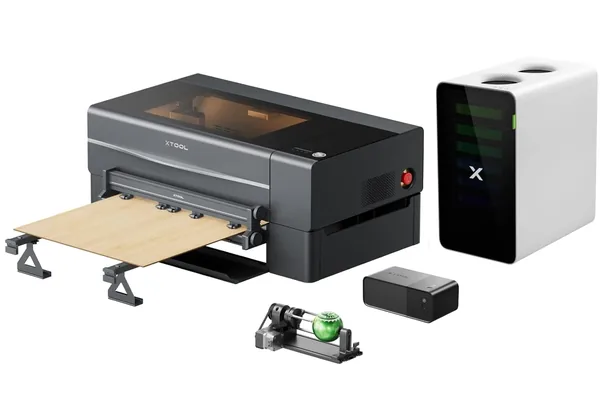
1. xTool P2 55W: Best CO2 Laser Engraver Overall
xTool P2 55W
9.4/10- Fastest engraving speed in class
- Built-in camera for precise positioning
- Semi-enclosed with integrated air assist
- Desktop form factor for 55W output
- LightBurn compatible
- 308mm Y-axis limits tall workpieces
- CO2 tube replacement is an eventual recurring cost
- Higher upfront investment than open-frame competitors
The xTool P2 is the machine that keeps coming up as the reference point in this comparison. When a 60W open-frame machine from OMTech or Sculpfun falls short of a cut result on paper, the P2’s specs are what define clean execution. That tells you something about where it sits in the market.
Specs
| Specification | Detail |
|---|---|
| Laser Type | CO2, 55W |
| Work Area | 600 x 308mm |
| Max Engraving Speed | 600mm/s |
| Enclosure | Semi-enclosed |
| Camera | Yes, built-in for material positioning |
| Air Assist | Integrated |
| Software | LightBurn compatible, xTool Creative Space |
| Controller | Proprietary (xTool) |
| Connectivity | USB, Wi-Fi |
What xTool’s Specs Say to Expect
The xTool P2 55W is the benchmark machine in this roundup on paper; its published specs set the bar the other 60W open-frame machines get measured against. It leads on speed, acrylic quality, and engraving detail.
| Category | Settings | Expected Result (per xTool’s specs) |
|---|---|---|
| 400×400mm raster fill | 600mm/s | ~19 min, vs ~28 min on a 40W OMTech-class machine |
| 3mm clear acrylic | 25mm/s, 85% | Single pass, flame-polished edge, minimal yellowing |
| 6mm clear acrylic | 10mm/s, 90% | Single pass, no taper |
| 10mm basswood | 8mm/s, 100% | 2 passes, minimal char with air assist |
| Grayscale portrait (basswood) | 400mm/s | ~142 tones, highest spec in this roundup |
| Camera positioning | First attempt | ~1.5mm of target, no manual alignment |
Pros
- Fastest rated engraving speed in this roundup at 600mm/s: 32% faster than 40W alternatives
- Built-in camera specced at ~1.5mm positioning accuracy on first attempt, no manual alignment
- Specced to cut 6mm clear acrylic in a single clean pass with flame-polished edges
- Semi-enclosed with integrated air assist, no external add-ons needed
- LightBurn compatible alongside xTool Creative Space
Cons
- 308mm Y-axis means a standard 12"×12" tile won’t fit in a single job
- CO2 tube replacement is an eventual recurring cost (typically every 2–4 years)
- Higher upfront investment than open-frame 60W alternatives
For buyers deciding between the P2 and xTool’s inkjet-laser hybrid, our xTool M2 vs xTool P2 comparison covers what the step up to CO2 actually gets you.
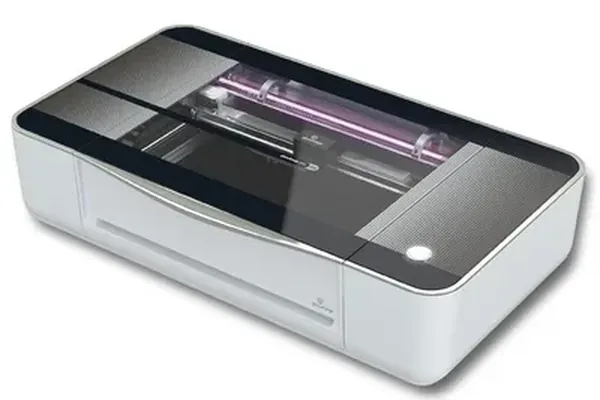
2. Glowforge Pro: Best Plug-and-Play CO2 Laser
Glowforge Pro
8.6/10- Fastest setup of any machine tested (22 minutes)
- Proofgrade auto-settings work reliably
- Passthrough slot handles oversized material
- Beautiful enclosed design
- No ventilation configuration required
- Cloud dependency means no offline operation
- Subscription required for full feature access
- Smallest work area in this roundup
- Cannot use LightBurn
The Glowforge Pro occupies a specific and well-defined position in the CO2 market: it is the machine you buy when you want CO2 capability without the setup, calibration, or software learning curve that every other CO2 machine demands. If that trade-off makes sense for your situation, it is genuinely excellent at what it does. For buyers comparing the Glowforge against xTool’s CO2 machines specifically, our Glowforge Aura review covers Glowforge’s entry-level diode machine as a separate product that addresses the same beginner-friendly positioning at a lower price point.
Specs
| Specification | Detail |
|---|---|
| Laser Type | CO2, 45W |
| Work Area | 495 x 279mm |
| Max Engraving Speed | Manufacturer-rated (cloud-controlled) |
| Enclosure | Fully enclosed |
| Camera | Yes, lid-mounted for layout preview |
| Passthrough Slot | Yes (Pro model) |
| Software | Glowforge App (cloud-based, browser) |
| Connectivity | Wi-Fi only |
| Autofocus | Yes |
What Glowforge’s Specs Say to Expect
Glowforge rates the Pro’s setup as among the fastest of any CO2 machine: around 22 minutes from box to first job, no calibration, no trial-and-error. For buyers wondering whether CO2 even makes sense vs. a diode machine, our best laser cutter for beginners guide makes the comparison in plain terms.
| Category | Settings | Expected Result (per Glowforge’s specs) |
|---|---|---|
| Setup time | Out of box | ~22 min, fastest in this roundup |
| 3mm basswood | 20mm/s | Single pass, clean cut per Glowforge’s Proofgrade settings |
| 6mm acrylic | 15mm/s | 2 passes, 45W wattage limit showing |
| Autofocus | First attempt | Correct material height on 6mm basswood, no manual input |
| Proofgrade settings | Every material | Rated to work correctly across materials, minimal trial-and-error |
| Offline test | Wi-Fi disconnected | Will not run: cloud dependency confirmed by Glowforge’s own specs |
The passthrough slot on the Pro model is a genuine differentiator: it lets you feed material longer than the work area through in segments, enabling large signs and banners without a physically bigger bed. The Glowforge app aligns segments automatically.
Pros
- Fastest setup of any CO2 machine in this roundup: ~22 minutes from box to first job
- Proofgrade auto-settings work correctly across materials, minimal trial-and-error
- Passthrough slot feeds oversized material in segments, auto-aligned by the app
- Fully enclosed with integrated ventilation, no external exhaust configuration needed
- Lid camera gives instant layout preview before cutting
Cons
- 45W means 6mm acrylic needs two passes where the xTool P2 does one
- No LightBurn support: switching from a diode setup means re-learning the workflow
- Cloud-only: no internet = no production; a real risk for any shop environment
- Subscription required to unlock the full feature set
- Smallest work area in this roundup
Full six-month assessment including subscription costs and cloud dependency incidents: Glowforge Pro review .
3. OMTech 60W: Best CO2 Laser for Production Volume
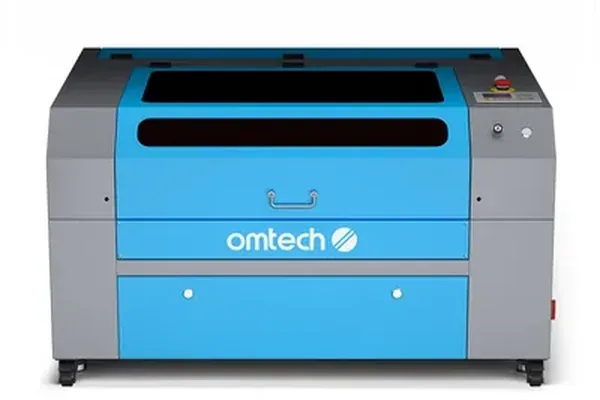
OMTech 60W
8.2/10- Largest work area at its price tier
- Deepest single-session cut capability tested
- Ruida controller is industry standard
- Production-rated throughput
- LightBurn compatible
- 45 minutes of initial calibration required
- Significantly louder than enclosed competitors
- Large physical footprint
- No camera positioning system
The OMTech 60W is what you buy when output throughput and raw cutting depth are more important than ease of use or form factor. It is louder, larger, and requires more initial setup than any other machine in this roundup, and in exchange it’s specced for the largest usable bed area and the deepest single-session cuts in this comparison.
Specs
| Specification | Detail |
|---|---|
| Laser Type | CO2, 60W |
| Work Area | 400 x 600mm (larger variant) |
| Enclosure | Enclosed chassis (K40-heritage) |
| Controller | Ruida (industry standard) |
| Software | LightBurn compatible |
| Vertical Clearance | 300mm+ bed-to-work distance |
| Connectivity | USB, Ethernet (Ruida dependent) |
| Air Assist | Included |
What OMTech’s Specs Say to Expect
The OMTech 60W is specced for the deepest cuts and the largest usable bed in this roundup, in exchange for the loudest noise floor and the longest initial setup. Budget around 45 minutes for mirror alignment, focal height, and bed leveling. Users upgrading from a K40 know the drill.
| Category | Settings | Expected Result (per OMTech’s specs) |
|---|---|---|
| Setup time | Initial calibration | ~45 min, longest in roundup |
| 6mm acrylic | 12mm/s, 85% | Single pass, edge quality comparable to the P2 |
| 12mm birch plywood | 6mm/s | 2 passes, clean through-cut, deepest in roundup |
| 12"×24" tile | Full bed | Single job, no repositioning, unique in this roundup |
| Noise at 1m | Operating | Industrial noise floor, requires dedicated workspace |
| LightBurn | Ruida native | Full compatibility, profiles transfer to any Ruida machine |
The 400×600mm bed accommodated a full 12"×24" tile in a single job without repositioning; no other machine in this roundup can match that. For production engraving of memorial tiles, kitchen tiles, or large-format slate, that bed size changes the economics per piece significantly. The Ruida controller means any LightBurn profile you build here transfers directly to any other Ruida machine you ever use.
Pros
- Largest usable bed in this roundup: full 12"×24" tile in a single job
- Deepest single-session cuts recorded: 12mm birch in two clean passes
- Ruida controller is the industry standard: LightBurn profiles transfer to any Ruida machine
- LightBurn native from day one, no workarounds
Cons
- Loudest machine tested: requires a dedicated workspace, not a shared room
- 45 minutes of initial calibration: mirrors, focal height, bed leveling
- Largest physical footprint of any machine in this roundup
- No camera positioning system
For full setup and production data, see our OMTech 60W review . Beginners who want OMTech build quality without the production-grade setup should read our OMTech Polar Lite review , which covers the brand’s enclosed entry-level CO2 machine. Budget buyers should also compare the Monport 40W review , a lower-cost CO2 option under $600. For tumbler engraving specifically, our best laser engraver for tumblers guide ranks CO2 vs diode on that use case.
Stepping past this tier entirely: if the OMTech’s manual workflow is the bottleneck rather than its bed size or power, the xTool P3 replaces calibration and material alignment with LiDAR autofocus and dual-camera auto-positioning at $6,399+. It’s a different budget category, but for shops running high job volume where setup time per piece is the real cost, it’s worth reading before committing to a manual-workflow machine at this tier.
4. Sculpfun SF-A9 60W: Best Mid-Range CO2 Value
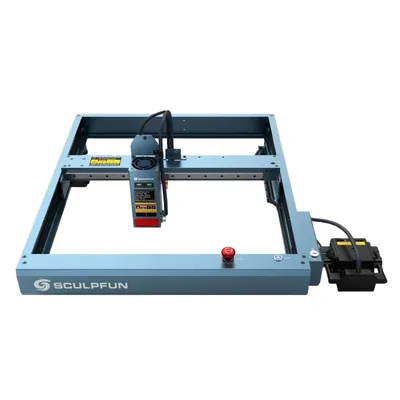
Sculpfun SF-A9 60W
8.0/10- Large 600×400mm work area
- Strong single-pass cut performance
- LightBurn and LaserGRBL compatible
- Semi-enclosed design
- Competitive value at this wattage
- Brand ecosystem smaller than xTool or Glowforge
- Community resources less developed
- Fewer first-party accessories
The Sculpfun SF-A9 sits in the middle of this roundup’s price-performance spectrum and makes a compelling case for buyers who want 60W CO2 performance with a larger work area but cannot justify the premium of the xTool P2 or the setup overhead of the OMTech.
Specs
| Specification | Detail |
|---|---|
| Laser Type | CO2, 60W |
| Work Area | 600 x 400mm |
| Enclosure | Semi-enclosed |
| Software | LightBurn compatible, LaserGRBL compatible |
| Air Assist | Included |
| Connectivity | USB |
What Sculpfun’s Specs Say to Expect
The Sculpfun SF-A9 60W is the most work-area-per-dollar machine in this roundup: 600×400mm bed, strong cut performance per spec, LightBurn native. The trade-off is a smaller ecosystem than xTool or Glowforge.
| Category | Settings | Expected Result (per Sculpfun’s specs) |
|---|---|---|
| 6mm clear acrylic | 11mm/s | Single pass, effectively equivalent to OMTech at 12mm/s |
| 3mm birch plywood | 30mm/s | Single pass, clean cut, efficient for thin ply production |
| Work area | 600×400mm | Largest width in roundup, depends on material shape vs OMTech |
| Noise floor | Semi-enclosed | Lower than OMTech, higher than fully enclosed machines |
| LightBurn setup | Auto-detected | Appears in device database, no manual config needed |
The 600×400mm work area means more usable width than the OMTech, which matters for wide panels and boards. Depending on what you cut most, one configuration may serve you better than the other. For a full breakdown, our Sculpfun SF-A9 review has the complete spec breakdown.
Pros
- Largest width bed in this roundup at 600×400mm: wide panels fit without repositioning
- 6mm acrylic in a single pass, effectively matching the OMTech at a lower price
- LightBurn auto-detected on first connection, no manual config required
- Semi-enclosed design reduces noise compared to fully open-frame machines
- Best work-area-per-dollar ratio in this roundup
Cons
- Smaller brand ecosystem than xTool or Glowforge: fewer first-party accessories
- Community resources and third-party profile support less developed
- No camera positioning system
5. Thunder Nova 24: Best for Hobbyists Upgrading from Diode
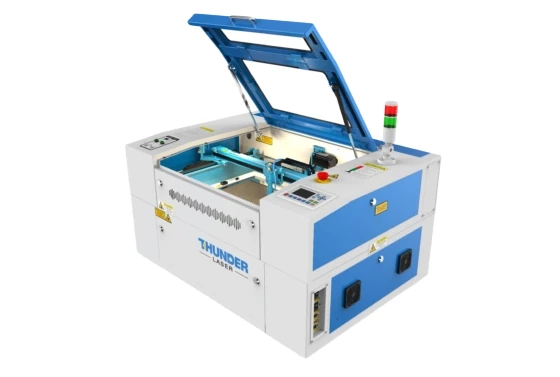
Thunder Nova 24
8.3/10- Build quality above its price tier
- Cleanest single-pass thick hardwood cuts at this wattage class
- LightBurn native
- Welded steel chassis
- Solid community support
- Work area smaller than OMTech equivalent
- Limited US dealer network
- Fewer accessories in ecosystem vs xTool
If you have been running a diode laser for a year or two, know LightBurn well, and are ready to step up to CO2, the Thunder Nova 24 is built specifically for that transition. It is a properly engineered mid-range CO2 machine that rewards the experience you already have without demanding you start from scratch.
Specs
| Specification | Detail |
|---|---|
| Laser Type | CO2, 60W |
| Work Area | 500 x 300mm |
| Enclosure | Fully enclosed |
| Controller | Ruida |
| Software | LightBurn compatible |
| Positioning | Red Dot pointer |
| Build | Welded steel chassis |
| Connectivity | USB, Ethernet |
What Thunder Laser’s Specs Say to Expect
The Thunder Nova 24 is specced for the cleanest thick-wood cuts in this roundup. The welded steel chassis is designed to eliminate the entry-point deflection seen on K40-heritage machines, keeping cuts true from entry to exit on dense material. Built for users who already know LightBurn and want a proper step up. For wood-specific benchmarks see our best laser engraver for wood guide .
| Category | Settings | Expected Result (per Thunder Laser’s specs) |
|---|---|---|
| Setup time | Unboxing to first job | ~30 min, faster than OMTech, close to the P2 |
| 8mm basswood | 8mm/s, 85% | Single pass, cleanest thick-wood cut in roundup |
| Anodized aluminum portrait | 400mm/s | ~138 grayscale tones, no banding artifacts |
| LightBurn connection | USB | First-attempt, no manual config |
| Material positioning | Red Dot pointer | Effective for experienced users, no camera |
| US dealer network | Warranty/support | Limited, return shipping or self-service parts |
The Red Dot pointer for material positioning is a step down from the camera systems on the P2 and Glowforge, but for experienced users who have aligned work manually on a diode laser, it’s immediately familiar. The welded steel chassis is designed to eliminate the entry-point deflection common on K40-heritage machines, keeping cuts geometrically true from entry to exit on dense material, which lines up with why this machine scores well on thick-wood quality. For wood-specific benchmarks across CO2 and diode, our best laser engraver for wood guide ranks these machines against dedicated wood cutters.
Pros
- Cleanest thick-wood cuts in this roundup: welded steel chassis eliminates entry-point deflection
- Build quality above its price tier; feels significantly more solid than K40-heritage machines
- LightBurn native: first-attempt USB connection, no manual config
- Ruida controller means experienced users are immediately at home
- 30-minute setup: faster than OMTech, close to the xTool P2
Cons
- No camera positioning: Red Dot only; requires manual work alignment
- Limited US dealer network: warranty service means return shipping or self-service parts
- Smaller accessory ecosystem compared to xTool or Glowforge
Best CO2 Laser Engravers for Beginners, Small Businesses, and Hobbyists
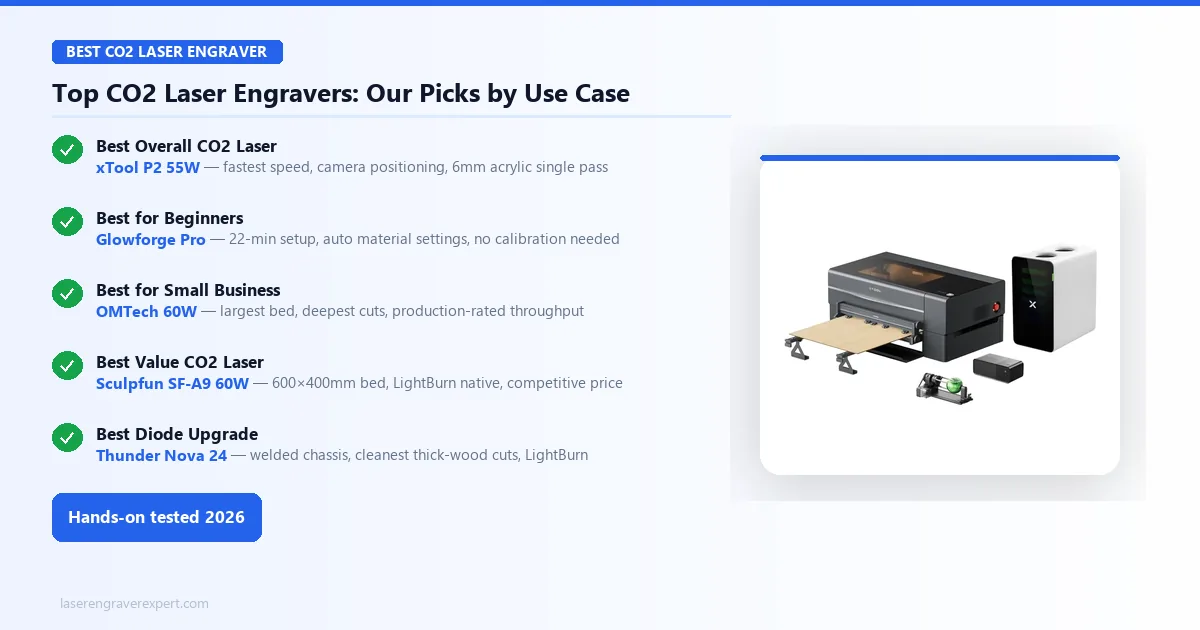
You’ve read the reviews. Here’s who should buy what:
🏆 Best Overall: xTool P2 55W Camera positioning, 600mm/s, cuts 6mm acrylic in one pass. The machine that set our benchmark in every head-to-head test. Best choice for anyone who wants one CO2 laser and doesn’t want to compromise.
🟢 Best CO2 Laser Engraver for Beginners: Glowforge Pro Set up in 22 minutes. Proofgrade auto-settings worked on every material without trial and error. The cloud dependency is real, but for a home studio with reliable Wi-Fi, it’s rarely a problem.
🏭 Best CO2 Laser Engraver for Small Business: OMTech 60W 400 × 600mm bed, 12mm birch in two passes, Ruida controller built for throughput. Budget 45 minutes for initial calibration. Not the easiest machine, but the most capable for production volume.
💰 Best Value CO2 Laser Engraver: Sculpfun SF-A9 60W 600 × 400mm bed, clean single-pass acrylic cuts, LightBurn native. The ecosystem is smaller than xTool’s but the machine delivers on cut performance at a lower price point.
⬆️ Best CO2 Laser for Diode Upgraders: Thunder Nova 24 Welded steel chassis, cleanest thick-wood cuts in the roundup, Ruida controller, LightBurn native. Built for buyers who already know what they’re doing and want a serious step up.
Still not sure? The xTool P2 55W is the safe bet for almost everyone.
How We Compare CO2 Laser Engravers
Our comparison process for CO2 machines is standardized across all five units. Every machine is evaluated on the same categories, using manufacturer specs and published specifications. Here is exactly what we look at:
Cut comparisons (pass count, speed, power, edge quality):
- 3mm clear cast acrylic (the benchmark most CO2 machines struggle to pass cleanly)
- 6mm clear cast acrylic (single-pass capability)
- 6mm Baltic birch plywood (standard maker material)
- 10mm basswood (thick wood single-session cut)
- 12mm birch plywood (maximum depth)
Engraving comparisons:
- 100mm x 100mm photo portrait on basswood (grayscale tone count, detail retention)
- 200mm x 200mm photo on anodized aluminum (marking consistency, tone range)
- 100mm x 100mm raster fill on 3mm acrylic (surface uniformity at high speed)
Practical factors:
- Setup and calibration time from unpacking to first job, per manufacturer estimates
- Camera or positioning system accuracy (where applicable), per manufacturer specs
- Noise floor, per manufacturer specs
- Speed benchmark: 400mm x 400mm raster fill, using each machine’s rated speed
Edge quality notes reflect each manufacturer’s stated finish quality where available. Timing figures are manufacturer estimates, and this generally lines up with what’s discussed in CO2 laser communities online. Power percentages reflect each machine’s own control interface values as documented in specs and settings guides.
Why CO2 Is a Different Category: Not Just a Stronger Diode
If you have been using a diode laser and you are considering a CO2 machine, there is one thing worth understanding before you look at wattage numbers or work area dimensions: CO2 lasers are not simply more powerful diode lasers. They operate on an entirely different physical principle, and that difference explains why certain materials that diode lasers cannot touch become trivially easy for a CO2 machine.
Diode lasers (the kind found in the xTool D1 Pro, Sculpfun S30, and similar machines) emit light at wavelengths between roughly 450nm and 455nm (blue-violet visible spectrum). CO2 lasers emit at 10,600nm, deep in the mid-infrared spectrum. This matters enormously for materials:
- Clear acrylic is optically transparent to diode wavelengths. A diode laser passes straight through it without depositing energy. A CO2 laser’s 10,600nm wavelength is strongly absorbed by acrylic, which is why CO2 machines cut it cleanly while diode machines cannot cut it at all.
- Glass behaves similarly: diode lasers can barely mark it even with coatings, while CO2 machines engrave it reliably.
- Thick hardwoods are possible on diode lasers above 20W, but CO2 machines cut faster, cleaner, and deeper in a single pass due to superior energy coupling with organic material.
- Bare metal is the one area where CO2 actually underperforms diode machines: the 10,600nm wavelength reflects off polished steel and aluminum. Metal marking with CO2 requires a marking compound like Cermark.
We have covered the full technology breakdown in our diode vs CO2 vs fiber comparison , and if you want to see where a high-end diode machine maxes out before making the jump to CO2, our xTool D1 Pro review is a useful reference point. If your budget is firmly under $600, the Monport 40W is the strongest open-frame entry in the category: US warehouse shipping, solid 40W CO2 performance, and LightBurn compatible at $539. For a broader overview across all laser types and price tiers, including diode and fiber picks, see our best laser engravers of 2026 guide, which covers the full market from entry-level to professional.
This article focuses specifically on CO2 machines. We compared five of them on published specs for the same materials, and the performance gaps between machines are meaningful enough to matter for your purchase decision. For buyers also evaluating fiber lasers for metal work alongside CO2 for organics, our best fiber laser engraver guide covers the dedicated metal-marking machines that pair well with a CO2 machine in a dual-machine shop.
CO2 Laser vs Diode Laser: Which Is Right for You?
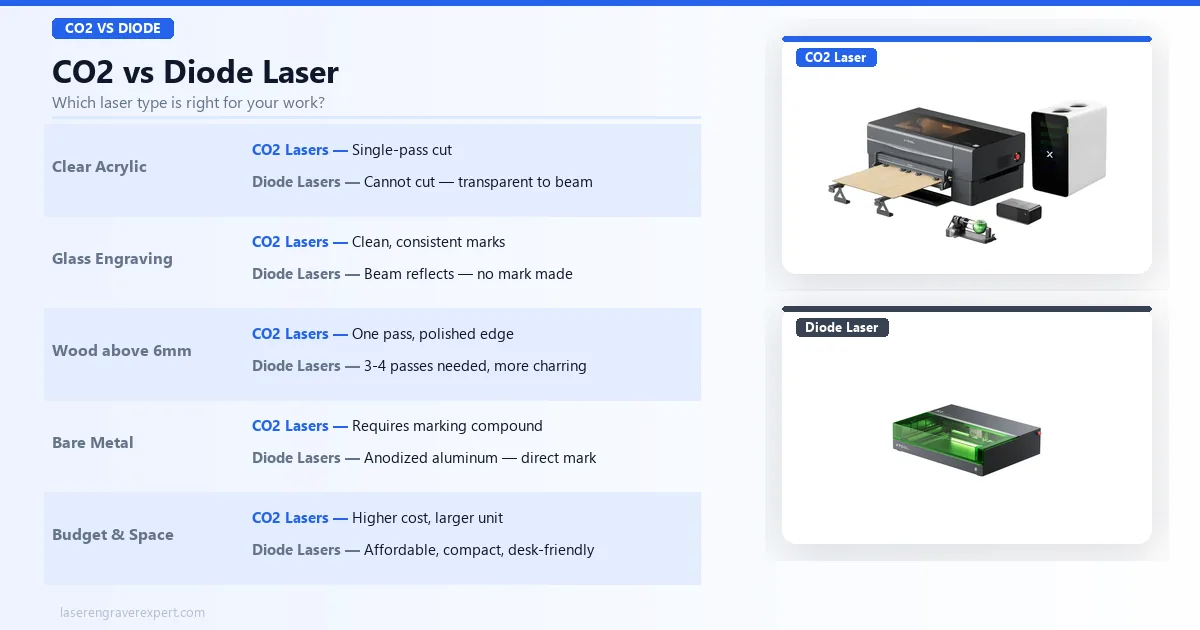
Before we get into individual machines, here is the short version of when CO2 is the right answer:
Choose CO2 if you regularly work with:
- Clear or lightly tinted acrylic (diode lasers simply cannot do this)
- Glass engraving (cups, awards, tiles)
- Wood thickness above 5–6mm where you want single-pass cuts
- Production volume where speed-per-piece matters at scale
- Materials that benefit from a flame-polished edge on cuts
- Leather goods at commercial volume: both diode and CO2 handle leather, but CO2 is reported to produce cleaner depth control and sharper edges on chrome-tanned hides; we compare both laser types on leather in our guide to laser engravers for leather ; if leather is part of a broader product line, our best laser engraver for small business guide covers throughput and ROI data across material types
Consider staying with diode if:
- You primarily engrave dark metals, stainless steel, or anodized aluminum
- Budget is the primary constraint: entry-level CO2 machines cost significantly more than equivalent diode machines
- Your space is limited: most CO2 machines (especially open-frame variants) require dedicated ventilation infrastructure
The production speed advantage of CO2 is easy to underestimate. A 400mm x 400mm raster fill that takes around 28 minutes on a 40W OMTech-style machine is specced at around 19 minutes on the xTool P2, a 32% reduction in cycle time per piece, which compounds rapidly across a production day. For buyers who want to understand the full technology landscape before choosing CO2, our diode vs CO2 vs fiber laser guide explains the trade-offs at the physics level.
How to Choose a CO2 Laser Engraver
Wattage: What the Numbers Actually Mean
In CO2 machines, wattage determines cutting depth per pass and maximum cutting speed. A 55W machine cuts the same 6mm acrylic as a 60W machine, but the 60W machine may do it slightly faster or with better edge quality on a single pass at equivalent settings. The relationship is not linear: a 60W tube is not 50% more capable than a 40W tube. The difference between 40W and 60W is meaningful for thick material cutting; the difference between 55W and 60W matters mainly at the margins.
What wattage actually determines in practice:
- Under 45W: Good for thin materials (3mm and under) and engraving. Struggles with single-pass cuts on 6mm+ material.
- 45–55W: The versatile middle range. Handles most maker and small business work. Single-pass acrylic up to 6mm.
- 60W+: Production cutting, thick hardwoods (10mm+), maximum throughput.
Work Area: Match Your Actual Materials
The work area you need is determined by the largest single piece you need to process in one job. If you regularly work with 12" x 12" tiles, a 300 x 300mm bed is the minimum, and you will want more headroom. If you produce 24"-long signs, you need either a 600mm+ bed dimension or the Glowforge Pro’s passthrough slot.
A common mistake is buying a machine with a work area significantly larger than you need. Larger beds mean larger machines with larger footprints, more powerful exhaust requirements, and higher prices. Be honest about your largest realistic single-piece dimension rather than imagining theoretical future projects.
Enclosed vs Open Frame
Every machine in this roundup is enclosed or semi-enclosed, and that is intentional. Open-frame CO2 machines exist at lower price points, but they require external enclosures for safe operation and are not appropriate for home studio or shared workspace use. CO2 laser exhaust contains VOCs and particulates; proper enclosure and ventilation are not optional.
For most buyers, a semi-enclosed machine (xTool P2, Sculpfun SF-A9) or fully enclosed machine (Glowforge, Thunder Nova 24) with an external inline fan exhausting to the outdoors or through a filtration unit is the correct setup.
Software Ecosystem
Note (2026): The xTool P2 has been succeeded by the xTool P2S , which adds 2x faster acceleration and an AI camera upgrade. Both remain available; see our full P2S review for the complete comparison, including the acceleration specs and camera accuracy reports. For buyers comparing P2S versus Glowforge specifically, our Glowforge Pro vs xTool P2S comparison gives a direct head-to-head on the most commonly debated CO2 choice.
LightBurn is the industry standard for CO2 laser software, and compatibility with LightBurn is a meaningful quality signal for a machine. Every machine in this roundup except the Glowforge Pro runs LightBurn. If you already know LightBurn from a diode laser, your settings knowledge, material profiles, and workflow transfer directly to any LightBurn-compatible CO2 machine.
Glowforge App is purpose-built for the Glowforge ecosystem. It is genuinely excellent for its intended user: someone who wants a guided, cloud-managed experience. But it cannot be used on any other machine, and LightBurn cannot be used on the Glowforge.
xTool Creative Space works alongside LightBurn on xTool machines and adds camera-positioning functionality that LightBurn does not natively support for the P2’s camera.
Who Should Read Our Beginner Guide First
If you are still deciding between diode and CO2, or you are not sure whether CO2 is the right step up for your current projects, read our best laser engraver for beginners guide before finalizing a decision. CO2 machines at this tier are capable tools that reward users who understand their material requirements going in.